
XREXS KYX-0035-WiFi
XREXS KYX-0035-WiFi 12.2 Inch Digital Wall Clock User Manual
Model: KYX-0035-WiFi
Introducció
The XREXS 12.2 Inch Digital Wall Clock (Model: KYX-0035-WiFi) is designed to provide precise timekeeping with a large, clear LED display. This multifunctional clock features WiFi time synchronization, a remote control for easy operation, dual alarms, and a versatile timer function. Its modern design makes it suitable for various environments, including homes, offices, and classrooms.
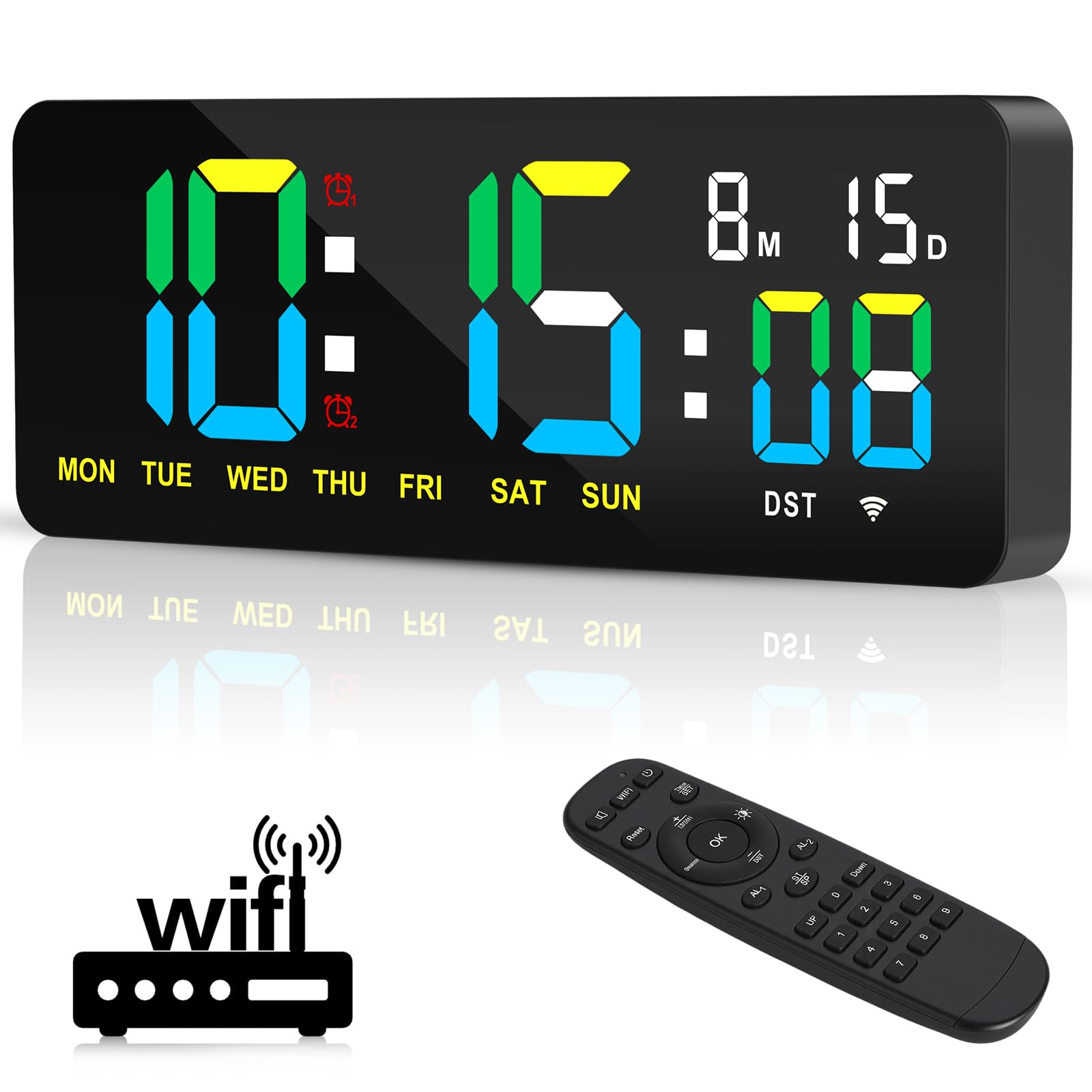
Imatge: Més deview of the XREXS Digital Wall Clock highlighting its key features.
Contingut del paquet
Si us plau, comproveu el paquet per veure si hi ha els elements següents:
- 1 x XREXS 12.2 Inch WiFi Sync Wall Clock
- 1 x comandament a distància
- 1 x Power Plug (Adapter)
- 1 x USB Cable (3m long)
- 1 x Ruler (for mounting assistance)
- 1 x Manual d'usuari (aquest document)
- 2 x Mounting Nails

Image: All components included in the XREXS Digital Wall Clock package.
Configuració
1. Connexió d'alimentació
Connect the provided USB cable to the clock and then to the power plug. Insert the power plug into a standard electrical outlet. The clock will power on automatically.
2. Opcions de muntatge
The clock offers two installation methods:
- Muntatge en paret: Use the two mounting holes on the back of the clock and the provided nails to secure it to a wall.
- Col·locació d'escriptori/prestatges: The clock includes a base that allows it to stand upright on a desk, shelf, or any flat surface.

Image: Dimensions and desk placement of the XREXS Digital Wall Clock.
3. WiFi Time Synchronization
The clock uses WiFi to automatically synchronize time, eliminating manual adjustments. Follow these steps:
- Ensure the clock is powered on.
- Using the remote control, navigate to the WiFi setup menu.
- Connect the clock to your local WiFi network. You may need to select your network and enter the password.
- Once connected, select your local time zone.
- The clock will automatically synchronize the time and date. It also supports automatic Daylight Saving Time (DST) adjustments.
Nota:
- Important: The WiFi connection is solely for time synchronization and does not involve any privacy information.
- The remote control has a straight-line operating distance of up to 5 meters.

Image: Effortless setup and WiFi time synchronization process.
Instruccions de funcionament
The XREXS Digital Wall Clock offers multiple functions controlled via the included remote.
1. Modes de visualització
The clock displays hours, minutes, seconds, date, month, and day of the week. It supports both 12-hour and 24-hour formats. Use the remote control to switch between different display modes or functions (Clock, Timer, Alarm).
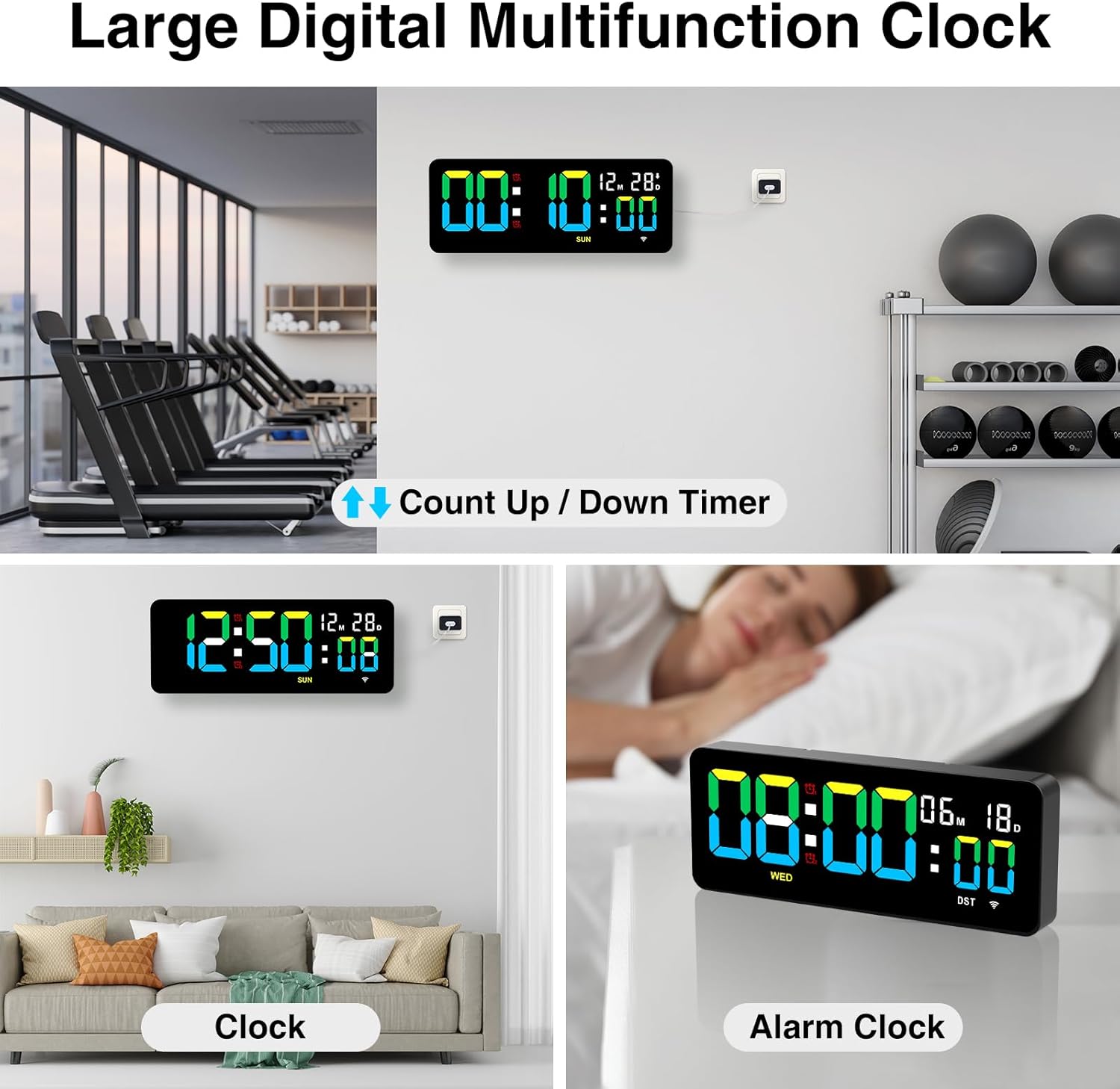
Image: Multifunction display modes including Clock, Timer, and Alarm.
2. Ajust de la brillantor
The clock features three adjustable brightness levels to suit your environment and preference. Use the remote control to cycle through High, Medium, and Low brightness settings.

Image: Three levels of display brightness.
3. Funció de despertador
The clock allows you to set two independent alarms simultaneously. The alarm offers three modes to meet diverse needs (specific modes not detailed in product info, refer to full manual for details). Use the remote control to set and manage alarms.
- Premeu el botó AL1 or AL2 button on the remote to set the respective alarm.
- Use the number buttons to input the desired alarm time.
- Confirmeu la configuració.
4. Timer Function (Countdown/Count-Up)
The integrated timer supports both countdown and count-up functions, with a maximum timing cycle of 99 hours, 59 minutes, and 59 seconds.
- Compte enrere: Set a desired time using the remote. Upon completion, the clock will emit a 60-second "beep-beep-beep" alert.
- Count-Up: Start the timer from zero.
- Funció de memòria: The timer retains previous settings if not manually cleared.
- Restablir: Use the Reset button on the remote to clear the current timer setting and start a new cycle.
This feature is ideal for various activities such as cooking, exercise, study sessions, or managing children's screen time.
Manteniment
To ensure the longevity and optimal performance of your XREXS Digital Wall Clock, follow these simple maintenance guidelines:
- Neteja: Netegeu suaument la pantalla iasing amb un to suau, sec o lleugerament damp cloth. Avoid using abrasive cleaners, solvents, or chemical sprays, as these can damage the surface.
- Col·locació: Place the clock in a location away from direct sunlight, extreme temperatures, and high humidity to prevent damage to the electronic components and display.
- Potència: Always use the provided power adapter and USB cable. Do not attempt to use other adapters unless they meet the exact specifications.
- Manipulació: Handle the clock and remote control with care to avoid physical damage.
Resolució de problemes
If you encounter any issues with your XREXS Digital Wall Clock, please refer to the following common solutions:
1. Clock Does Not Power On
- Ensure the power plug is securely inserted into both the clock and the electrical outlet.
- Check if the electrical outlet is functioning correctly by plugging in another device.
- Verify that the USB cable is not damaged.
2. Incorrect Time Display
- WiFi Sync: Ensure the clock is successfully connected to your WiFi network and the correct time zone is selected. Re-attempt WiFi setup if necessary.
- Ajust manual: If WiFi is unavailable, refer to the full product manual for instructions on manual time setting using the remote control.
3. El comandament a distància no respon
- Comproveu la bateria del comandament a distància i substituïu-la si cal.
- Ensure there are no obstructions between the remote control and the clock.
- Make sure you are within the 5-meter operating range.
- Point the remote directly at the clock's sensor.
4. L'alarma no sona
- Verify that the alarm is enabled and set to the correct time.
- Check the alarm volume settings (if adjustable, refer to the full manual).
5. Timer Issues
- Ensure the timer function is correctly activated and the time is set.
- If the timer is not resetting, try pressing the Reset button on the remote.
Especificacions
| Marca | XREXS |
| Número de model | KYX-0035-WiFi |
| Tipus de visualització | LED digital |
| Mida de la pantalla | 12.2 polzades |
| Dimensions del producte | 30W x 12H centimetres (approx. 11.81W x 4.73H inches) |
| Font d'alimentació | Corded Electric (USB Cable and Power Plug) |
| Característiques especials | Adjustable Brightness (3 levels), Alarm (2 alarms), Calendar Display, Count Up/Down Timer, WiFi Time Sync, Auto DST, Remote Control |
| Tipus de muntatge | Wall Mount, Desk Placement |
| Material del marc | Acrílic |
| Ús interior/exterior | Interior |
Garantia i Suport
For warranty information or technical support, please refer to the documentation included with your purchase or contact XREXS customer service directly. Contact details can typically be found on the manufacturer's official weblloc web o a l'embalatge del producte.
Ask a question about this manual
Ask about setup, troubleshooting, compatibility, parts, safety, or missing instructions. Manuals+ will review the question and use this page’s manual context to help answer it.