
1. Introducció i finalview
Welcome to the NIMO 17.3 AI-Laptop Copilot+ PC user manual. This guide provides essential information for setting up, operating, maintaining, and troubleshooting your new laptop. Designed for high performance and productivity, your NIMO laptop is equipped with advanced features to enhance your daily tasks, creative work, and entertainment.
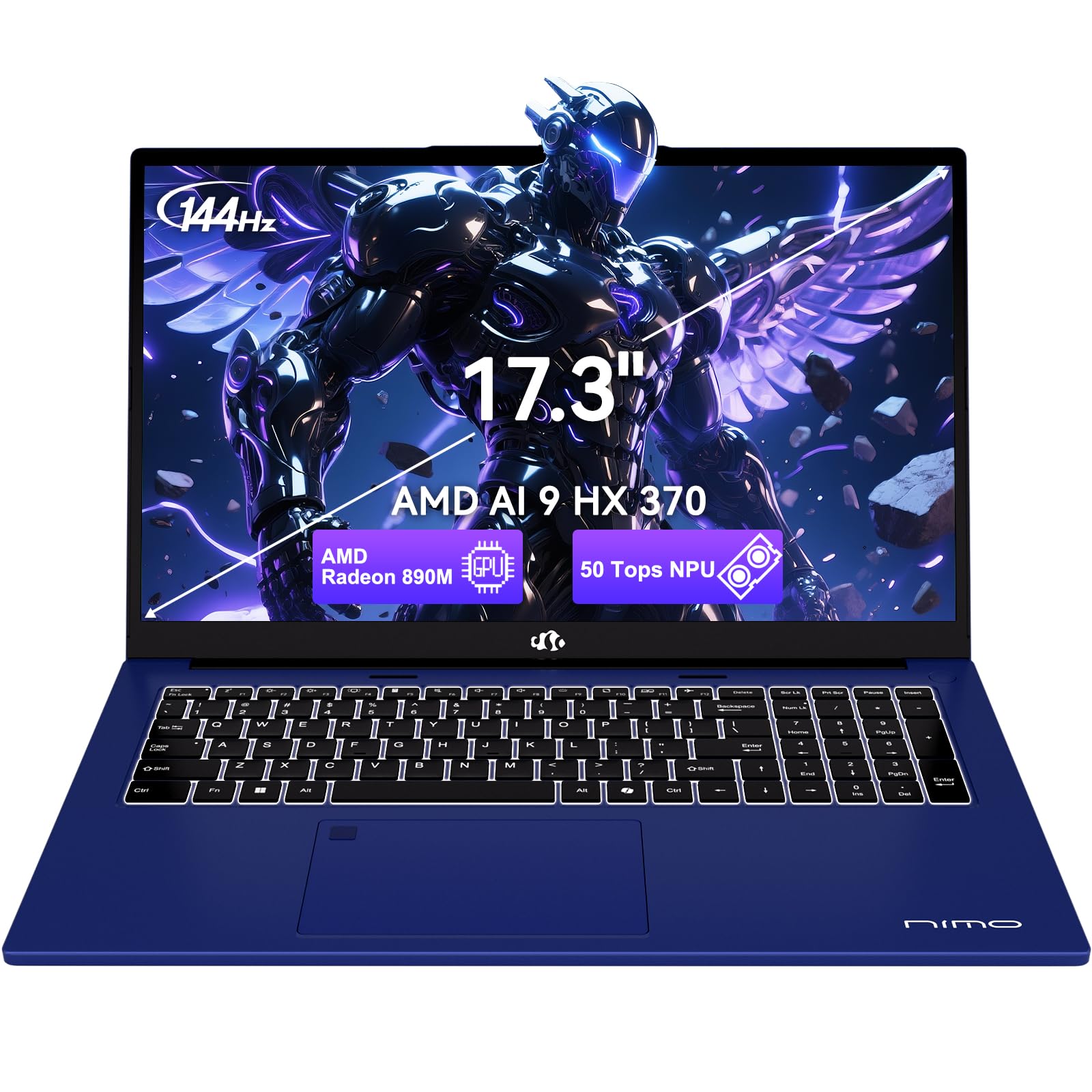
Figure 1.1: NIMO 17.3 AI-Laptop Copilot+ PC
Característiques principals:
- AI Ryzen Performance: Powered by AMD Ryzen AI 9 HX 370 with Radeon 890M graphics for AI-accelerated performance.
- Spacious 17.3-Inch Display: Ofertes ample workspace with a 144Hz refresh rate for smooth visuals.
- Durada de la bateria de llarga durada: Equipped with a 75Wh high-capacity battery for extended use.
- 100W GaN Fast Charging: Quick and efficient recharging via USB-C PD.
- Advanced USB-C 4.0 Connectivity: Supports 40Gbps data transfer, 8K external displays, and eGPU docking.
- Comfortable Backlit Keyboard: Ensures accurate typing in various lighting conditions.
- Fast Fingerprint Unlock: Secure and instant access to your system.
- Full Numeric Keypad: Ideal for data entry and productivity tasks.

Figure 1.2: AMD Ryzen AI 9 HX 370 Processor Capabilities

Figure 1.3: AI Power for Real Life with 50 TOPS NPU

Figure 1.4: Radeon 890M Integrated Graphics Performance
Producte acabatview Vídeo:
Video 1.1: NIMO 17.3 AI370 Laptop Overview. This video provides a quick visual introduction to the NIMO AI-Laptop's design and key features.
2. Configuració
2.1 Desembalatge i inspecció inicial
Carefully remove all items from the packaging. The box should contain:
- 1 x NIMO 17.3" AI Laptop
- 1 x Carregador ràpid tipus C 100 W PD
- 1 x Manual d'usuari (aquest document)
- Windows 11 Home pre-installed
Inspect the laptop and accessories for any signs of damage. If any items are missing or damaged, please contact NIMO customer support immediately.
2.2 Powering On and Initial Charge
- Connect the Type-C 100W PD Fast Charger to the USB-C 4.0 port on your laptop and to a power outlet.
- Allow the laptop to charge for at least 30 minutes before the first use, or until the battery indicator shows sufficient charge.
- Open the laptop lid. The system should power on automatically. If not, press the power button located on the top right of the keyboard.
- Segueix les instruccions que apareixen a la pantalla per completar el procés de configuració del Windows 11 Home. Això inclou seleccionar la regió i l'idioma, connectar-se a una xarxa Wi-Fi i crear un compte d'usuari.

Figure 2.1: Connecting the 100W PD Fast Charger

Figura 2.2: Capacitat de càrrega ràpida
3. Operating Your NIMO AI-Laptop
3.1 Teclat i touchpad
The NIMO AI-Laptop features a full-size backlit keyboard with a dedicated numeric keypad for enhanced productivity. The multi-touch precision touchpad allows for intuitive navigation and gestures.
- Teclat retroil·luminat: Premeu Fn + F10 (or the key with the keyboard backlight icon) to cycle through backlight brightness levels.
- Teclat numèric: Use the dedicated numeric keypad for quick data entry. Ensure Num Lock is enabled.
- Precision Touchpad: Supports multi-finger gestures for scrolling, zooming, and switching applications. Refer to Windows settings for customization.
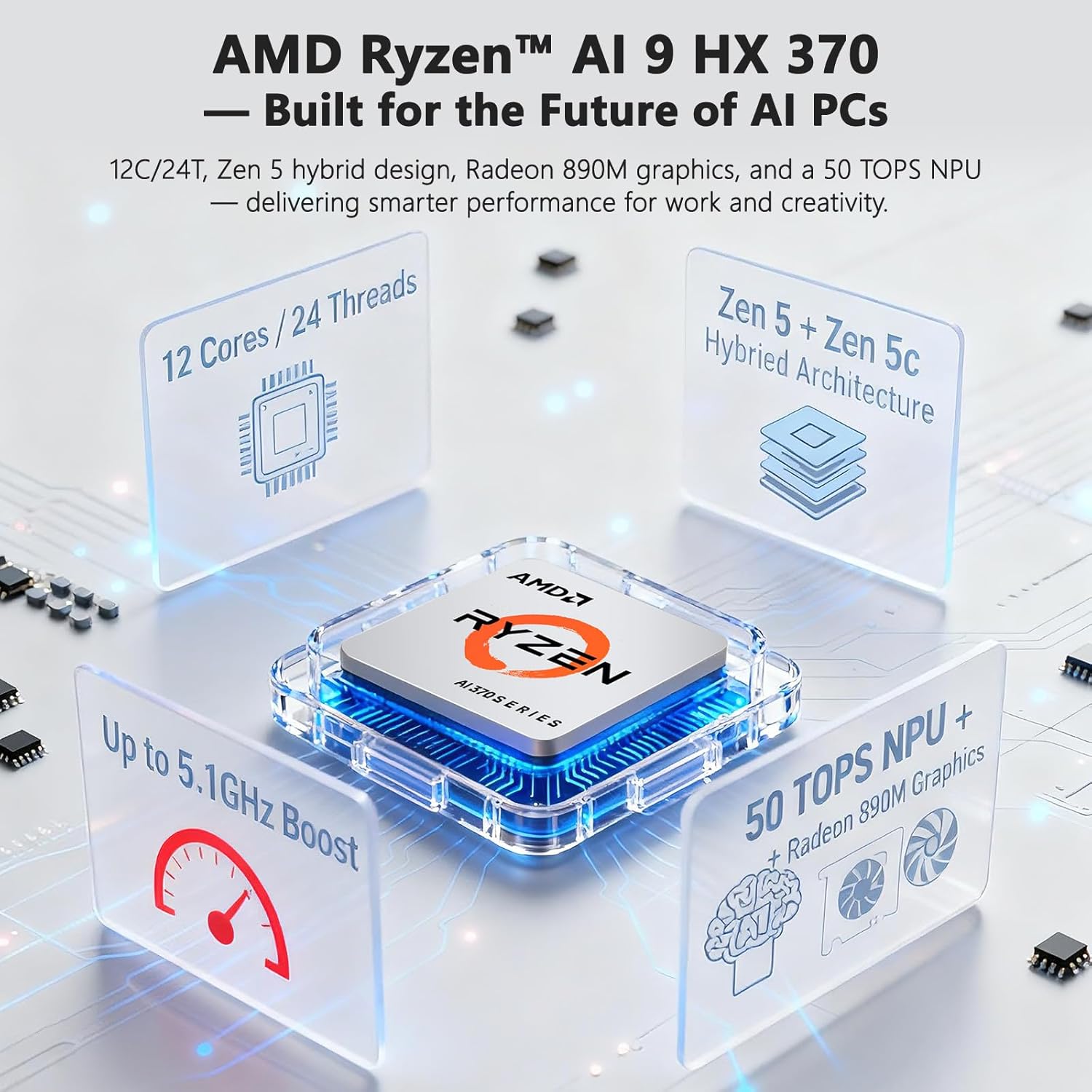
Figure 3.1: Backlit Keyboard and Touchpad

Figure 3.2: Fingerprint Unlock and Backlit Keyboard
3.2 Característiques de visualització
Your NIMO AI-Laptop features a 17.3-inch Full HD (1920x1080) display with a 144Hz refresh rate, providing a smooth and immersive visual experience.
- Alta taxa d'actualització: The 144Hz refresh rate reduces motion blur and provides a more fluid experience, especially beneficial for gaming and fast-paced content.
- Mida de la pantalla: The large 17.3-inch display offers ample screen real estate for multitasking, creative applications, and immersive viewing.

Figure 3.3: 17.3-inch Display for Work and Creation

Figure 3.4: 144Hz Refresh Rate Visual Difference
3.3 AI Features with Copilot+
Your NIMO AI-Laptop is a Copilot+ PC, leveraging the AMD Ryzen AI 9 HX 370's Neural Processing Unit (NPU) for enhanced AI capabilities directly on your device. This enables features such as:
- Real-Time Notes & Translation: Copilot+ can record, summarize, and translate content as you work.
- AI-Powered Creation: Accelerate creative processes with intelligent image, video, and text tools.
- Smart Recall: Instantly find any file, webpage, or chat you've seen before.
- Enhanced Video Calls: Features like background blur, auto framing, and noise reduction for clearer communication.
Video 3.1: NIMO 17.3" AI Laptop AI Features. This video demonstrates the AI capabilities of the laptop, including Copilot+ functionalities.
3.4 Ports i connectivitat
The NIMO AI-Laptop offers comprehensive connectivity options:
- USB-C 4.0: Supports 40Gbps data transfer, 100W Power Delivery, and 8K external displays.
- HDMI: Per connectar monitors o projectors externs.
- USB 3.2 & USB 2.0: For connecting various peripherals.
- Ranura per a targeta SD: Per facilitar la transferència de fotos i files.
- Headphone Combo Jack: Per a l'entrada/sortida d'àudio.
- Ranura de bloqueig Kensington: Per a la seguretat física.
- Connectivitat sense fils: Wi-Fi 6E and Bluetooth for network and device connections.

Figura 3.5: lateral View amb ports

Figure 3.6: Comprehensive Multi-Port Design
3.5 Funcions de privadesa
The laptop includes a built-in privacy camera switch, allowing you to physically disable the 2.0MP webcam when not in use, ensuring your privacy.

Figure 3.7: Privacy-Focused Camera Convenience
4. Manteniment
4.1 Cura de la bateria
- Do not expose the battery to excessive heat or fire.
- Avoid completely draining the battery regularly. It is recommended to keep the charge between 20% and 80% for optimal battery longevity.
- Use only the provided 100W USB-C PD GaN charger or a compatible charger to prevent damage.
4.2 Neteja del portàtil
- Utilitzeu un drap suau i sense pelusa dampesbandiu amb aigua o un netejador de pantalles per netejar la pantalla.
- For the keyboard and chassis, use a soft, dry cloth. A can of compressed air can be used to remove dust from between keys.
- Eviteu l'ús de productes químics agressius, abrasius o dissolvents.
4.3 Actualitzacions de programari
Regularly check for and install Windows updates and driver updates to ensure optimal performance, security, and compatibility. You can typically find driver updates on the NIMO official support weblloc.
5. Solució De Problemes
This section covers common issues you might encounter with your NIMO AI-Laptop. For more detailed troubleshooting or issues not listed here, please refer to the NIMO support weblloc o contacteu amb el servei d'atenció al client.
| Problema | Possible solució |
|---|---|
| El portàtil no s'encén. | Ensure the charger is properly connected and the power outlet is working. Try holding the power button for 15-20 seconds to perform a hard reset. |
| La bateria no es carrega. | Verify charger connection. Try a different power outlet. Ensure the charger is the original NIMO 100W PD charger. |
| Problemes de connexió Wi-Fi. | Restart your router and laptop. Check Wi-Fi drivers in Device Manager. Ensure Wi-Fi is enabled in Windows settings. |
| Rendiment lent. | Close unnecessary applications. Check for background processes. Ensure Windows and drivers are up to date. Run a disk cleanup. |
| La retroiluminació del teclat no funciona. | Press Fn + F10 (or the key with the keyboard backlight icon) to adjust brightness. |
6. Especificacions
Detailed technical specifications for your NIMO 17.3 AI-Laptop Copilot+ PC:
| Característica | Detall |
|---|---|
| Marca | NIMO |
| Nom del model | 16GB DDR5 RAM|1TB SSD |
| Mida de la pantalla | 17.3 polzades |
| Color | Blau celestial |
| Mida del disc dur | 1024 GB |
| Model de CPU | Ryzen 9 (AMD Ryzen AI 9 HX 370) |
| Mida instal·lada de la memòria RAM | 16 GB DDR5 |
| Sistema operatiu | Windows 11 Home |
| Coprocessador gràfic | AMD Radeon 890M |
| Descripció del disc dur | SSD (PCIe 4.0) |
| Pes de l'article | 4.6 lliures |
| Durada de la bateria (mitjana) | 12 hores |
| Contingut d'energia de la bateria | 75 watts-hora |
| Resolució de visualització | 1920 x 1080 píxels (Full HD) |
| Freqüència d'actualització | 144 Hz |
| Connectivitat sense fil | Wi-Fi 6E, Bluetooth |
| Ports USB totals | 5 (including USB-C 4.0) |
| Ports HDMI | 1 |
| Weblleva | Càmera frontal de 2 MP |
7. Garantia i Suport
7.1 Informació de la garantia
Your NIMO AI-Laptop comes with a 2 anys de garantia from NIMO Direct Inc. This warranty covers manufacturing defects and ensures peace of mind for your purchase.
A més, NIMO ofereix una 90-Day Free Return policy from the date of purchase. Please refer to the terms and conditions on the NIMO official weblloc per obtenir més informació.

Figure 7.1: NIMO 2-Year Support
7.2 Atenció al client
For any product-related questions, technical assistance, or warranty claims, please contact NIMO customer support:
- Oficial Weblloc: Visit the NIMO official weblloc web per a preguntes freqüents, descàrregues de controladors i recursos d'assistència.
- Suport per correu electrònic: service@nimopc.com
- Suport telefònic: Contact details may be available on the official weblloc o embalatge del producte.
NIMO is committed to providing professional and high-quality customer service to ensure your satisfaction.

Figure 7.2: Professional Customer Assistance