
1. Introducció
This manual provides detailed instructions for the setup, operation, and maintenance of your javiscam E6 4K HD Wireless Hidden Camera. Please read this manual thoroughly before using the device to ensure proper functionality and safety.

Image: The javiscam E6 Hidden Camera discreetly placed in a living room environment.
2. Què hi ha a la caixa
Verifiqueu que tots els components siguin presents al vostre paquet:
- Càmera x1
- Cable de càrrega x1
- Manual d'instruccions x1
- Mounting screws and 3M adhesive tape x1
- Stand x1

Image: The javiscam E6 camera and its included accessories.
3. Característiques clau
- 4K HD Video & Image Quality: Capture clear video and images with Ultra 4K resolution.
- AI Motion Detection & Instant Alerts: Advanced AI technology detects movement and sends mobile notifications.
- Visió nocturna millorada: Provides round-the-clock surveillance with clear infrared night vision up to 10 meters.
- Sirena integrada: An integrated siren can be activated for deterrence.
- 100% Wire-free & Compact Design: Small, portable, and easy to hide, suitable for various indoor placements.
- Llarga durada de la bateria en espera: Equipped with a 2800mAh battery, offering up to 60 days of standby time with low sensitivity settings.
- Opcions d'emmagatzematge flexibles: Supports up to 128GB SD card (not included) and offers 30 days of complimentary cloud storage.
- Connectivitat Wi-Fi de 2.4 GHz: Connects reliably to your home Wi-Fi network (5GHz not supported).

Image: 4K vs 1080P video quality comparison.
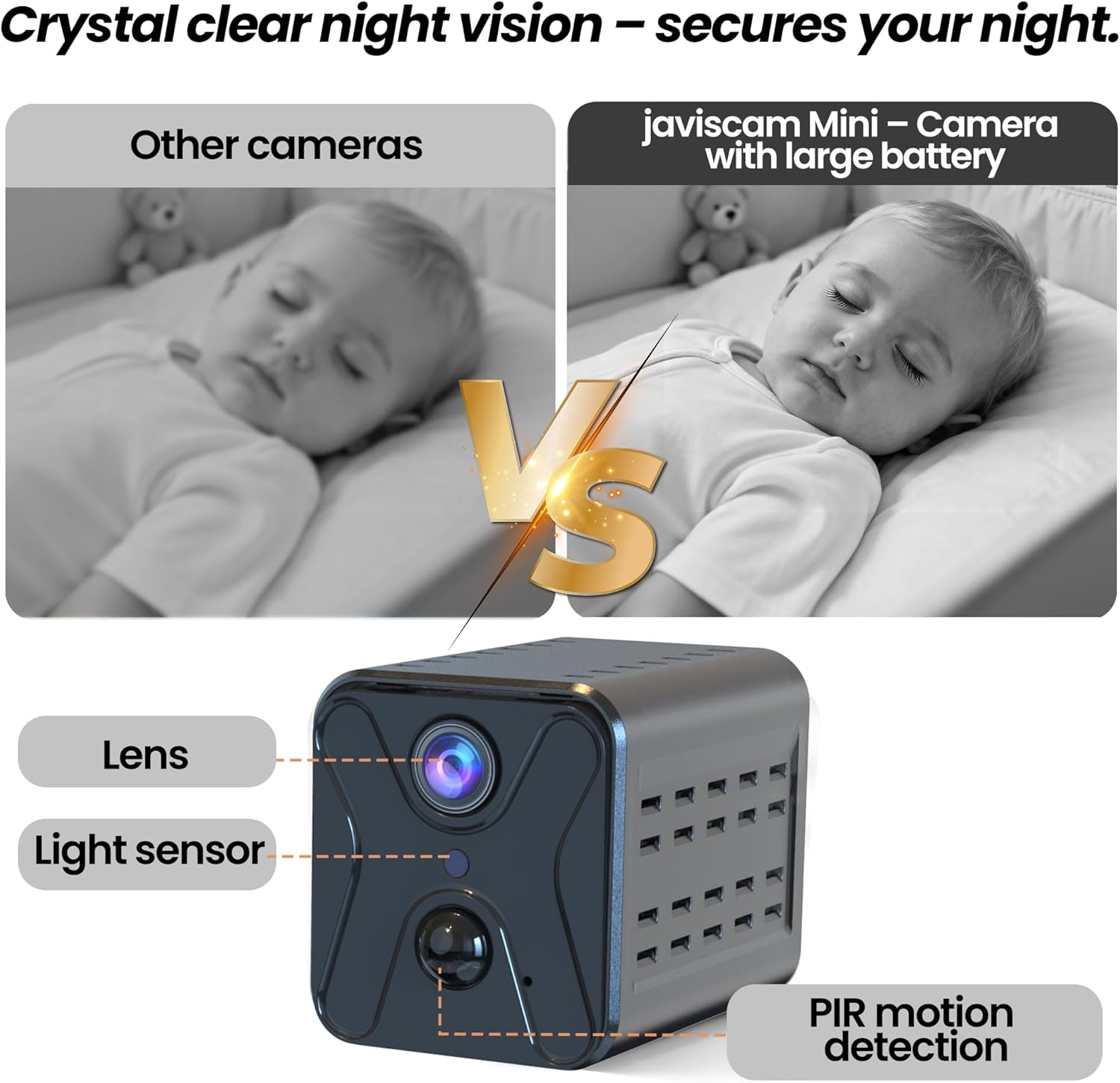
Image: Night vision clarity comparison.

Image: Battery capacity and environmental resilience.

Image: PIR motion detection in action.
4. Guia de configuració
4.1 Càrrega inicial
Before first use, fully charge the camera using the provided USB charging cable. Connect the cable to the camera's charging port and a standard USB power adapter (not included). The charging indicator light will show the charging status.
4.2 Descàrrega i instal·lació d'aplicacions
Descarrega't el Ubox aplicació des de la botiga d'aplicacions del teu telèfon intel·ligent (iOS o Android). Cerca "Ubox" and install the application.

Image: Download the Ubox app to your smartphone.
4.3 Wi-Fi Connection (2.4GHz Only)
- Ensure your camera is fully charged and powered on.
- Open the Ubox app and follow the on-screen instructions to add a new device.
- La càmera admet 2.4GHz Wi-Fi networks only. Ensure your smartphone is connected to a 2.4GHz Wi-Fi network during the setup process.
- Scan the QR code on the camera or follow the app's prompts to connect the camera to your Wi-Fi network.
- Once connected, the camera's indicator light will confirm successful pairing, and you will hear a voice prompt.
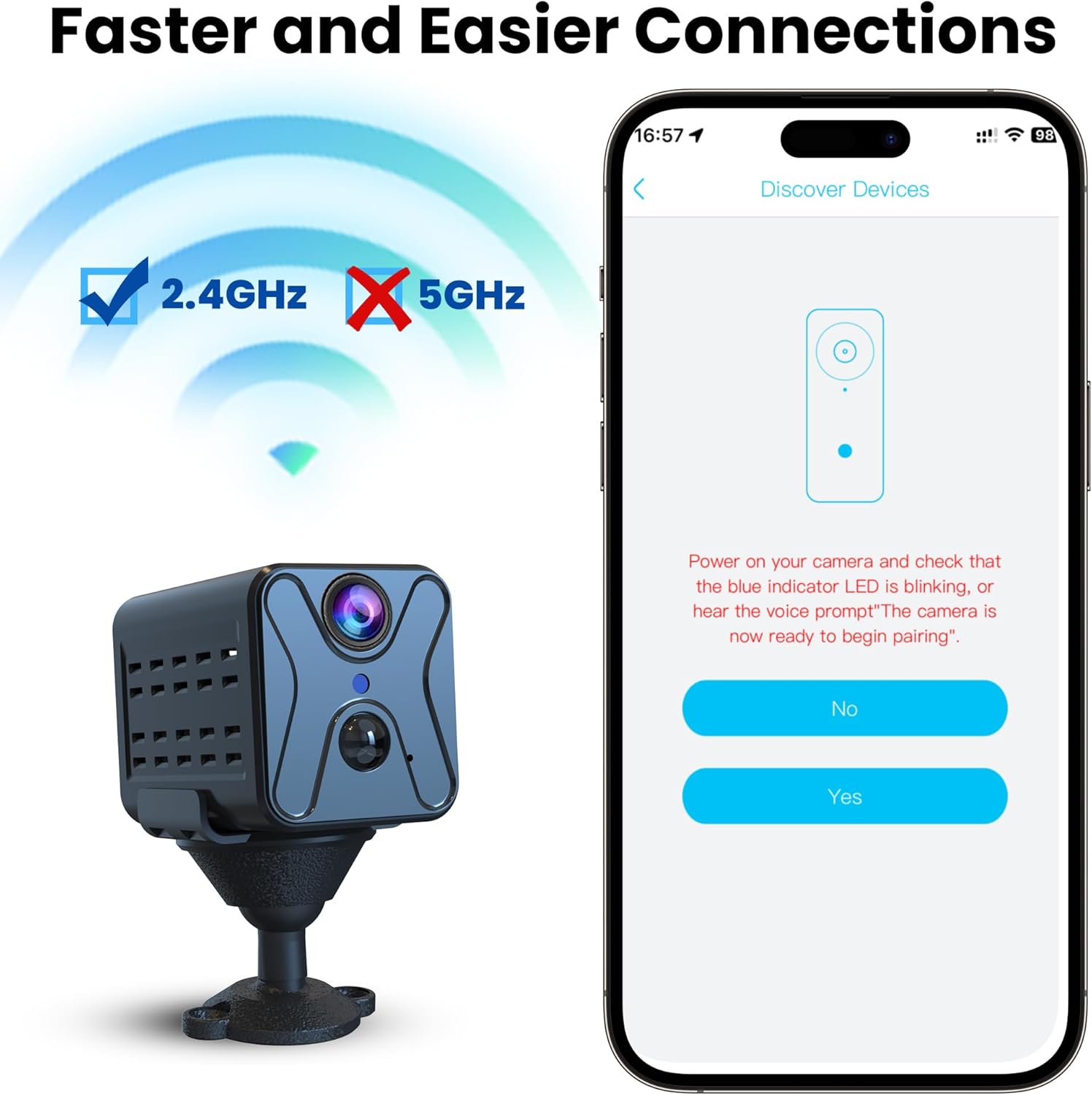
Image: Connecting the camera to a 2.4GHz Wi-Fi network via the app.
4.4 Instal·lació de la targeta SD
To enable local storage, insert a Micro SD card (up to 128GB, not included) into the designated slot on the camera. Ensure the card is inserted correctly. The camera will automatically begin recording to the SD card based on your settings.

Image: SD card and cloud storage options for the camera.
4.5 Opcions de muntatge
Use the included stand, mounting screws, or 3M adhesive tape to position the camera. Its compact size allows for versatile placement on shelves, plants, or corners. Ensure the camera has a clear view de la zona que voleu controlar.

Image: Compact design and flexible mounting options.
5. Instruccions de funcionament
5.1 Viu View
Once connected, open the Ubox app and select your camera from the device list to access the live video feed. You can view foo en temps realtagi des de qualsevol lloc amb connexió a Internet.
Vídeo: Demostració en directe view functionality of the javiscam E6 camera via the mobile app.
5.2 Detecció de moviment i alertes
The camera features AI motion detection. When motion is detected, the camera will automatically record and send instant notifications to your smartphone. You can adjust sensitivity settings within the Ubox app.
5.3 Visió nocturna
The camera automatically switches to infrared night vision in low-light conditions, providing clear black and white footage up to 10 meters.
5.4 Enregistrament i emmagatzematge
The camera supports continuous recording or motion-activated recording. Footage can be stored on an inserted Micro SD card or uploaded to the cloud service (30-day free trial available). Access recorded files through the Ubox app.
5.5 Gestió de la bateria
The 2800mAh battery provides extended operation. The app will display the current battery level. Recharge the camera when the battery is low to ensure continuous surveillance.
Vídeo: Acabatview of the javiscam E6 mini camera's features and security applications.
6. Manteniment
6.1 Neteja
Use a soft, dry cloth to clean the camera lens and body. Avoid using liquid cleaners or abrasive materials that could damage the device.
6.2 Cura de la bateria
To prolong battery life, avoid exposing the camera to extreme temperatures. Recharge the battery regularly, even if the camera is not in active use for extended periods.
6.3 actualitzacions de microprogramari
Periodically check the Ubox app for available firmware updates. Keeping your camera's firmware updated ensures optimal performance and access to new features.
7. Solució De Problemes
| Problema | Causa possible | Solució |
|---|---|---|
| La càmera no es connecta a la Wi-Fi | Banda Wi-Fi incorrecta (5 GHz), senyal feble, contrasenya incorrecta. | Ensure you are connecting to a 2.4GHz Wi-Fi network. Check Wi-Fi signal strength and password. Restart router and camera. |
| Durada de la bateria curta | Frequent motion detection, continuous recording, extreme temperatures. | Adjust motion detection sensitivity. Switch to motion-activated recording. Avoid extreme temperatures. Ensure full charge. |
| Mala qualitat d'imatge/vídeo | Lent bruta, condicions de poca llum, problemes d'amplada de banda de xarxa. | Clean the camera lens. Ensure adequate lighting or rely on night vision. Check your internet speed. |
| Sense alertes de moviment | Motion detection disabled, app notifications off, low sensitivity. | Enable motion detection in the app. Check app notification settings on your phone. Increase motion sensitivity. |
8. Especificacions
| Característica | Detall |
|---|---|
| Marca | javiscam |
| Nom del model | E6 |
| Tecnologia de connectivitat | Sense fil (Wi-Fi 2.4 GHz) |
| Resolució de captura de vídeo | 1440p (4K HD) |
| Visió nocturna | Sí |
| Gamma de visió nocturna | 10 metres |
| Font d'alimentació | Alimentat per bateria (2800 mAh) |
| Ús interior/exterior | Indoor, Outdoor (sheltered) |
| Dispositius compatibles | Smartphone |
| Mètode de control | Aplicació (Ubox) |
| Emmagatzematge | Micro SD (fins a 128 GB), emmagatzematge al núvol |
| Dimensions de l'article | 0.8 x 1.5 x 1 polzades |
9. Garantia i Suport
Your javiscam E6 camera comes with a standard manufacturer's warranty. For specific warranty details, please refer to the product packaging or contact javiscam customer support. If you encounter any issues not covered in this manual, please reach out to our support team for assistance.
Per a més ajuda, visiteu el javiscam Store on Amazon.
