
1. Introducció
The ACECONN Sword Pro+ is a high-performance streaming smart TV box designed to deliver an immersive entertainment experience. Running on the Android 11 operating system, it supports 4K Ultra HD resolution at 60 frames per second with HDR10+ for crystal-clear visuals. Equipped with dual-band Wi-Fi (2.4G/5G) and 2GB RAM with 16GB storage, it ensures fast and stable streaming. The included voice remote with backlight offers convenient control. This manual provides essential information for setting up, operating, and maintaining your device.
2. Contingut del paquet
Verifiqueu que tots els elements que s'enumeren a continuació s'inclouen al vostre paquet:
- SWORD Pro+ TV Box ×1
- Control remot × 1
- Cable HDMI × 1
- Adaptador d'alimentació × 1
- Manual d'usuari × 1
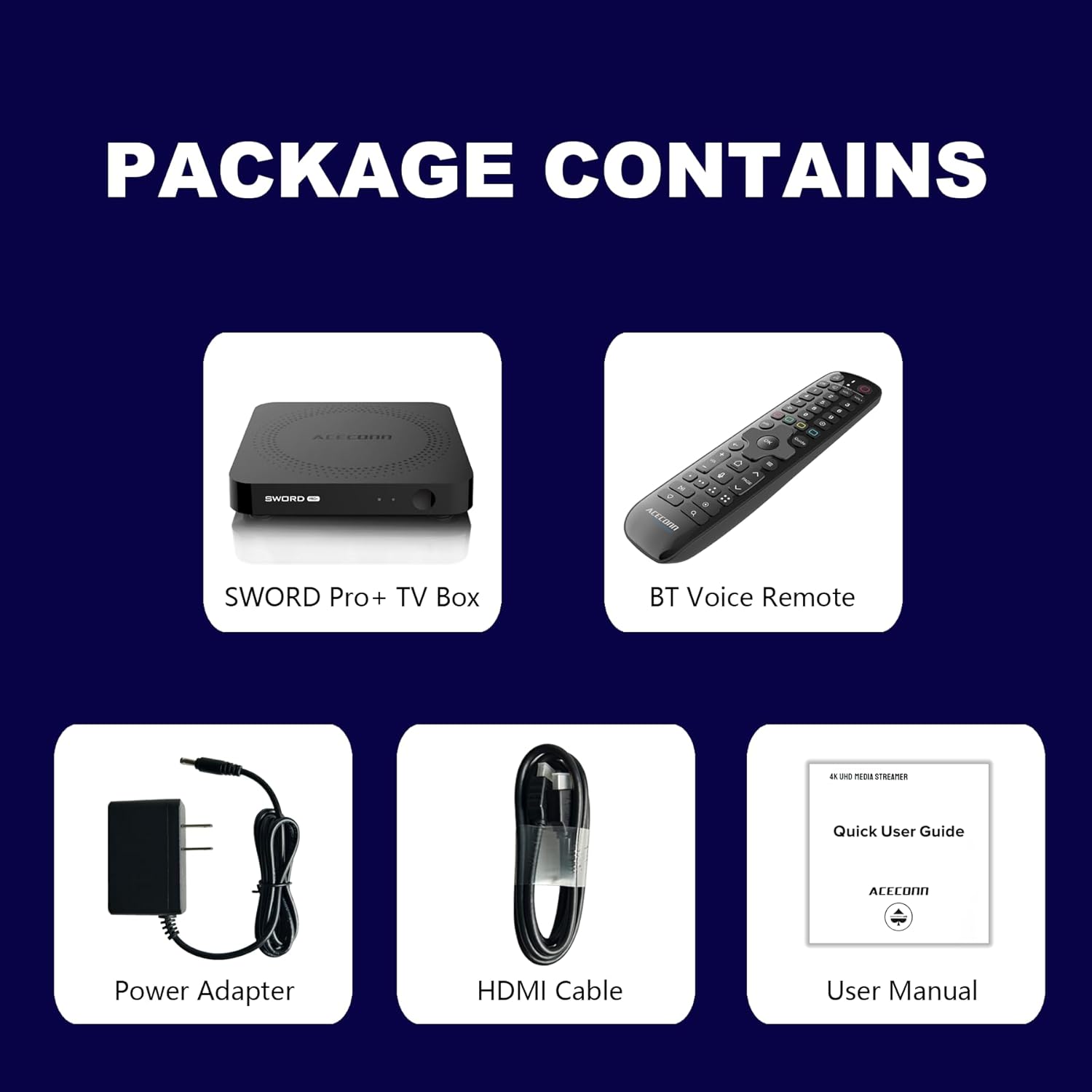
Figure 2.1: Package Contents. This image displays the SWORD Pro+ TV Box, BT Voice Remote, Power Adapter, HDMI Cable, and a Quick User Guide (User Manual).
3. Producte acabatview
3.1 Disseny del dispositiu

Figura 3.1: frontal i posterior Views of the SWORD Pro+ TV Box. The front features an IR receiver and power indicator. The side includes USB 2.0, USB 3.0, and a MicroSD card slot. The rear panel provides AV, Ethernet, HDMI, Optical audio, DC power input, and a 'Find Remote' button.
3.2 Dimensions
The ACECONN Sword Pro+ TV Box has compact dimensions for easy placement.
- Longitud: 4.4 polzades (11 cm)
- Amplada: 4.4 polzades (11 cm)
- Alçada: 0.8 polzades (2 cm)

Figure 3.2: Device Dimensions. This image illustrates the length, width, and height of the SWORD Pro+ TV Box.
4. Remote Control Description
The included Bluetooth voice remote control features a backlight for ease of use in various lighting conditions. Familiarize yourself with the buttons and their functions:

Figure 4.1: Remote Control Layout. This diagram labels all buttons on the remote, including TV Power On/Off, STB Power On/Off, OK key for TV, TV Source, Number Keys, Mouse, Options, Color Keys, Information, Open TV Guide, Navigation (Up/Down/Left/Right), Confirm/Select, Exit, Menu, Home, Volume +/-, Page Up/Down, Channel Up/Down, Voice Assistant, Hot Keys, Play/Pause, Record, Setup Favorite, and Search.
- TV Power On/Off: Controls your television's power.
- STB Power On/Off: Controls the TV Box power.
- OK key for TV / TV Source: Selects options or changes TV input.
- Tecles numèriques (0-9): For direct input of numbers.
- Ratolí: Activa/desactiva el mode de punter del ratolí.
- Opcions: Accesses additional options within applications.
- Color Keys: La funcionalitat varia segons l’aplicació.
- Informació: Displays information about current content.
- Guia: Obre la guia de programes de televisió.
- Navigation (Up/Down/Left/Right): Mou el cursor o la selecció.
- OK (Center): Confirma la selecció.
- Sortida: Returns to the previous screen or exits an application.
- Menú: Opens the context menu.
- Inici: Torna a la pantalla d'inici principal.
- Volum +/-: Ajusta el volum de l'àudio.
- Pàgina amunt/avall: Es desplaça per les pàgines.
- Assistent de veu: Activates voice control for commands and search.
- Reproduir/pausa: Controla la reproducció de suports.
- Registre: Initiates recording (if supported by application/service).
- Setup Favorite: Configures favorite channels or apps.
- Cerca: Obre la funció de cerca.
5. Guia de configuració
Follow these steps to set up your ACECONN Sword Pro+ TV Box:
- Connectar-se al televisor: Connect one end of the HDMI cable to the HDMI port on the TV Box and the other end to an available HDMI input on your television. Note the HDMI input number (e.g., HDMI 1, HDMI 2).
- Connecteu-vos a l'alimentació: Plug the power adapter into the DC IN port on the TV Box, then plug the adapter into a wall outlet. The device should power on automatically, or you may need to press the power button on the remote.
- Selecciona l'entrada de TV: Turn on your television and use its remote control to select the correct HDMI input source that the TV Box is connected to. You should see the ACECONN boot logo on your screen.
- Connexió de xarxa:
- Wi-Fi: Once the initial setup screen appears, navigate to the network settings. Select your Wi-Fi network from the list, enter the password, and connect. The device supports dual-band Wi-Fi (2.4G & 5G) for optimal performance.
- Ethernet: For a wired connection, connect an Ethernet cable from your router to the Ethernet port on the TV Box. The device will automatically detect and connect to the wired network.
- Configuració inicial del sistema: Follow the on-screen prompts to complete the initial setup, which may include language selection, time zone, and Google account login.
- Remote Control Pairing (if necessary): If the remote control is not responsive, ensure batteries are installed correctly. For Bluetooth remotes, you may need to pair it in the device's Bluetooth settings. Refer to the remote control section for specific pairing instructions if provided on-screen.

Figure 5.1: Dual-Band WiFi. The SWORD Pro+ supports both 2.4G and 5G WiFi for faster and more stable internet connectivity.
6. Instruccions de funcionament
6.1 Navegació bàsica
Use the directional pad (Up, Down, Left, Right) and the OK button on your remote control to navigate through the Android TV interface. The Home button will always return you to the main screen.
6.2 Ús del control per veu
Press the Voice Assistant button on your remote control to activate the voice input feature. Speak clearly into the remote to search for content, open applications, or issue commands.

Figure 6.1: Smart Voice Control. This image demonstrates the voice control feature, allowing users to operate the device with spoken commands.
6.3 Accés a les aplicacions
The TV Box comes with pre-installed applications, including the TVONAIR3 Streaming App. You can access more applications through the ACECONN exclusive app store or the Google Play Store. Navigate to the 'Apps' section on the home screen to view i gestionar les aplicacions instal·lades.
6.4 4K HDR Streaming
To enjoy 4K HDR content, ensure your television supports 4K resolution and HDR10+. Connect the TV Box to an HDMI 2.1 port on your TV for optimal performance. Content quality will also depend on your internet speed and the streaming service's offerings.
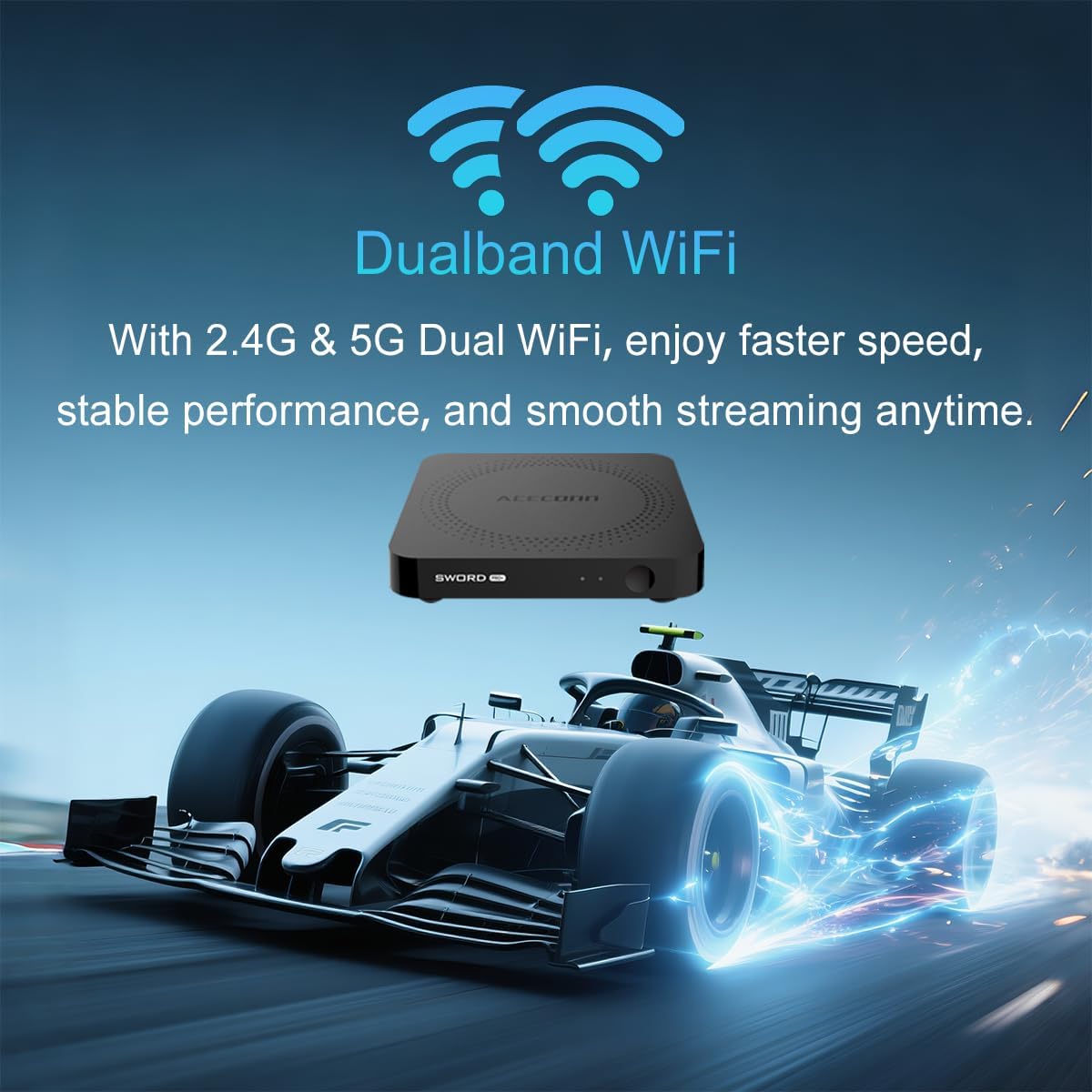
Figure 6.2: 4K HDR Support. The device supports 4K video streaming up to 3840x2160 at 60Hz, Dynamic HDR with frame-by-frame precision, and AV1 format decoding.
6.5 System Updates (OTA)
The ACECONN Sword Pro+ supports Over-The-Air (OTA) updates for both the system and applications. It is recommended to keep your device updated to ensure optimal performance and access to the latest features and security enhancements. You can check for updates in the device's settings menu.
7. Manteniment
Un manteniment adequat garanteix la longevitat i el rendiment òptim del teu televisor:
- Neteja: Feu servir un drap suau i sec per netejar l'exterior del dispositiu. Eviteu netejadors líquids o materials abrasius.
- Ventilació: Ensure the TV Box is placed in a well-ventilated area. Do not cover ventilation openings or place the device in an enclosed space that could restrict airflow.
- Actualitzacions de programari: Regularly check for and install system and application updates to benefit from performance improvements and security patches.
- Condicions ambientals: Eviteu exposar el dispositiu a temperatures extremes, llum solar directa, humitat elevada o ambients polsosos.
- Cicle d'alimentació: If the device becomes unresponsive, disconnect the power adapter for a few seconds and then reconnect it to perform a power cycle.
8. Solució De Problemes
If you encounter issues with your ACECONN Sword Pro+, refer to the following common problems and solutions:
| Problema | Causa possible | Solució |
|---|---|---|
| El dispositiu no s'encén. | L'adaptador de corrent no està connectat o està defectuós. | Assegureu-vos que l'adaptador de corrent estigui connectat correctament al dispositiu i a una presa de corrent que funcioni. Proveu una altra presa de corrent. |
| No signal on TV screen. | Incorrect HDMI input selected or loose HDMI cable. | Verify the HDMI cable is securely connected to both the TV Box and the TV. Select the correct HDMI input on your TV using your TV's remote. |
| El comandament a distància no funciona. | Low batteries, remote not paired, or IR sensor blocked. | Replace batteries. Ensure the remote is paired via Bluetooth (check device settings). Ensure no obstructions between remote and TV Box. |
| Buffering o transmissió lenta. | Weak Wi-Fi signal, slow internet speed, or network congestion. | Move the TV Box closer to your Wi-Fi router or use an Ethernet cable for a wired connection. Restart your router. Check your internet service provider's speed. |
| Les aplicacions es bloquegen o es bloquegen. | App specific issue, low memory, or outdated app. | Clear the cache of the problematic app (Settings > Apps). Update the app from the Play Store. Restart the TV Box. |
9. Especificacions
Detailed technical specifications for the ACECONN Sword Pro+ TV Box:
- Nom del model: SWORD PRO+
- Sistema operatiu: Android 11
- Processador: CPU ARM Cortex-A35 de quatre nuclis
- GPU: G31TM MP2 GPU, OpenGL ES 3.2, Vulkan 1.1, OpenCL 2.0
- RAM: 2 GB DDR3
- Emmagatzematge intern: eMMC de 16 GB
- Sortida de vídeo: Up to 4Kx2K@60fps
- Suport HDR: HDR10+/HLG
- Descodificació de vídeo: AV1, HEVC/H.265
- Connectivitat:
- Dual-band Wi-Fi (2.4G/5G)
- Bluetooth
- Ethernet
- Ports: HDMI 2.1, USB 2.0, USB 3.0, MicroSD Card Slot, AV, Optical, DC IN
- Dimensions: 4.4 x 4.4 x 0.8 polzades (11 x 11 x 2 cm)
- Pes: 1.1 lliures (aprox. 0.5 kg)
- Serveis d'Internet compatibles: Browser, Netflix, Skype, YouTube (and others via app stores)
- Tipus de controlador: Comandament a distància, control per veu

Figure 9.1: Key Features and Specifications. This image provides a visual summary of the device's capabilities, including Android 11, 4K 60fps, AV1 codec, 2GB DDR3 RAM, 16GB storage, HDMI 2.1, and the included smart Universal BT Remote with voice command and backlight.
10. Garantia i Suport
For warranty information, please refer to the documentation included with your purchase or visit the official ACECONN website. For technical support, product inquiries, or service, please contact ACECONN customer support through their official channels.