
1. Introducció
The Elitech RC-4H Pro is a high-performance, multi-use data logger designed for precise monitoring of both temperature and humidity. This device is ideal for a wide range of applications including cold chain logistics, laboratories, storage facilities, food and pharmaceutical transport, and the breeding industry. It features built-in sensors, support for an external temperature probe, a clear LCD display, and a USB Type-C interface for efficient data transfer and reporting.
This manual provides detailed instructions on how to set up, operate, and maintain your RC-4H Pro data logger to ensure accurate and reliable environmental monitoring.
2. Contingut del paquet
Si us plau, comproveu el contingut del paquet en desempaquetar-lo:
- 1 × Elitech RC-4H Pro Multi-Use Temperature & Humidity Data Logger
- 1 × Calibration Certificate
- 1 × Manual d'instruccions (aquest document)
- 1 × Battery (pre-installed or separate)
- 1 × Software CD/Download Link (for data analysis)
- (Optional) 1 × External Temperature Probe
3. Producte acabatview
The Elitech RC-4H Pro is designed for user-friendly operation and robust performance. Familiarize yourself with the device components:

Figura 3.1: Frontal view of the RC-4H Pro, highlighting the LCD display and the central control button. The top section shows humidity sensor vents.
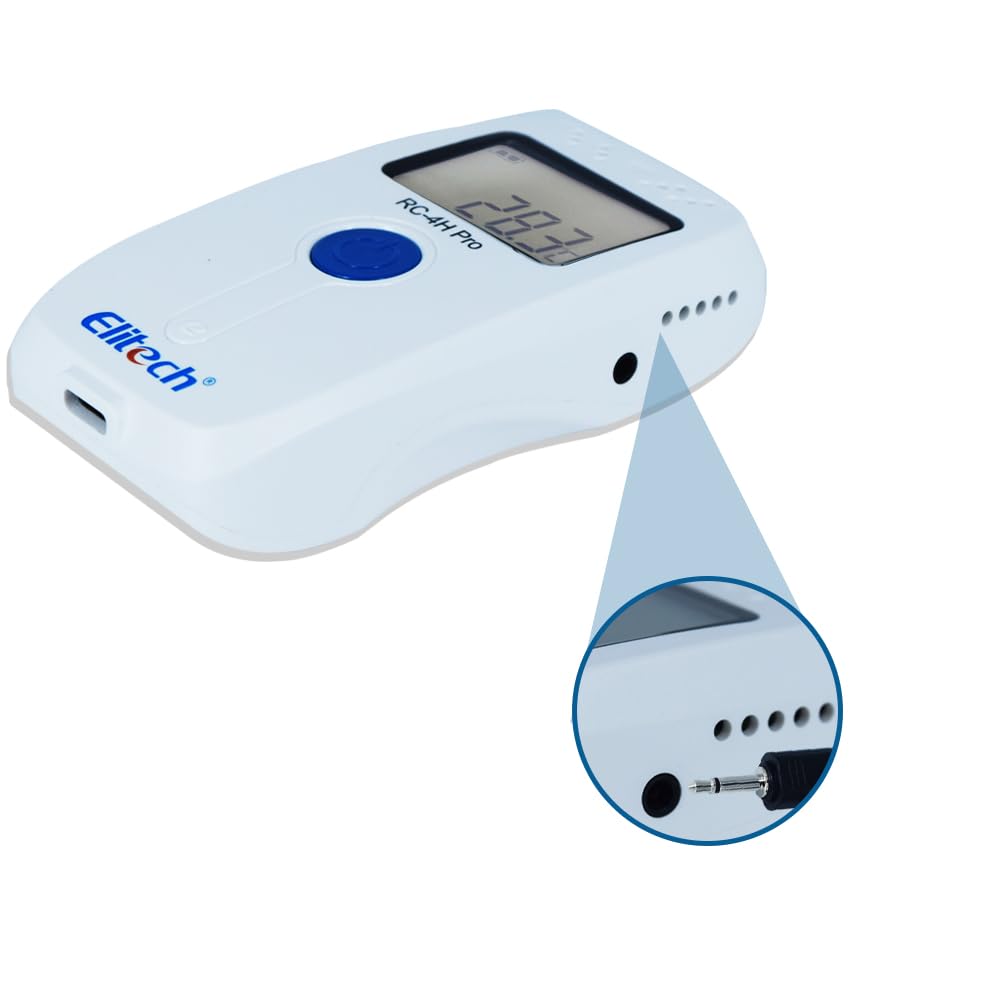
Figura 3.2: lateral view of the RC-4H Pro, illustrating the port for connecting an external temperature probe.
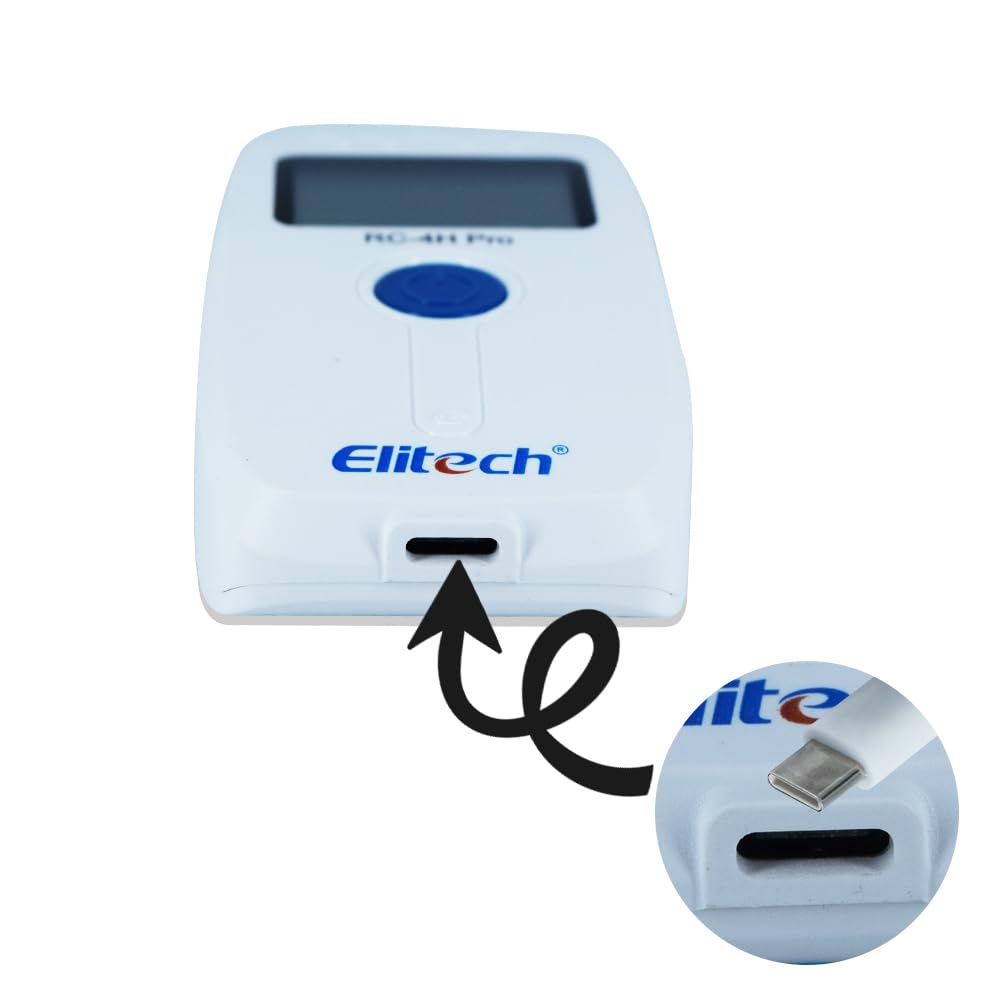
Figura 3.3: A baix view of the RC-4H Pro, indicating the USB Type-C port for data transfer and configuration.
Característiques principals:
- Sensors avançats: Built-in temperature and humidity sensors, with support for an external temperature probe.
- Gran capacitat d'emmagatzematge: Stores up to 64,000 data points, ensuring comprehensive monitoring over extended periods.
- Pantalla LCD clara: Provides real-time readings and operational status.
- Interfície USB tipus C: Enables fast data transfer to a computer for analysis and report generation.
- Bateria de llarga durada: Designed for extended use with efficient power management.
- Alarmes sonores: Notifies users when temperature or humidity thresholds are exceeded.
- Flexible Logging Options: Includes delay start, pause/resume logging, and loop recording modes.
- Automatic Screen-off: Extends battery life by automatically turning off the display.
4. Configuració
4.1 Battery Installation / Activation
For first-time use, the device may have an insulator strip to prevent battery discharge during shipping. Locate the battery compartment on the back of the device.
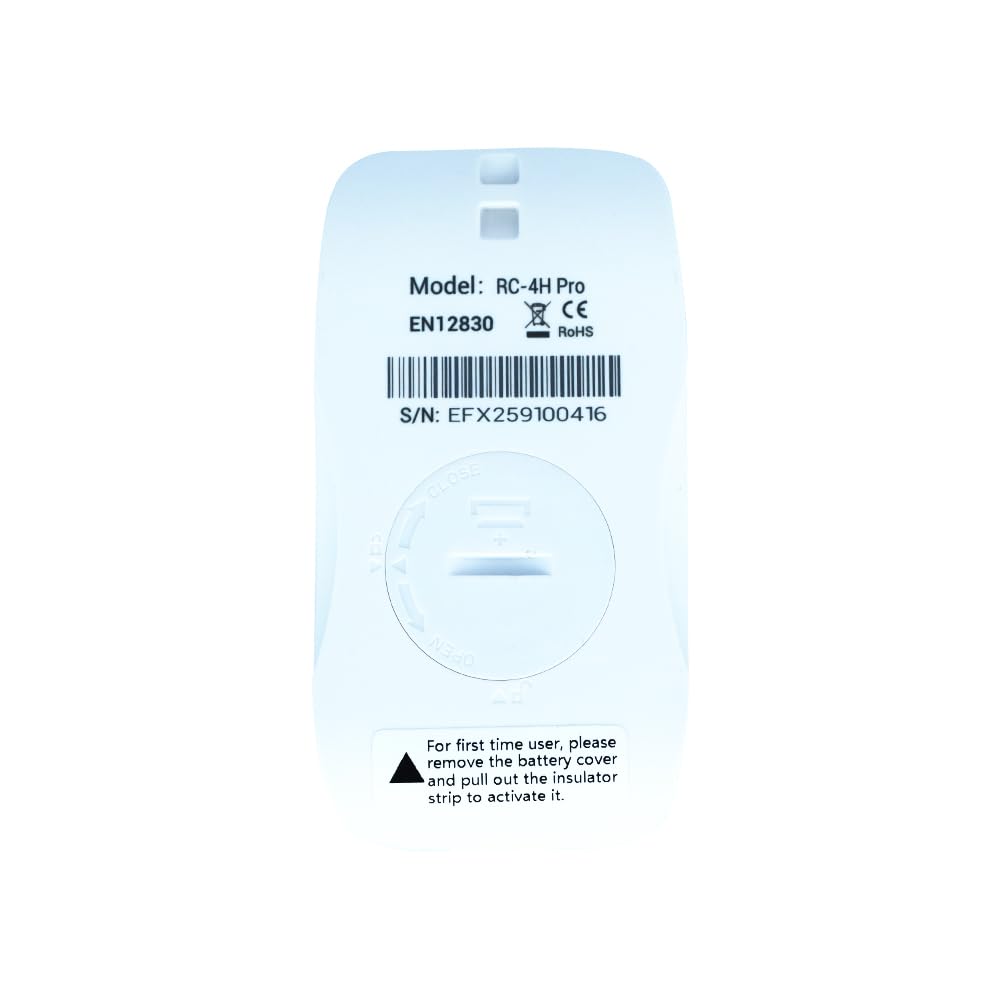
Figura 4.1: Esquena view of the RC-4H Pro, showing the battery cover. Rotate to open and remove the insulator strip if present.
- Rotate the battery cover counter-clockwise to open.
- If an insulator strip is present, gently pull it out to activate the battery.
- Assegureu-vos que la bateria estigui ben col·locada.
- Replace the battery cover and rotate clockwise to secure it.
4.2 Instal·lació del programari
The Elitech data management software is required for configuring the logger, downloading data, and generating reports. The software can typically be found on a provided CD or downloaded from the official Elitech website. Follow the on-screen instructions to install the software on your computer.
4.3 Connecting the External Probe (Optional)
If using an external temperature probe, insert its jack into the designated port on the side of the data logger (refer to Figure 3.2). The device will automatically detect the external probe.
5. Instruccions de funcionament
5.1 Encès/Apagat
- Encès: Press and hold the central button for approximately 3 seconds until the LCD display activates.
- Apagar: Press and hold the central button for approximately 3 seconds until the LCD display turns off.
5.2 Configuring Logging Parameters
All logging parameters, such as logging interval, alarm thresholds, and start/stop modes, are configured using the Elitech data management software on your computer.
- Connect the RC-4H Pro to your computer using the USB Type-C cable.
- Launch the Elitech data management software.
- The software will detect the device. Navigate to the "Parameter" or "Configuration" section.
- Set your desired logging interval, temperature/humidity alarm limits, delay start time, and other relevant settings.
- Apply the settings to the device.
5.3 Starting and Stopping Logging
- Inici manual: After configuration, press and hold the central button for approximately 3 seconds until the "REC" indicator appears on the LCD, signifying that logging has begun.
- Inici automàtic: If configured with a delay start or scheduled start time via the software, logging will begin automatically.
- Parada manual: Press and hold the central button for approximately 3 seconds until the "STOP" indicator appears, or until the device powers off.
- Parada automàtica: Logging will stop automatically if the memory is full (unless loop recording is enabled), or if a configured stop time/duration is reached.
5.4 Informació de la pantalla LCD
The LCD displays current readings and status indicators:
- Current Temperature/Humidity: Shows the real-time measurement from the internal or external sensor.
- REC Indicator: Flashes when the device is actively recording data.
- Indicador d'alarma: Appears when temperature or humidity exceeds preset thresholds.
- Nivell de bateria: Indica la bateria restant.
- Valors màxims/mínims: Can be cycled through by short-pressing the central button (depending on configuration).
5.5 Data Download and Analysis
Once logging is complete, connect the device to your computer via USB Type-C. Use the Elitech data management software to download the recorded data. The software allows you to view data graphs, export data to various formats (e.g., PDF, Excel), and generate detailed reports.
6. Manteniment
6.1 Substitució de la bateria
When the battery indicator shows low power, replace the battery promptly to ensure continuous operation. Refer to Section 4.1 for instructions on opening the battery compartment. Use a compatible battery type as specified in the specifications section.
6.2 Neteja
Netegeu el dispositiu amb un drap suau i sec. No utilitzeu productes de neteja abrasius ni dissolvents, ja que poden danyar el dispositiu.asing or sensors. Ensure the device is dry before use.
6.3 Emmagatzematge
Store the data logger in a cool, dry place away from direct sunlight and extreme temperatures when not in use for extended periods. Remove the battery if storing for several months to prevent leakage.
7. Solució De Problemes
| Problema | Causa possible | Solució |
|---|---|---|
| El dispositiu no s'encén. | Low or dead battery; insulator strip not removed. | Replace battery; ensure insulator strip is removed (refer to Section 4.1). |
| Data not logging. | Logging not started; device not configured; memory full. | Ensure logging is manually started or configured for auto-start; check configuration via software; download data and clear memory. |
| No es pot connectar a l'ordinador. | Faulty USB cable; driver issue; software not running. | Try a different USB Type-C cable; reinstall software/drivers; ensure software is open. |
| Lectures inexactes. | Sensor obstruction; device placed in extreme conditions; external probe not properly connected. | Ensure sensors are clear; operate within specified ranges; check external probe connection. |
8. Especificacions
- Model: Elitech RC-4H Pro
- Interval de temperatura interna: -30 °C a +70 °C (-22 °F a +158 °F)
- External Probe Temperature Range: -40 °C a +85 °C (-40 °F a +185 °F)
- Rang d'humitat: 0% a 100% HR
- Precisió (temperatura): ±0.5 °C (±0.9 °F) típic
- Precisió (humitat): ±3% HR típic
- Resolució: 0.1°C / 0.1% HR
- Capacitat de dades: 64,000 punts de dades
- Interval de registre: Configurable via software (e.g., 10 seconds to 24 hours)
- Interfície: USB tipus C
- Font d'alimentació: Replaceable battery (e.g., CR2450 or equivalent)
- Dimensions: (Refer to product images for visual scale)
- Certificacions: CE, RoHS, EN12830 (as indicated on device)
9. Aplicacions
The Elitech RC-4H Pro is versatile and suitable for various environments requiring precise temperature and humidity monitoring:

Figure 9.1: Visual representation of common applications for the RC-4H Pro data logger.
- Food and Beverage Industry: Monitoring storage and transport conditions for perishable goods.
- Laboratories and Research Facilities: Ensuring stable environmental conditions for experiments and sampl'emmagatzematge.
- Cold Storage: Tracking temperatures in refrigerators, freezers, and cold rooms.
- Pharmaceutical Transport: Maintaining integrity of temperature-sensitive medications.
- Breeding Industry: Monitoring conditions in incubators and animal housing.
- Museums and Archives: Preserving artifacts and documents by controlling environmental factors.
- Agriculture & Greenhouses: Optimizing growing conditions for plants.
10. Garantia i Suport
The Elitech RC-4H Pro comes with a calibration certificate, ensuring its accuracy at the time of manufacture. For specific warranty details, please refer to the documentation provided with your purchase or contact the manufacturer/seller directly. For technical support, software downloads, or further assistance, please visit the official Elitech weblloc o poseu-vos en contacte amb el seu servei d'atenció al client.
Fabricant: Instrukart
Número de sèrie ExampLI: EFX259100416 (found on the back of the device, refer to Figure 4.1)


