
1. Introducció
Thank you for choosing the Audio Array AI-13 4-Channel Hybrid USB Audio Mixer. This compact mixer is designed for a variety of audio applications, including podcasting, streaming, live sessions, and home studio setups. It features 4 analog and 2 digital channels, supporting microphones, instruments, and playback devices in a streamlined interface. This manual provides detailed instructions for setup, operation, maintenance, and troubleshooting to ensure optimal performance of your device.

Image 1.1: User operating the AI-13 mixer in a studio environment.
2. Característiques del producte
The Audio Array AI-13 mixer offers a range of features for versatile audio control:
- Hybrid 4-Channel Control: Combines 4 analog and 2 digital channels for flexible input management.
- Studio-Ready Inputs: Dual XLR mic inputs with switchable +48V phantom power for condenser microphones, plus Hi-Z support for guitars and instruments.
- Built-in 2-Band EQ: Each channel includes a 2-band equalizer for precise sound shaping.
- Rendiment de baix soroll: Features a signal-to-noise ratio of ≥90dB for clean audio with minimal interference.
- USB Recording & Monitoring: Integrated USB return, RCA REC output, and headphone monitoring for recording and playback.
- Portable USB-C Power: Lightweight design powered via USB-C, suitable for mobile and desktop setups.
- Alta Qualitat Preamps: Mic and line preamps deliver a 20Hz–20kHz frequency response and up to 100dB dynamic range.
- Sortida d'auriculars potent: 200mW headphone output for clear and accurate monitoring.

Imatge 2.1: acabatview of the AI-13 mixer's multi-functionality.

Image 2.2: Key features of the AI-13 mixer.
3. Configuració
Follow these steps to set up your Audio Array AI-13 mixer:
- Connexió d'alimentació: Connect the mixer to a power source using the provided USB-C cable. Ensure the power source provides stable 5V power.
- Connexió de micròfon/instrument:
- For microphones, connect XLR cables to the CH1 or CH2 inputs. Activate +48V phantom power if using condenser microphones.
- For instruments (e.g., guitar), connect to the Hi-Z inputs.
- Connexió de sortida: Connect your headphones to the PHONES jack for monitoring. Connect main outputs to your amplifier or recording device as needed.
- Connexió USB: For computer recording or playback, connect the mixer to your computer via the USB port.
4. Controls and Routing
Understanding the controls is essential for effective use of your mixer.

Image 4.1: Routing functionality overview of the AI-13 mixer.

Image 4.2: Detailed routing and control labels.
4.1 Input Section
- Interruptor HI-Z: Engages high impedance input for instruments like guitars.
- Alimentació fantasma +48V: Activates phantom power for condenser microphones on XLR inputs.
- Mando GAIN: Ajusta el nivell d'entrada per a cada canal.
- HIGH/LOW EQ: 2-band equalizer to adjust treble and bass frequencies for each channel.
- EFF (Effect Send): Controls the amount of signal sent to the built-in effects processor.
- Control de nivell: Adjusts the output volume for individual channels.
4.2 Output & Monitoring Section
- MAIN Volume Knob: Controla el volum de sortida general del mesclador.
- PHONES Volume Knob: Ajusta el volum de la sortida dels auriculars.
- REC Output (RCA): Provides an output for recording devices.
- USB Return: Allows audio playback from a connected computer.
4.3 USB/MP3 Player Controls

Image 4.3: USB/MP3 player controls.
- Botó MODE: Short press to switch mode (USB/Bluetooth). Long press for recording.
- Botó REPRODUCIR/PAUSA: Short press to play or pause. Long press for cycle conversion.
- PREVIOUS/VOL- Button: Premsa curta per a la cançó anterior. Premeu llargament per baixar el volum.
- NEXT/VOL+ Button: Prem breument per a la següent cançó. Premeu llargament per pujar el volum.

Image 4.4: TAPE OUT and USB PC connection controls.
- TAPE OUT Jacks: Used for connecting to recording applications.
- USB PC Interface: When pressed, the device connects to MP3. Otherwise, it connects to a PC for playing computer songs and recordings.
5. Opcions de connectivitat
The AI-13 mixer offers diverse connectivity for various audio sources and destinations.

Imatge 5.1: acabatview of connectivity options.

Imatge 5.2: Detallada view of input and output connections.
- Entrades: XLR (for microphones), TRS (for stereo line-in), Hi-Z (for instruments), USB (for digital audio from PC/pendrive).
- Sortides: Main TRS Out, RCA REC Out, Headphone Out (TRS), Amp Fora.
- Digital: USB-C for power and data, USB 2.0 for pendrive.
6. DSP Effects
The AI-13 includes built-in Digital Signal Processing (DSP) effects to enhance your audio.

Image 6.1: Built-in DSP effects section.
- Reverb: Adds spatial depth to your sound.
- Retard: Crea efectes d'eco.
- Use the dedicated knobs to adjust the repeat and delay parameters of the effects.
7. Requisits d'alimentació
The AI-13 mixer is designed for efficient power consumption and is powered via USB-C.
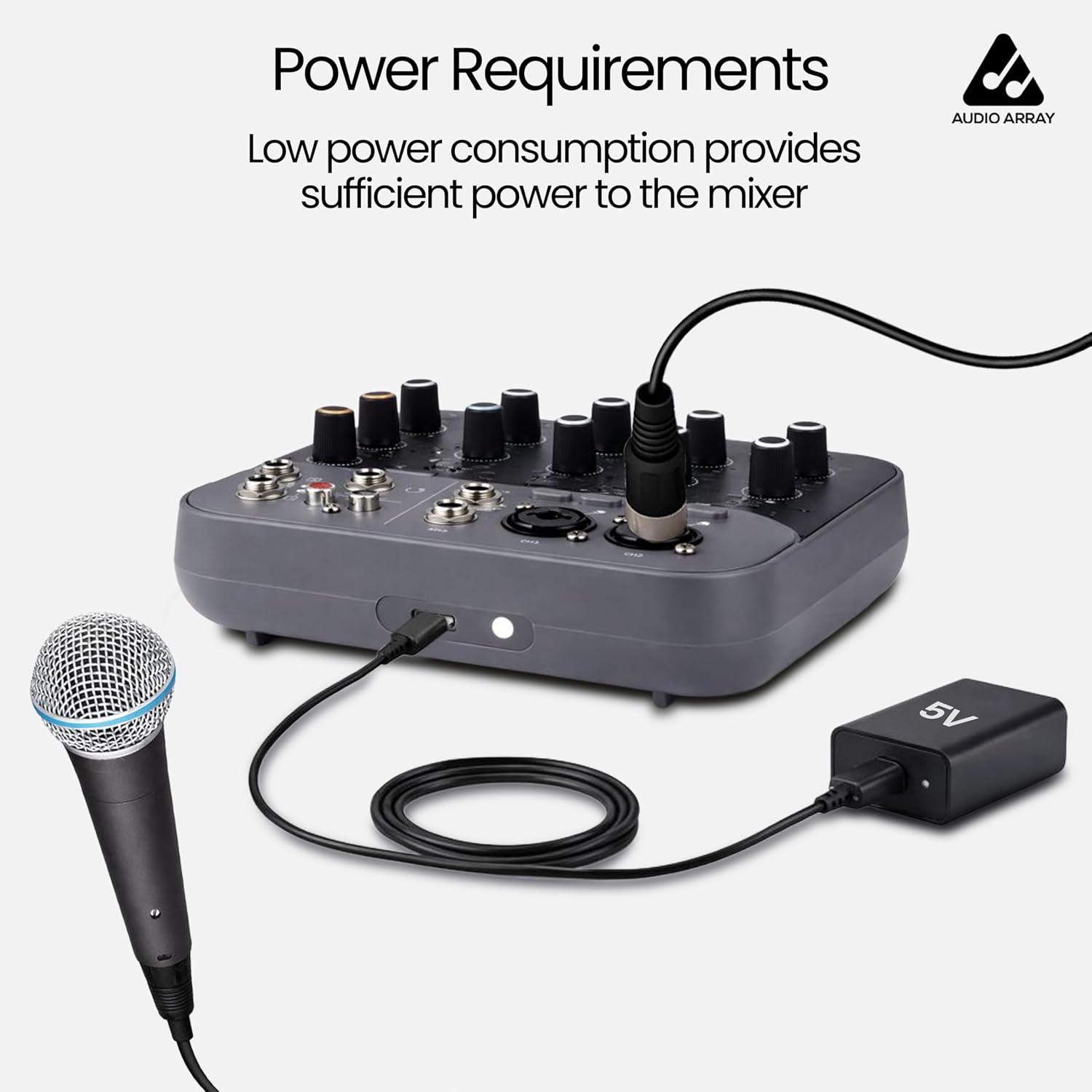
Image 7.1: Power connection via USB-C.
- Font d'alimentació: USB Type-C (5V).
- Ensure you use a compatible 5V USB power adapter or a power bank for stable operation.
8. Dispositius compatibles
The AI-13 mixer is compatible with a wide range of audio and computing devices.

Image 8.1: Compatible devices overview.

Image 8.2: Expanded view of compatible devices in a studio setting.
- Micròfons: Dynamic and Condenser (with +48V phantom power).
- Instruments: Guitars, keyboards, etc.
- Dispositius de reproducció: MP3 players, USB pendrives, smartphones (via Bluetooth or USB).
- Dispositius de sortida: Amplifiers, powered speakers, headphones, recording interfaces.
- Ordinadors: Laptops, desktops for USB audio interface functionality.
9. Monitorització en temps real
The AI-13 allows for real-time monitoring of your audio output.

Image 9.1: Real-time monitoring setup.
Connect your headphones to the PHONES jack to monitor your mix in real-time. This allows you to hear the sound feedback and make adjustments as needed during recording or live sessions.
10. Instruccions de funcionament
General guidelines for operating your mixer:
- Encès: Connect the USB-C power cable. The mixer will power on automatically.
- Ajusta el guany d'entrada: For each connected microphone or instrument, slowly increase the GAIN knob until the signal is strong but does not clip (indicated by the CLIP LED).
- Apply EQ: Use the HIGH and LOW EQ knobs to shape the tone of each channel.
- Add Effects: Turn the EFF knob on a channel to send signal to the built-in effects. Adjust the REPEAT and DELAY knobs in the master section to control the effect parameters.
- Set Channel Levels: Use the LEVEL knobs for each channel to balance the mix.
- Volum mestre: Adjust the MAIN volume knob for the overall output level.
- Monitor amb auriculars: Use the PHONES volume knob to set your monitoring level.
- USB/Bluetooth Playback: Use the MP3 player controls to play audio from a USB drive or a Bluetooth-connected device.
11. Manteniment
Proper maintenance ensures the longevity and performance of your mixer:
- Neteja: Use a soft, dry cloth to clean the exterior of the mixer. Avoid liquid cleaners or abrasive materials.
- Emmagatzematge: Guardeu la batedora en un lloc fresc i sec, allunyat de la llum solar directa i de temperatures extremes.
- Cura del cable: Handle cables carefully. Avoid bending or twisting them excessively, which can damage internal wiring.
- Ventilació: Assegureu-vos una ventilació adequada al voltant de la batedora per evitar el sobreescalfament.
12. Solució De Problemes
If you encounter issues with your AI-13 mixer, refer to the following common problems and solutions:
| Problema | Causa possible | Solució |
|---|---|---|
| Sense poder | Faulty USB-C cable or power adapter; loose connection. | Check USB-C cable and power adapter. Try a different 5V USB-C power source. Ensure connections are secure. |
| Sense sortida de so | Volume knobs too low; incorrect input/output connections; muted channels. | Increase MAIN and PHONES volume. Verify all cables are correctly connected. Check channel LEVEL knobs. |
| El micròfon no funciona | Phantom power off (for condenser mics); incorrect gain; faulty mic/cable. | Activate +48V phantom power if using a condenser microphone. Increase GAIN knob. Test with a different microphone or cable. |
| Àudio distorsionat | Input gain too high; output volume too high. | Reduce input GAIN. Lower channel LEVEL and MAIN volume. |
| La gravació per USB no funciona | Incorrect USB PC mode; driver issues; software settings. | Ensure the USB PC button is correctly set. Check computer's sound settings and recording software. |
13. Especificacions
Detailed technical specifications for the Audio Array AI-13 mixer:

Image 13.1: General specifications.

Image 13.2: Detailed audio specifications.
| Característica | Detall |
|---|---|
| Marca | Audio Array |
| Número de model | AI-13 |
| Nombre de canals | 4 |
| Dimensions del producte (P x A x A) | 16P x 14A x 4H centímetres |
| Pes de l'article | 680 grams |
| Tecnologia de connectivitat | XLR / TRS In, TRS / TS In, RCA REC Out, Main TRS Out, Headphones, USB 2.0 Pendrive, Wired Headphone, USB Type C |
| Tipus de font d'alimentació | USB TIPUS C |
| Resposta de freqüència | 20 Hz - 20 kHz |
| Tipus de connector de sortida | 1 x Main Output, 2 x TRS, 1 x Phone (TRS), REC, RCA |
| Entrada d'àudio | 2 x XLR, 4 x TRS |
| Nivell de soroll | 90 decibels |
| País d'origen | Xina |
14. Garantia
The Audio Array AI-13 mixer comes with a manufacturer's warranty.
- Període de garantia: 1 any de garantia del fabricant.
- For warranty claims or service, please contact Audio Array customer support.
15. Suport
For any assistance, feedback, or technical support, please contact Audio Array using the details below:

Image 15.1: Service details and contact information.

Image 15.2: Customer Support contact details.
- Telèfon: +91 79961 35111
- WhatsApp: +91 72082 64674
- Correu electrònic: support@audioarray.in
- Adreça: Cambium Retail Private Limited, 109, Hubtown Solaris, Professor NS Phadke Rd, Andheri East, Mumbai, Maharashtra 400069, India.
You can also scan the QR codes in Image 15.1 for direct access to support channels.