
Introducció
This manual provides detailed instructions for the installation, operation, and maintenance of your Soundstream VRCA1-72W 6.7-inch Wireless Car Stereo. Please read this manual thoroughly before using the product to ensure proper function and safety. Keep this manual for future reference.
Contingut del paquet
Verify that all items are present in the package before beginning installation.
- VRCA1-72W Stereo Head Unit
- Arnès de potència
- Installation Accessories (Mounting Kit)
- Manual d'usuari

Image: The product box for the Soundstream VRCA1-72W car stereo.

Image: Included wiring harness, mounting kit, and GPS antenna for the VRCA1-72W stereo.
Configuració i instal·lació
The VRCA1-72W is designed for universal single DIN dash openings. Professional installation is recommended, but if you choose to install it yourself, follow these guidelines carefully.
1. Precaucions de seguretat
- Desconnecteu el terminal negatiu de la bateria del vehicle abans de la instal·lació per evitar curtcircuits.
- Ensure proper insulation for all wiring connections.
- Do not block air vents or safety features during installation.
2. Connexions de cablejat
Refer to the wiring diagram provided with your unit and the image below for correct connections. Improper wiring can damage the unit or your vehicle's electrical system.

Imatge: Part posterior view of the VRCA1-72W stereo showing various input/output ports including RCA, camera, and power harness connector.
- Arnès d'alimentació: Connect the yellow wire to constant 12V, red to accessory 12V, and black to ground.
- Cables de l’altaveu: Connect to your vehicle's speakers, ensuring correct polarity.
- Entrada de càmera de marxa enrere: Connect the camera's video output to the 'R CAM' RCA input. Connect the camera's power to the reverse light circuit.
- Control del volant (SWC): Connect SWC wires to your vehicle's steering wheel control interface (if applicable).
3. Muntatge de la unitat
Slide the head unit into the single DIN dash opening until it clicks into place. Secure it using the provided mounting brackets and screws.

Image: The VRCA1-72W car stereo seamlessly integrated into a vehicle's dashboard, displaying the Apple CarPlay interface.
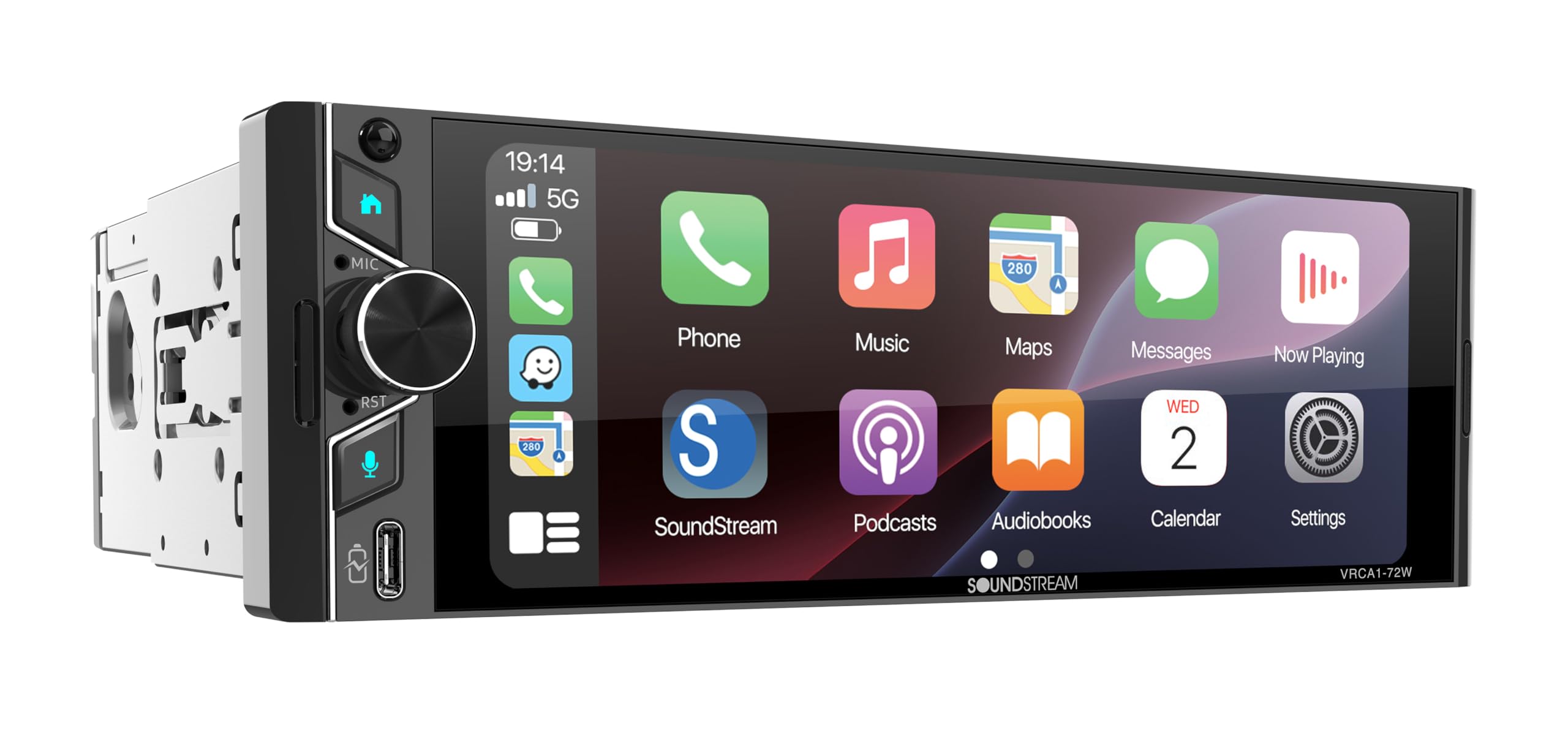
Image: The VRCA1-72W car stereo installed in a classic car's dashboard, showing the Apple CarPlay interface.
Instruccions de funcionament
The VRCA1-72W features a capacitive touchscreen for intuitive control. Most functions are accessed via the main menu icons.
1. Engegada/Apagada i Volum
- Press the power button (usually on the left side) to turn the unit on or off.
- Gireu el botó de volum o utilitzeu els controls en pantalla per ajustar els nivells d'àudio.
2. Navegació a la pantalla d'inici
The home screen provides access to all primary functions. Tap an icon to open the corresponding application or feature.

Image: The VRCA1-72W home screen displaying icons for Bluetooth Music, Apple CarPlay, USB, Android Auto, Radio, Settings, Front Camera, and Rear Camera.
3. Wireless Apple CarPlay and Android Auto
Connect your compatible smartphone wirelessly for seamless integration of navigation, music, calls, and messages.
- Assegureu-vos que el Bluetooth i la Wi-Fi estiguin activats al vostre telèfon intel·ligent.
- On the stereo, select the 'Apple CarPlay' or 'Android Auto' icon.
- Segueix les instruccions que apareixen a la pantalla per emparellar el dispositiu.
- Once connected, your phone's interface will appear on the stereo display.

Image: The VRCA1-72W stereo displaying the Apple CarPlay interface with various app icons like Phone, Music, Maps, Messages, and Now Playing.
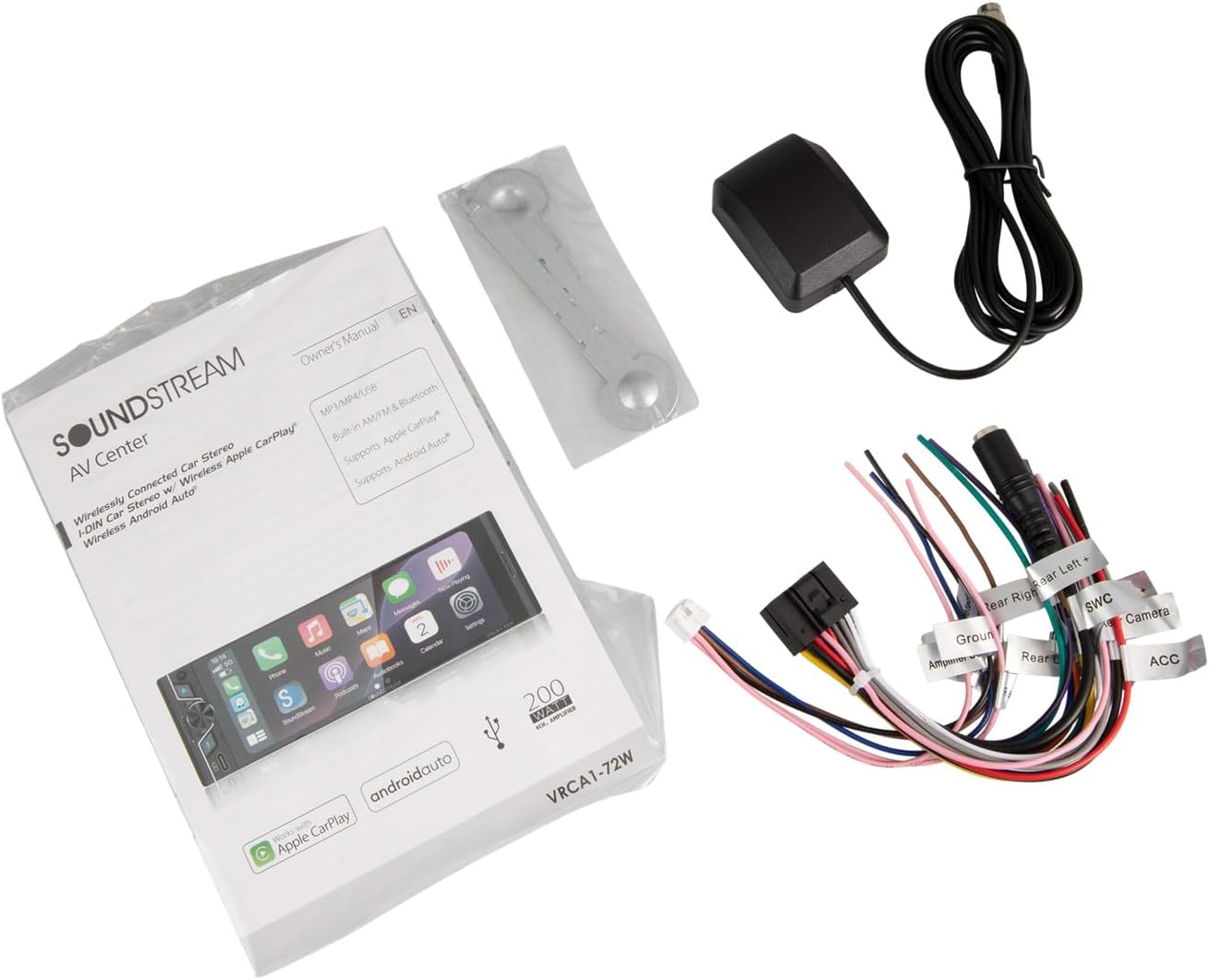
Image: The VRCA1-72W stereo displaying the Android Auto interface with app icons such as Google Maps, Spotify Music, Phone, and YouTube Music.
4. Bluetooth 5.0
For audio streaming and hands-free calling without CarPlay/Android Auto.
- Go to the 'Bluetooth' menu on the stereo.
- Activa el Bluetooth al telèfon i busca els dispositius disponibles.
- Select 'VRCA1-72W' from the list and confirm pairing.
- You can now stream audio or make/receive calls through the stereo.
5. Entrada USB
Connect a USB drive for media playback or a smartphone for wired CarPlay/Android Auto (if wireless connection is not preferred).
- Inseriu el dispositiu USB al port USB.
- Select the 'USB' icon on the home screen to access media files.
6. Ràdio FM
- Select the 'Radio' icon from the home screen.
- Use the on-screen controls to scan for stations or manually tune.
- Desa les teves emissores preferides com a predefinicions.
7. Enllaç de mirall
Mirror your smartphone screen directly onto the stereo display.
- Select the 'Mirror Link' option (if available on your unit's firmware).
- Follow the specific instructions for your phone's operating system (iOS/Android) to establish the connection.
8. Entrada de càmera de seguretat
The stereo automatically displays the rear camera feed when the vehicle is shifted into reverse, provided the camera is correctly wired.
9. Control per veu
Activate voice control through Apple CarPlay or Android Auto by pressing the voice assistant button on the stereo or steering wheel (if connected) or by saying the wake word (e.g., "Hey Siri" or "Ok Google").
Manteniment
- Neteja: Use a soft, dry cloth to clean the touchscreen and unit exterior. Avoid abrasive cleaners or solvents.
- Actualitzacions de programari: Reviseu periòdicament el fabricant weblloc web per a actualitzacions de firmware per garantir un rendiment i una compatibilitat òptims.
- Substitució de fusibles: If the unit loses power, check the fuse located on the rear of the unit or in the power harness. Replace with a fuse of the same rating.
Resolució de problemes
Si teniu problemes, consulteu els següents problemes i solucions habituals:
| Problema | Causa possible | Solució |
|---|---|---|
| Sense poder | Fusible fundit, cablejat incorrecte, connexió fluixa | Check fuse, verify power and ground connections, ensure harness is securely plugged in. |
| Sense so | Muted, incorrect speaker wiring, ampqüestió de lifier | Check volume and mute settings, verify speaker connections, ensure external amplifier (if used) is powered. |
| El Bluetooth es desconnecta amb freqüència | Interference, outdated firmware, phone compatibility | Ensure no other devices are interfering. Try updating stereo firmware. Test with a different phone. Re-pair the device. |
| CarPlay/Android Auto no es connecta | Incorrect phone settings, cable issue (for wired), Wi-Fi/Bluetooth issue (for wireless) | Ensure phone is compatible and settings are correct (e.g., Wi-Fi/Bluetooth on). Try a different USB cable if using wired. Restart both phone and stereo. |
| La pantalla tàctil no respon | Bloqueig del sistema, brutícia a la pantalla | Reinicieu la unitat. Netegeu la pantalla. Si el problema persisteix, contacteu amb el servei d'assistència. |
Especificacions
| Característica | Especificació |
|---|---|
| Número de model | VRCA1-72W |
| Mida de la pantalla | 6.7 polzades |
| Tipus de visualització | Pantalla tàctil capacitiva |
| Connectivitat | Wireless Apple CarPlay, Wireless Android Auto, Bluetooth 5.0, USB |
| Mode de sortida d'àudio | estèreo |
| Potència de sortida | 300 watts (pic) |
| Dispositius compatibles | Telèfon intel·ligent (iOS, Android) |
| Característiques especials | Backup Camera Input, Mirror Link, Voice Control, FM Radio |
| Dimensions del producte (P x A x A) | 4 "P x 6" W x 2.4" H |
| Pes de l'article | 2.6 lliures |
Garantia i Suport
Informació de la garantia
This Soundstream VRCA1-72W car stereo comes with a 1 anys de garantia del fabricantSi us plau, conserveu el comprovant de compra per a reclamacions de garantia. La garantia cobreix defectes de materials i fabricació en condicions d'ús normal.
Atenció al client
For technical assistance, troubleshooting beyond this manual, or warranty inquiries, please contact Soundstream customer support. Refer to the official Soundstream weblloc web per obtenir la informació de contacte més actualitzada.