
1. Introducció
The Tiksounds S12 is a portable Bluetooth speaker designed for versatile audio playback. It features Bluetooth 5.4 connectivity, 15W audio output, IPX7 waterproofing, True Wireless Stereo (TWS) pairing, and integrated LED lighting. This manual provides instructions for the proper setup, operation, and maintenance of your S12 speaker.
2. Contingut del paquet
- Tiksounds S12 Portable Bluetooth Speaker
- Cable d'alimentació
- Manual d'usuari (aquest document)
3. Característiques del producte
- 15W Audio Output: Delivers clear sound for an enhanced listening experience.
- Connectivitat Bluetooth 5.4: Provides a fast and stable wireless connection with compatible devices.
- Classificació impermeable IPX7: Protects the speaker from water immersion up to 1 meter for 30 minutes, suitable for outdoor use.
- True Wireless Stereo (TWS): Allows two S12 speakers to be paired together for 360° stereo sound.
- Llums LED integrades: Features colorful LED lights that can pulse with music, enhancing the atmosphere.
- Temps de reproducció llarg: Up to 12 hours of music playback on a single charge (at 50% volume).
- Disseny portàtil: Compact and lightweight (approximately 382g) for easy transport.
4. Controls i indicadors
The speaker features intuitive controls and LED indicators for easy operation.

Image: Speaker button layout and functions. This diagram illustrates the various buttons on the speaker and their corresponding actions, including single presses and long presses for power, volume, track control, light modes, and TWS pairing.
| Botó | Acció | Funció |
|---|---|---|
| Power Button (◯) | Mantén premut (2s) | Encès/Apagat |
| Power Button (◯) | Premsa única | Reproduir/Pausar música, Respondre/Finalitzar trucada |
| Power Button (◯) | Mantén premut (1.5s) | Rebutja la trucada |
| Puja el volum (+) | Premsa única | Augmenta el volum |
| Puja el volum (+) | Mantén premut (2s) | Pista següent |
| Baixar el volum (-) | Premsa única | Disminuir el volum |
| Baixar el volum (-) | Mantén premut (2s) | Pista anterior |
| Light Mode Button (☀) | Premsa única | Canvia el mode de llum |
| Light Mode Button (☀) | Mantén premut (3s) | Encendre/apagar els llums |
| TWS Button (TWS) | Doble premsa | Inicia l'aparellament TWS |
5. Configuració
5.1. Carregant l’altaveu
Before first use, fully charge the speaker. Use the provided power cable to connect the speaker to a compatible USB power source. The charging indicator will show the charging status. A full charge typically takes 3-4 hours.

Image: Speaker dimensions and battery specifications. This image highlights the compact size of the speaker (8cm x 11.3cm) and its 1800mAh battery, which charges in 3-4 hours.
5.2. Encendre/apagar
- To power on, press and hold the Power Button (◯) for 2 seconds.
- To power off, press and hold the Power Button (◯) for 2 seconds again.
5.3. Emparellament Bluetooth
- Assegureu-vos que l'altaveu estigui encès i en mode d'emparellament Bluetooth (indicat per un LED intermitent).
- Al dispositiu (telèfon intel·ligent, tauleta, ordinador portàtil), activeu el Bluetooth.
- Cerca available Bluetooth devices and select "S12" from the list.
- Once connected, the speaker will indicate a successful pairing, and the LED will stop flashing.

Image: Multiple connection options. This image demonstrates the speaker's compatibility with various devices such as pads, PCs, and TVs, highlighting its versatile connectivity.
5.4. Emparellatge estèreo sense fil veritable (TWS)
To achieve 360° stereo sound, you can pair two Tiksounds S12 speakers together.
- Ensure both S12 speakers are powered on and not connected to any other Bluetooth device.
- On one of the speakers, double-press the TWS Button. The speaker will enter TWS pairing mode.
- The two speakers will automatically search for and connect to each other. A successful connection will be indicated by an audible prompt.
- Once TWS paired, connect your device to one of the speakers via Bluetooth as described in section 5.3. Both speakers will now play audio in stereo.

Image: True Wireless Stereo (TWS) setup. This image illustrates two S12 speakers connected wirelessly to a laptop, demonstrating the TWS feature for a 360-degree audio experience.
6. Instruccions de funcionament
6.1. Reproducció de música
- Reproduir/pausa: Single press the Power Button (◯).
- Pujar el volum: Single press the Volume Up (+) button.
- Baixar el volum: Single press the Volume Down (-) button.
- Pista següent: Premeu i manteniu premut el botó de pujar el volum (+) durant 2 segons.
- Pista anterior: Premeu i manteniu premut el botó per baixar el volum (-) durant 2 segons.
6.2. Gestió de trucades
- Respondre/Finalitzar la trucada: Single press the Power Button (◯).
- Rebutja la trucada: Press and hold the Power Button (◯) for 1.5 seconds.
6.3. Modes de llum LED
The speaker features multiple LED light modes.
- Canvia el mode de llum: Single press the Light Mode Button (☀).
- Encendre/apagar els llums: Press and hold the Light Mode Button (☀) for 3 seconds.
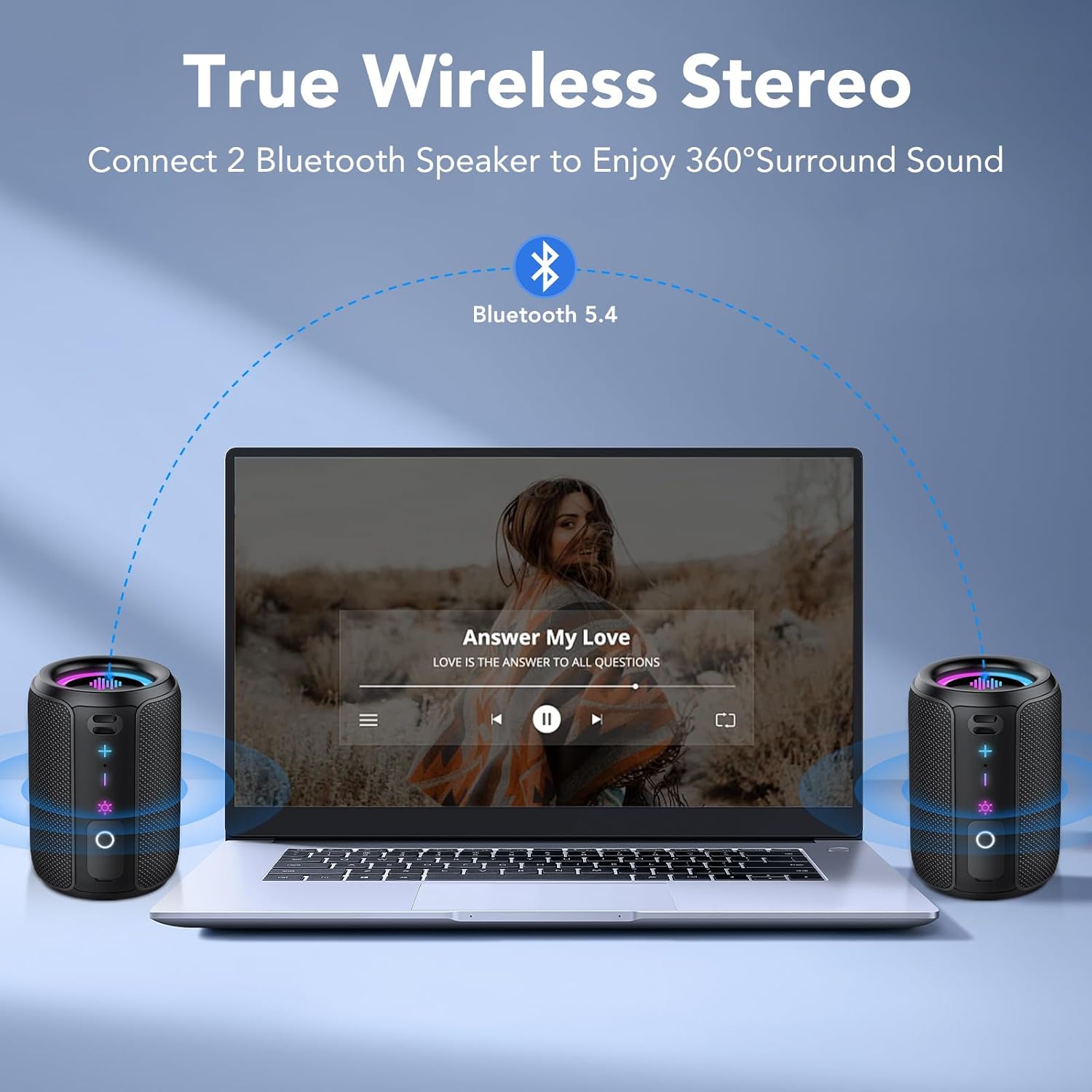
Image: RGB Colorful Lighting. This image displays three S12 speakers showcasing their dynamic RGB lighting, which can synchronize with music.
7. Manteniment
- Neteja: Netegeu l'altaveu amb un suau, damp tela. No utilitzeu netejadors abrasius ni dissolvents.
- Resistència a l'aigua: While IPX7 rated, ensure the charging port cover is securely closed before exposing the speaker to water. Do not intentionally submerge the speaker for extended periods or beyond specified depths.
- Emmagatzematge: Guardeu l'altaveu en un lloc fresc i sec, allunyat de la llum solar directa i de temperatures extremes.
- Cura de la bateria: Per allargar la durada de la bateria, eviteu descarregar completament l'altaveu amb freqüència. Carregueu-lo regularment, fins i tot si no l'utilitzeu durant períodes prolongats.
8. Solució De Problemes
| Problema | Causa possible | Solució |
|---|---|---|
| L'altaveu no s'encén. | Bateria baixa. | Carregueu l'altaveu completament. |
| Sense so. | Volume too low; not paired; incorrect audio source. | Increase volume on speaker and device. Ensure successful Bluetooth pairing. Check device's audio output settings. |
| L'aparellament de Bluetooth falla. | L'altaveu no està en mode d'emparellament; el Bluetooth del dispositiu està desactivat; massa lluny. | Ensure speaker is in pairing mode. Turn device Bluetooth off and on. Move speaker closer to device (within 10 meters). Forget "S12" on device and re-pair. |
| Mala qualitat de so o distorsió. | Low battery; device too far; interference. | Charge the speaker. Move device closer. Avoid obstacles between speaker and device. Reduce volume if distortion occurs at high levels. |
| L'emparellament TWS falla. | Speakers already paired to other devices; not in TWS mode. | Ensure both speakers are disconnected from other devices. Double-press TWS button on one speaker to initiate pairing. |
9. Especificacions
| Característica | Especificació |
|---|---|
| Nom del model | S12 |
| Potència de sortida | 15 Watios |
| Versió Bluetooth | 5.4 |
| Capacitat de la bateria | 1800 mAh |
| Temps de reproducció | Fins a 12 hores (a un 50% de volum) |
| Temps de càrrega | 3-4 hores |
| Classificació impermeable | IPX7 |
| Dimensions (P x A x A) | 8 x 8 x 11 cm |
| Pes | Aproximadament 382 g |
| Interval Bluetooth | Fins a 10 metres |
| Resposta de freqüència | 20 kHz |
10. Garantia i Suport
For warranty information, please refer to the documentation provided with your purchase or contact your retailer. For technical support or further assistance, please contact Tiksounds customer service through their official weblloc web o la plataforma on es va comprar el producte.