
1. Introducció
Thank you for choosing the Philips Rechargeable Shaver 6900 S9000/89. This electric shaver is designed to provide a close and comfortable shave, whether wet or dry. It features advanced technology for skin protection and efficient hair removal. Please read this manual carefully before using the appliance and save it for future reference.
2. Informació important de seguretat
Seguiu sempre les precaucions de seguretat bàsiques quan utilitzeu aparells elèctrics per reduir el risc d'incendi, descàrrega elèctrica i lesions.
- This appliance is waterproof and suitable for use in the bath or shower. For safety reasons, the shaver can only be used cordlessly.
- No utilitzeu l'aparell si està danyat.
- Keep the charging adapter dry. Do not handle the adapter with wet hands.
- Do not immerse the charging stand or power cord in water.
- Aquest aparell no està pensat per a persones amb capacitats físiques, sensorials o mentals reduïdes, o amb manca d'experiència i coneixements, llevat que hagin rebut supervisió o instruccions sobre l'ús de l'aparell per part d'una persona responsable de la seva seguretat.
- Els nens han de ser supervisats per assegurar-se que no juguin amb l'aparell.
- Only use the original charging adapter provided with the appliance.
3. Contingut del paquet
Carefully unpack your Philips Shaver 6900 S9000/89 and check that all items are present and in good condition.
- Philips Rechargeable Shaver 6900 S9000/89
- Estoig de viatge
- Cable d'alimentació
- Shaver Cleaning Station
- Cleaning Solution Refills (2x)

Image: The Philips Shaver 6900 S9000/89, accompanied by its travel case, cleaning station, and two cleaning solution refills, as included in the package.
4. Producte acabatview
The Philips Shaver 6900 S9000/89 is equipped with advanced features for a superior shaving experience.
- SteelPrecision Blades: With up to 150,000 cutting actions per minute, these blades ensure an exceptionally close shave.
- SenseIQ Technology: An intelligent sensor reads facial hair density 500 times per second and automatically adapts cutting power for an effortless and gentle shave.
- ComfortGlide Rings: Shaving heads are surrounded by a special protective coating with skin gliding properties to shield your face from irritation.
- 360-Degree Contour Heads: Fully flexible heads pivot 360 degrees to follow your facial contours for optimal skin contact and a comfortable shave.
- Retallador emergent: Integrated for precise trimming of sideburns and mustaches.

Image: A detailed diagram highlighting the key features of the Philips Shaver 6900, including its 360-degree contour heads, SteelPrecision blades, and SenseIQ technology.

Imatge: Un primer pla view of the rotary shaving heads of the Philips Shaver 6900, showing the intricate blade design.
5. Configuració
5.1 Càrrega de la màquina d'afaitar
Before first use, or when the battery indicator shows low charge, fully charge your shaver.
- Assegureu-vos que l'afaitadora estigui seca abans de carregar-la.
- Connect the power cord to the charging stand and plug the adapter into a wall outlet.
- Place the shaver in the charging stand. The battery indicator will show charging progress.
- A full charge takes approximately 1 hour and provides up to 60 minutes of shaving time. A 5-minute quick charge provides enough power for one shave.
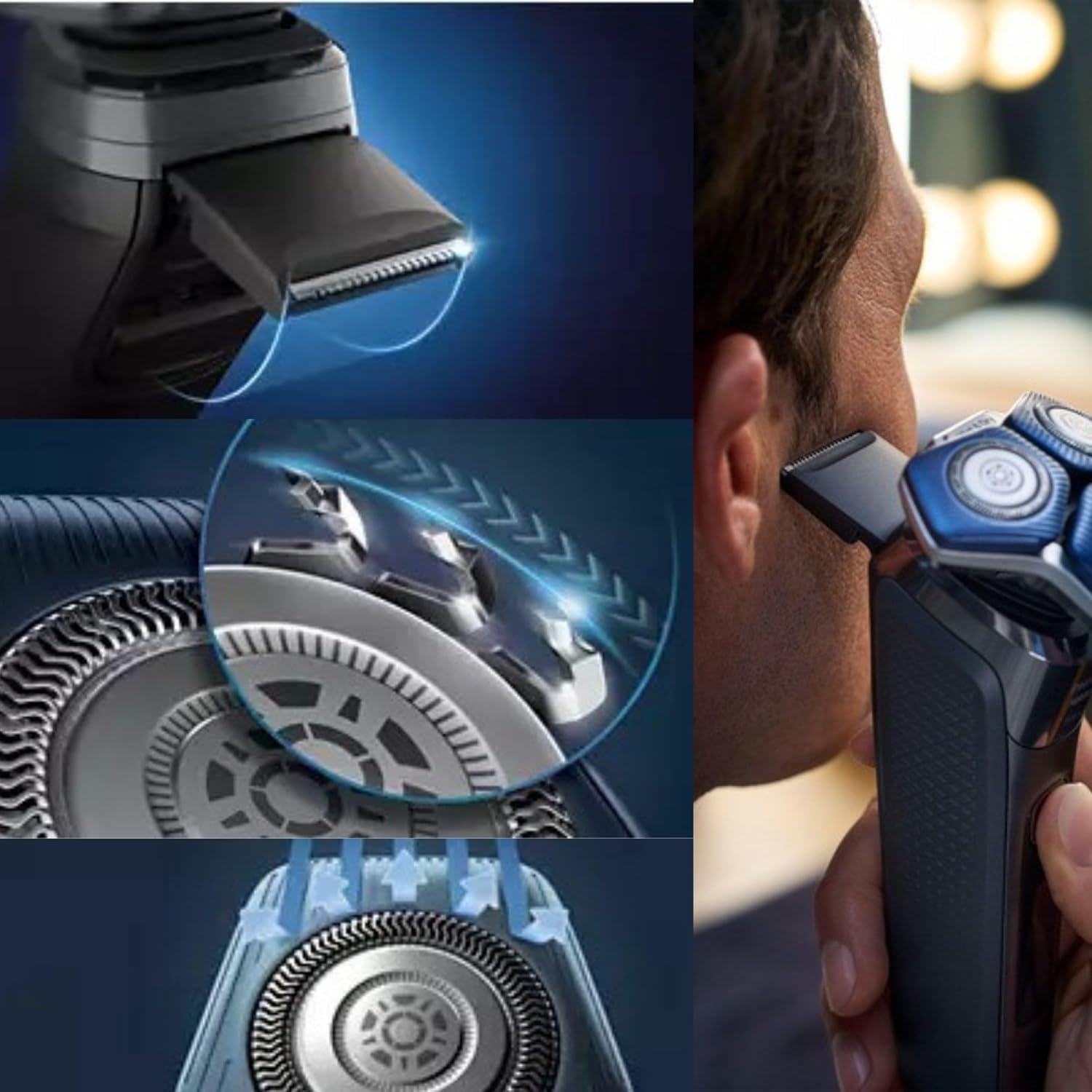
Image: The Philips Shaver 6900 S9000/89 positioned on its dedicated charging stand, indicating it is ready for charging.
6. Funcionament de l'afaitadora
6.1 Dry Shaving
Per a un afaitat ràpid i còmode, utilitzeu l'afaitadora sobre la pell seca.
- Press the on/off button to switch on the shaver.
- Move the shaving heads in small, circular movements over your skin.
- Estireu la pell amb la mà lliure perquè els cabells s'aixequin dret.
6.2 Wet Shaving
For a refreshing shave, use the shaver with water, shaving foam, or gel.
- Mulleu-vos la cara amb aigua.
- Apliqueu escuma o gel d'afaitar a la pell.
- Press the on/off button to switch on the shaver.
- Move the shaving heads in small, circular movements over your skin.
- Rinse the shaving heads under warm water during shaving to prevent clogging.
6.3 Ús del retallador desplegable
The integrated pop-up trimmer is ideal for shaping sideburns and mustaches.
- Slide the trimmer release button upwards to activate the pop-up trimmer.
- Hold the trimmer at a right angle to your skin and move it downwards with light pressure.
- When finished, push the trimmer back into its closed position.
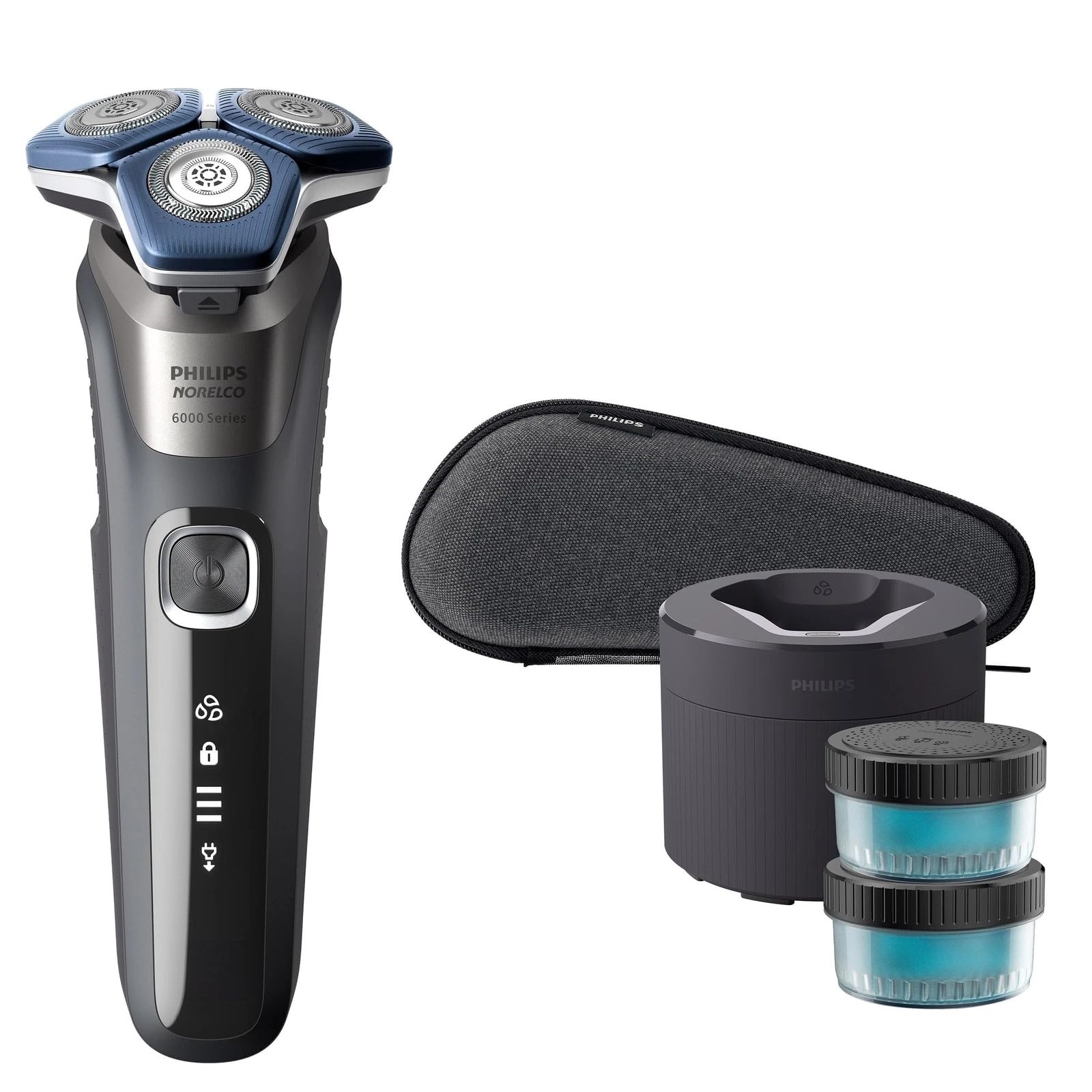
Image: A man demonstrating the use of the Philips Shaver 6900 S9000/89 for a close shave.
Imatge: Un primer pla view of the rotary shaving heads of the Philips Shaver 6900, showing the intricate blade design.
7. Manteniment
7.1 Neteja de l'afaitadora
Una neteja regular garanteix un rendiment i una higiene òptims.
- Neteja ràpida: After each shave, rinse the shaving unit under warm running water.
- Thorough Clean: Once a week, detach the shaving head unit and rinse both the unit and the hair chamber thoroughly under warm running water. Allow all parts to air dry.
- Cleaning Station: For a more comprehensive clean, place the shaver in the cleaning station as per its instructions. The cleaning station cleans, lubricates, and dries your shaver.
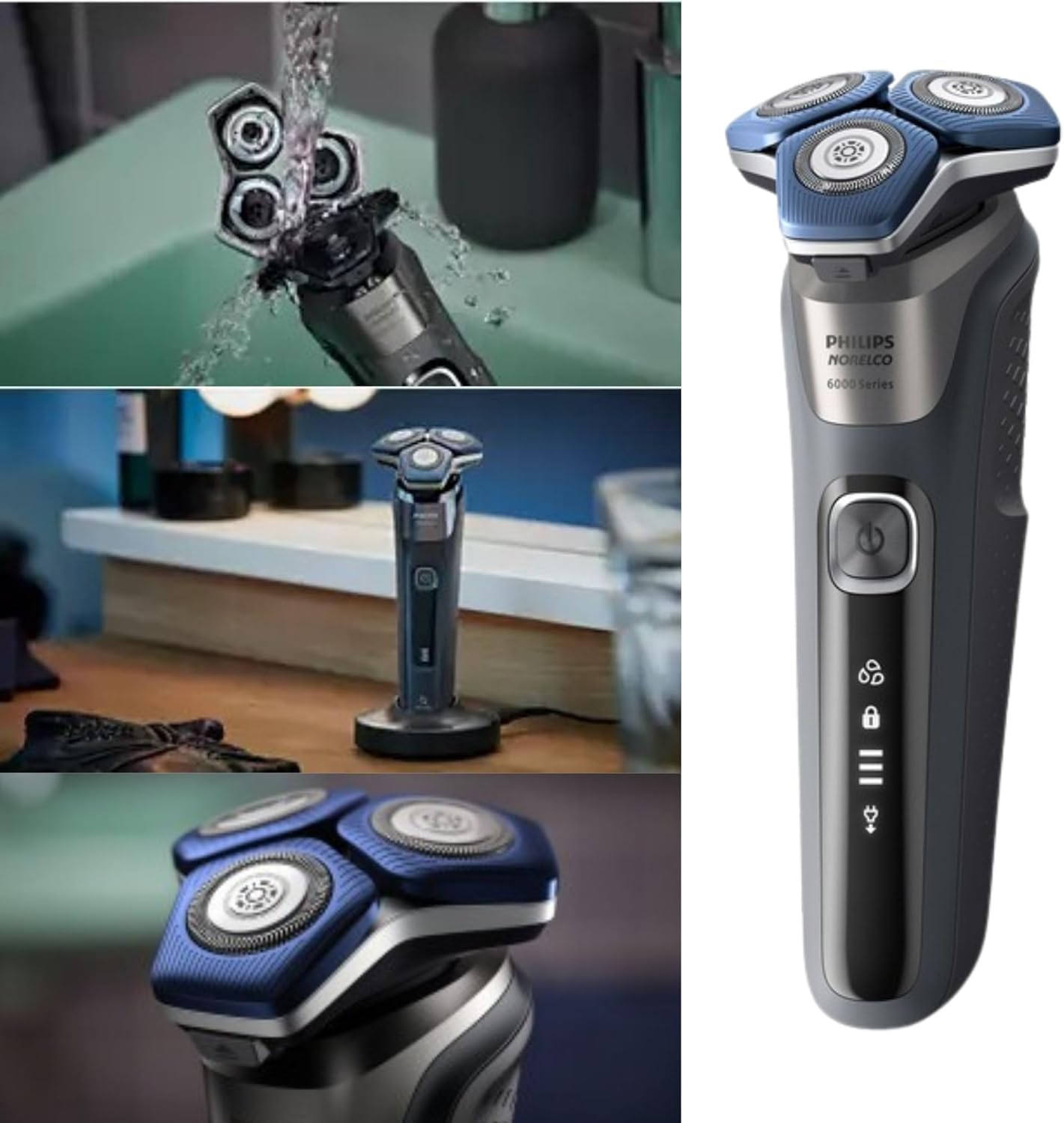
Image: The Philips Shaver 6900 S9000/89 being rinsed under running water, demonstrating its waterproof design for easy cleaning.
7.2 Replacing Shaving Heads
For best shaving results, replace the shaving heads every 12 months. Replacement heads are available from Philips retailers or online.
- Apagueu l'afaitadora i desconnecteu-la de la presa de corrent.
- Pull the shaving head unit upwards to detach it from the shaver body.
- Remove the retaining ring by turning it counter-clockwise.
- Remove the old shaving heads and insert the new ones, ensuring they click into place.
- Place the retaining ring back and turn it clockwise to secure.
- Reattach the shaving head unit to the shaver body.
8. Solució De Problemes
If you encounter issues with your shaver, refer to the following common problems and solutions.
| Problema | Causa possible | Solució |
|---|---|---|
| Shaver does not switch on. | La bateria està buida. | Carregueu l'afaitadora durant almenys 5 minuts. |
| L'afaitadora no es carrega. | Power cord or adapter is not properly connected. | Check connections. Ensure the outlet is working. |
| Mal rendiment d'afaitat. | Shaving heads are dirty or worn out. | Clean the shaving heads thoroughly. Replace shaving heads if they are older than 12 months. |
| Irritació de la pell després de l'afaitat. | Tècnica d'afaitat incorrecta o pell sensible. | Ensure gentle, circular movements. Try wet shaving with foam/gel. Allow skin to adapt to new shaver. |
9. Especificacions
- Número de model: S9000/89
- Font d'alimentació: Alimentat per bateria (Li-ion recarregable)
- Durada mitjana de la bateria: 60 minutes (1-hour charge)
- Càrrega ràpida: 5 minuts per a un afaitat
- Tipus de capçal: Rotativa
- Nombre de fulles: 2 (Dual SteelPrecision)
- Material de la fulla: Acer inoxidable
- Característiques: Wet & Dry use, Waterproof, SenseIQ Technology, ComfortGlide Rings, Pop-up Trimmer
- Pes de l'article: 9.42 unces
- Color: Gris
10. Garantia i Suport
Philips offers a manufacturer's warranty for this product. Please refer to the warranty card included in your package for specific terms and conditions. For product support, replacement parts, or further assistance, please visit the official Philips website or contact Philips customer service in your region. Keep your proof of purchase for warranty claims.