
1. Introducció
This manual provides essential information for setting up, operating, and maintaining your ECOPAD T5 Android 15 Tablet. Please read it thoroughly to ensure proper use and to maximize your device's potential. Keep this manual for future reference.
2. Contingut del paquet
Verifiqueu que tots els elements que s'enumeren a continuació s'inclouen al vostre paquet:
- ECOPAD T5 Android 15 Tablet
- Funda protectora
- Teclat Bluetooth
- Ratolí sense fil
- Bolígraf
- Carregador (adaptador de corrent)
- Cable USB-C
- Manual d'usuari (aquest document)

Figure 2.1: Included Package Contents. The image displays the tablet, protective case, keyboard, mouse, stylus, user manual, charger, and USB-C cable, each numbered for identification.
3. Dispositiu acabatview
Familiarize yourself with the physical components of your ECOPAD T5 tablet:

Figure 3.1: Tablet Component Diagram. This diagram illustrates the tablet's layout, including the 3.5mm Audio Jack, Volume buttons, Power button, Front Camera, TF Card Slot, USB-C Port, Microphone, Rear Camera, and Loudspeaker.
4. Guia de configuració
4.1 Càrrega inicial
Before first use, fully charge your tablet. Connect the USB-C cable to the tablet's USB-C port and the charger to a power outlet. The battery indicator on the screen will show charging status.
4.2 Encès/Apagat
- Per encendre: Press and hold the Power button until the ECOPAD logo appears.
- Per apagar: Mantingueu premut el botó d'engegada i, a continuació, seleccioneu "Apagar" de les opcions que apareixen a la pantalla.
- Per reiniciar: Mantingueu premut el botó d'engegada i, a continuació, seleccioneu "Reiniciar" de les opcions.
4.3 Assistent de configuració inicial
En engegar-la per primera vegada, la tauleta us guiarà a través d'un procés de configuració inicial. Seguiu les instruccions que apareixen a la pantalla per a:
- Seleccioneu el vostre idioma.
- Connecteu-vos a una xarxa Wi-Fi.
- Inicia la sessió amb el teu compte de Google o crea'n un de nou.
- Configura el bloqueig de pantalla (PIN, patró, contrasenya o desbloqueig facial).
4.4 Connecting Accessories (Keyboard & Mouse)
Your ECOPAD T5 tablet comes with a Bluetooth keyboard and a wireless mouse for enhanced productivity.
4.4.1 Bluetooth Keyboard Pairing
- Ensure the keyboard is charged and powered on. Look for a small switch or button on the keyboard to turn it on.
- A la tauleta, vés a Configuració > Dispositius connectats > Bluetooth.
- Turn on Bluetooth. The tablet will search for available devices.
- On the keyboard, press the "Connect" button (often labeled "Fn+C" or a dedicated Bluetooth button) to make it discoverable.
- Select the keyboard from the list of available devices on your tablet.
- Follow any on-screen prompts to complete the pairing process (e.g., entering a code).
4.4.2 Wireless Mouse Connection
The wireless mouse typically connects via a USB dongle. Insert the USB dongle into the tablet's USB-C port using an appropriate adapter if necessary (adapter not included). The tablet should automatically detect and configure the mouse.

Figure 4.1: Tablet in 2-in-1 Laptop Mode. The image shows the ECOPAD T5 tablet with its Bluetooth keyboard and wireless mouse, demonstrating its versatility for efficient work and typing.
5. Funcionament bàsic
5.1 Gestos de pantalla tàctil
- Toca: Selecciona un element o obre una aplicació.
- Toca i mantén premut: Accedir a menús contextuals o moure elements.
- Llisca: Scroll through lists, switch screens, or dismiss notifications.
- Pinch In/Out: Zoom in or out on photos, maps, or web pàgines.
5.2 Barra de navegació
The navigation bar at the bottom of the screen typically includes:
- Enrere: Torna a la pantalla anterior.
- Inici: Torna a la pantalla d'inici.
- Aplicacions recents: Shows recently used applications for quick switching.
5.3 Notificacions i configuració ràpida
Swipe down from the top of the screen to access the notification panel and quick settings toggles (Wi-Fi, Bluetooth, brightness, etc.).
6. Característiques clau
6.1 Pantalla
- Mida: Pantalla tàctil IPS de 11 polzades
- Resolució: 1280 x 800 píxels
- Relació d'aspecte: 16:9
- Característiques: Eye Protection Screen, Multi-touch support, Widevine L1 Certified for Full HD streaming.

Figure 6.1: 11-inch HD Display. The image showcases the tablet's expansive 11-inch screen, ideal for immersive visuals with 1280x800 resolution and eye protection features.

Figure 6.2: Widevine L1 Certification. This image highlights the tablet's Widevine L1 certification, enabling Full HD playback on major streaming platforms like YouTube, Netflix, Prime Video, Hulu, and HBO GO.
6.2 Performance & Storage
- Processador: Octa-Core Unisoc T606 (1.6 GHz)
- RAM: 20 GB (6 GB de memòria física + 14 GB de memòria virtual)
- Emmagatzematge intern: ROM de 128 GB
- Emmagatzematge ampliable: Up to 2TB via Micro SD card (TF card slot)

Figure 6.3: Massive RAM and ROM. This image emphasizes the tablet's 20GB RAM and 128GB ROM, powered by Android 15 and an Octa-Core processor for smooth multitasking.

Figure 6.4: Unisoc T606 Octa-core Processor. This image highlights the Unisoc T606 Octa-core Processor, providing reliable power for daily tasks and responsive split-screen performance.

Figure 6.5: Expandable Storage. This image illustrates the tablet's capability to boost speed with 20GB RAM and store thousands of photos in 128GB ROM, with expansion up to 2TB via TF card.
6.3 Bateria
- Capacitat: Polímer de liti de 8000 mAh
- Càrrega: Càrrega ràpida de 18 W (USB-C)
- Vida mitjana: Up to 8 hours of general use, 6 hours of video playback.
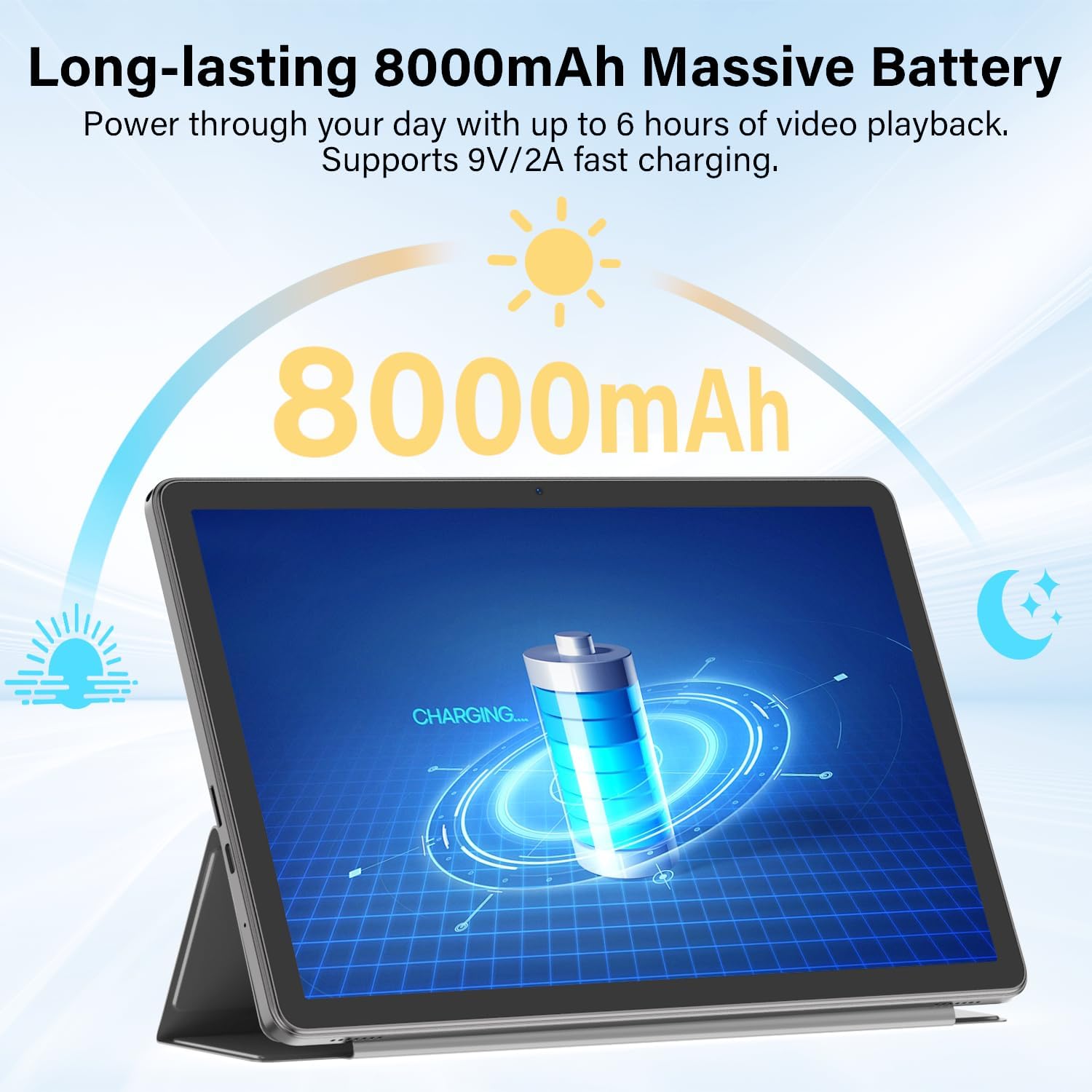
Figure 6.6: Long-lasting Battery. This image highlights the tablet's 8000mAh battery, providing power for up to 6 hours of video playback and supporting 9V/2A fast charging.
6.4 Sistema operatiu
- OS: Android 15
- Característiques: Enhanced privacy, fluid multitasking, smarter notifications, optimized performance, adaptive security.

Figure 6.7: Android 15 OS. The image displays the tablet running Android 15, showcasing its modern interface and capabilities.

Figure 6.8: Latest Android 15 OS Features. This image outlines key benefits of Android 15, including enhanced privacy, fluid multitasking, smarter notifications, optimized performance, and adaptive security.

Figure 6.9: AI Capable. This image highlights the tablet's compatibility with leading AI apps like Gemini, ChatGPT, and Grok, enabling complex tasks and accelerating creativity.
6.5 Connectivitat
- Wi-Fi: Dual-Band WiFi 6 (2.4G/5Ghz, 802.11ac, 802.11ax)
- Bluetooth: Bluetooth 5.0
- Navegació: GPS
- Ports: 3.5mm Audio Jack, USB Type-C
- Àudio: Dual Stereo Speakers, Microphone Inside

Figure 6.10: Connectivity Features. This image displays the tablet's connectivity options, including Dual Stereo Speakers, 3.5mm Audio Jack, Bluetooth 5.0, GPS Navigation, 2.4/5Ghz WiFi 6, and an internal Microphone.
6.6 Càmeres
- Càmera posterior: 8.0 MP
- Càmera frontal: 5.0 MP
- Captura de vídeo: FHD 1080p

Figure 6.11: Dual Cameras. This image highlights the tablet's 8MP rear and 5MP front cameras, suitable for clear video calls, quick photos, and document scanning.
6.7 Seguretat
- Desbloqueig facial: Secure and instant facial recognition for unlocking the device.

Figure 6.12: Instant Face Unlock. This image illustrates the tablet's secure, hands-free facial recognition feature for instant unlocking.
7. Manteniment
7.1 Neteja de la tauleta
Use a soft, lint-free cloth to clean the screen and body of the tablet. Avoid abrasive materials or harsh chemicals. For stubborn smudges, slightly dampNetegeu el drap amb aigua o un netejador de pantalles dissenyat per a electrònica.
7.2 Actualitzacions de programari
Comproveu i instal·leu regularment si hi ha actualitzacions de programari per garantir un rendiment òptim, seguretat i accés a noves funcions. Aneu a Configuració > Sistema > Actualització del sistema per comprovar si hi ha actualitzacions.
7.3 Cura de la bateria
- Eviteu exposar la tauleta a temperatures extremes.
- No deixeu que la bateria es descarregui completament amb freqüència.
- Feu servir el carregador i el cable proporcionats per a una càrrega òptima.
7.4 Gestió d'emmagatzematge
Periòdicament review i eliminar innecessaris files, apps, and media to free up storage space and maintain performance. Utilize the expandable storage option with a Micro SD card for large files.
8. Solució De Problemes
If you encounter issues with your tablet, refer to the following common problems and solutions:
| Problema | Solució |
|---|---|
| La tauleta no s'encén | Assegureu-vos que la bateria estigui carregada. Connecteu el carregador i espereu uns minuts abans d'intentar tornar-lo a engegar. Si no respon, premeu i manteniu premut el botó d'engegada durant 10-15 segons per forçar un reinici. |
| No es pot connectar a la Wi-Fi | Comproveu si el Wi-Fi està activat a la Configuració ràpida o Configuració > Xarxa i Internet > Internet. Ensure the Wi-Fi password is correct. Restart your router and the tablet. |
| Bluetooth keyboard/mouse not pairing | Ensure the accessory is charged and in pairing mode. On the tablet, go to Configuració > Dispositius connectats > Bluetooth and ensure Bluetooth is on. Forget and re-pair the device if it was previously connected. |
| Les aplicacions són lentes o es bloquegen | Close unnecessary background apps. Clear app cache (Configuració > Aplicacions > [Nom de l'aplicació] > Emmagatzematge i memòria cau > Esborra la memòria cau). Assegureu-vos que hi hagi prou espai d'emmagatzematge disponible. Reinicieu la tauleta. |
| La pantalla no respon | Restart the tablet by holding the Power button. If the issue persists, perform a factory reset (data will be lost, back up important files). |
9. Especificacions
| Característica | Especificació |
|---|---|
| Marca | ECOPAD |
| Nom del model | Tauleta Android T5 |
| Sistema operatiu | Android 15 |
| Processador | Octa-Core Unisoc T606, 1.6 GHz |
| Memòria RAM | 20 GB (6GB Physical + 14GB Virtual) |
| Capacitat d'emmagatzematge | 128 GB de ROM |
| Emmagatzematge ampliable | Up to 2 TB (Micro SD/TF Card) |
| Mida de la pantalla | 11 polzades |
| Resolució de visualització | 1280 x 800 píxels |
| Relació d'aspecte | 16:9 |
| Capacitat de la bateria | Polímer de liti de 8000 mAh |
| Durada mitjana de la bateria | 8 hores |
| Carregant | Càrrega ràpida de 18 W (USB-C) |
| Tecnologia sense fils | Wi-Fi 6 (802.11ac, 802.11ax), Bluetooth 5.0 |
| Tecnologia de connectivitat | Bluetooth, WiFi |
| Interfície del maquinari | 3.5mm Audio Jack, USB Type-C |
| Càmera frontal | 5.0 MP |
| Càmera posterior | 8.0 MP |
| Resolució de captura de vídeo | FHD 1080p |
| Entrada de la interfície humana | Pantalla tàctil amb suport per a llapis òptic |
| Dimensions de l'article (L x A x Gruix) | 5.4 cm de llargada x 9.6 cm d'amplada x 0.25 cm de gruix |
10. Garantia i Suport
10.1 Garantia del producte
Your ECOPAD T5 Android 15 Tablet comes with a 2 anys de garantia des de la data de compra. Aquesta garantia cobreix defectes de fabricació i avaries en condicions d'ús normal. Conserveu el comprovant de compra per a reclamacions de garantia.
10.2 Atenció al client
For technical assistance, warranty claims, or any questions regarding your ECOPAD T5 tablet, please contact ECOPAD customer support. Refer to the contact information provided with your product packaging or visit the official ECOPAD weblloc per obtenir detalls de suport.