
Introducció
This manual provides detailed instructions for the installation, operation, and maintenance of your Linkstyle G23 Car Head Up Display. This device offers real-time driving data, including speed, driving time, and distance, directly in your line of sight. It features a GPS speedometer, an over-speed alarm, and customizable LED ambient lighting for enhanced driving safety and convenience.
Continguts del producte
Verifiqueu que tots els elements que s'enumeren a continuació s'inclouen al vostre paquet:
The image displays the Linkstyle G23 Head Up Display unit, a rotary suction cup holder, two non-slip mats, an 8ft/246cm Type-C cable, and a user manual.
- Linkstyle G23 Head Up Display Unit
- Ventosa rotativa
- 2x Non-Slip Mats
- USB-C Power Cable (8ft/246cm)
- Manual d'usuari
Configuració i instal·lació
The Linkstyle G23 HUD is designed for easy plug-and-play installation and wide compatibility with most vehicles that provide a 5V USB power source.
Connexió d'alimentació
Connect the provided USB-C cable to the HUD unit and plug the other end into a 5V USB power port in your vehicle. The device will automatically power on and off with your vehicle's ignition.

The image illustrates the simple plug-and-play connection of the HUD unit to a 5V USB power source in a car.
Opcions de muntatge
Choose between two primary installation methods to suit your preference and vehicle layout:
- Instal·lació del tauler de control: Place the HUD unit directly on your dashboard using one of the provided non-slip mats. Ensure it is positioned where it does not obstruct your view de la carretera.
- Instal·lació del parabrisa: Attach the rotary suction cup holder to your windshield. Secure the HUD unit to the holder. Adjust the angle for optimal visibility.

The image demonstrates installing the HUD on the dashboard using a non-slip mat and installing it on the windshield with the suction cup mount.
Adquisició de senyal GPS
Upon powering on, the HUD will automatically search for a GPS signal. This may take a few moments, especially in areas with limited satellite visibility. Ensure the device has a clear view del cel per a un rendiment òptim.
Instruccions de funcionament
The Linkstyle G23 HUD provides various display modes and features to enhance your driving experience.
Pantalla multifunció
The device can display several metrics. Use the multi-function dial button (located on the top of the unit) to cycle through different display modes.

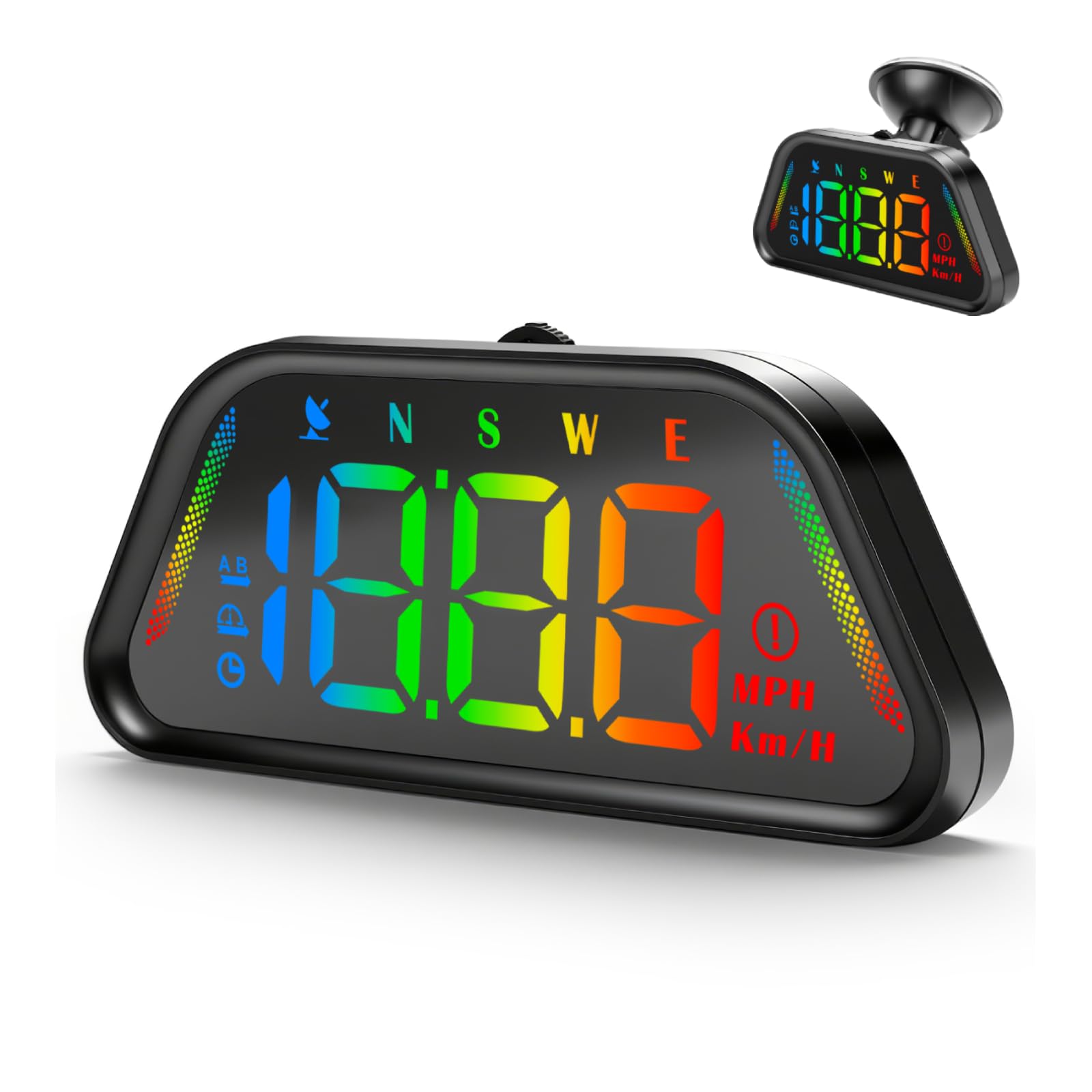
The image illustrates the different data points the HUD can display, including current speed in MPH or KMH, overspeed alerts, current time, travel duration, adjustable LED light settings, compass direction, and total travel distance.
- Velocitat: Displays current speed in MPH or KMH.
- Alarma de sobrevelocitat: Indicates when a preset speed limit is exceeded.
- Rellotge: Mostra l'hora actual.
- Travel Time: Tracks the duration of your current trip.
- Distància de viatge: Shows the distance covered during your current trip.
- Brúixola: Provides directional guidance (N, S, E, W).
- Llum LED ajustable: Customizable ambient lighting.
Over-Speed Alarm System
The HUD features a customizable over-speed alarm to help maintain safe driving speeds. You can set up to three different over-speed alerts. When the set speed is exceeded, a flashing alert icon will appear on the display.

The image shows the HUD displaying a speed of 150 with a flashing alert icon, indicating an overspeed condition.
Automatic LED Brightness Adjustment
A built-in sensor automatically adjusts the display's brightness to suit ambient light conditions, ensuring optimal visibility during both day and night driving without manual intervention.

The image depicts the HUD display adjusting its brightness automatically, showing a brighter display for daytime and a dimmer display for nighttime conditions.
GPS + BeiDou Dual-Mode Chip
The device utilizes a GPS + BeiDou dual-mode chip with a 10Hz refresh rate. This system provides smooth, real-time tracking and accurate positioning for all displayed metrics.

The image visually represents the HUD's dual-mode chip technology, highlighting its ability to receive signals from both GPS and BeiDou satellite systems for precise and smooth data tracking.
Speed-Sensitive Display Modes
The HUD intelligently switches its display based on vehicle movement:
- When the vehicle is stationary for more than 3 seconds, the display will show the current time.
- When the vehicle begins to move, the display automatically switches to show the current speed.

The image illustrates the HUD's smart display feature, showing it displaying the time when the car is stopped and automatically switching to display speed when the car is in motion.
Manteniment
To ensure the longevity and optimal performance of your Linkstyle G23 HUD, follow these maintenance guidelines:
- Neteja: Use a soft, dry cloth to clean the display screen and the unit's exterior. Avoid using abrasive cleaners or solvents, which can damage the surface.
- Emmagatzematge: Si guardeu el dispositiu durant un període prolongat, desconnecteu-lo de l'alimentació i guardeu-lo en un lloc fresc i sec, allunyat de la llum solar directa i de temperatures extremes.
- Cura del cable: Handle the USB-C cable gently. Avoid bending or crimping the cable excessively to prevent internal damage.
Resolució de problemes
If you encounter issues with your Linkstyle G23 HUD, refer to the following common problems and solutions:
- Cap pantalla/dispositiu no s'encén:
- Ensure the USB-C cable is securely connected to both the HUD unit and a functional 5V USB power source in your vehicle.
- Check if the vehicle's USB port is active (some ports only activate with ignition).
- Try a different USB power source or cable to rule out a faulty component.
- No GPS Signal/Inaccurate Speed:
- Ensure the HUD unit has a clear, unobstructed view del cel. Els obstacles com ara edificis alts, túnels o vegetació densa poden interferir amb la recepció del GPS.
- Move the device to a different location on your dashboard or windshield to improve signal reception.
- Allow sufficient time (up to several minutes) for the device to acquire a stable GPS signal, especially after initial setup or if moved to a new location.
- Verify that the vehicle is outdoors and not in an enclosed space like a garage.
- Display Flickering or Unstable:
- Assegureu-vos que la connexió d'alimentació sigui estable i no fluixa.
- Avoid placing the device near strong electromagnetic interference sources.
Especificacions
| Característica | Detall |
|---|---|
| Marca | Estil d'enllaç |
| Model | G23 |
| Material | Acrilonitril butadiè estirè (ABS) |
| Dimensions de l'article (L x A x A) | 4.84 x 2.68 x 2.64 polzades |
| Pes de l'article | 137 g |
| Voltage | 5V |
| Components inclosos | LED Digital Display Voltage Meter (HUD Unit) |
Garantia i Suport
For warranty information or technical support, please refer to the contact details provided with your purchase documentation or visit the official Linkstyle weblloc web. Conserveu el rebut de compra com a comprovant de compra per a qualsevol reclamació de garantia.