
1. Introducció
The Beitian BK-250 is a 9th Generation Beidou GNSS module designed for high-precision positioning in various applications, including racing drones, FPV systems, and fixed-wing unmanned aerial vehicles. This module offers powerful satellite search capabilities, accurate data acquisition, high sensitivity, precise positioning, and low power consumption, all within a lightweight and compact design. This manual provides essential information for the proper setup, operation, and maintenance of your BK-250 GNSS module.
2. Producte acabatview
The Beitian BK-250 GNSS module integrates advanced satellite positioning technology into a small form factor. It is designed for easy integration into existing flight control systems. Key components include the GNSS antenna, processing unit, and connection ports for data transmission and power.
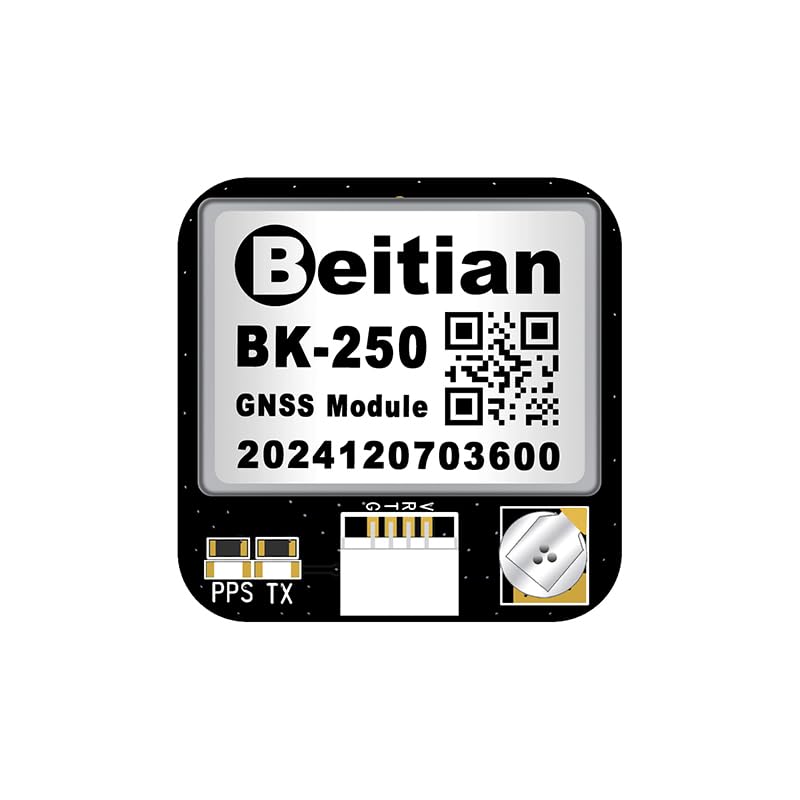
Figura 2.1: En angle view of the Beitian BK-250 GNSS Module, showing its compact design and main components.
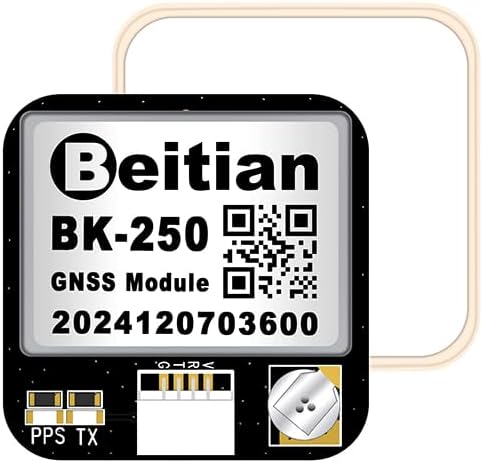
Figura 2.2: A dalt view of the Beitian BK-250 GNSS Module, highlighting the Beitian branding, model number, and QR code.

Figura 2.3: A baix view of the Beitian BK-250 GNSS Module, showing the PPS (Pulse Per Second) and TX (Transmit) pins, along with the connector.
3. Especificacions
The following table details the technical specifications of the Beitian BK-250 GNSS module:

Figura 3.1: Detailed product parameters for the Beitian BK-250 GNSS Module.
| Característica | Especificació |
|---|---|
| Model | BK-250 |
| Dimensions (L x A x A) | 25 x 25 x 6 mm |
| Mode GNSS | GPS + BDS + GALILEO |
| Freqüència | GPS L1 C/A, QZSS L1 C/A/S, BDS B1I/B1C, GALILEO E1B/C, SBAS L1 C/A (WAAS, EGNOS, MSAS, GAGAN) |
| Pes de l'article | 1.76 unces (aproximadament 50 grams) |
| Tipus d'antena | Satèl·lit |
| Fabricant | Beitian |
4. Configuració
Proper setup is crucial for optimal performance of your BK-250 GNSS module. Follow these steps for installation and initial configuration:
- Muntatge: Securely mount the BK-250 module on your drone or fixed-wing aircraft. Ensure it has a clear, unobstructed view of the sky. Avoid placing it directly under carbon fiber or other materials that can block satellite signals.
- Cablejat: Connect the module to your flight controller using the provided serial port connector. Typically, this involves connecting the module's TX (Transmit) pin to the flight controller's RX (Receive) pin, and the module's RX to the flight controller's TX. Ensure power (VCC) and ground (GND) connections are correctly made according to your flight controller's documentation.
- Flight Controller Configuration: Access your flight controller's configuration software (e.g., Betaflight, iNav, ArduPilot). Navigate to the GPS/GNSS settings.
- Enable GPS: Enable the GPS feature and select the correct serial port (UART) to which the BK-250 is connected.
- Velocitat de transmissió: Set the baud rate for the GPS serial port. Common baud rates for GNSS modules are 9600, 19200, 38400, or 57600. Refer to your flight controller's or module's specific documentation for the recommended baud rate.
- Protocol: Select the appropriate GPS protocol (e.g., UBLOX, NMEA). The BK-250 supports multiple GNSS constellations (GPS, BDS, GALILEO), which are typically handled automatically by the module once the correct protocol is selected.
After configuration, save the settings and restart your flight controller if necessary.
5. Instruccions de funcionament
Once the BK-250 GNSS module is correctly set up, follow these steps for operation:
- Encès: Power on your aircraft. The GNSS module will begin searching for satellites automatically.
- Initial Satellite Acquisition: Place the aircraft outdoors in an open area with a clear view of the sky. The first satellite acquisition (cold start) may take several minutes. Subsequent acquisitions (warm start) will be faster.
- GPS Lock Indication: Monitor your flight controller's OSD (On-Screen Display) or ground station software for GPS status. A solid GPS lock is typically indicated by a specific icon or a reported number of satellites. The module will output location information via the serial port to your flight controller.
- Comprovació prèvia al vol: Before flight, always confirm that a sufficient number of satellites are acquired and that the reported position is accurate. This ensures reliable GPS-assisted flight modes.
6. Manteniment
The Beitian BK-250 GNSS module is designed for durability, but proper maintenance can extend its lifespan and ensure consistent performance:
- Neteja: Keep the module clean and free from dust, dirt, and moisture. Use a soft, dry cloth for cleaning. Avoid using harsh chemicals or abrasive materials.
- Protecció del medi ambient: Protect the module from extreme temperatures, direct sunlight for prolonged periods, and high humidity. While designed for outdoor use, excessive exposure to harsh elements can degrade performance.
- Inspecció física: Periodically inspect the module and its connections for any signs of damage, loose wires, or corrosion. Ensure the antenna is securely attached and undamaged.
- Emmagatzematge: When not in use, store the module in a cool, dry place, away from static electricity and strong magnetic fields.
7. Solució De Problemes
If you encounter issues with your BK-250 GNSS module, refer to the following troubleshooting tips:
- No GPS Lock / Few Satellites:
- Assegureu-vos que el mòdul tingui una visió clara i sense obstacles view del cel.
- Verify all wiring connections (VCC, GND, TX, RX) are correct and secure.
- Check the flight controller's GPS settings (enabled, correct UART, baud rate, protocol).
- Allow sufficient time for initial satellite acquisition (up to 10-15 minutes for a cold start).
- Move away from sources of electromagnetic interference (e.g., motors, ESCs, video transmitters).
- Incorrect Position Data:
- Ensure the module is mounted correctly and not upside down or at an extreme angle.
- Check for any nearby metallic objects or carbon fiber structures that might be interfering with the antenna.
- Verify the flight controller's GPS configuration for any offset or orientation settings.
- No Data Output to Flight Controller:
- Confirm the module is receiving power.
- Double-check the TX/RX wiring between the module and the flight controller.
- Ensure the correct UART and baud rate are selected in the flight controller software.
- Test with a different serial port on the flight controller if available.
8. Garantia i Suport
For warranty information, returns, or technical support regarding your Beitian BK-250 GNSS module, please contact the seller or refer to the official Beitian weblloc web. Conserveu el comprovant de compra per a qualsevol reclamació de garantia.
You can visit the official Beitian store for more product information and support: Beitian Store on Amazon