
1. Introducció
The Edifier M90 Computer Speakers are a compact, high-performance audio system designed for various applications including music, movies, and gaming. These speakers feature 100W RMS total output, Hi-Res Audio support, and versatile connectivity options including Bluetooth 6.0 with LDAC, HDMI eARC, Optical, USB-C, and AUX inputs. This manual provides essential information for setting up, operating, and maintaining your M90 speakers.

Image: Edifier M90 Compact Active Speakers overview.
2. Què hi ha a la caixa
Before setup, please ensure all components are present:
- Passive Speaker x 1
- Active Speaker x 1
- Power Cord (1.8m) x 1
- Speaker Connecting Cable (5m) x 1
- Fiber Optic Audio Cable (1.5m) x 1
- USB-C to USB-C Cable (1.2m) x 1
- 3.5mm to RCA Audio Cable (1.7m) x 1
- 3.5mm to 3.5mm Audio Cable (1.7m) x 1
- Control remot x 1
- Piles AAA x 2
- Guia d'inici ràpid x 1
- Important Safety Instructions x 1
Image: Edifier M90 package contents.
3. Configuració
- Col·locació: Position the active speaker (with controls and inputs) and passive speaker on a stable surface, ensuring optimal stereo separation for your listening environment. The compact design allows for placement on desktops, bookshelves, or TV setups.
- Connectar els altaveus: Use the provided speaker connecting cable to link the active speaker to the passive speaker. Ensure a secure connection.
- Connexió d'alimentació: Connect the power cord to the active speaker and then to a power outlet.
- Connexió d'entrada: Choose your desired audio input method (HDMI eARC, Optical, USB-C, AUX, or Bluetooth) and connect the appropriate cable from your audio source to the active speaker.
- Encès: Turn on the speakers using the power button on the remote control or the volume/source knob on the rear of the active speaker.

Image: Edifier M90 speakers in different environments.
4. Instruccions de funcionament
4.1 Selecció d'entrada
The M90 speakers offer multiple input options:
- EARC HDMI: Connect to your TV for high-quality audio and TV remote control integration.
- Òptic: Ideal for connecting to TVs, gaming consoles, or media players.
- USB-C: Connect to computers for digital audio playback.
- AUX: For connecting portable devices or turntables via a 3.5mm jack.
- Bluetooth 6.0: Per a la transmissió d'àudio sense fil des de dispositius compatibles.
Switch between inputs using the dedicated buttons on the remote control or by pressing the volume/source knob on the rear of the active speaker.

Image: Edifier M90 Multiple Input Options.
4.2 Vinculació Bluetooth
- Select Bluetooth input on the speakers. The indicator light will flash.
- On your device, enable Bluetooth and search for 'EDIFIER M90'.
- Select to pair. Once connected, the indicator light will be solid.
- For multipoint connection (default off), enable manually via the Edifier ConneX App.

Image: Advanced Bluetooth Connectivity with LDAC.
4.3 Controls
Control your M90 speakers using the included 2.4GHz remote control or the onboard volume/source knob.
- Comandament a distància: Features dedicated buttons for input selection (USB, BT, AUX, HDMI, Optical), volume adjustment, track skip, play/pause, mute, power, and preset EQ modes (Customized, Classic, Dynamic, Monitor).
- Volume/Source Knob: Located on the rear of the active speaker, this knob controls volume and can be pressed to cycle through input sources.

Image: User-Friendly Controls with Remote.
4.4 Aplicació Edifier ConneX
For advanced control and customization, download the Edifier ConneX app. The app allows you to:
- Personalitza la configuració de l'equalitzador.
- Switch between preset sound modes.
- Manage Bluetooth multipoint connection.
- Access firmware updates and other settings.
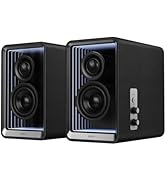
Image: Customizable Sound Effects via Edifier ConneX App.
5. Característiques clau
5.1 Powerful Acoustic Performance
The M90 speakers deliver a robust 100W RMS total output through dual Class-D amplifiers, a 4-inch aluminum mid-bass driver, and a 1-inch silk dome tweeter. This configuration ensures detailed, dynamic sound across the frequency spectrum.

Image: Powerful Output and Internal Components.
5.2 Hi-Res Audio Certified
Experience superior audio quality with end-to-end 24-bit/96kHz digital signal processing. The M90 supports the high-resolution LDAC codec for pristine wireless audio streaming from compatible Android devices (Android 8.0 or later).

Image: Hi-Res Audio Certified.
5.3 Expandable Bass System
The dedicated SUB OUT port allows for easy connection of an external powered subwoofer, transforming your M90 into a powerful 2.1 system for enhanced low-frequency performance.

Image: Enhanced Bass Capability with SUB OUT port.
5.4 Disseny compacte
Measuring 5.24" (W) x 8.35" (H) x 8.86" (D) per speaker, the M90 speakers are designed to fit seamlessly into any space without sacrificing audio quality.

Image: Compact Design with dimensions.
6. Manteniment
To ensure the longevity and optimal performance of your Edifier M90 speakers, follow these maintenance guidelines:
- Neteja: Use a soft, dry cloth to wipe the speaker surfaces. Avoid using abrasive cleaners, waxes, or solvents as they may damage the finish.
- Col·locació: Keep speakers away from direct sunlight, heat sources, and excessive moisture. Ensure adequate ventilation around the speakers.
- Manipulació: Avoid placing heavy objects on the speakers or exposing them to strong impacts.
- cables: Periodically check all cable connections for looseness or damage.
7. Solució De Problemes
If you encounter issues with your Edifier M90 speakers, refer to the following common solutions:
| Problema | Causa possible | Solució |
|---|---|---|
| Sense so | Incorrect input selected; Volume too low; Loose cable connection; Speaker not powered on. | Verify input source; Increase volume; Check all cable connections; Ensure power is on. |
| Problemes de connexió Bluetooth | Speakers not in pairing mode; Device too far; Interference; Already connected to another device. | Ensure speakers are in Bluetooth pairing mode; Move device closer; Avoid interference; Disconnect from other devices. |
| So distorsionat | Volume too high; Poor audio source quality; Incorrect EQ settings. | Reduce volume; Use a high-quality audio source; Adjust EQ settings via remote or app. |
| El comandament a distància no funciona | Batteries depleted; Obstruction between remote and speaker. | Replace batteries; Ensure clear line of sight to the active speaker. |
8. Especificacions
| Característica | Detall |
|---|---|
| Potència de sortida total (RMS) | Treble 15W × 2, Mid-bass 35W × 2 |
| Unitats conductores | 4" long-throw aluminum diaphragm mid-bass drivers, 1" silk dome tweeters |
| Resposta de freqüència | 50 Hz - 40 KHz |
| Ràtio senyal / soroll | > 85 dB (A) |
| Entrades d'àudio | HDMI eARC, Optical, USB-C, AUX, Bluetooth |
| Versió Bluetooth | 6.0 |
| Input Sensitivity eARC | HDMI eARC: 500 ± 50mFS (PCM stereo) |
| Input Sensitivity Optical | Optical: 500 ± 50mFS |
| Input Sensitivity USB-C | USB-C: 500 ± 50mFS |
| Input Sensitivity AUX | AUX: 450 ± 50mV |
| Input Sensitivity Bluetooth | Bluetooth: 500 ± 50mFS |
| Active Speaker Dimensions | 5.24 x 8.35 x 8.86 polzades (13.3 x 21.2 x 22.5 cm) |
| Passive Speaker Dimensions | 5.24 x 8.35 x 8.27 polzades (13.3 x 21.2 x 21.0 cm) |
| Pes net | 6.05 kg |
Image: Edifier M90 Specifications.
9. Garantia i Suport
The Edifier M90 Computer Speakers come with a 2 any de garantia del fabricant. For technical support, warranty claims, or additional product information, please visit the official Edifier weblloc o poseu-vos en contacte amb el seu servei d'atenció al client.
També podeu visitar el Edifier Brand Store on Amazon per a més productes i recursos de suport.
10. Vídeo del producteview
Vídeo: Un overview of the Edifier M90 Compact Computer Speakers, highlighting key features and connectivity options.