
1. Introducció
Thank you for choosing the Satechi Slim EX Wireless Mouse. This manual provides detailed instructions to help you set up, operate, and maintain your new multi-device wireless mouse. Designed for seamless connectivity across macOS, Windows, iPadOS, and Android devices, the Slim EX Wireless Mouse offers quiet clicks, a premium anodized aluminum shell, and a convenient USB-C rechargeable battery.
2. Què hi ha a la caixa
- Satechi Slim EX Wireless Mouse
- USB-C to USB-C Charging cable
- Manual d'usuari
3. Producte acabatview
The Satechi Slim EX Wireless Mouse features a sleek design with essential controls for efficient navigation.
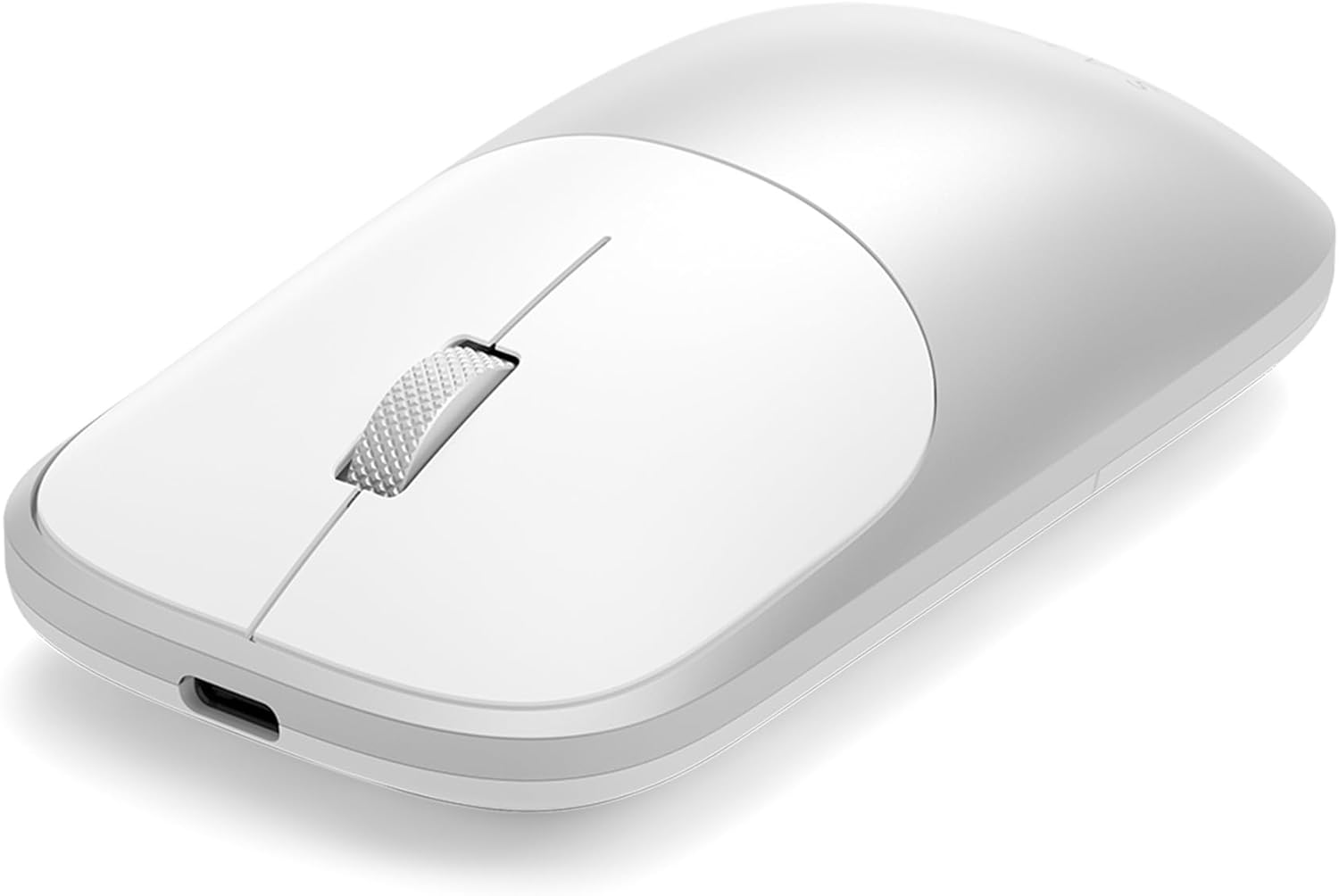
Característiques principals:
- Port de càrrega USB-C: Located at the front for convenient charging.
- Botons esquerre i dret: Provide quiet, discreet clicks for minimal disturbance.
- Roda de desplaçament: Precision-machined metal wheel for smooth scrolling and a clickable third button function.
- Indicador LED: Displays pairing status and battery level.
- Interruptor ON / OFF: Situat a la part inferior del ratolí.
- Botó de sincronització: Allows switching between connected devices and initiating pairing mode.
- USB-C 2.4GHz Receiver: Stored in a dedicated compartment on the underside for easy portability.


4. Configuració
4.1. Càrrega del ratolí
Before first use, fully charge the mouse using the included USB-C to USB-C charging cable. Connect one end to the mouse's USB-C port and the other to a compatible USB-C power source. The LED indicator will show charging status (Red for low battery, Green for fully charged).
4.2. Encès / apagat
Locate the ON/OFF switch on the underside of the mouse and slide it to the 'ON' position to power on the device.
4.3. Connexió a dispositius
The Slim EX Wireless Mouse supports three connection modes: two Bluetooth channels (BT1, BT2) and one 2.4GHz USB-C receiver connection.
- 2.4GHz USB-C Receiver Connection:
- Remove the USB-C receiver from its storage compartment on the underside of the mouse.
- Plug the receiver into an available USB-C port on your computer or device.
- Slide the ON/OFF switch to 'ON'. The mouse should automatically connect.
- Bluetooth Connection (BT1/BT2):
- Assegureu-vos que el ratolí estigui encès.
- Press and hold the pairing button on the underside of the mouse for 3-5 seconds until the corresponding LED (BT1 or BT2) blinks rapidly, indicating pairing mode.
- On your device (macOS, Windows, iPadOS, Android), go to Bluetooth settings and select 'Satechi Slim EX Mouse' from the list of available devices.
- Once connected, the LED will stop blinking and remain solid.

5. Funcionament del ratolí
5.1. Canviar entre dispositius
To switch between connected devices, simply press the pairing button on the underside of the mouse. The LED indicator will change to show which connection (BT1, BT2, or 2.4GHz) is currently active.
5.2. Quiet Clicks and Scrolling
The mouse features quiet click switches for both left and right buttons, and a precision-machined scroll wheel for smooth and silent navigation.
5.3. Mode d'estalvi d'energia
The mouse automatically enters a sleep mode after a period of inactivity to conserve battery life. To wake it up, simply move the mouse or click any button.
6. Manteniment
6.1. Cura de la bateria
The mouse is equipped with a USB-C rechargeable battery. For optimal battery life, avoid fully discharging the battery frequently. Recharge the mouse when the LED indicator shows a low battery warning. The battery is user-replaceable, extending the product's lifespan.
6.2. Neteja
Per netejar el ratolí, feu servir un drap suau iamp tela. Eviteu utilitzar productes químics o materials abrasius que puguin danyar l'acabat.
7. Solució De Problemes
- El ratolí no es connecta:
- Assegureu-vos que el ratolí estigui encès i completament carregat.
- Verify the correct connection mode (2.4GHz or Bluetooth) is selected on the mouse.
- For Bluetooth, ensure your device's Bluetooth is enabled and the mouse is in pairing mode (rapidly blinking LED).
- For 2.4GHz, ensure the USB-C receiver is securely plugged into your device.
- Try restarting both the mouse and your device.
- Connexió amb retard o intermitent:
- Assegureu-vos que no hi hagi obstacles entre el ratolí i el receptor/dispositiu.
- Apropa't més al teu dispositiu.
- Comproveu si hi ha interferències d'altres dispositius sense fil.
- Ensure the mouse battery is not low.
- El ratolí no respon:
- Comproveu el nivell de la bateria i recarregueu-la si cal.
- Power cycle the mouse (turn off, then on).
- Re-establish the connection as described in the Setup section.
8. Especificacions
| Característica | Detall |
|---|---|
| Marca | Satechi |
| Número de model | ST-MEXS |
| Tecnologia de connectivitat | 2.4Ghz Receiver, 2x Bluetooth 5.3 |
| Tecnologia de detecció de moviment | Òptic |
| Mouse Maximum Sensitivity | 1200 Dots per Inch (DPI) |
| Quantitat de botons | 2 (plus clickable scroll wheel) |
| Orientació de la mà | Ambidextre |
| Font d'alimentació | Alimentat per bateria (USB-C recarregable) |
| Nombre de bateries | 1 bateria no estàndard (inclosa) |
| Dispositius compatibles | macOS, Windows, iPadOS, Android (e.g., MacBook Pro, MacBook Air, iPad Pro, iPad Air, Mac Mini, iMac, Thinkpad Series, Surface Series, iPhone, Galaxy, Pixel series) |
| Pes de l'article | 90 grams |
| Dimensions de l'article (L x A) | 4.09" de llargada x 2.28" d'amplada |
| Material de tancament | Plastic (with anodized aluminum shell) |
9. Garantia i assistència
9.1. Garantia limitada
The Satechi Slim EX Wireless Mouse is backed by a 2-year limited warranty. This warranty covers defects in materials and workmanship under normal use. Please retain your proof of purchase for warranty claims.
9.2. Atenció al client
For further assistance, technical support, or warranty inquiries, please contact Satechi customer service. Contact information can typically be found on the official Satechi weblloc web o a través del venedor on es va comprar el producte.
10. Vídeos oficials de productes
Satechi EX Wireless Mouse Overview
Aquest vídeo ofereix un finalview of the Satechi EX Wireless Mouse, highlighting its features and design. It demonstrates the mouse's quiet click buttons, premium aluminum construction, and multi-device connectivity options including 2.4GHz USB-C receiver and Bluetooth channels. The video also shows the USB-C rechargeable battery and the ambidextrous design.