
Introducció
The Geeni Halo 3MP Smart Video Doorbell Camera offers advanced security features for your home. This versatile device can be powered by its built-in 4400mAh rechargeable battery for wire-free convenience or hardwired to an existing AC 12-24V doorbell setup for continuous power. It provides crisp 3MP Ultra-HD video, two-way audio, and infrared night vision for clear monitoring day and night. The included plug-in AC chime ensures you receive audible alerts indoors, complementing instant smartphone notifications via the Geeni app. The Geeni Halo is compatible with Alexa and Google Assistant for smart, hands-free control.
Què hi ha a la caixa

Image: All components included in the Geeni Halo 3MP Smart Video Doorbell Camera package.
- Càmera de timbre intel·ligent
- AC Chime
- Mounting Bracket and screws
- AC Cable kit
- Cable USB
- Adhesiu de muntatge
- Restableix el pin
- Manual d'usuari
Característiques clau
Image: Visual representation of the Geeni Halo's primary functionalities.
- Crystal Clear 3MP 2K Video: Monitor your home with 3MP (2304 x 1296) Ultra-HD resolution, offering sharper details and a 107° viewangle de ing.
- Dual Power Versatility: Operate wire-free with the 4400mAh rechargeable battery or hardwire to existing AC 12-24V doorbell wiring.
- Plug-in Chime Included: Receive audible alerts inside your home with the AC-powered chime, in addition to smartphone notifications.
- Two-Way Audio & Night Vision: Communicate with visitors via the Geeni app and monitor up to 5 meters in total darkness with integrated infrared night vision.
- Weatherproof & Local Storage: IP65 rated for outdoor use and supports local storage via microSD card (up to 256GB) for subscription-free recording.
Instruccions de configuració
1. Charging the Doorbell Camera
Before initial use, fully charge the doorbell camera using the provided USB cable. Connect the USB cable to the doorbell's charging port and a standard USB power adapter (not included). The indicator light will show charging status.
2. Downloading and Setting Up the Geeni App
- Download the Geeni app from the App Store (iOS) or Google Play Store (Android).
- Registra't per obtenir un compte nou o inicia la sessió si ja en tens un.
- Follow the in-app instructions to add your Geeni Halo doorbell camera. Ensure your mobile phone is connected to a 2.4GHz Wi-Fi network during the connection process.
3. Mounting the Doorbell Camera
Choose between battery-powered (wire-free) or hardwired installation:
- Instal·lació sense fils: Use the mounting bracket and adhesive/screws to secure the doorbell to your desired location. Ensure it's within Wi-Fi range.
- Instal·lació per cable: Connect the AC cable kit to your existing doorbell wiring (AC 12-24V) and then attach the doorbell to the mounting bracket. Consult a qualified electrician if you are unsure about hardwiring.
4. Connecting the Wireless Chime

Image: The wireless chime plugged into an electrical outlet.
- Plug the AC-powered chime into any standard indoor electrical outlet.
- Follow the pairing instructions in the Geeni app or the chime's separate manual to connect it with your doorbell camera.
Instruccions de funcionament
Viu View i àudio bidireccional

Image: Demonstrating the two-way audio feature of the doorbell.
Access the live video feed from your doorbell camera anytime through the Geeni app. When a visitor presses the doorbell or motion is detected, you will receive a notification on your smartphone. Tap the notification to view the live feed and use the two-way audio feature to speak with the person at your door.
Visió nocturna
The Geeni Halo is equipped with infrared night vision, allowing for clear monitoring up to 5 meters (20 feet) in low-light conditions or complete darkness. The camera automatically switches to night vision mode when ambient light is insufficient.
Motion Detection and Smart Alerts
The doorbell camera features a motion sensor that detects activity at your doorstep. You can customize motion detection zones and sensitivity settings within the Geeni app to reduce false alerts. When motion is detected, you will receive instant notifications on your phone.
Emmagatzematge local i al núvol
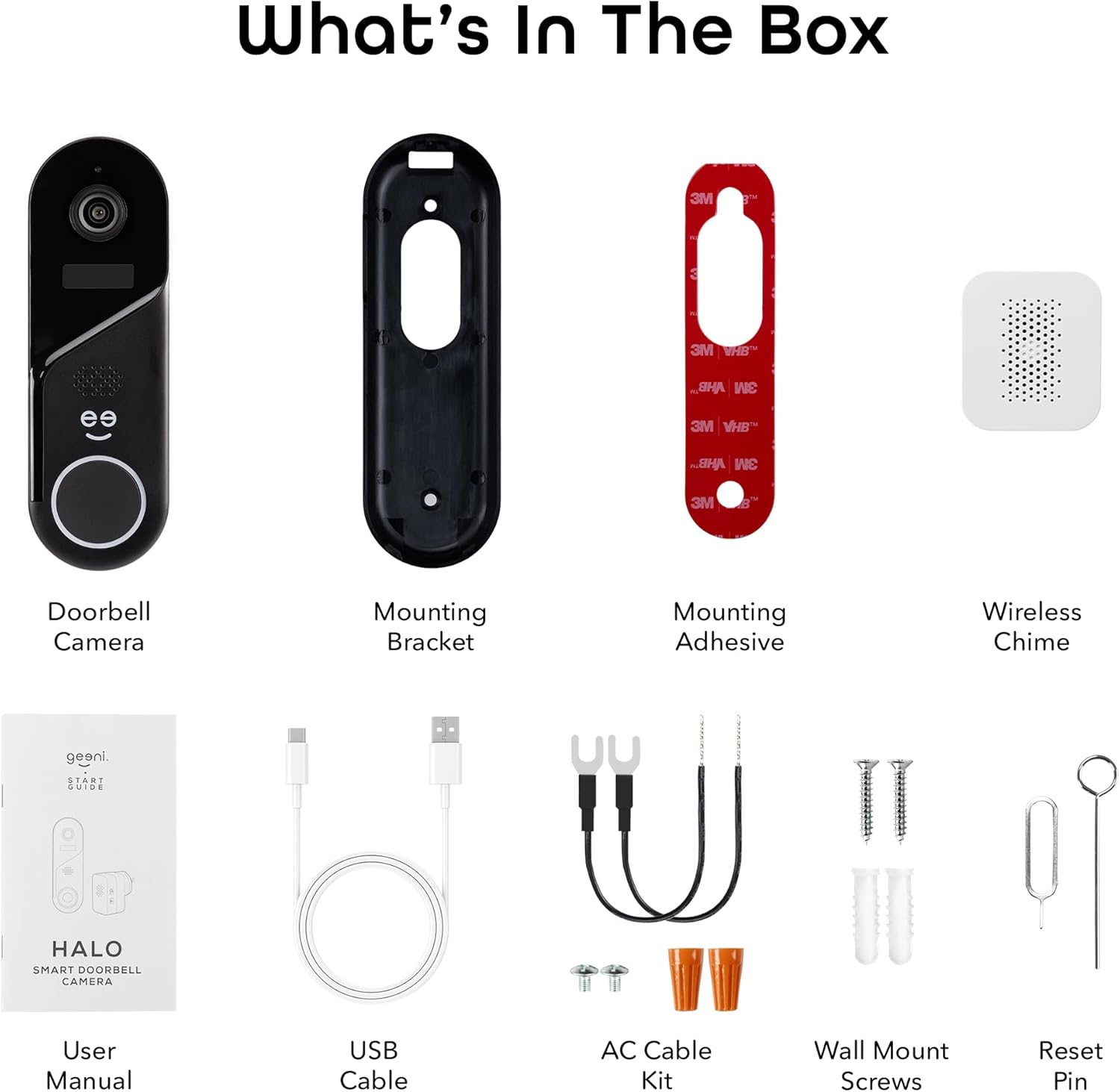
Image: Options for storing video footage, locally or in the cloud.
You have two options for storing recorded footage:
- Emmagatzematge local: Insert a microSD card (up to 256GB, not included) into the designated slot on the doorbell camera for subscription-free recording.
- Emmagatzematge al núvol: Geeni offers optional cloud storage plans for easy access to your footage from anywhere. Check the Geeni app for details on available plans.
Integració de control de veu
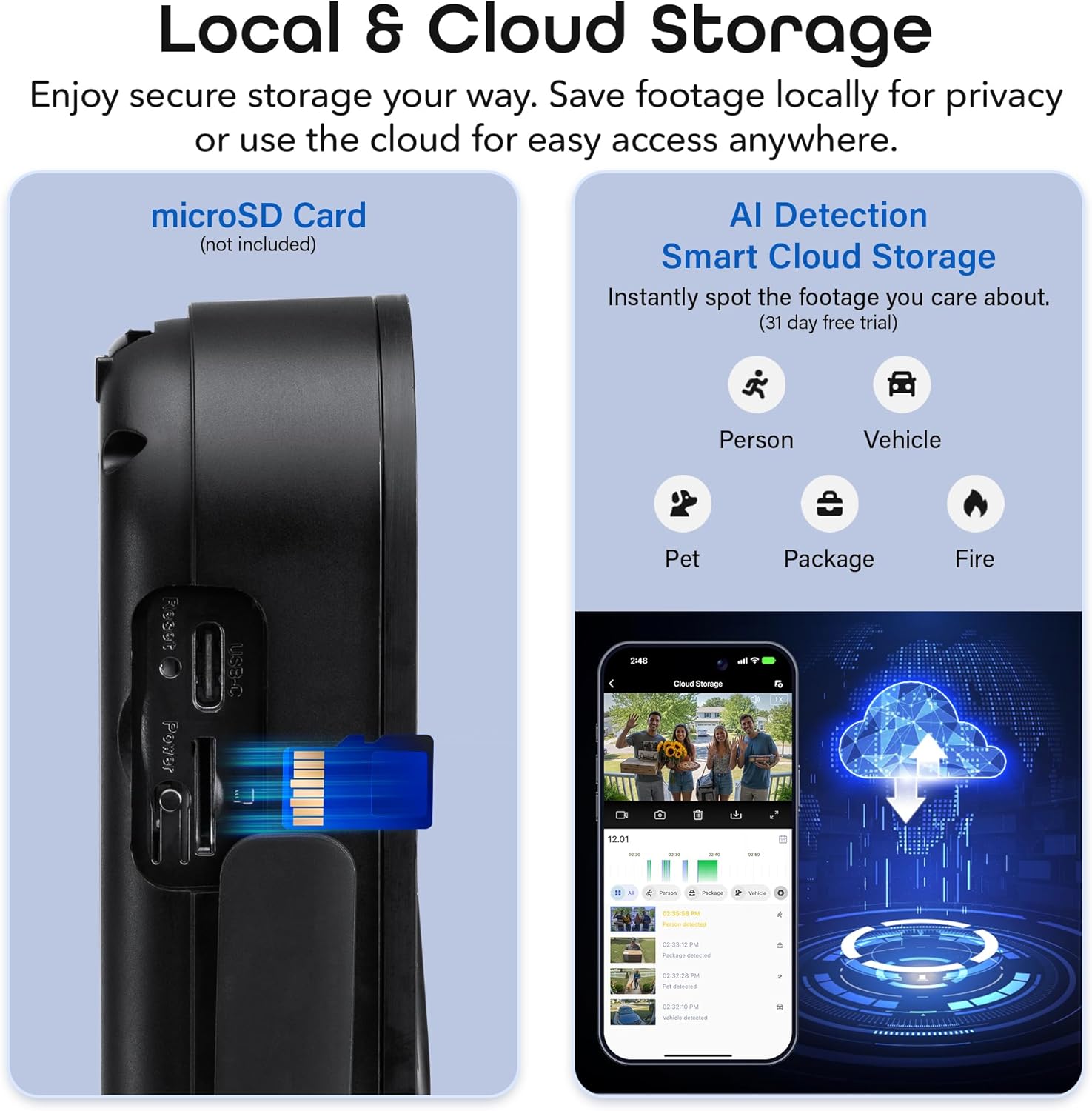
Image: The doorbell camera's compatibility with voice assistants.
The Geeni Halo is compatible with Amazon Alexa and Google Assistant. Link your Geeni account to your preferred voice assistant to enable commands such as
Ask a question about this manual
Ask about setup, troubleshooting, compatibility, parts, safety, or missing instructions. Manuals+ will review the question and use this page’s manual context to help answer it.