
1. Introducció
The DDPAI Z90 Master is an advanced dual-channel dash cam designed to provide comprehensive vehicle surveillance. It features dual 4K recording, enhanced night vision with STARVIS 2 sensors, 24-hour parking monitoring, integrated GPS, and fast 5G WiFi connectivity. This manual will guide you through the installation, operation, and maintenance of your dash cam to ensure optimal performance and safety.
2. Informació de seguretat
- Assegureu-vos que la càmera del salpicader estigui instal·lada en un lloc que no obstrueixi la vista del conductor. view o interferir amb les funcions de seguretat del vehicle.
- No feu servir la càmera del salpicader ni ajusteu la configuració mentre conduïu. Atureu-vos sempre amb seguretat abans de fer cap ajust.
- Use only the original power cable and accessories provided with the device to prevent damage or fire.
- Keep the device away from water, moisture, and extreme temperatures. The operating temperature range is -20°C to 70°C.
- No intenteu desmuntar o reparar el dispositiu vosaltres mateixos. Contacteu amb l'assistència al client per obtenir assistència.
3. Contingut del paquet
Si us plau, comproveu el paquet per veure si hi ha els elements següents:
- DDPAI Z90 Master Front Dash Cam
- Càmera posterior
- Cable d'alimentació
- Carregador de cotxe
- Muntatge adhesiu de 3 M
- Pel·lícula adhesiva estàtica
- Filtre CPL
- Eina de palanca
- Guia d'inici ràpid
4. Producte acabatview
Familiarize yourself with the main components of your DDPAI Z90 Master Dash Cam.

Image: DDPAI Z90 Master Front Dash Cam and Rear Camera components.

Image: The front dash cam unit with its display and the compact rear camera.

Imatge: Lateral view of the DDPAI Z90 Master Dash Cam, showing the 3-inch IPS display and control buttons.
5. Instal·lació
Follow these steps for proper installation of your dash cam:
- Prepareu el parabrisa: Clean the area on your windshield where you intend to mount the front dash cam. Apply the static cling film to this area first.
- Muntar la càmera frontal: Attach the 3M adhesive mount to the front dash cam. Securely press the dash cam onto the static cling film on your windshield, ensuring a clear view de la carretera.
- Instal·leu la càmera posterior: Mount the rear camera on the rear windshield using its 3M adhesive. Ensure it has a clear view de la part posterior.
- Passeu els cables: Connect the power cable to the front dash cam and route it along the edge of the windshield, down the A-pillar, and to the car's power outlet (cigarette lighter or hardwire kit). Use the crowbar tool to tuck the cable neatly under the trim. Connect the rear camera cable to the front camera and route it similarly to the rear of the vehicle.
- Connectar l'alimentació: Plug the car charger into your vehicle's power outlet and connect it to the dash cam's power cable.

Image: The DDPAI Z90 Master Dash Cam installed on a vehicle's windshield, showing its discreet placement.

Image: The dash cam unit with its connected power cable and the cable extending to the rear camera.
6. Configuració i funcionament inicials
6.1 Engegada i configuració bàsica
Once powered, the dash cam will automatically turn on and begin recording. Use the 3-inch IPS display and physical buttons to navigate the menu for initial settings such as date/time, video resolution, and G-sensor sensitivity.
6.2 App Connection (5G WiFi & Bluetooth)
Download the DDPAI app on your smartphone. Enable Bluetooth and 5G WiFi on your phone. Open the app and follow the instructions to connect to your Z90 Master. The app allows for live view, video playback, settings adjustment, and video downloads.
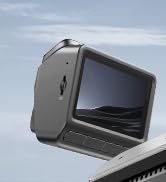
Image: Illustration of the dash cam connecting to a smartphone via 5G Wi-Fi for video viewing i descarregar.
6.3 Modes d'enregistrament
- Gravació normal: Continuous recording when the vehicle is in motion. Videos are saved in segments and older files are overwritten by new ones (loop recording).
- Gravació d'emergència: Activated by the G-sensor upon detecting a collision or sudden movement. These files are locked and protected from being overwritten.
- Parking Surveillance (Requires Hardwire Kit): Provides 24-hour protection for your parked vehicle. It includes time-lapse recording to save storage space and collision detection to record incidents. A separate hardwire kit (ASIN: B0DP639X2D, B0DP6464P3) is required for this feature.

Image: Visual representation of the 24-hour parking protection, showing time-lapse and collision detection modes.
6.4 Dual 4K Recording with STARVIS 2 HDR
The Z90 Master records in dual 4K (front 4K@30fps, rear 4K@25fps) with Sony STARVIS 2 sensors and HDR technology. This ensures clear, detailed footage day and night, minimizing blur and glare. The Anti-Flicker feature helps eliminate light flickering from streetlights.

Image: Illustrates the dual 4K recording capability with STARVIS 2 and HDR for both front and rear cameras.

Image: Diagram showing the dual Sony STARVIS 2 IMX678 sensors, highlighting improved sensor area, light sensitivity, and low-light performance.

Image: Comparison showing crystal clear Dual HDR view capturing details in all lighting conditions, and stable, flicker-free footage eliminating streetlight flicker.
6.5 3K/60FPS High-Speed Mode
For high-speed driving, the front camera offers a 3K/60FPS option (without HDR support) to ensure clear, non-blurry image quality.
6.6 Integrated GPS and ADAS
The built-in GPS provides real-time position and lane information. The Advanced Driver-Assistance System (ADAS) proactively warns against driver fatigue and right-of-way violations, enhancing driving safety.

Image: Features of 4G LTE connectivity (requires additional 4G Cloud Box), including live remote view, instant app notifications for parking collisions, remote voice calls, and real-time GPS tracking.
6.7 CPL Filter
An original CPL (Circular Polarizing Lens) filter is included. Attach it to the front lens to effectively reduce road reflections and glare from the windshield, improving video clarity.
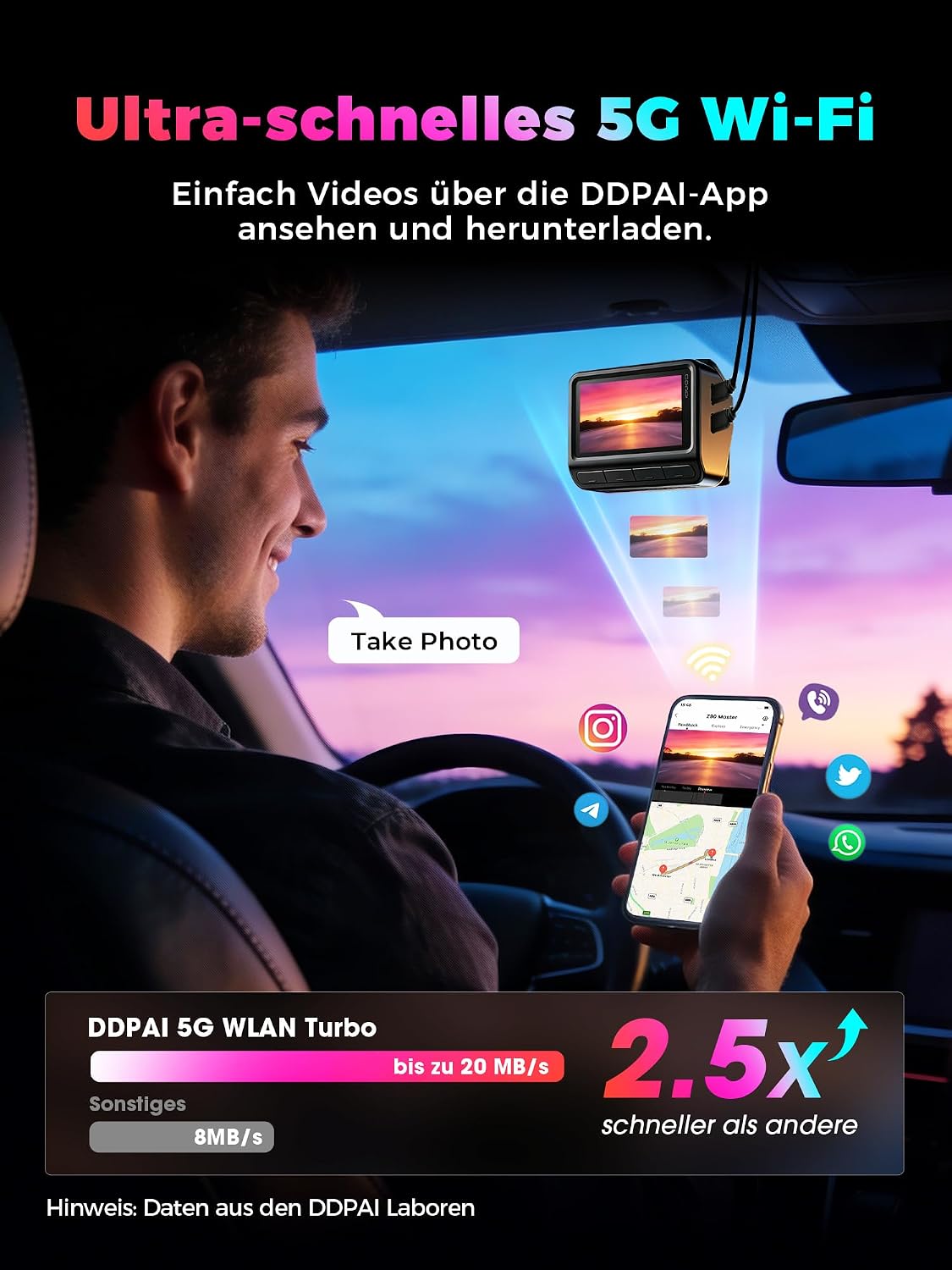
Image: The DDPAI Z90 Master Dash Cam with the CPL filter being attached to the lens.

Image: Comparison showing how the CPL filter reduces reflections and glare from the windshield, resulting in clearer footage.
6.8 Control de veu
The dash cam supports voice commands for hands-free operation. Refer to the quick start guide for a list of available commands.
7. Gestió de memòria
The Z90 Master features built-in 128GB eMMC storage, offering enhanced stability and durability compared to external SD cards. This internal memory prevents data loss and ensures continuous recording. The device also supports expansion up to 512GB with a microSDXC card (not included).

Image: Diagram illustrating the internal eMMC storage (note: image states 64GB, but product features 128GB eMMC) and the option for microSD card expansion up to 512GB.
Enregistrament en bucle: When the storage is full, the dash cam automatically overwrites the oldest unprotected video files per fer espai per a nous enregistraments.
Sensor G: In case of a collision, the G-sensor detects the impact and automatically locks the current video segment, preventing it from being overwritten.
8. Manteniment
- Neteja: Gently wipe the lens with a soft, lint-free cloth. Do not use chemical cleaners. Clean the display with a dry, soft cloth.
- Actualitzacions de firmware: Regularly check the DDPAI app for available firmware updates to ensure optimal performance and access to new features. Follow the in-app instructions for updating.
- Memory Card (if used): If using an external microSD card, format it periodically (e.g., once a month) through the dash cam's settings to maintain performance and prevent data corruption.
9. Solució De Problemes
| Problema | Causa possible | Solució |
|---|---|---|
| La càmera del salpicader no s'encén. | No hi ha font d'alimentació; cable/carregador defectuós. | Check power connection. Ensure car charger is working. Try a different USB port or cable. |
| L'enregistrament s'atura inesperadament. | Memory full; faulty memory card; power interruption. | Ensure loop recording is enabled. Format the memory card (if external). Check power connection stability. |
| Vídeo footage és borrós o poc clar. | Protective film on lens; dirty lens; CPL filter misalignment. | Remove any protective film. Clean the lens. Adjust or remove the CPL filter if it's causing issues. |
| App cannot connect to dash cam. | WiFi/Bluetooth off; incorrect password; app issue. | Ensure dash cam WiFi and phone Bluetooth are on. Restart both devices. Reinstall the app. |
| No s'ha trobat el senyal GPS. | Poor satellite reception; dash cam placement. | Assegureu-vos que la càmera del salpicader tingui una visió clara view del cel. Moveu el vehicle a una zona oberta. |
10. Especificacions
| Característica | Detall |
|---|---|
| Nom del model | DDPAI Z90 Master |
| Resolució de vídeo | Front: 4K (2160p) @ 30fps, Rear: 4K (2160p) @ 25fps (HDR) / Front: 3K @ 60fps (without HDR) |
| Sensor d'imatge | Dual Sony STARVIS 2 IMX678 |
| Mostra | LCD IPS de 3 polzades |
| Camp de View | Davant: 140 graus, Darrere: 126 graus |
| Abertura | Front: F1.75, Rear: F1.7 |
| Emmagatzematge | Built-in 128GB eMMC, expandable up to 512GB with microSDXC (not included) |
| Connectivitat | 5G WiFi, Bluetooth, Optional 4G LTE (with additional module) |
| Característiques especials | Dual HDR, AI ISP Night Vision, 24-hour Parking Monitoring (requires hardwire kit), Built-in GPS, ADAS, Voice Control, G-sensor, Loop Recording, CPL Filter included, Supercapacitor |
| Temperatura de funcionament | -20 °C a 70 °C (-4 °F a 158 °F) |
| Font d'alimentació | Supercapacitor (no lithium battery) |
| Mètode de control | App, Voice Control, Physical Buttons |
| Format de vídeo compatible | MP4 |
11. Garantia i Suport
Your DDPAI Z90 Master Dash Cam comes with an 18-month official warrantyTambé oferim una Política de devolució gratuïta de 30 dies if you are not satisfied with the product.
For any technical assistance, troubleshooting, or warranty claims, please contact our professional customer support team, available 24/7.
Correu electrònic d’atenció al client: servicecenter@ddpai.com


