
1. Introducció
Welcome to the user manual for your new ASUS VivoBook 2026 Edition Laptop. This guide provides essential information to help you set up, operate, maintain, and troubleshoot your device. The ASUS VivoBook is designed for efficiency and portability, featuring an Intel 13th Gen processor, a vibrant 14-inch Full HD display, and Windows 11 Home.
Característiques principals:
- Powerful Intel i3 13th Gen Processor: Intel Core i3-1315U 6-Core (up to 4.5GHz) for efficient performance.
- Upgraded Memory & Storage: 16GB DDR4 RAM and 256GB PCIe SSD for smooth multitasking and fast data access.
- 14-inch Full HD Thin Bezel Display: 1920x1080 resolution with 250 nits brightness and anti-glare coating.
- Connectivitat avançada: Wi-Fi 6E and Bluetooth 5.3 for reliable wireless connections.
- Segur Weblleva: 720p HD camera with an integrated privacy shutter.
- Disseny portàtil: Lightweight at 3.09 lbs with up to 8 hours of battery life.
2. Configuració
2.1 Desembalatge i inspecció inicial
Carefully remove your laptop and all accessories from the packaging. Ensure all components listed in the 'What's in the Box' section are present and undamaged.
- Portàtil ASUS VivoBook
- Carregador USB-C de 65 W
- Cable USB-C a USB-C
2.2 Connexió de potència
Before first use, connect the AC adapter to your laptop and a power outlet. It is recommended to fully charge the battery before initial operation.
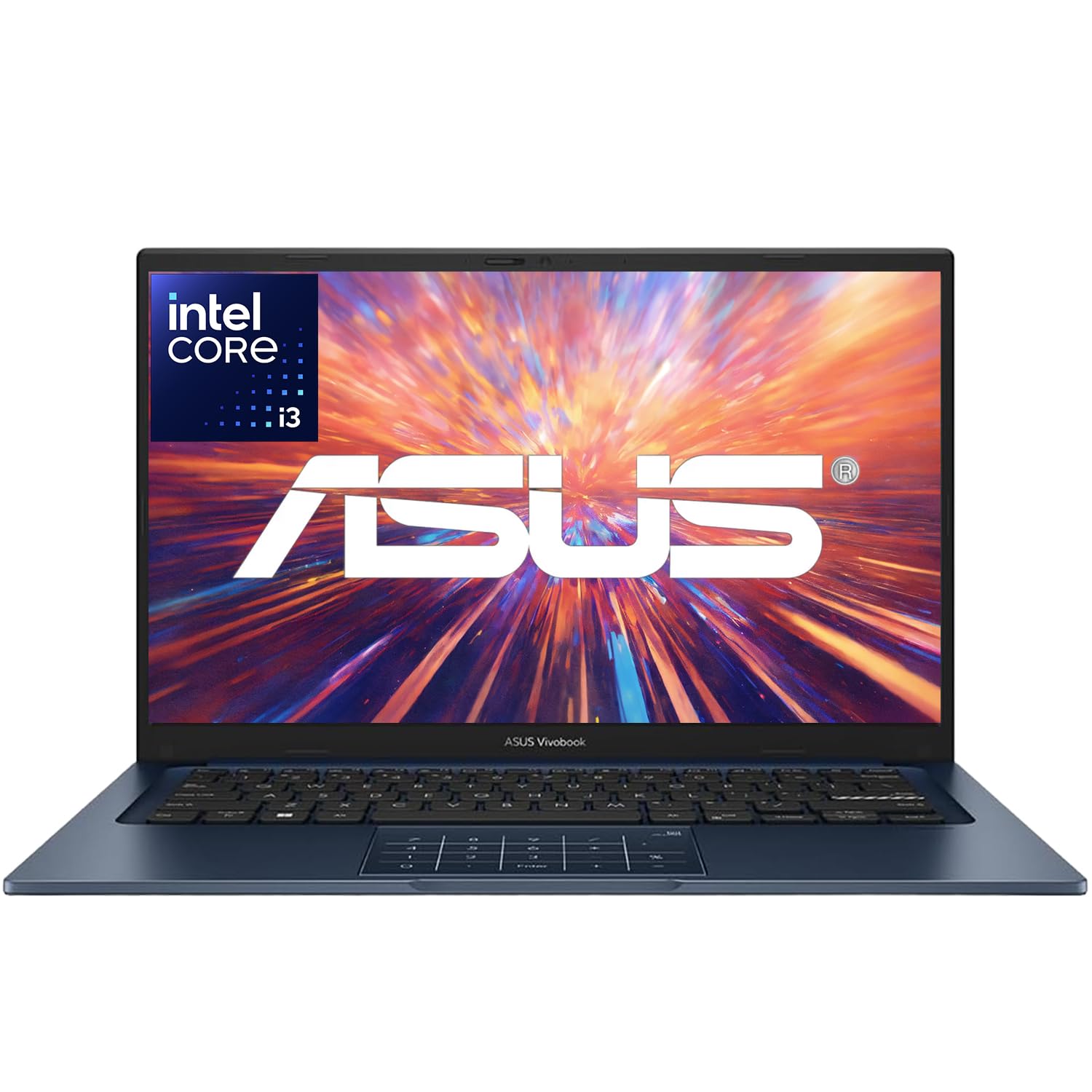
Image: The ASUS VivoBook Laptop, typically shown with its power adapter connected to the charging port.
2.3 Primer inici i configuració del Windows 11
Press the power button to turn on your laptop. Follow the on-screen instructions to complete the Windows 11 Home setup process. This includes selecting your region, language, creating a user account, and accepting the license agreement.
2.4 Connexió a Wi-Fi
During the Windows setup or after, connect to a Wi-Fi network. Click the Wi-Fi icon in the taskbar, select your network, enter the password, and click Connect.
3. Com fer servir el portàtil
3.1 Processor Performance
Your ASUS VivoBook is equipped with an Intel Core i3-1315U Processor, featuring 6 cores and 8 threads, with a maximum turbo frequency of 4.5 GHz. This processor is designed for efficient handling of daily computing tasks, from browsing and document editing to light multimedia use.

Image: A visual representation of the Intel Core i3-1315U Processor, highlighting its 13th generation, 6 cores, 8 threads, and up to 4.5 GHz Max Turbo Frequency.
3.2 Característiques de visualització
The 14-inch Full HD (1920 x 1080) NanoEdge display offers a clear and immersive viewing experience with an 82.5% screen-to-body ratio. It features an anti-glare coating and is certified flicker-free and low blue light for reduced eye strain.

Image: The ASUS VivoBook laptop showcasing its 14-inch NanoEdge display with thin bezels, emphasizing the 82.5% screen-to-body ratio and certifications for flicker-free and low blue light.
3.3 Webcàmera i privacitat
The laptop includes a 720p HD camera with ASUS 3D Noise Reduction (3DNR) technology for clearer video calls. For enhanced privacy, a physical webcam privacy shield is integrated, allowing you to cover the camera lens when not in use.

Image: A close-up of the ASUS VivoBook's webcam, illustrating the ASUS 3D Noise Reduction technology for improved video clarity during conference calls.

Image: Details showing the physical webcam privacy shield that slides over the camera lens, and the laptop's 180-degree lay-flat hinge for easy screen sharing.
3.4 Teclat i touchpad
The laptop features a backlit keyboard for comfortable typing in various lighting conditions. The touchpad includes ASUS NumberPad 2.0, which allows you to activate a virtual numeric keypad on the touchpad for data entry. To enable or disable the NumberPad, simply tap the icon on the touchpad.

Image: The ASUS NumberPad 2.0 integrated into the touchpad, showing the numeric layout. Also depicted is the fingerprint sensor for quick and secure login.
3.5 Ports i connectivitat
Your VivoBook offers a range of ports for connecting peripherals and external displays:
- 1 x USB 3.2 Gen 1 tipus C
- 2 x USB 3.2 Gen 1 tipus A
- 2 x USB 2.0 tipus A
- 1 x HDMI v1.4
- 1 x Connector d'àudio combinat per a auriculars i micròfon
- 1 x connector coaxial d'alimentació
Wireless connectivity includes MediaTek Wi-Fi 6E (2x2) and Bluetooth 5.3.

Imatge: Una imatge detallada view of the various ports on the side of the ASUS VivoBook laptop, including USB 2.0, USB 3.2 Gen 1, USB-C 3.2 Gen 1, HDMI, and the Audio Combo Jack.
3.6 Gestió de la bateria
The laptop is equipped with a 3-cell, 42Wh battery, providing up to 8 hours of non-gaming battery life. To optimize battery longevity, avoid frequently discharging the battery completely and use the provided charger.
4. Manteniment
4.1 Neteja del portàtil
- Utilitzeu un drap suau i sense pelusa dampNetegeu amb aigua o amb un netejador de pantalles especialitzat per a la pantalla.
- Per al teclat i el xassís, feu servir un drap suau. Eviteu productes químics agressius o materials abrasius.
- Assegureu-vos que el portàtil estigui apagat i desendollat abans de netejar-lo.
4.2 Actualitzacions de programari
Regularly check for and install Windows updates to ensure system stability, security, and performance. You can find these in Windows Settings > Update & Security > Windows Update.
4.3 Gestió d'emmagatzematge
Periòdicament review les teves aplicacions instal·lades i files to free up storage space on your 256GB PCIe SSD. Use Windows' built-in Disk Cleanup tool or uninstall unnecessary programs.
5. Solució De Problemes
This section addresses common issues you might encounter with your ASUS VivoBook laptop.
5.1 Problemes d'energia
- El portàtil no s'encén: Assegureu-vos que l'adaptador de CA estigui connectat correctament tant al portàtil com a una presa de corrent que funcioni. Comproveu si l'indicador lluminós d'engegada està encès.
- La bateria no es carrega: Verifiqueu que l'adaptador de CA i el cable no estiguin danyats. Proveu una altra presa de corrent.
5.2 Problemes de visualització
- No es mostra a la pantalla: Connect an external monitor to the HDMI port to check if the issue is with the laptop's internal display. Ensure the laptop is powered on.
- Pantalla tènue o parpellejant: Adjust brightness settings (Fn + F5/F6 keys). Check for updated graphics drivers.
5.3 Problemes de connectivitat
- El Wi-Fi no es connecta: Ensure Wi-Fi is enabled (Fn + F10 key or Windows Settings). Restart your router and laptop.
- El dispositiu Bluetooth no s'emparella: Ensure Bluetooth is enabled in Windows Settings. Make sure the device is in pairing mode and within range.
5.4 Problemes d'àudio
- Sense so: Check volume levels in Windows and ensure speakers are not muted. Verify audio drivers are up to date.
For further assistance, please refer to the ASUS support weblloc o contacteu amb el servei d'atenció al client.
6. Especificacions
The ASUS VivoBook 2026 Edition Laptop is built to meet US Military Grade MIL-STD 810H standards, undergoing multiple tests for durability and reliability.

Image: The ASUS VivoBook laptop with a badge indicating US Military Grade MIL-STD 810H certification, surrounded by icons representing various durability tests like shock, vibration, temperature, and humidity.
| Component | Especificació |
|---|---|
| Processador | Intel Core i3-1315U (13th Gen), 6 Cores (2P+4E), 8 Threads, up to 4.5 GHz |
| Sistema operatiu | Windows 11 Home de 64 bits |
| Gràfics | Gràfics Intel UHD (integrats) |
| Memòria (RAM) | 16GB DDR4 SDRAM (Max 40GB) |
| Emmagatzematge | SSD PCIe de 256 GB |
| Mostra | 14-inch FHD (1920 x 1080), 250 nits, 45% NTSC, 60Hz, Anti-Glare, Thin Bezel LCD |
| Connectivitat | MediaTek Wi-Fi 6E (2x2), Bluetooth 5.3 |
| Ports | 1x USB 3.2 Gen 1 Type-C, 2x USB 3.2 Gen 1 Type-A, 2x USB 2.0 Type-A, 1x HDMI v1.4, 1x Headphone/Mic Combo Jack, 1x Coaxial Power Jack |
| Àudio | Altaveu integrat SonicMaster |
| Weblleva | Càmera HD de 720p amb obturador de privacitat |
| Bateria | 3 cel·les de 42 Wh (fins a 8 hores sense jocs) |
| Dimensions (L x A x A) | 12.79 x 8.42 x 0.7 polzades |
| Pes | 3.09 lliures |
| Color | Blau tranquil |
| Any model | 2026 |
7. Garantia i Suport
Your ASUS VivoBook Laptop comes with a standard manufacturer's warranty. Please refer to the warranty card included with your product for specific terms and conditions, including coverage duration and service procedures.
7.1 Suport tècnic
Per obtenir assistència tècnica, descàrregues de controladors o més informació sobre el producte, visiteu el lloc web de suport oficial d'ASUS. website. You can typically find support resources by searching for your laptop model on the ASUS weblloc.
Suport ASUS Weblloc: www.asus.com/support/
7.2 Plans de protecció
Extended protection plans may be available for purchase separately to provide additional coverage beyond the standard warranty. Please inquire with your retailer or check the ASUS website for details on available protection options.