
1. Introducció
This manual provides essential information for the safe and efficient operation of your AWOL VISION LTV-3000 Pro 4K UHD Ultra Short Throw Triple Laser Projector and the accompanying 180-inch Wall Mount Projector Screen. Please read this manual thoroughly before using the product and retain it for future reference.
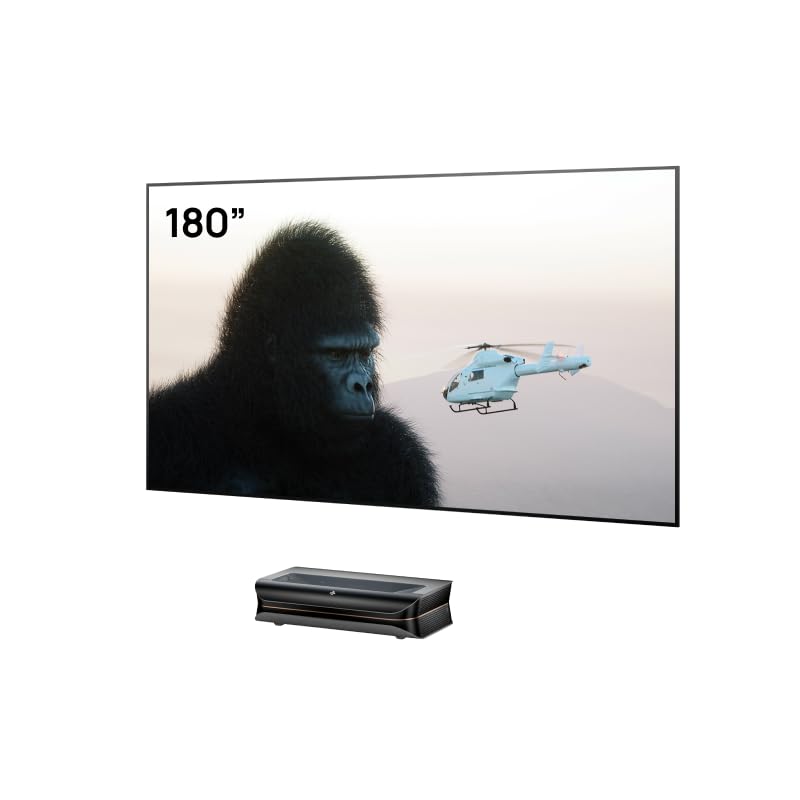
Image 1.1: The AWOL VISION LTV-3000 Pro projector, showcasing its design and core capabilities.
2. Contingut del paquet
Verifiqueu que tots els elements que s'enumeren a continuació s'inclouen al vostre paquet:
- AWOL VISION LTV-3000 Pro Projector
- 180-inch Wall Mount Projector Screen
- Comandament a distància (amb piles)
- Cable d'alimentació
- Cable HDMI
- Manual d'usuari (aquest document)
3. Configuració
3.1 Col·locació del projector
The LTV-3000 Pro is an Ultra Short Throw (UST) projector, designed to project a large image from a very short distance. Place the projector on a stable, flat surface directly below the intended projection area on the wall or screen. Ensure the projector is level.
The projector has a fixed throw ratio of 0.25:1. For a 100-inch image, the projector should be approximately 8.54 inches from the screen. For a 150-inch image, it should be approximately 12.84 inches from the screen. Adjust the projector's distance from the screen to achieve the desired image size.

Image 3.1: Proper placement of the Ultra Short Throw projector for optimal viewing.
3.2 Screen Assembly and Mounting
The 180-inch Wall Mount Projector Screen requires assembly. Follow the detailed instructions provided in the separate screen assembly guide. Once assembled, mount the screen securely to a wall using appropriate hardware and techniques for your wall type. Ensure the screen is level and taut to prevent wrinkles and distortions.

Image 3.2: Visual comparison demonstrating the improved image quality on a dedicated matte white screen.
3.3 Connexió de dispositius
Connect your video sources (e.g., Blu-ray player, streaming device, game console) to the projector's HDMI input ports using HDMI cables. Connect the power cable to the projector and then to a power outlet.
4. Instruccions de funcionament
4.1 Encès/Apagat
Press the power button on the projector or the remote control to turn the unit on or off. Allow a few moments for the projector to warm up and display an image.
4.2 Selecció de la font
Use the 'Source' button on the remote control to cycle through available input sources (HDMI 1, HDMI 2, etc.) until your desired device's content is displayed.
4.3 Ajust de la imatge
The projector features automatic focus and keystone correction. If manual adjustments are needed, navigate to the 'Picture' or 'Display' settings in the projector's on-screen menu using the remote control. Adjust focus, keystone, and other image parameters as required for a clear, rectangular image.
4.4 Integració de la llar intel·ligent
The LTV-3000 Pro supports PJ Link IP control for integration with home automation systems such as Control4. Refer to your home automation system's documentation for specific integration steps. This allows for control of projector power, volume, and HDMI source switching via your smart home system.
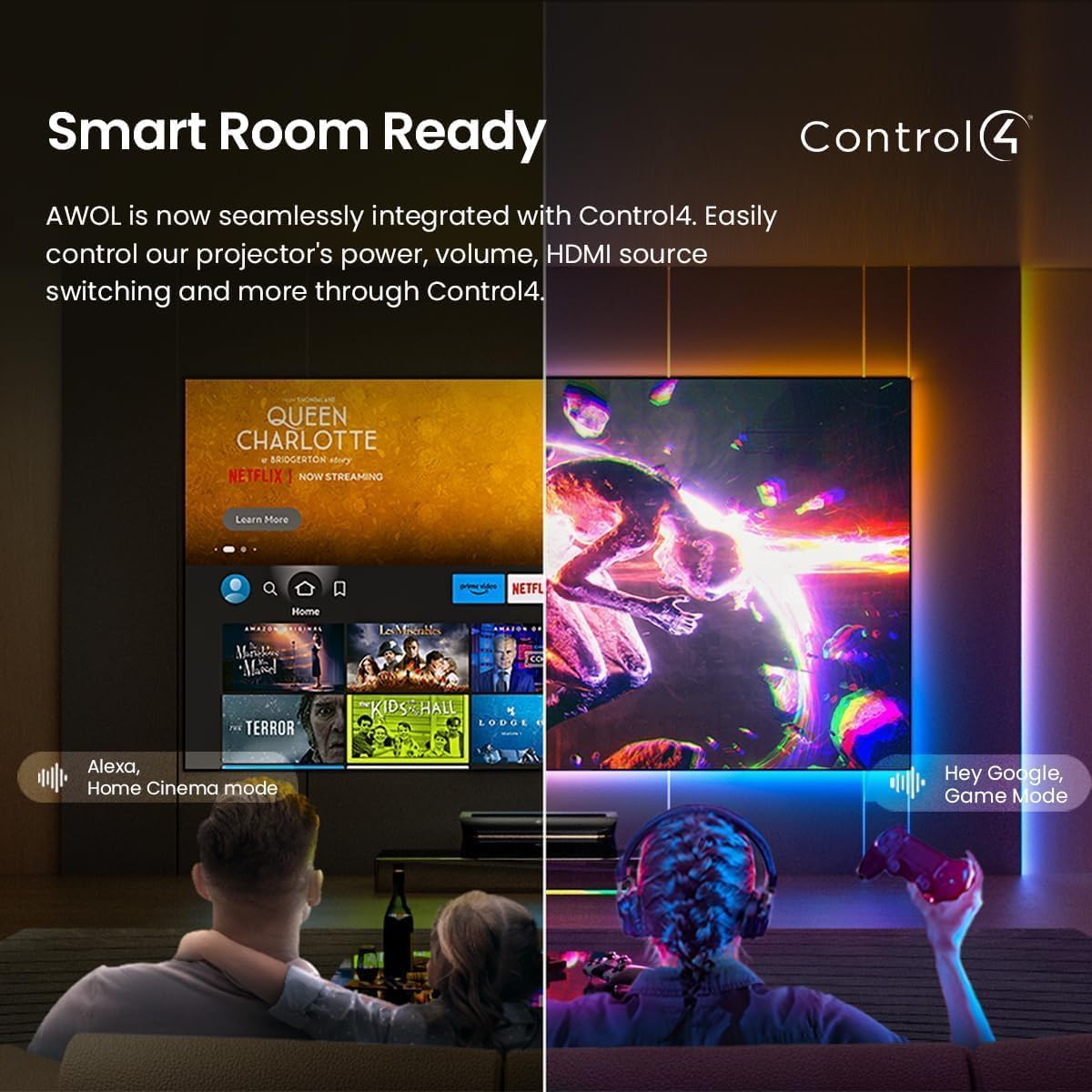
Image 4.1: The projector's smart home integration capabilities with various platforms.
5. Característiques
The AWOL VISION LTV-3000 Pro offers advanced features for a home cinema experience:
- Resolució 4K UHD: Delivers a sharp, detailed image with 3840 x 2160 pixels.
- Triple Laser Technology: Utilizes three distinct lasers (RGB) for a wide color gamut and high brightness without a color wheel.
- Dolby Vision & HDR10+ Support: Provides enhanced contrast, brightness, and color accuracy for compatible content.
- Suport 3D: Capable of displaying Active 3D content for an immersive viewexperiència.
- Built-in Center Channel Speaker: Features an integrated speaker designed to deliver clear dialogue directly from the screen area.
- Ultra Short Throw Design: Projects large images from a minimal distance, ideal for various room sizes.
- Baixa latència per a jocs: Offers an 8ms response time at 1080p resolution with a 120Hz refresh rate, suitable for gaming.

Image 5.1: The projector's capability to reproduce over 1 billion colors for a rich visual experience.
5.1 Projector Screen Features
The included 180-inch Wall Mount Projector Screen is designed to complement the projector's performance:
- High Tier PVC Matte White Material: Garanteix una reproducció òptima del color i una nitidesa d'imatge.
- 4K/8K Optimization: Fully optimized for 4K and 8K projectors, providing detailed image quality.
- Active 3D Projection Ready: Supports Active 3D content for enhanced depth and realism.
- Marc ultra prim: Features a 0.4-inch ultra-slim frame to maximize the viewzona d'ing.
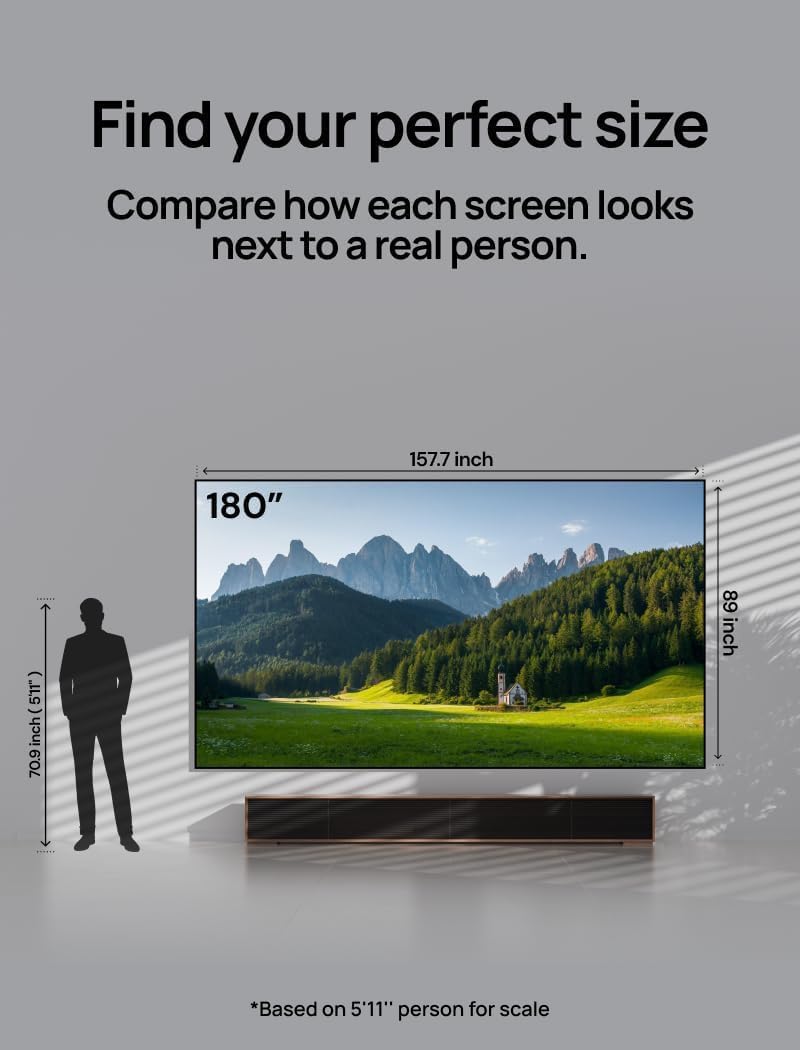
Image 5.2: A visual representation of the 180-inch screen size in relation to a human figure.

Image 5.3: Detail of the screen's ultra-slim frame, designed for an immersive viewexperiència.

Image 5.4: Visual comparison illustrating the superior image quality and structural integrity of the AWOL VISION screen.
6. Manteniment
6.1 Projector Cleaning
To maintain optimal performance, regularly clean the projector's exterior with a soft, dry cloth. Do not use abrasive cleaners or solvents. For the lens, use a specialized lens cleaning cloth and solution, applying gentle pressure. Avoid touching the lens directly.
6.2 Neteja de la pantalla
Gently wipe the projector screen surface with a soft, damp cloth using mild soap and water if necessary. Avoid harsh chemicals or abrasive materials that could damage the screen coating. Allow the screen to air dry completely before use.
7. Solució De Problemes
If you encounter issues with your projector or screen, refer to the following common problems and solutions:
- No es mostra cap imatge:
- Assegureu-vos que el projector estigui encès i que el cable d'alimentació estigui connectat correctament.
- Verify that the input source on the projector matches the device connected (e.g., HDMI 1).
- Check the HDMI cable connection between the source device and the projector.
- Imatge borrosa o distorsionada:
- Adjust the projector's focus settings via the on-screen menu.
- Ensure the projector is placed at the correct distance and angle from the screen.
- Check for any obstructions in the projection path.
- Sense so:
- Increase the volume on the projector and your source device.
- Verify that audio cables (if external speakers are used) are correctly connected.
- Ensure the correct audio output is selected on your source device.
For further assistance, please contact AWOL VISION customer support.
8. Especificacions
| Característica | Especificació |
|---|---|
| Marca | AWOL VISION |
| Model | LTV-3000 Pro |
| Resolució de visualització | 3840 x 2160 (4K UHD) |
| Característica especial | Llançament ultra curt |
| Usos recomanats | Home Cinema |
| Tecnologia de connectivitat | HDMI |
| Screen Size (Bundle) | 180 polzades |
| Material de pantalla | High Tier PVC Matte White |
9. Garantia i Suport
For warranty information and customer support, please refer to the warranty card included with your product or visit the official AWOL VISION weblloc web. Conserveu el rebut de compra com a comprovant de compra per a reclamacions de garantia.