
OTTOCAST Mini Tube
OTTOCAST Mini Tube Wireless CarPlay Android Auto Adapter 2026 User Manual
Model: Mini Tube
1. Introducció
The OTTOCAST Mini Tube is a compact wireless adapter designed to convert your vehicle's factory wired Apple CarPlay or Android Auto system into a wireless connection. This device utilizes 5.8GHz WiFi and Bluetooth 5.3 for stable and low-latency connectivity, enabling seamless access to navigation, music, calls, and messages without the need for cables.
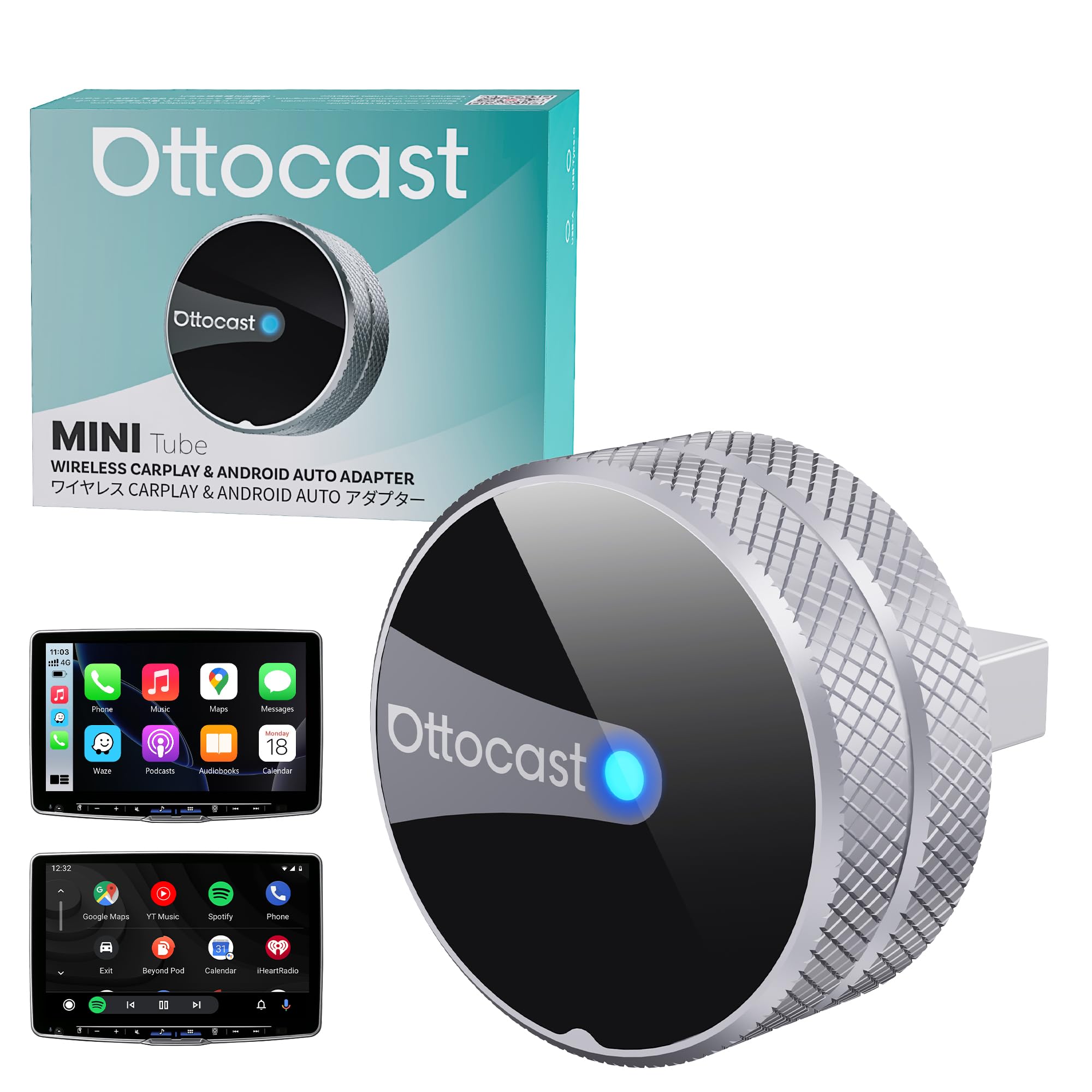
Image: The OTTOCAST Mini Tube adapter installed in a car, showcasing its ability to enable both wireless Apple CarPlay and Android Auto on the vehicle's infotainment display.
2. Què s'inclou
El paquet conté els elements següents:
- 1 x OTTOCAST Mini Tube Wireless CarPlay Adapter
- 1 x adaptador USB-A a USB-C
- 1 x Manual d'usuari
- Embalatge del producte

Image: An illustration showing the components included in the OTTOCAST Mini Tube package, along with the adapter's dimensions (0.98 inches / 25mm in length, width, and height).
3. Guia d'instal·lació
The OTTOCAST Mini Tube is designed for simple plug-and-play installation. No complex setup or app downloads are required.
- Ensure Wired CarPlay/Android Auto: Verify that your vehicle supports factory wired Apple CarPlay or Android Auto. The adapter is compatible only with vehicles that have this existing functionality.
- Connecteu l'adaptador: Plug the OTTOCAST Mini Tube into your car's USB port that supports wired CarPlay or Android Auto. If your car has a USB-C port, use the included USB-A to USB-C adapter.
- Vincular mitjançant Bluetooth: On your iPhone or Android phone, enable Bluetooth and search for the device named "CAR-XXXX" (the name may vary). Select it to pair.
- Confirmeu la connexió: Once paired, your car's infotainment system should automatically display the wireless CarPlay or Android Auto interface. The device will automatically reconnect to your phone on subsequent drives.

Image: Visual guide demonstrating the three steps for installation: plugging the device into the car's USB port, pairing with a smartphone via Bluetooth, and the successful display of the CarPlay interface.

Image: The adapter enables wireless connectivity, transforming a wired CarPlay setup into a wireless one, allowing for automatic connection every time you start your vehicle.
4. Funcionament
Once connected, the OTTOCAST Mini Tube provides a seamless wireless experience for Apple CarPlay and Android Auto.
4.1. Reconnexió automàtica
The adapter is designed to automatically connect to your paired smartphone within approximately 5 seconds of starting your vehicle, ensuring a quick start to your journey.
4.2. Conservació dels controls originals del cotxe
The OTTOCAST Mini Tube maintains compatibility with your car's existing control methods, including:
- Control de veu: Use voice commands (e.g., Siri, Google Assistant) for navigation, calls, and music.
- Control de pantalla tàctil: Interactua directament amb la pantalla tàctil del teu cotxe.
- Control de botó OEM: Utilize your vehicle's original control knobs.
- Controls del volant: Access functions through your steering wheel buttons.

Image: The adapter supports various control inputs including voice commands, touchscreen interaction, OEM control knobs, and steering wheel buttons for a familiar user experience.
4.3. Multi-Phone Memory
The device can remember up to two paired phones. When both phones are present, it will automatically connect to the last used device, making it convenient for shared vehicles.

Image: The adapter's ability to remember and prioritize connection for two different smartphones, automatically connecting to the one most recently used.
5. Compatibilitat
The OTTOCAST Mini Tube is compatible with a wide range of vehicles and smartphones, provided the vehicle has factory wired Apple CarPlay or Android Auto.
5.1. Compatibilitat del vehicle
This adapter works with most car models that come with factory-installed wired CarPlay or Android Auto. It is not compatible with BMW or Tesla vehicles.
5.2. Compatibilitat amb telèfons intel·ligents
- iPhone: Compatible with iPhone iOS 10+ (including iPhone 17 and newer).
- Android: Compatible with Android 11+ devices.

Image: A visual representation of compatible car brands (excluding BMW and Tesla) and smartphone operating systems (iOS 10+ and Android 11+).
6. Actualitzacions de firmware
To ensure optimal performance and access to the latest features, it is recommended to keep your OTTOCAST Mini Tube firmware updated. Updates can be performed online.
- Connect to Device Wi-Fi: Connect your smartphone to the Wi-Fi network broadcast by the OTTOCAST Mini Tube.
- Access Update Page: Obre a web navegador al telèfon i navega fins a 192.168.1.101.
- Comproveu les actualitzacions: Follow the on-screen instructions to check for available firmware updates and initiate the update process.

Image: The online update interface accessible via a web browser, showing options to update firmware and upload logs.
7. Solució De Problemes
If you encounter issues with your OTTOCAST Mini Tube, consider the following troubleshooting steps:
- Sense conexió:
- Assegura't que el teu cotxe sigui compatible amb CarPlay/Android Auto amb cable.
- Verifiqueu que l'adaptador estigui ben connectat al port USB correcte.
- Check your phone's Bluetooth settings to ensure it's paired with the adapter.
- Reinicieu el sistema d'infoentreteniment del cotxe i el telèfon.
- Connection Drops/Instability:
- Assegureu-vos que no hi hagi altres dispositius que interfereixin amb els senyals Bluetooth o Wi-Fi.
- Try a different USB cable or port if available.
- Perform a firmware update as described in Section 6.
- Retard o retard:
- While the device is designed for low latency, some minimal delay can occur with wireless connections.
- Assegureu-vos que el sistema operatiu del vostre telèfon estigui actualitzat.
- Tanca les aplicacions innecessàries del telèfon.
- Sobreescalfament:
- The aluminum body is designed for heat dissipation. If the device feels excessively hot, ensure it has adequate ventilation and is not covered.
Per obtenir més ajuda, consulteu la secció de suport.
8. Especificacions
| Característica | Detall |
|---|---|
| Marca | OTTOCAST |
| Nom del model | Mini tub |
| Tecnologia de connectivitat | Bluetooth, Wi-Fi (5.8 GHz) |
| Estàndards suportats | WiFi de 5.8 GHz, Bluetooth 5.3 |
| Interfície del maquinari | USB 2.0 tipus A, USB 3.0 tipus C |
| Dispositius compatibles | Android 11+, Car with Factory wired CarPlay, iOS 10+ |
| Aplicació compatible | CarPlay, Android Auto |
| Característiques especials | Hands-Free Calls, Low Latency |
| Material | Alumini |
| Dimensions del producte (L x A x A) | 0.98" x 0.98" x 0.98" (25 mm x 25 mm x 25 mm) |
| Pes de l'article | 6.4 grams |
| Voltage | 5 Volts |
| Mètode de control | Toc, veu |
9. Garantia i Suport
9.1. Informació de la garantia
The OTTOCAST Mini Tube comes with a 2 anys de garantia des de la data de compra.
9.2. Atenció al client
For technical assistance, troubleshooting, or warranty claims, please contact OTTOCAST customer support:
- Telèfon: (+1) 7179358636
- Correu electrònic: servei@ottocast.com
- WhatsApp: +1 917 671 0888
- Assistència en línia: http://tsupport.adaptermanual.com/

Image: Contact details for OTTOCAST 24/7 online customer support, including phone, email, WhatsApp, and a QR code for additional resources.
10. Product Video: Unboxing
Video: An official unboxing video for the OTTOCAST Mini Tube, demonstrating the contents of the package and the initial appearance of the device.
Ask a question about this manual
Ask about setup, troubleshooting, compatibility, parts, safety, or missing instructions. Manuals+ will review the question and use this page’s manual context to help answer it.