
1. Introducció
This manual provides detailed instructions for the installation, operation, and maintenance of your JOOAN 4G Solar Security Camera. This outdoor wireless surveillance camera is designed for areas without traditional power or network infrastructure, utilizing 4G cellular connectivity and solar power for continuous operation. Please read this manual thoroughly before use to ensure proper setup and functionality.

Image 1.1: JOOAN 4G Solar Security Camera with its solar panel and a smartphone displaying the camera's live feed, highlighting its 4MP/5MP HD resolution capability.
2. Característiques del producte
- Connectivitat 4G: Operates independently using a SIM card, ideal for remote locations.
- Energia solar: Equipped with a solar panel for continuous charging, reducing the need for external power sources.
- High Definition Resolution: Captura vídeo nítidtage for effective surveillance.
- Visió nocturna en color: Offers multiple night vision modes including infrared, full-color, and smart color night vision for enhanced visibility in low-light conditions up to 10 meters.
- Emmagatzematge local i al núvol: Supports up to 256GB SD card storage and optional cloud storage for recorded footage.
- Fàcil instal·lació: Designed for straightforward setup and mounting.
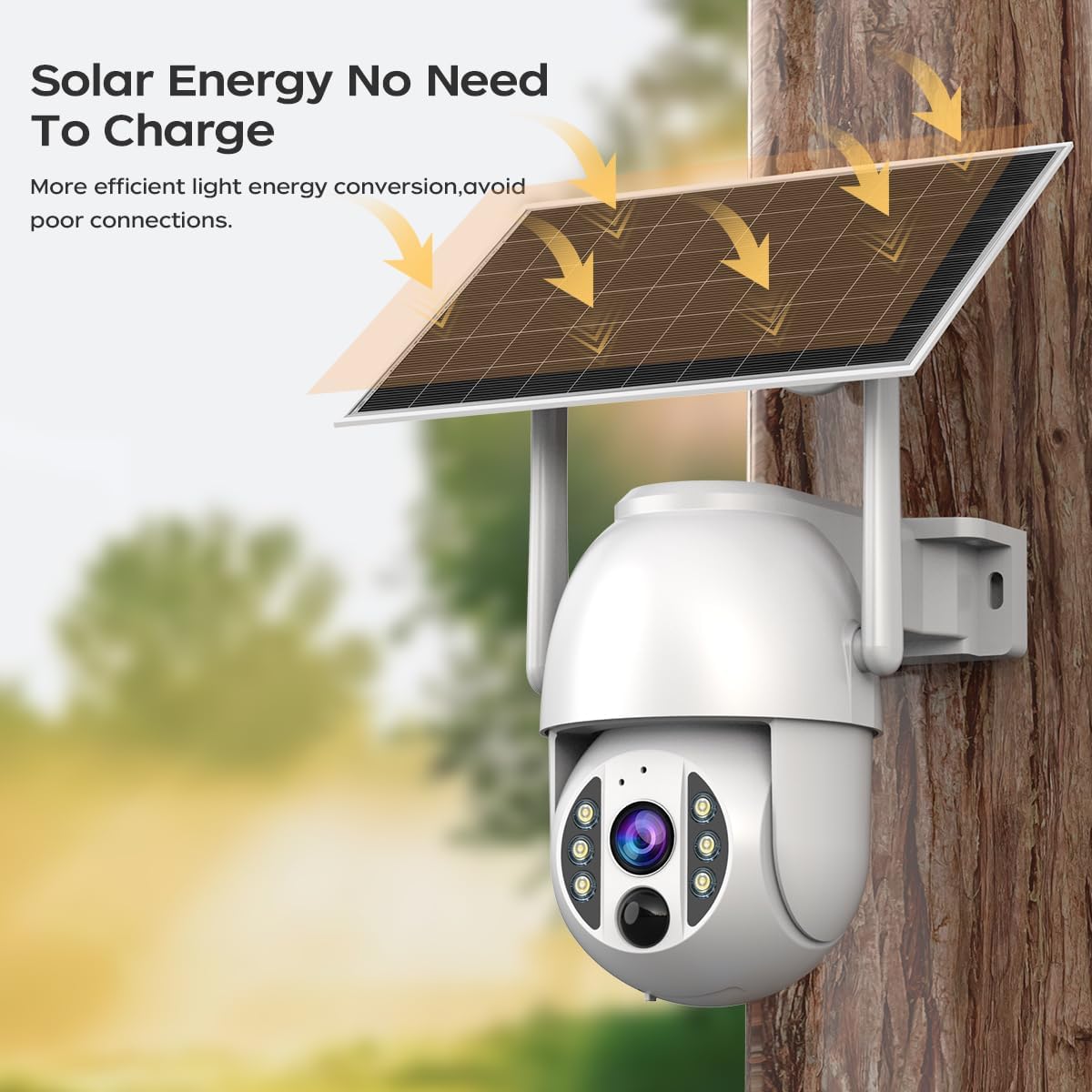
Image 2.1: The JOOAN 4G Solar Security Camera mounted with its solar panel, illustrating its solar energy capability for efficient light energy conversion and avoiding poor connections.
3. Configuració i instal·lació
3.1. Instal·lació de la targeta SIM i la targeta SD
Before mounting, install a 4G SIM card (not included) and an SD card (up to 256GB, not included) into the designated slots on the camera. Ensure the camera is powered off before inserting or removing cards.

Imatge 3.1: Un primer pla view of the JOOAN camera's SD card slot, indicating support for cloud storage and a maximum 256GB SD card.
3.2. Passos de muntatge
- Positioning and Punching: Select a suitable location for the camera and solar panel. Mark the drilling points on the wall. Use a drill to create holes at the marked positions.
- Insert Expansion Screws: Gently tap the expansion screws into the drilled holes until they are flush with the surface.
- Muntar la càmera: Align the camera bracket with the expansion screws and secure it using the provided screws.
- Instal·lació completa: Attach the solar panel to the camera bracket or mount it separately in a location with ample sunlight. Ensure all connections are secure.

Image 3.2: Visual guide showing the four installation steps: 1. Positioning and punching, 2. Inserting expansion screws, 3. Mounting the camera with screws, and 4. Completing the installation with the solar panel.
3.3. Connexió a l'aplicació
Download the official JOOAN app from your smartphone's app store. Follow the in-app instructions to add your camera. There are typically two methods:
- Add APP Phone Code: Scan the QR code displayed on your mobile phone APP with the camera lens from a distance of 20-30cm to add the distribution network.
- Add Camera Body Code: Scan the QR code located on the camera body using the mobile phone APP to add the distribution network.

Image 3.3: Illustration of the two connection methods: scanning the APP phone code or scanning the camera body code to establish a network connection.
4. Funcionament
4.1. Encès / apagat
The camera automatically powers on when sufficient solar power is available or when connected to a power source. To power off, disconnect the power source and allow the battery to deplete, or use the app if a power-off function is available.
4.2. En directe View i Enregistrament
Once connected to the app, you can access the live video feed. The camera supports continuous recording to the SD card or cloud storage (subscription may be required). You can also manually record video or capture screenshots from the live view.
4.3. Detecció de moviment i alertes
Configure motion detection sensitivity and alert settings within the app. The camera will send notifications to your smartphone when motion is detected. Recorded events can be reviewa la secció de reproducció de l'aplicació.
4.4. Modes de visió nocturna
The camera offers three night vision modes, selectable via the app:
- Visió nocturna per infrarojos: Provides clear black and white images in complete darkness.
- Visió nocturna a tot color: Utilizes built-in spotlights to provide color images in low-light conditions.
- Visió nocturna intel·ligent en color: Automatically switches from infrared to full-color vision upon detection of motion or specific events.

Image 4.1: Comparison of the three night vision modes: Infrared night vision, Full color night vision, and Smart color night vision, demonstrating the camera's ability to pick out details in darkness up to 10 meters away.
5. Manteniment
- Neteja de la lent: Netegeu regularment la lent de la càmera amb un drap suau i sec per garantir una qualitat d'imatge nítida. Eviteu netejadors abrasius.
- Neteja de panells solars: Keep the solar panel free from dust, dirt, and debris to maximize charging efficiency. Clean with a damp tela segons sigui necessari.
- Actualitzacions de firmware: Check the app periodically for available firmware updates to ensure optimal performance and security.
- Salut de la bateria: Ensure the solar panel receives adequate sunlight to maintain battery charge. Prolonged periods without sunlight may require temporary charging via a USB power adapter (not included).
6. Solució De Problemes
6.1. Camera Not Connecting to 4G Network
- Assegureu-vos que la targeta SIM estigui inserida correctament i activada amb un pla de dades vàlid.
- Check 4G signal strength at the camera's location.
- Restart the camera by briefly disconnecting and reconnecting its power.
6.2. No Video Feed or Poor Quality
- Verify the camera has sufficient power.
- Check the 4G signal strength.
- Netegeu la lent de la càmera.
6.3. El panell solar no es carrega
- Assegureu-vos que el panell solar estigui posicionat de manera que rebi llum solar directa durant diverses hores al dia.
- Clean any dirt or obstructions from the solar panel surface.
- Check the connection cable between the solar panel and the camera.
6.4. SD Card Not Recording
- Ensure the SD card is correctly inserted and formatted within the app.
- Check if the SD card has sufficient free space.
- Verifica la configuració de gravació a l'aplicació.
7. Especificacions
| Característica | Detall |
|---|---|
| Marca | JOOAN |
| Model | B0GCFGYCLX |
| Font d'alimentació | Energia solar |
| Protocol de connectivitat | 4G Cellular (SIM card required), Wi-Fi (for initial setup/local access if applicable) |
| Usos recomanats | Indoor/Outdoor Surveillance |
| Característica especial | Fàcil d'instal·lar |
| Emmagatzematge | Supports up to 256GB SD card, Cloud Storage (subscription may apply) |
8. Garantia i Suport
For warranty information and technical support, please refer to the JOOAN official weblloc web o contacteu directament amb el seu servei d'atenció al client. Conserveu el rebut de compra com a comprovant de compra.
Per obtenir més ajuda, visiteu: JOOAN Store on Amazon