
1. Introducció
Gràcies per la compraasing the iFFALCON 40S55 FHD Google TV. This manual provides essential information for setting up, operating, and maintaining your television. Please read it thoroughly before use and keep it for future reference.
The iFFALCON 40S55 offers a rich entertainment experience with features such as HDR10, Dolby Audio, Google TV, Google Cast, Google Assistant, Kid's Profile, W-Tuner with recording capabilities, and Game Mode.
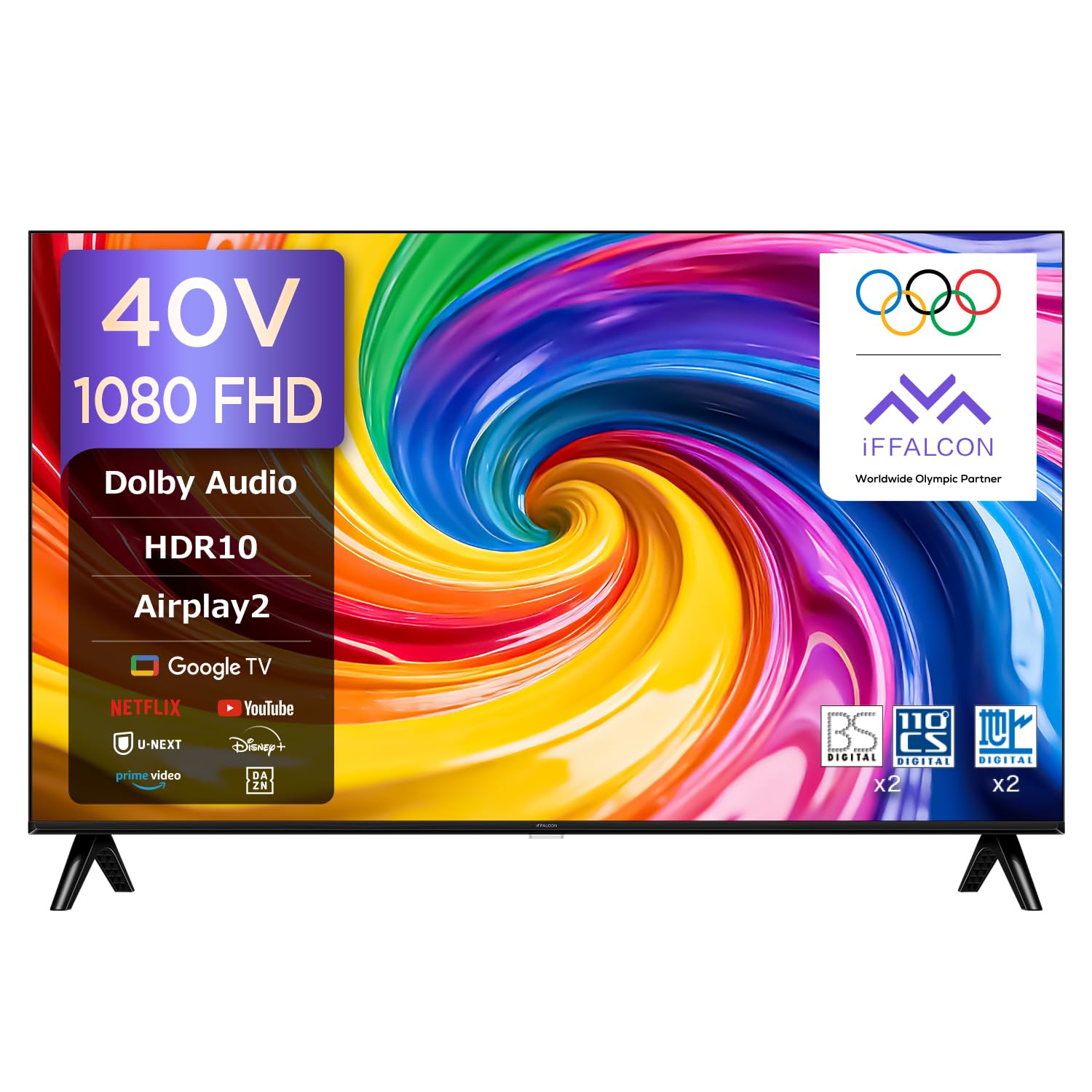
Figura 1.1: iFFALCON 40S55 FHD Google TV. This image shows the front view of the iFFALCON 40S55 television, highlighting its sleek design and display.
2. Informació de seguretat
To ensure safe and proper operation of your TV, please observe the following precautions:
- Font d'alimentació: Utilitzeu només el volum de potència especificattage. No sobrecarregueu les preses de corrent.
- Ventilació: Assegureu-vos que hi hagi una ventilació adequada al voltant del televisor. No bloquegeu les obertures de ventilació.
- Aigua i humitat: Do not expose the TV to rain, moisture, or place objects filled with liquids on it.
- Fonts de calor: Keep the TV away from heat sources such as radiators, heat registers, stoves, or other heat-producing appliances.
- Neteja: Desendolleu el televisor abans de netejar-lo. Feu servir un drap suau i sec. No utilitzeu netejadors líquids ni aerosols.
- Manteniment: No intenteu atendre aquest producte vosaltres mateixos. Consulteu tots els serveis a personal de servei qualificat.
3. Contingut del paquet
Verifiqueu que tots els elements següents estiguin inclosos al vostre paquet:
- iFFALCON 40S55 FHD Google TV Unit
- Control remot
- Cable d'alimentació
- Manual d'usuari (aquest document)
- Targeta de garantia
- Suport per a TV (si escau)
- Cargols per al suport de TV (si escau)
4. Configuració
4.1. Instal·lació física
You can install your TV using the included stand or mount it on a wall.
4.1.1. Instal·lació de l'estand
- Col·loqueu amb cura el televisor cap per avall sobre una superfície suau i plana per evitar que es faci malbé la pantalla.
- Attach the stand bases to the bottom of the TV using the provided screws. Ensure they are securely fastened.
- Col·loqueu el televisor sobre una superfície estable i anivellada.
4.1.2. Muntatge a la paret
For wall mounting, use a VESA-compatible wall mount kit (sold separately) that supports 100x100mm VESA standards. Follow the instructions provided with your wall mount kit.
4.2. Connexió de perifèrics
Connecteu els dispositius externs al televisor mitjançant els ports adequats.
- HDMI: Connect Blu-ray players, game consoles, or set-top boxes to the HDMI ports. This TV has 2 HDMI ports.
- USB: Connect USB storage devices for media playback or recording to the USB 2.0 port. This TV has 1 USB port.
- Antena: Connect your antenna cable to the antenna input for broadcast TV channels.
- Xarxa: Connect an Ethernet cable to the LAN port for a wired internet connection, or use Wi-Fi.

Figura 4.1: High-Speed Connectivity. This image illustrates the various connectivity options available on the iFFALCON TV, including HDMI, Bluetooth, Wi-Fi, and USB.
4.3. Connexió d'alimentació i configuració inicial
- Connecteu el cable d'alimentació al televisor i després a una presa de corrent.
- Premeu el botó d'engegada del comandament a distància o del televisor per engegar-lo.
- Follow the on-screen instructions to complete the initial setup, including language selection, network connection (Wi-Fi or Ethernet), and Google TV account login.
5. Funcionament del televisor
5.1. Funcions de control remot
The remote control allows you to navigate the TV's features. Familiarize yourself with its buttons for optimal use.

Figura 5.1: Remote Control. This image displays the TV remote control, highlighting its voice search button, one-button direct access to streaming services, and easy-to-select program guide buttons.
5.2. Google TV Interface and Apps
Your iFFALCON 40S55 runs on Google TV, providing access to a wide range of streaming services and applications.
- Pantalla d'inici: Access personalized recommendations, installed apps, and content libraries.
- Accés a l'aplicació: Easily find and launch apps like YouTube, Amazon Prime Video, Netflix, Hulu, Disney+, Apple TV+, U-NEXT, and more.

Figura 5.2: Google TV Interface. This image shows the Google TV home screen with various streaming service apps and content recommendations.
5.3. Voice Control with "Hey Google"
Use your voice to control your TV, search for content, and get information with Google Assistant.
- Press the Google Assistant button on your remote or say "Hey Google" when the TV is listening.
- Speak clearly into the remote's microphone.

Figura 5.3: Hey Google Voice Search. This image shows a user interacting with the TV using voice commands via the remote control, demonstrating the "Hey Google" feature.
5.4. Screen Mirroring (Airplay2 & Chromecast)
Share content from your mobile devices directly to your TV screen.
- Airplay2: For Apple devices (iPhone, iPad, Mac), use Airplay2 to cast videos, photos, and music.
- Chromecast integrat: For Android devices and Chrome browser, use Chromecast to cast content.
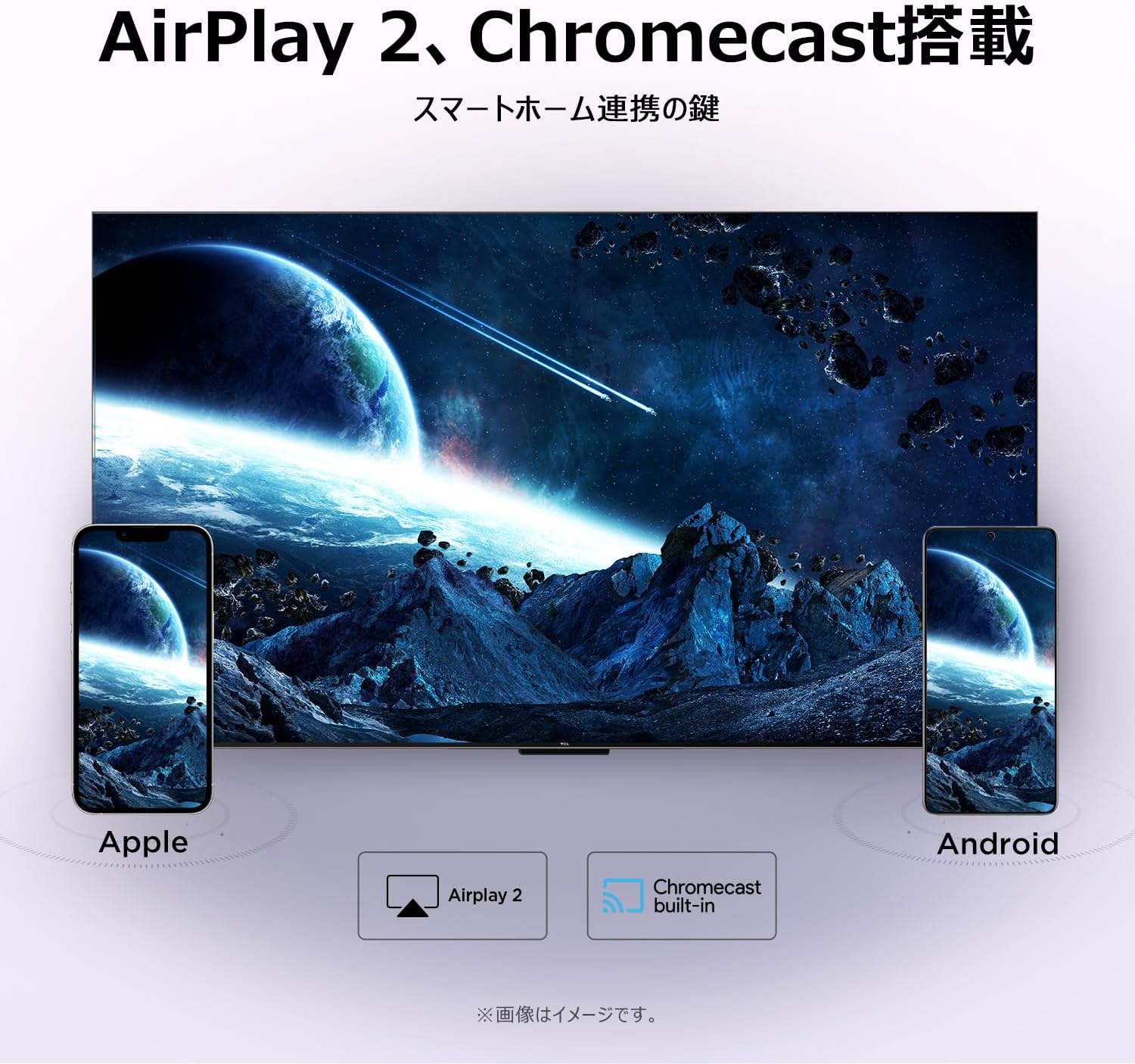
Figura 5.4: Airplay2 and Chromecast. This image illustrates the TV's compatibility with Airplay2 for Apple devices and Chromecast for Android devices, enabling seamless screen mirroring.
5.5. Configuració de la imatge
Millora el teu viewing experience with advanced picture technologies.
- HDR10: Experience a wider range of colors and contrasts, making bright areas brighter and dark areas darker with more detail.
- Micro atenuació: Dynamically adjusts brightness in specific areas of the screen to improve contrast and deliver a more vivid picture.
- FHD (Full High Definition): Enjoy crisp, clear images with 1920x1080 resolution, offering 200% more detail than standard HD screens.

Figura 5.5: HDR10. This image demonstrates the enhanced contrast and detail provided by HDR10 technology, showing a vibrant scene with improved bright and dark areas.

Figura 5.6: Micro Dimming. This image visually explains Micro Dimming, showing how specific areas of the screen have their brightness adjusted for improved contrast and a more realistic picture.

Figura 5.7: FHD Resolution. This image compares a standard HD image with an FHD image, demonstrating the significantly higher detail and realism offered by Full High Definition.
5.6. Sound Settings (Dolby Audio)
Immerse yourself in rich, clear sound with Dolby Audio technology.
- Dolby Audio delivers ultra-realistic, immersive sound with clear dialogue and subtle audio details.
- Adjust sound modes in the TV settings to optimize audio for different content types.

Figura 5.8: Dolby Audio. This image visually represents the immersive sound experience provided by Dolby Audio, with sound waves emanating from the TV screen.
5.7. Special Viewmodes
Optimitzeu el vostre viewexperiència en diferents tipus de contingut.
- Mode de joc: Redueix el retard d'entrada per a una experiència de joc més sensible.
- Mode esportiu: Enhances motion clarity and sound for live sports broadcasts.
- Mode pel·lícula: Optimizes picture and sound for cinematic content, providing a more immersive movie-watching experience.

Figura 5.9: Game Mode. This image shows a split screen comparing gameplay with Game Mode ON (left) and OFF (right), illustrating the visual improvements for gaming.

Figura 5.10: Sports Mode. This image shows a split screen comparing a sports broadcast with Sports Mode ON (left) and OFF (right), highlighting the enhanced viewing experience for sports.

Figura 5.11: Movie Mode. This image shows a split screen comparing a movie scene with Movie Mode ON (left) and OFF (right), demonstrating the optimized visual settings for films.
5.8. Kid's Profile
Create a safe and fun viewambient per als nens.
- Activate Kid's Profile to restrict content to age-appropriate shows and apps.
- Parents can manage settings and monitor viewd'hàbits.

Figura 5.12: Kid's Profile. This image shows the Kid's Profile interface, displaying a selection of child-friendly content and a secure environment for young viewers
5.9. Google Meet
Stay connected with friends and family directly from your TV.
- Conduct one-on-one video calls or group video chats using Google Meet.
- Share memos, voice messages, and video memos easily.

Figura 5.13: Google Meet. This image depicts a family engaged in a video call via Google Meet on the iFFALCON TV, demonstrating its use for communication.
6. Manteniment
Proper care and maintenance will extend the life of your TV.
- Neteja de la pantalla: Netegeu suaument la pantalla amb un drap suau i sense borrissol. Per a marques difícils, netegeu lleugerament.ampNetegeu el drap amb aigua o un netejador de pantalles especialitzat. No ruixeu líquid directament sobre la pantalla.
- Neteja del marc: Feu servir un drap suau i sec per netejar el marc del televisor.
- Actualitzacions de programari: Ensure your TV's software is up to date for optimal performance and security. Check for updates in the TV settings menu.
- Apagar: Quan no l'utilitzeu durant períodes prolongats, desendolleu el televisor de la presa de corrent.
7. Solució De Problemes
Si teniu problemes amb el televisor, consulteu els problemes i solucions més comuns següents:
| Problema | Causa possible | Solució |
|---|---|---|
| Sense poder | Power cable disconnected, power outlet issue. | Comproveu la connexió del cable d'alimentació. Proveu una altra presa de corrent. |
| No hi ha imatge, però hi ha so | Incorrect input source, external device issue. | Verify correct input source. Check external device connections. |
| No hi ha so, però hi ha imatge | Volume too low, mute activated, external audio system issue. | Increase volume. Check mute status. Verify external audio connections. |
| El comandament a distància no funciona | Batteries depleted, obstruction, remote not paired. | Replace batteries. Remove obstructions. Re-pair remote if it's Bluetooth. |
| No es pot connectar a la Wi-Fi | Incorrect password, router issue, signal interference. | Re-enter password. Restart router. Move TV closer to router. |
Si el problema persisteix després de provar aquestes solucions, poseu-vos en contacte amb l'atenció al client.
8. Especificacions
Detailed technical specifications for the iFFALCON 40S55 FHD Google TV:
| Característica | Especificació |
|---|---|
| Marca | iFFALCON |
| Número de model | 40S55 |
| Mida de la pantalla | 40 polzades |
| Tecnologia de visualització | LCD |
| Resolució | Alta definició completa (FHD) |
| Freqüència d'actualització | 60 Hz |
| Relació d'aspecte | 16:9 |
| Format HDR | HDR10, HLG |
| Tecnologia d'àudio | Dolby Audio (2.0 Channel Speakers) |
| Sistema operatiu | Google TV |
| Connectivitat | Bluetooth, HDMI (2 ports), USB (1 port), Wi-Fi |
| Mirall de pantalla | Airplay2, Google Cast |
| Estàndard de muntatge VESA | 100x100mm |
| Dimensions del producte (P x A x A) | 18.4 x 89.2 x 55.8 cm |
| Pes del producte | 4.63 kg |
| Components inclosos | User Manual, Remote Control, Warranty Card, Power Cable |
9. Garantia i Suport
Your iFFALCON 40S55 FHD Google TV comes with a Garantia del fabricant de 1 anys des de la data de compra. Aquesta garantia cobreix defectes de fabricació i avaries en condicions d'ús normal.
For warranty claims, technical support, or service inquiries, please refer to the contact information provided on your warranty card or visit the official iFFALCON support weblloc.
Si us plau, conserveu el comprovant de compra per validar la garantia.