
1. Introducció
This manual provides essential instructions for the safe and efficient operation, setup, and maintenance of your Procolored F13 Panda DTF Printer. Please read this manual thoroughly before using the printer to ensure optimal performance and longevity.
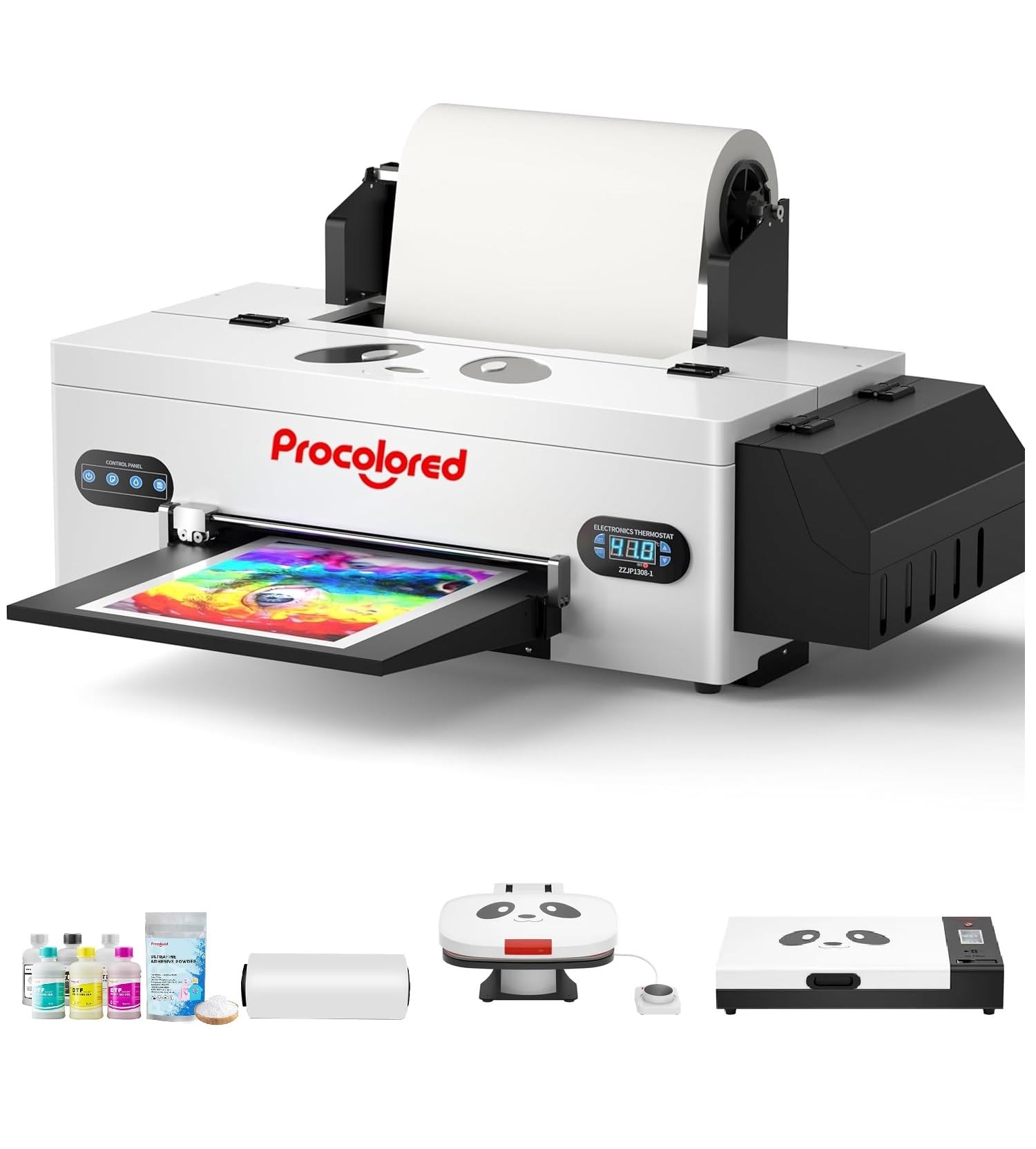
Figure 1: Procolored F13 Panda DTF Printer.
2. Informació de seguretat
Observeu sempre les següents precaucions de seguretat per evitar lesions o danys a la impressora:
- Assegureu-vos que la impressora estigui col·locada sobre una superfície estable i anivellada.
- Connect the printer to a grounded power outlet with the correct voltage (AC 100-230V).
- No exposeu la impressora a l'aigua ni a una humitat excessiva.
- Mantingueu les mans allunyades de les peces mòbils durant el funcionament.
- Use only recommended inks and cleaning solutions.
- Mantenir fora de l'abast dels nens.
3. Contingut del paquet
Verifiqueu que tots els elements siguin presents al paquet:
- Procolored F13 DTF Printer
- Roll Film 13"
- DTF Ink Set (CMYK+WW)
- Nozzle Protection Fluid
- DTF Powder
- Suport de plàstic
- Cable de dades (USB)
- Cable d'alimentació
- Moisturizing Device
- Ampolla de residus
- Cartutx
- Spare Ink Tube
- Suport de rodet
- Coixinet de tinta
- Escombrador
- Fulla de tall
- Dongle USB
- Xeringa
- Tornavís
- Roller Bar
- Tub d'extensió
- Needle Hub
- Primavera
- Hisop

Figure 2: Included accessories for the Procolored F13 DTF Printer.
4. Guia de configuració
4.1 Desembalatge i col·locació inicial
Carefully remove the printer and all components from the packaging. Place the printer on a sturdy, level surface in a well-ventilated area.
Video 1: Procolored F13 DTF Printer Unboxing. This video demonstrates the unboxing process and initial setup steps for the printer.
4.2 Instal·lació del rotlle de pel·lícula
Install the 13-inch DTF film roll onto the designated holder at the rear of the printer. Ensure the film feeds smoothly into the printer mechanism.
4.3 Ink System Setup
Fill the ink tanks with the corresponding DTF pigment inks (Cyan, Magenta, Yellow, Black, White, Light Cyan). Ensure the white ink circulation system is properly connected and functioning to prevent clogging.

Figure 3: Illustration of the advanced white ink system, showing circulation, siphon effect, and automatic cleaning.
4.4 Power Connection and Software Installation
Connect the power cable to the printer and a suitable power outlet. Install the Procolored RIP software (compatible with Windows 7/10/11) on your computer. Follow the on-screen instructions for software installation and driver setup.
Figura 4: Mésview of the Procolored RIP software interface and available tutorials.
5. Instruccions de funcionament
5.1 Preparing for Print
- Power on the printer using the main switch.
- Ensure the DTF film is correctly loaded and aligned.
- Open the Procolored RIP software on your computer.
- Import your design and adjust settings such as size, resolution (up to 1440x1440dpi), and color profile.
5.2 Procés d'impressió
Initiate the print job from the software. The printer will feed the film and apply ink. The built-in cutter will automatically trim the film after printing, optimizing material usage.
Video 2: Procolored F13 DTF Printer in operation. This video demonstrates the printing process, including film feeding and ink application.
5.3 Post-Printing
After printing, apply DTF powder to the wet ink and cure it using a DTF oven or heat press. Once cured, the design is ready for transfer to textiles.

Figura 5: Examples of versatile applications for DTF prints, including shirts, flags, tote bags, and caps.
6. Manteniment
6.1 Sistema de neteja automàtic
The F13 Panda DTF Printer features an automatic cleaning system that operates even when the printer is powered on. This system helps prevent print head clogs and ensures consistent print quality. Regular use of this feature is recommended.
6.2 White Ink Circulation
The printer includes a white ink circulation system with a siphon filtration diaphragm pump. This system minimizes blockages and maintains the quality of white ink. Ensure the system is always active during operation.
Video 3: F13 L1800 DTF Apparel Printer features. This video highlights the white ink circulation and automatic cleaning functions.
6.3 Neteja general
Netegeu periòdicament l'exterior de la impressora amb un drap suau i sec.amp cloth. Refer to the software's maintenance section for specific print head cleaning procedures if needed.
7. Solució De Problemes
Si teniu problemes amb la impressora, tingueu en compte les solucions habituals següents:
- Problemes de qualitat d'impressió: Perform a nozzle check and head cleaning through the software. Ensure ink levels are sufficient.
- Film Feeding Problems: Check for obstructions in the film path and ensure the film roll is correctly installed and aligned.
- Errors de programari: Restart the software and the printer. Ensure your software and drivers are up to date.
- Problemes de connectivitat: Verify USB cable connection and ensure the printer is powered on.
For persistent issues, contact Procolored customer service.
8. Especificacions
| Característica | Especificació |
|---|---|
| Marca | Procolor |
| Nom del model | F13-XMJZ |
| Tecnologia de connectivitat | USB |
| Tecnologia d'impressió | Injecció de tinta |
| Característica especial | Portàtil |
| Sortida de la impressora | Color |
| Velocitat màxima d'impressió (color) | 1 ppm |
| Velocitat màxima d'impressió en monocrom | 1 ppm |
| Dimensions del producte (P x A x A) | 16.53 "P x 34.25" W x 16.4" H |
| Color de tinta | Cyan, Magenta, Yellow, Black, White, Light Cyan |
| Resolució | 1440 x 1440 ppp |
| Mida màxima del suport | A3 (13 Inches) |
| Suport de programari | Windows 7/10/11 |
| Usos específics per al producte | Textile Printing |
9. Garantia i Suport
Your Procolored F13 Panda DTF Printer comes with a comprehensive warranty:
- Print Head and Related Components: Six-month warranty.
- Altres accessoris: Garantia d’un any.
Our dedicated customer service team is available 24/6 to address any queries or technical issues you may encounter. Please refer to your purchase documentation for specific contact details.