
1. Introducció
Thank you for choosing the Adamson ADPOS8779 Digital Shipping Scale. This manual provides essential information for the safe and efficient operation of your new scale. Please read these instructions carefully before use and retain them for future reference.
Informació de seguretat
- Always place the scale on a hard, flat, and stable surface to ensure accurate measurements.
- No sobrecarregueu la bàscula més enllà de la seva capacitat màxima de 200 kg (440 lliures).
- Eviteu exposar la bàscula a temperatures extremes, humitat o llum solar directa.
- Mantingueu la bàscula allunyada de camps electromagnètics forts.
- No submergiu la bàscula en aigua ni utilitzeu productes de neteja abrasius.
- This scale is intended for weighing packages, luggage, and similar items. Do not use it for human or animal weighing.
2. Contingut del paquet
Si us plau, reviseu el paquet per assegurar-vos que hi ha tots els elements:
- Adamson ADPOS8779 Digital Shipping Scale (Platform and Display Unit)
- Cable USB-C
- 2x piles AAA
- Manual d'usuari (aquest document)

Image: The scale's display unit, a USB-C cable, and two AAA batteries, highlighting the dual power capabilities.
3. Configuració
3.1 Desembalatge i col·locació
- Traieu amb cura tots els components de l'embalatge.
- Place the scale platform on a firm, level, and stable surface. Uneven surfaces can affect accuracy.
- Ensure the display unit is connected to the platform via its coiled cable.
3.2 Powering the Scale
The scale can be powered by either the included USB-C cable or AAA batteries.
Ús del cable USB-C:
- Connect the USB-C cable to the port on the display unit.
- Plug the other end of the USB-C cable into a compatible USB power adapter (not included) or a powered USB port.
Ús de piles:
- Localitzeu el compartiment de la bateria a la part posterior de la unitat de visualització.
- Obriu la coberta del compartiment.
- Insert the 2x AAA batteries, ensuring correct polarity (+/-).
- Tanqueu bé la tapa del compartiment de la bateria.
La bàscula ja està a punt per funcionar.
4. Instruccions de funcionament

Imatge: Detallada view of the scale's control panel, indicating the functions of the On/Off, Unit, Hold, and Tare buttons, along with the LCD display.
4.1 Encès/Apagat
- Per encendre la bàscula, premeu el botó On/Off botó (U symbol). The display will light up and show "0.000".
- Per apagar la bàscula, premeu i manteniu premut el botó On/Off button for a few seconds until the display turns off. The scale will also automatically shut off after a period of inactivity to conserve power.
4.2 Conversió d'unitats
- Amb la bàscula posada, premeu el botó Mode botó (U symbol) to cycle through the available weighing units: pounds (lbs), kilograms (kg), ounces (oz), and pounds:ounces (lb:oz).
- Select your desired unit before weighing.
4.3 Funció de tara (posada a zero)
La funció Tara permet restar el pes d'un recipient, de manera que només es mesura el contingut.
- Place the empty container on the scale platform. The display will show its weight.
- Premeu el botó Tara botó (T symbol). The display will reset to "0.000".
- Ara, col·loca els articles que vols pesar al recipient. La pantalla només mostrarà el pes net dels articles.
- To clear the Tare function, remove all items from the scale, and then press the Tara botó de nou.

Image: A visual guide demonstrating how to use the Tare function: first, place an empty box and press Tare to zero the scale, then add items to weigh only their contents.
4.4 Funció Hold
The Hold function locks the weight reading on the display, which is useful when weighing large or awkwardly shaped items that might obscure the display.
- Col·loqueu l'element a la plataforma de la bàscula.
- Un cop el pes s'estabilitzi, premeu el botó Aguanta botó (H symbol). The weight reading will be locked on the display, indicated by a "HOLD" icon.
- You can now remove the item, and the weight will remain displayed for easy recording.
- To release the Hold function, press the Aguanta botó de nou.
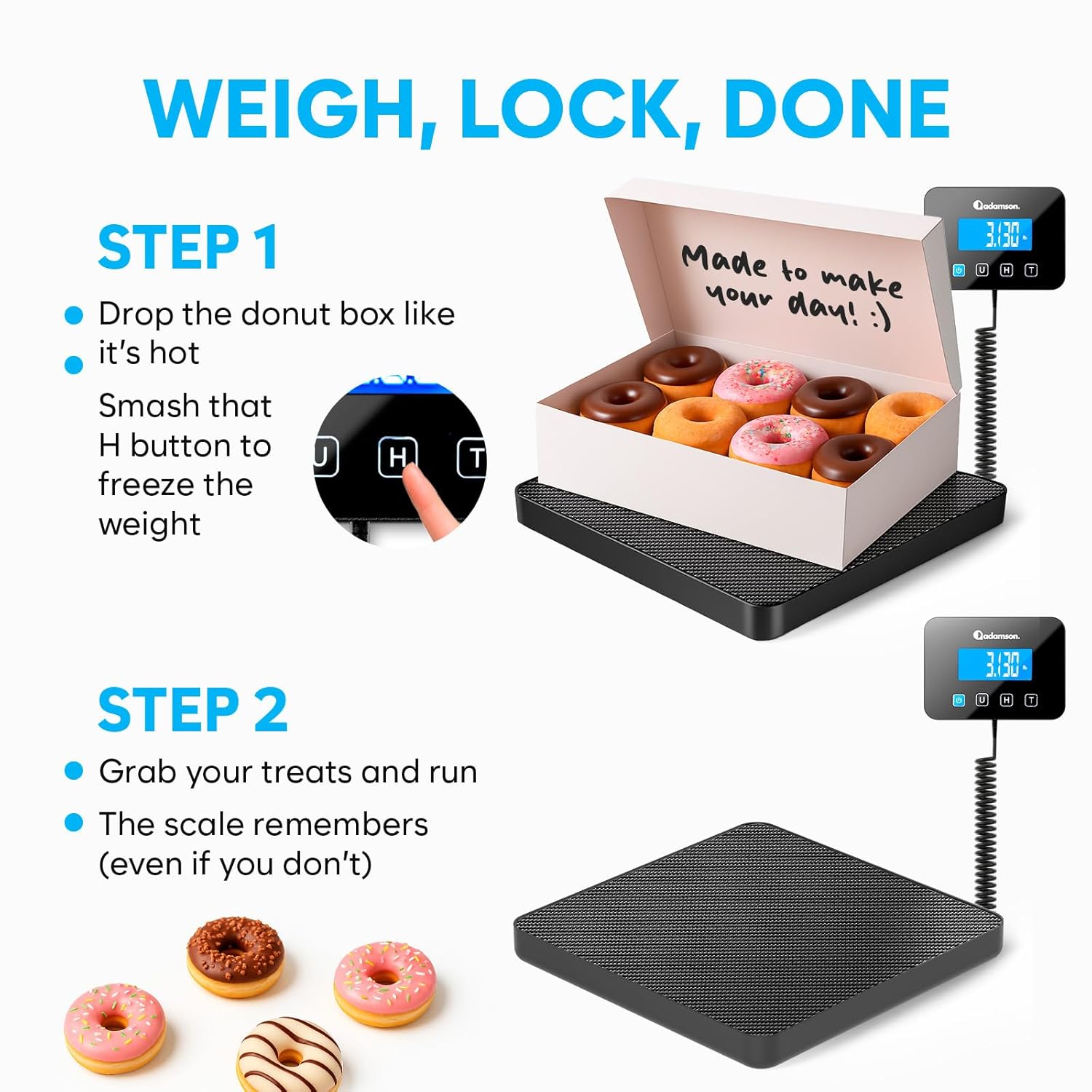
Image: A visual guide demonstrating how to use the Hold function: place an item, press the Hold button to lock the weight, then remove the item while the weight remains displayed.
4.5 General Weighing
- Ensure the scale is on and displaying "0.000".
- Gently place the item to be weighed in the center of the scale platform.
- Espereu que la pantalla s'estabilitzi i llegiu el pes.
5. Manteniment
5.1 Neteja
- Netegeu la superfície de la bàscula amb un drap suau iamp tela.
- No utilitzeu netejadors abrasius, dissolvents ni productes químics agressius, ja que poden danyar l'acabat i els components interns.
- Ensure no liquid enters the display unit or the gaps around the platform.
5.2 Emmagatzematge
- Guardeu la bàscula en un lloc fresc i sec, allunyat de la llum solar directa i de temperatures extremes.
- Si l'emmagatzemeu durant un període prolongat, traieu les piles per evitar fuites.
6. Solució De Problemes
| Problema | Causa possible | Solució |
|---|---|---|
| L'escala no s'encén | Low or dead batteries; No power from USB-C; Incorrect battery installation. | Replace batteries or ensure USB-C cable is properly connected to a power source. Check battery polarity. |
| Lectures inexactes | Scale on an uneven surface; Overloaded scale; Item not centered; Strong vibrations. | Place scale on a flat, stable surface. Do not exceed maximum capacity. Center the item. Avoid vibrations during weighing. |
| Es mostra "Err" o "O-Ld" | Bàscula sobrecarregada. | Remove the item immediately. Do not exceed the maximum weight capacity. |
| Display flickers or is unstable | Low battery; Unstable surface; Electromagnetic interference. | Replace batteries. Move scale to a stable surface. Relocate scale away from other electronic devices. |
7. Especificacions
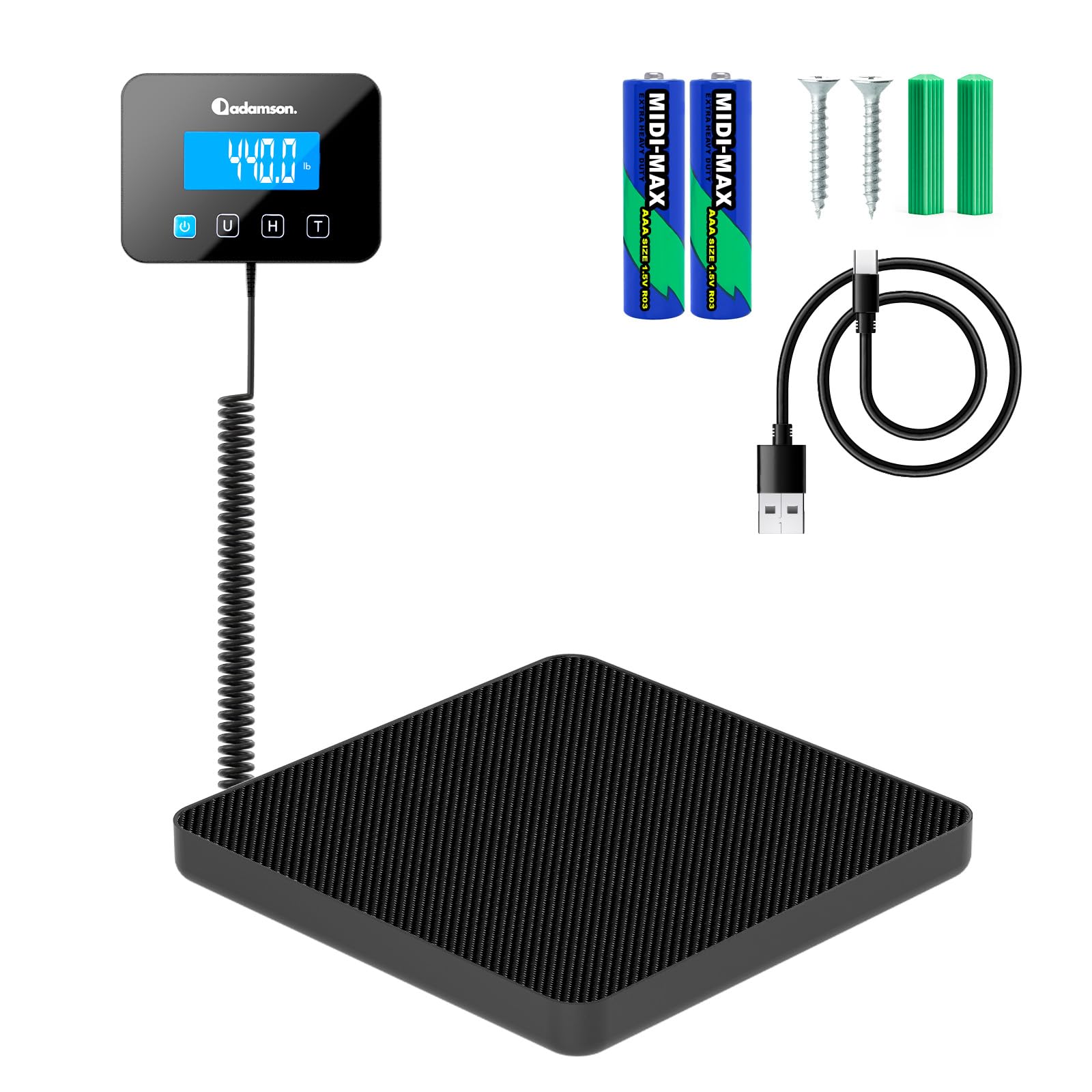
Image: The Adamson Digital Shipping Scale highlighting its compact design and precise measurement capabilities, including its dimensions and weight range.
| Característica | Detall |
|---|---|
| Marca | Adamson |
| Model | ADPOS8779 (Postal Scale) |
| Color | Negre |
| Capacitat màxima de pes | 440 lliures (200 kg) |
| Minimum Weighing Capacity | 0.132 lliures (60 g) |
| Precisió de la mesura | 0.35 oz (10 g) |
| Unitats de pesatge | lbs, kg, oz, lb:oz |
| Tipus de visualització | LCD digital (retroil·luminada) |
| Característiques especials | High Weight Capacity, Large Display, Multiple Functions (Tare, Hold), Unit Convert |
| Font d'alimentació | USB-C Cable (included) or 2x AAA Batteries (included) |
| Pes de l'article | 1.25 quilos |
| Usos recomanats | Envelopes, Luggage, Packages |
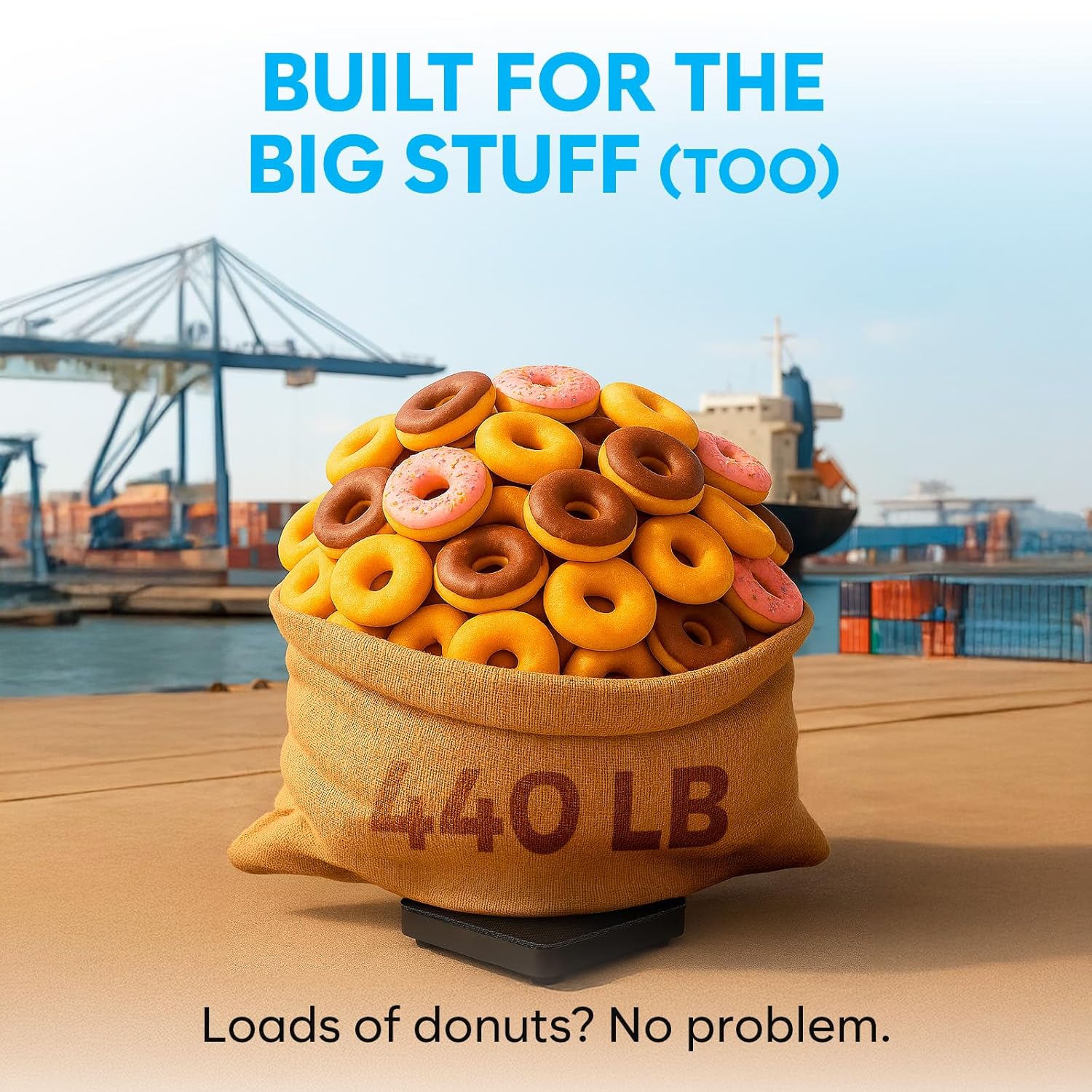
Image: The scale demonstrating its ability to handle heavy loads, with a large sack labeled '440 LB' placed on the platform.
8. Informació de la garantia
The Adamson ADPOS8779 Digital Shipping Scale comes with a standard manufacturer's warranty. Please refer to the warranty card included in your package or contact Adamson customer support for specific details regarding warranty coverage, terms, and conditions.
9. Atenció al client
If you have any questions, encounter issues not covered in this manual, or require technical assistance, please contact Adamson customer support. Contact information can typically be found on the product packaging, the official Adamson weblloc web o a través del vostre distribuïdor.