
1. Configuració
This section guides you through the initial setup of your CHUWI CoreBook X laptop.
1.1 Desembalatge i primera engegada
- Traieu amb cura el portàtil i tots els accessoris de l'embalatge.
- Connect the provided USB-C power adapter to the laptop's USB-C port (PD Charging/USB 2.0) and then to a power outlet.
- Open the laptop lid. The laptop may power on automatically or you may need to press the power button located on the keyboard.
- Seguiu les instruccions que apareixen a la pantalla per completar la configuració inicial del Windows 11 Pro, inclosa la selecció d'idioma, la connexió de xarxa i la creació d'un compte d'usuari.
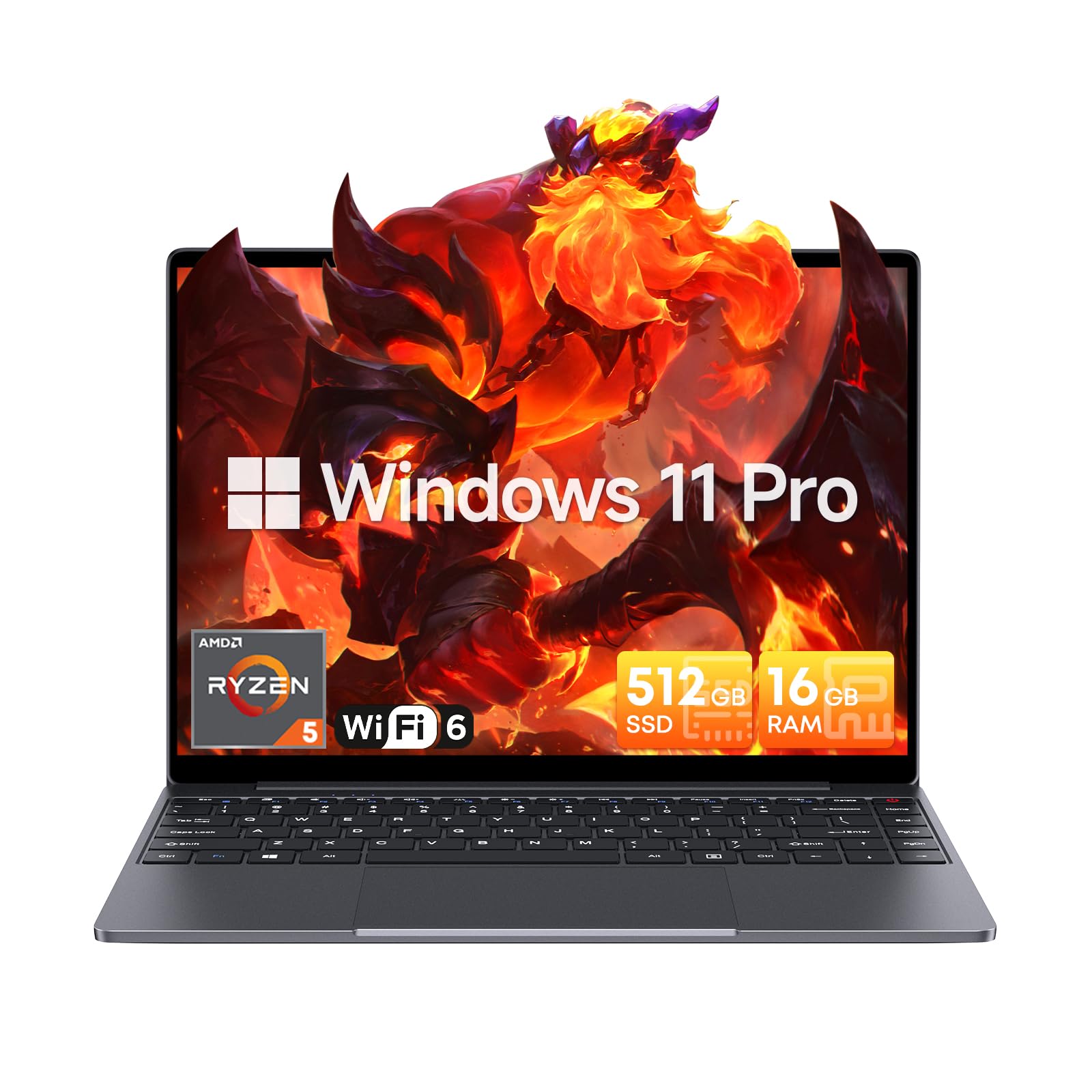
Image: The CHUWI CoreBook X laptop open on a desk, ready for use.
1.2 Connexió de perifèrics
- Dispositius USB: Connect USB mice, keyboards, or external storage devices to the available USB 3.0 ports.
- Pantalla externa: Use the HDMI 1.4 port or the full-featured USB Type-C port to connect an external monitor.
- Dispositius d'àudio: Connecteu uns auriculars o uns altaveus externs al connector d'àudio de 3.5 mm.
- Targeta TF: Insert a TF card into the TF card slot for additional storage.

Imatge: Detallada view of the laptop's ports, including TF Card Slot, 3.5mm Headphone Jack, USB 3.0 Port, Lock Slot, USB Type-C (PD Charging/USB 2.0), HDMI 1.4, and Full-featured USB Type-C Port.
1.3 Connexió de xarxa i Bluetooth
- Wi-Fi 6: Per connectar-vos a una xarxa sense fil, feu clic a la icona Wi-Fi de la barra de tasques, seleccioneu la xarxa i introduïu la contrasenya.
- Bluetooth 5.2: To pair Bluetooth devices, go to Windows Settings > Bluetooth & devices, turn on Bluetooth, and select your device to pair.
2. Funcionament
This section covers the basic operation of your CHUWI CoreBook X laptop.
2.1 Gestió de l'energia
- Encès: Premeu el botó d'encesa.
- Mode de repòs: Tanqueu la tapa o seleccioneu "Repos" al menú Inici.
- Apagar: Seleccioneu "Apagar" al menú Inici.
- Reinicia: Seleccioneu "Reiniciar" al menú Inici.
2.2 Teclat i touchpad
- The laptop features a full-sized backlit keyboard with white illumination. Use the function keys (Fn) in combination with other keys for shortcuts like adjusting brightness, volume, or toggling the backlight.
- The large touchpad supports multi-touch gestures for navigation. Refer to Windows settings for customizing touchpad gestures.

Imatge: Un primer pla view of the laptop's backlit keyboard and large touchpad, highlighting its navigation features.
2.3 Pantalla i àudio
- The 14-inch IPS display offers a 2160*1440 resolution. Adjust display settings (brightness, resolution, scaling) through Windows Display Settings.
- The laptop is equipped with stereo speakers. Volume can be controlled via the keyboard function keys or the Windows sound settings.
- An HD webcam is integrated for video conferencing.

Image: The laptop's 14-inch 2K IPS display showcasing vibrant colors and a comparison of 3:2 and 16:9 aspect ratios.
2.4 Vídeo Overview
Video: An official product video demonstrating various features and usage scenarios of the CHUWI CoreBook X laptop, including its performance, display, and connectivity options.
3. Manteniment
Un manteniment adequat garanteix la longevitat i el rendiment òptim del vostre ordinador portàtil.
3.1 Neteja
- Feu servir un drap suau i sense borrissol per netejar la pantalla. Per a marques difícils, dampen the cloth slightly with water or a screen-safe cleaner.
- Wipe the chassis and keyboard with a soft, dry cloth. Avoid using harsh chemicals or abrasive materials.
- Periodically use compressed air to clear dust from the vents to maintain efficient cooling.
3.2 Cura de la bateria
- Avoid fully discharging the battery frequently. Charge the laptop when the battery level is low.
- Store the laptop in a cool, dry place if not used for extended periods, with the battery charged to around 50-70%.
- Use only the original or certified compatible USB-C PD charger.
3.3 Storage and Memory Upgrades
The laptop supports RAM and SSD upgrades.
- The 16GB DDR4 RAM can be expanded up to 64GB via 2 SODIMM slots.
- The 512GB PCIe SSD can be expanded up to 2TB using the M.2 2280 PCIe slot.
- A convenient detachable bottom cover allows for easier access to upgrade components without removing the entire back panel.

Image: The underside of the laptop with the detachable cover removed, revealing the dual-channel SO-DIMM slot for RAM upgrades.
4. Solució De Problemes
Aquesta secció ofereix solucions per a problemes comuns que podeu trobar.
4.1 Problemes comuns i solucions
- El portàtil no s'encén:
- Assegureu-vos que l'adaptador de corrent estigui connectat correctament tant al portàtil com a una presa de corrent que funcioni.
- Comproveu que la presa de corrent funcioni.
- Prova de mantenir premut el botó d'engegada durant 10-15 segons per fer un restabliment complet.
- Problemes de visualització (no hi ha imatge, parpelleig):
- Ajusta la brillantor de la pantalla amb les tecles de funció.
- Si hi ha un monitor extern connectat, proveu de desconnectar-lo.
- Reinicieu l'ordinador portàtil.
- Problemes de connectivitat Wi-Fi o Bluetooth:
- Assegureu-vos que el Wi-Fi/Bluetooth estigui habilitat a la configuració de Windows.
- Reinicieu el vostre encaminador/mòdem per solucionar problemes de Wi-Fi.
- Remove and re-pair Bluetooth devices.
- Update network and Bluetooth drivers through Device Manager.
- Rendiment lent:
- Tanca les aplicacions innecessàries que s'executen en segon pla.
- Check for Windows updates and driver updates.
- Assegureu-vos que hi hagi prou espai lliure a l'SSD.
- Executeu una anàlisi de programari maliciós.
If you encounter issues not covered here or require further assistance, please refer to the Support section.
5. Especificacions
Detailed technical specifications for the CHUWI CoreBook X laptop.

Image: An illustration of the AMD Ryzen 5 processor, highlighting its core count, threads, and clock speed.
| Característica | Especificació |
|---|---|
| Nom del model | Corebook X |
| Processador | AMD Ryzen 5 (6 Cores, 12 Threads, up to 4.3 GHz) |
| Gràfics | AMD Radeon Graphics (1800MHz, Max 2GB Memory) |
| RAM | 16GB DDR4 (Expandable up to 64GB via 2 SODIMM slots) |
| Emmagatzematge | 512GB PCIe SSD (Expandable up to 2TB via M.2 2280 PCIe slot) |
| Mostra | 14-inch IPS, 2160*1440 Resolution, 100% sRGB Color Gamut |
| Sistema operatiu | Windows 11 Pro |
| Connectivitat | Wi-Fi 6 (802.11ax), Bluetooth 5.2 |
| Ports | USB Type-C (PD Charging/USB 2.0), USB 3.0, HDMI 1.4, Full-featured USB Type-C, 3.5mm Audio Jack, TF Card Slot, Lock Slot |
| Bateria | 46.2Wh Lithium-Ion Battery, 65W USB-C PD Fast Charging |
| Teclat | Full-sized Backlit Keyboard with White Illumination |
| Touchpad | Large Touchpad, Multi-touch |
| Weblleva | HD Weblleva |
| Dimensions | 12.2"L x 9"W x 0.67"Th (17mm thin) |
| Pes | 2.2 lliures (1.4 kg) |
6. Garantia
The CHUWI CoreBook X laptop comes with a Garantia del fabricant de 1 anys.
This warranty covers defects in materials and workmanship under normal use. It does not cover damage caused by accidents, misuse, unauthorized repairs, or modifications. Please retain your proof of purchase for warranty claims.
7. Suport
For technical assistance, warranty claims, or further inquiries, please contact CHUWI customer support.
- Suport del fabricant: Visit the official CHUWI weblloc web amb recursos de suport, preguntes freqüents i informació de contacte.
- Suport al venedor: If purchased through a retailer, you may also contact the seller for assistance.


