
GOBOULT Tuff Hawk Smart Watch User Manual
Model: Tuff Hawk
Introducció
This manual provides essential instructions for setting up, operating, and maintaining your GOBOULT Tuff Hawk Smart Watch. Please read this guide thoroughly before using your device to ensure optimal performance and longevity.

Image: The GOBOULT Tuff Hawk Smart Watch, highlighting its design and features.
Què hi ha a la caixa
Verifiqueu que tots els elements estiguin presents a l'embalatge del producte:
- GOBOULT Tuff Hawk Smart Watch
- Cable de càrrega
- Manual d'usuari (aquest document)
Configuració
1. Càrrega del rellotge intel·ligent
Before initial use, fully charge your GOBOULT Tuff Hawk Smart Watch. Connect the provided charging cable to the charging port on the watch and a compatible USB power source. A full charge takes approximately 150 minutes.

Image: The GOBOULT Tuff Hawk Smart Watch connected to its charging cable, illustrating the charging process and battery indicator.
2. Encès / apagat
To power on the watch, press and hold the Power button until the screen illuminates. To power off, press and hold the Power button, then select "Power Off" on the screen.
3. Emparellament amb el telèfon intel·ligent
The GOBOULT Tuff Hawk Smart Watch uses Bluetooth 5.3 for connectivity. Follow these steps to pair your watch with your smartphone:
- Assegura't que el rellotge estigui carregat i encès.
- Activa el Bluetooth al teu telèfon intel·ligent.
- Download and install the companion application (refer to the watch screen or packaging for app name) from your phone's app store.
- Obre l'aplicació i segueix les instruccions que apareixen a la pantalla per afegir el dispositiu.
- Select "GOBOULT Tuff Hawk" from the list of available Bluetooth devices in the app to establish a one-click connection.

Image: The GOBOULT Tuff Hawk Smart Watch showing an incoming call notification, demonstrating its Bluetooth calling feature with a dedicated speaker and microphone.
Funcionament del rellotge intel·ligent
1. Pantalla i navegació
The watch features a 1.39-inch TFT HD display with a 240x240 resolution and 450 nits brightness for clear visuals. Navigate the interface using the touchscreen or the working crown.
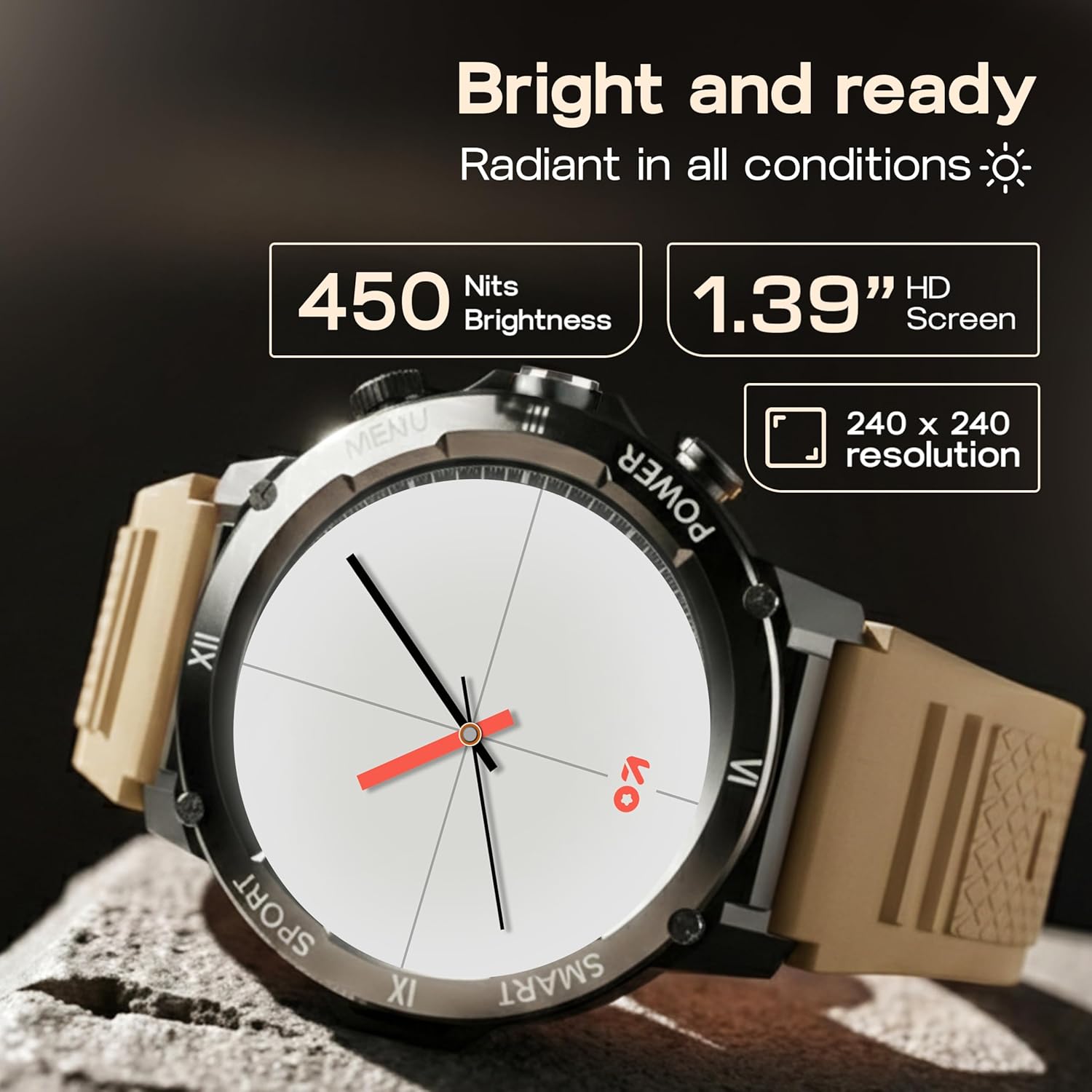
Image: Close-up of the GOBOULT Tuff Hawk Smart Watch display, highlighting its 1.39-inch HD screen, 240x240 resolution, and 450 nits brightness.
2. Using the Working Crown
Rotate the working crown to scroll through menus, lists, and adjust settings effortlessly. Press the crown to select items or return to the home screen.

Image: The GOBOULT Tuff Hawk Smart Watch interface with app icons, demonstrating how to use the rotating working crown for navigation.
3. Trucades per Bluetooth
With Bluetooth 5.3 and a single-chip design, the Tuff Hawk Smart Watch allows you to make and receive calls directly from your wrist. It includes a dedicated speaker and microphone for clear communication.
4. Assistent de veu amb IA
Access your AI Voice Assistant (compatible with Google Assistant and Siri) directly from your watch. Simply activate the feature and speak your commands for hands-free assistance.
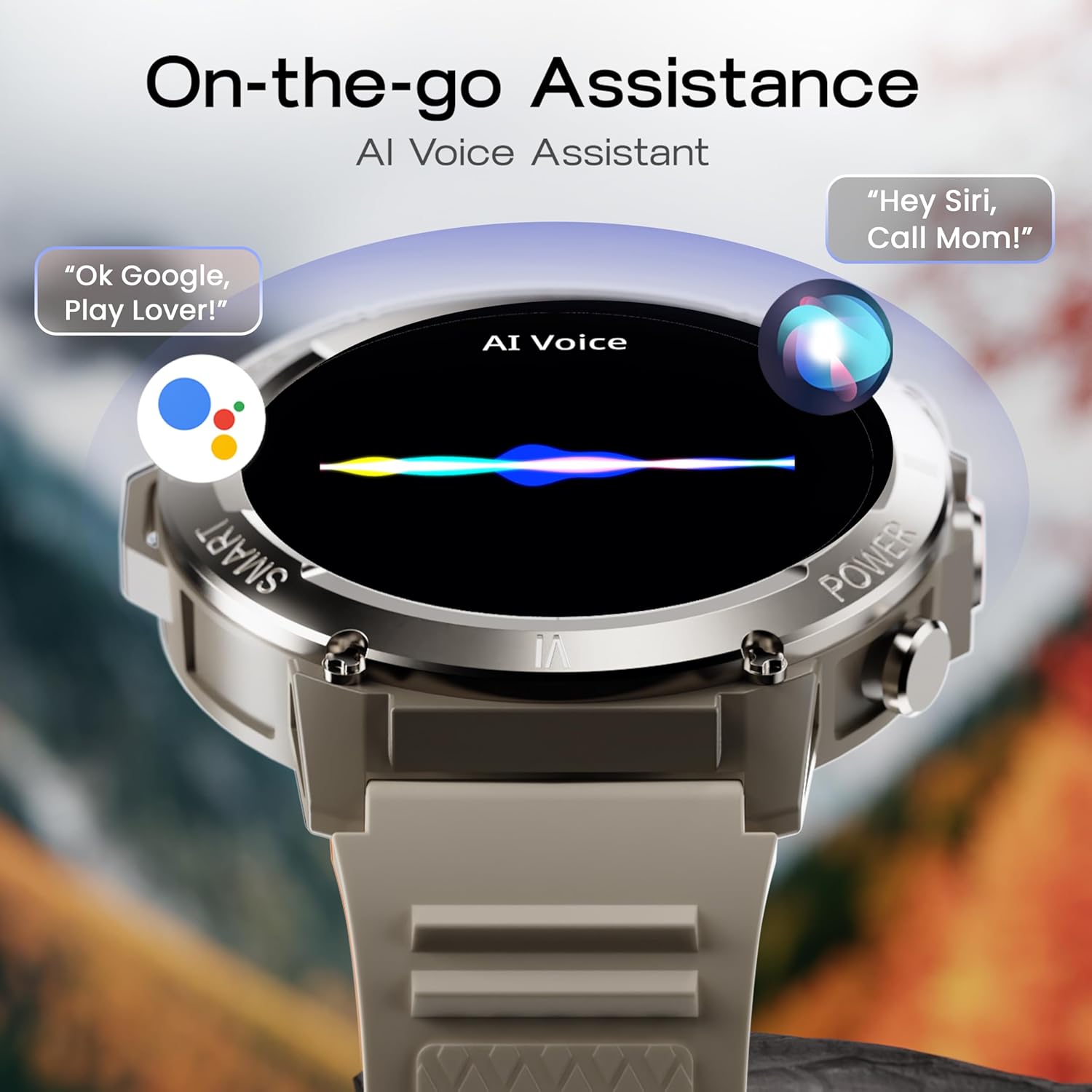
Image: The GOBOULT Tuff Hawk Smart Watch screen showing the AI Voice Assistant in action, with examples of voice commands for Google Assistant and Siri.
5. Sports Modes and Health Tracking
The watch supports over 120 sports modes for various activities. It also provides comprehensive health monitoring features:
- Monitor de pressió arterial: Feu un seguiment dels vostres nivells de pressió arterial.
- Monitor de freqüència cardíaca: Controla contínuament la teva freqüència cardíaca.
- Monitor de son: Analyze your sleep patterns.
- Monitor de SpO2: Mesura la saturació d'oxigen a la sang.
- Seguiment d'activitats: Records steps taken, calories burned, and distance covered.
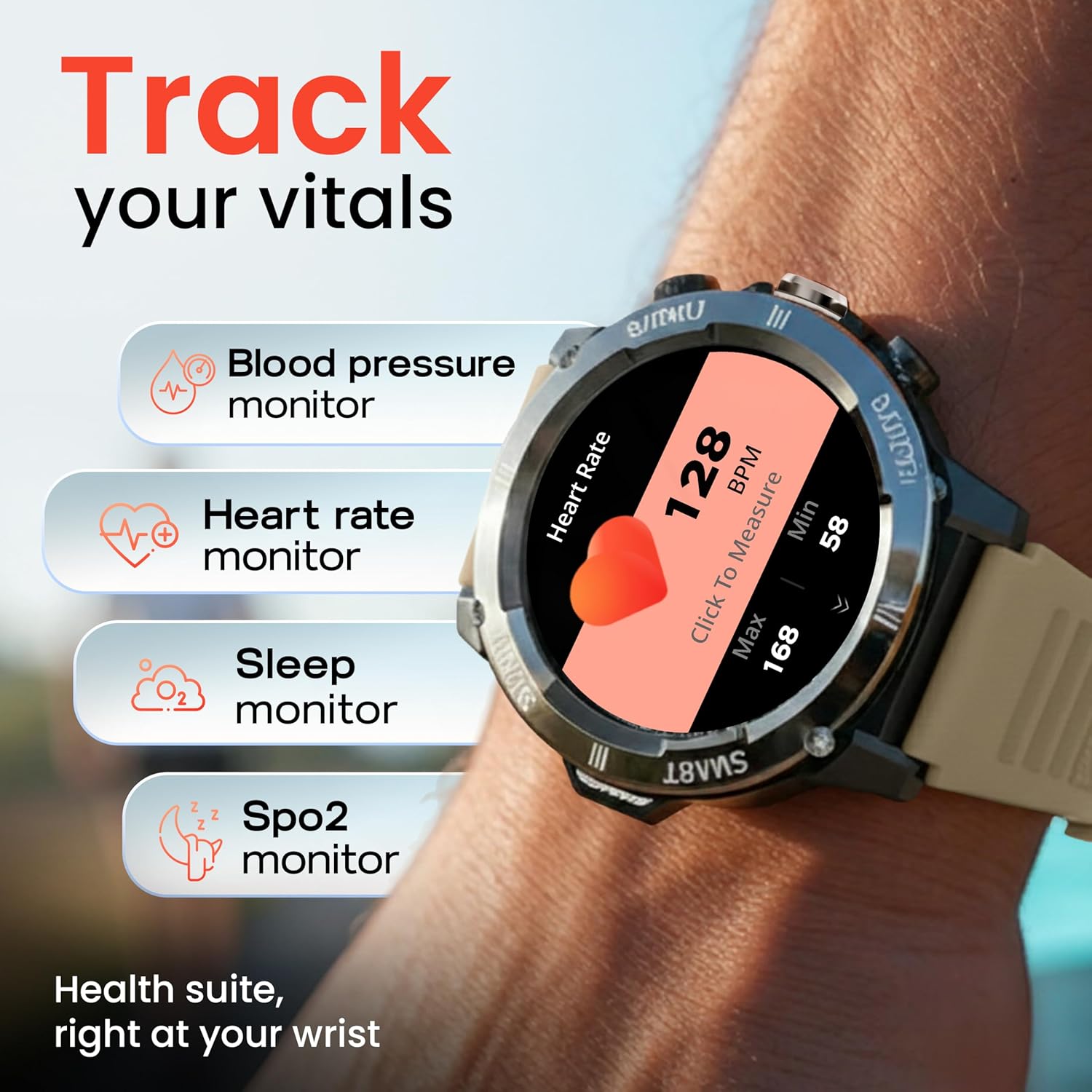
Image: The GOBOULT Tuff Hawk Smart Watch displaying various health tracking features such as blood pressure, heart rate, sleep, and SpO2 monitoring.

Image: The GOBOULT Tuff Hawk Smart Watch on a user's wrist, illustrating the availability of over 120 sports modes for diverse activities.
6. Esferes de rellotge
Personalize your watch with over 150 available watch faces to match your style or activity.

Image: The GOBOULT Tuff Hawk Smart Watch showcasing a selection of over 150 customizable watch faces.
7. Dedicated Flashlight
Activate the quick access flashlight feature for instant illumination when needed.

Imatge: Un primer pla view of the GOBOULT Tuff Hawk Smart Watch demonstrating its dedicated flashlight feature, providing instant light.
8. Característiques addicionals
The watch includes several utility features:
- Troba el meu telèfon: Localitza el teu telèfon intel·ligent emparellat.
- Rellotge mundial: View time in different time zones.
- Weather Details: Obtén informació meteorològica actual.
- Control remot de la càmera: Controla la càmera del teu telèfon de forma remota.
- Calculadora: Realitzar càlculs bàsics.

Image: The GOBOULT Tuff Hawk Smart Watch screen showing the 'Find My Phone' feature, alongside icons for world clock, weather details, remote camera, and calculator.
Manteniment
1. Resistència a l'aigua
The GOBOULT Tuff Hawk Smart Watch is IP68 water resistant, making it suitable for rain, dust, and rugged outdoor conditions. It can withstand immersion up to 1.5 meters. Avoid prolonged exposure to hot water or steam.

Image: The GOBOULT Tuff Hawk Smart Watch partially submerged in water, highlighting its IP68 water resistance for protection against rain and dust.
2. Neteja
Netegeu el rellotge i la corretja regularment amb un drap suau i sec. Si cal, utilitzeu un drap lleugerament sec.amp drap i sabó suau i, a continuació, eixugueu-ho bé. Eviteu productes químics agressius o materials abrasius.
3. Emmagatzematge
When not in use for extended periods, store the watch in a cool, dry place. Ensure it is partially charged to prevent battery degradation.
Resolució de problemes
1. El rellotge no s'encén
- Ensure the watch is fully charged. Connect it to the charging cable and allow it to charge for at least 30 minutes before attempting to power on again.
- Mantingueu premut el botó d'engegada durant 10-15 segons per realitzar un reinici forçat.
2. No es pot emparellar amb el telèfon intel·ligent
- Assegureu-vos que el Bluetooth estigui activat al telèfon intel·ligent i al rellotge.
- Assegureu-vos que el rellotge estigui dins de l'abast del Bluetooth del telèfon (normalment 10 metres).
- Reinicieu tant el vostre telèfon intel·ligent com el rellotge.
- Clear the Bluetooth cache on your phone or forget the device and try pairing again.
- Assegureu-vos que l'aplicació complementària estigui actualitzada a la darrera versió.
3. Dades de salut inexactes
- Assegureu-vos de portar el rellotge ben ajustat al canell, però no massa ajustat.
- Netegeu el sensor de la part posterior del rellotge.
- Eviteu moviments excessius durant les mesures.
- Note that the watch is not a medical device; readings are for reference only.
4. Durada curta de la bateria
- Redueix la brillantor de la pantalla.
- Desactiva les notificacions innecessàries.
- Limit continuous heart rate monitoring or other intensive features.
- Assegureu-vos que el rellotge estigui completament carregat cada vegada.
Especificacions
| Característica | Detall |
|---|---|
| Nom del model | Tuff Hawk |
| Mida de la pantalla | 1.39 polzades |
| Tipus de visualització | TFT |
| Resolució | 240 x 240 |
| Maximum Display Brightness | 450 Nit |
| Tecnologia de connectivitat | Bluetooth 5.3 |
| Composició de les cèl·lules de la bateria | Polímer de liti |
| Temps de càrrega de la bateria | 150 minuts |
| Durada de la bateria | Fins a 7 dies |
| Classificació de resistència a l'aigua | IP68 (1.5 Metres depth) |
| Material de la caixa | Zink Alloy |
| Material de la banda | Silicona |
| Pes | 48 grams |
| Entrada de la interfície humana | Touchscreen, Working Crown |
| Tipus de controlador | Assistent de Google, Siri |
| Mètriques mesurades | Blood Oxygen (SpO2), Calories Burned, Sleep Duration, Step Count |
| Dispositius compatibles | Telèfons intel·ligents Android i iOS |
| Contingut de la caixa | Cable de càrrega, manual d'usuari |
Garantia i Suport
Informació de la garantia
Your GOBOULT Tuff Hawk Smart Watch comes with a 1 anys de garantia del fabricant des de la data de compra. Aquesta garantia cobreix els defectes de fabricació. Si us plau, conserveu el comprovant de compra per a reclamacions de garantia.
Atenció al client
For technical assistance, warranty claims, or product inquiries, please contact GOBOULT customer support. Refer to the product packaging or the official GOBOULT weblloc web per obtenir la informació de contacte més actualitzada.
Fabricant: Exotic Mile Private Limited, Boult Audio, B-67 Zona Industrial de Wazirpur, Nova Delhi 110052