
Introducció
The LOFREE Pudding Dual Mode Wireless Mouse (Model OE929) is designed for versatile use across various operating systems and devices. It offers both Bluetooth and 2.4G wireless connectivity, adjustable DPI settings, and a comfortable, ergonomic design. This manual provides instructions for setup, operation, maintenance, and troubleshooting to ensure optimal performance of your device.
Contingut del paquet
- LOFREE Pudding Dual Mode Wireless Mouse
- Receptor USB (2.4G)
- Charging Cable (USB-C to USB-A, typically)
- Manual d'usuari
Producte acabatview
The LOFREE Pudding mouse features a unique transparent texture and an ergonomic design for comfortable use. It includes an adjustable ambient light feature and a scroll wheel with integrated button functionality.

Imatge: The LOFREE Pudding mouse showcasing its high transparency texture and sleek design.

Imatge: A hand holding the LOFREE Pudding mouse, illustrating its comfortable, skin-like touch and ergonomic grip.
Configuració
1. Càrrega del ratolí
Before first use, ensure the mouse is fully charged. Connect the provided charging cable to the mouse's charging port and to a USB power source. The ambient light may indicate charging status (e.g., breathing light while charging, solid when full).

Imatge: The LOFREE Pudding mouse, highlighting its approximately 100 hours of battery life on a single charge.
2. Dual-Mode Connection
The mouse supports two wireless connection methods: 2.4G via USB receiver and Bluetooth.
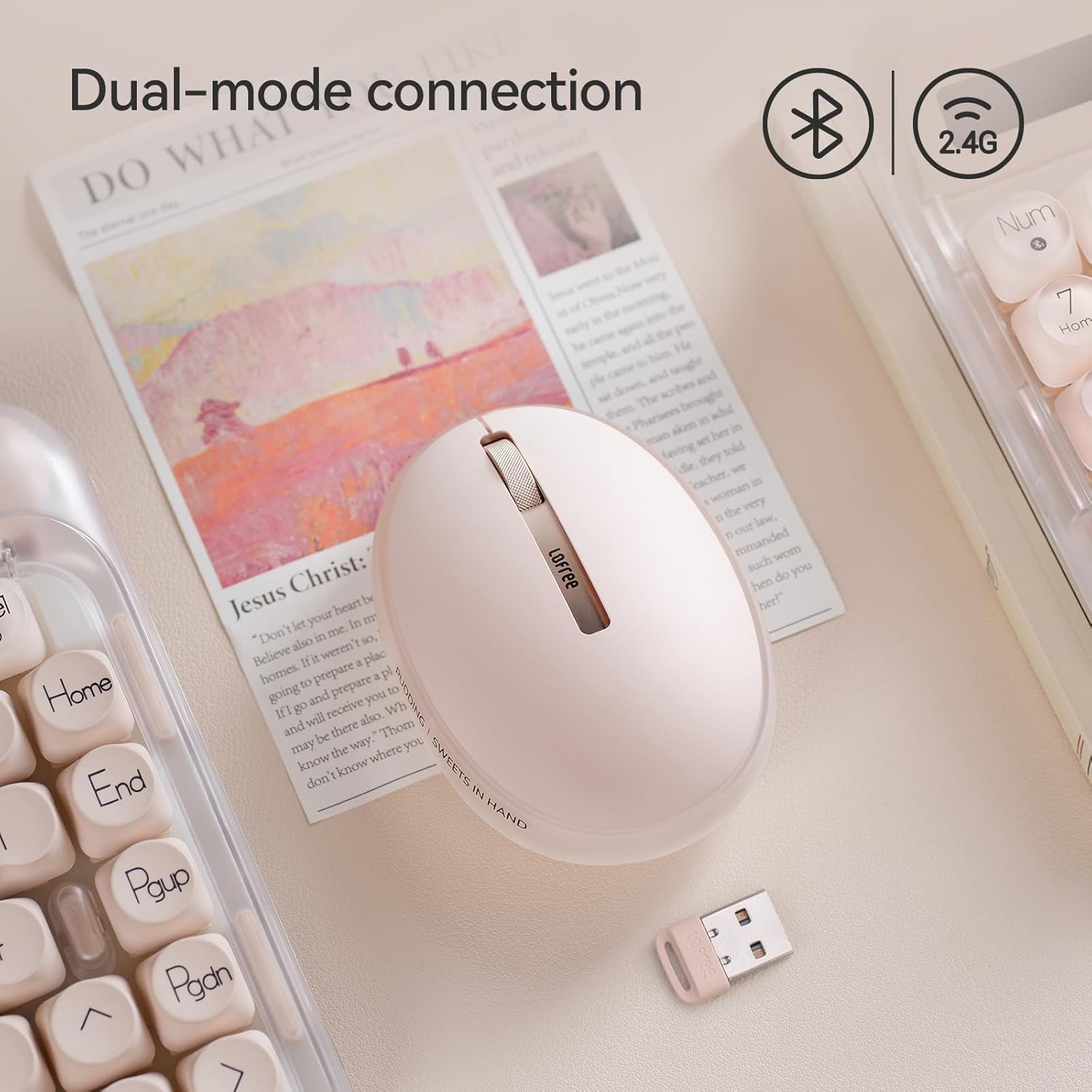
Imatge: The LOFREE Pudding mouse demonstrating its dual-mode connection capability, supporting both Bluetooth and 2.4G wireless technologies.
2.1. Connexió sense fil 2.4G
- Locate the USB receiver, typically stored in a compartment on the mouse or in the packaging.
- Connecteu el receptor USB a un port USB disponible de l'ordinador.
- Engegueu el ratolí. L'ordinador hauria de detectar i instal·lar automàticament els controladors necessaris.
- Nota: For systems below Windows 7, the 2.4G connection is recommended as Bluetooth mode may not be supported.
2.2. Connexió Bluetooth
- Assegureu-vos que el Bluetooth del vostre dispositiu estigui activat.
- Switch the mouse to Bluetooth mode (refer to the mouse's bottom switch or button for mode selection).
- On your device, search for Bluetooth devices. The mouse should appear as "LOFREE Pudding Mouse" or similar.
- Select the mouse to pair. Follow any on-screen prompts to complete the pairing process.
3. Compatibilitat
The LOFREE Pudding mouse is compatible with a wide range of operating systems and devices, including:
- Windows (Windows 7 and above for Bluetooth)
- macOS
- iOS
- Android
- PC, Mac, Laptop, and other compatible devices.
Instruccions de funcionament
1. Ajust dels nivells de DPI
The mouse features 5 adjustable DPI levels to suit different tasks and preferences. You can cycle through these settings by pressing the DPI button, usually located near the scroll wheel or on the bottom of the mouse.
- Available DPI settings: 600, 800, 1200, 1600, 3600.
- Press the DPI button to switch between levels. The mouse cursor speed will change accordingly.

Imatge: A hand demonstrating the adjustment of DPI levels on the LOFREE Pudding mouse, with available settings of 600, 800, 1200, 1600, and 3600.
2. Ambient Light Modes
The mouse is equipped with an adjustable ambient light feature, offering two modes:
- Constant Always On: The light remains steadily illuminated.
- Mode de respiració: The light gently pulses on and off.
To switch between these modes, refer to the dedicated light control button or combination of buttons on the mouse. In dormant state, the ambient light will turn off and can be reactivated by clicking any button on the mouse.

Imatge: The LOFREE Pudding mouse displaying its adjustable ambient light feature, with options for "Always On" or "Breathing" modes.
3. Gestió d'energia
The mouse is designed to conserve battery life. It will enter a dormant state after a period of inactivity, turning off the ambient light. To wake the mouse, simply click any button.
Manteniment
1. Neteja
- Use a soft, dry, lint-free cloth to clean the mouse surface.
- Per a la brutícia persistent, lleugerament dampal drap amb aigua o un netejador suau i no abrasiu.
- Eviteu utilitzar productes químics agressius, dissolvents o materials abrasius, ja que poden danyar l'acabat del ratolí.
- Assegureu-vos que no entri líquid als components interns del ratolí.
2. Cura de la bateria
- Carregueu el ratolí regularment per mantenir la bateria en bon estat.
- Eviteu descarregar completament la bateria amb freqüència.
- If storing the mouse for an extended period, charge it to approximately 50% to prevent deep discharge.
Resolució de problemes
Mouse Not Responding / Disconnecting
- Comproveu la bateria: Ensure the mouse is charged. Connect it to a power source.
- Connexió 2.4G:
- Assegureu-vos que el receptor USB estigui ben connectat a un port USB que funcioni.
- Prova amb un port USB diferent.
- Ensure the mouse is switched to 2.4G mode.
- Connexió Bluetooth:
- Assegureu-vos que el Bluetooth estigui habilitat al vostre dispositiu.
- Ensure the mouse is switched to Bluetooth mode.
- Unpair and re-pair the mouse from your device's Bluetooth settings.
- Ensure your device's operating system supports Bluetooth for mice (e.g., Windows versions below 7 may have limited support).
- Interferència: Move the mouse closer to the receiver/device. Avoid using it near other wireless devices that might cause interference.
DPI Not Changing
- Assegureu-vos que esteu prement el botó d'ajust de DPI correcte.
- If the mouse is unresponsive, try restarting it (turn off and on).
Ambient Light Not Working
- Check if the mouse is in a dormant state; click a button to wake it.
- Assegureu-vos que la bateria estigui prou carregada.
- Verify you are using the correct button or combination to cycle through light modes.
Especificacions
| Característica | Detall |
|---|---|
| Número de model | OE929 |
| Tecnologia de connectivitat | Bluetooth, 2.4G Radio Frequency |
| Tecnologia de detecció de moviment | Òptic |
| Nivells de DPI | 600, 800, 1200, 1600, 3600 (Adjustable) |
| Capacitat de la bateria | 500 mAh |
| Durada de la bateria | Aproximadament 100 hores |
| Característiques especials | LED Lights (Ambient), Lightweight, Rechargeable, Wireless |
| Compatibilitat | Windows, macOS, iOS, Android (PC, Mac, Laptop) |
| Pes de l'article | 8.9 unces |
| Dimensions del paquet | 5.2 x 4.13 x 2.4 polzades |
Garantia i Suport
LOFREE products are manufactured to high-quality standards. For warranty information, technical support, or service inquiries, please refer to the official LOFREE weblloc web o contacteu directament amb el seu servei d'atenció al client. Conserveu el rebut de compra per a reclamacions de garantia.
Per a més informació, visiteu el Botiga LOFREE a Amazon.