
1. Producte acabatview
The Hunter ZenTech 52 Inch Smart Ceiling Fan (Model 53638) is designed for both indoor and covered outdoor spaces, offering quiet, efficient performance with advanced smart home integration. This 5-blade fan features a slim DC motor, adjustable LED lighting with TrueLight technology, and Wi-Fi connectivity for control via the HunterSMART app, Amazon Alexa, Google Assistant, and Apple HomeKit. It is ENERGY STAR certified and damp-rated for versatile use.
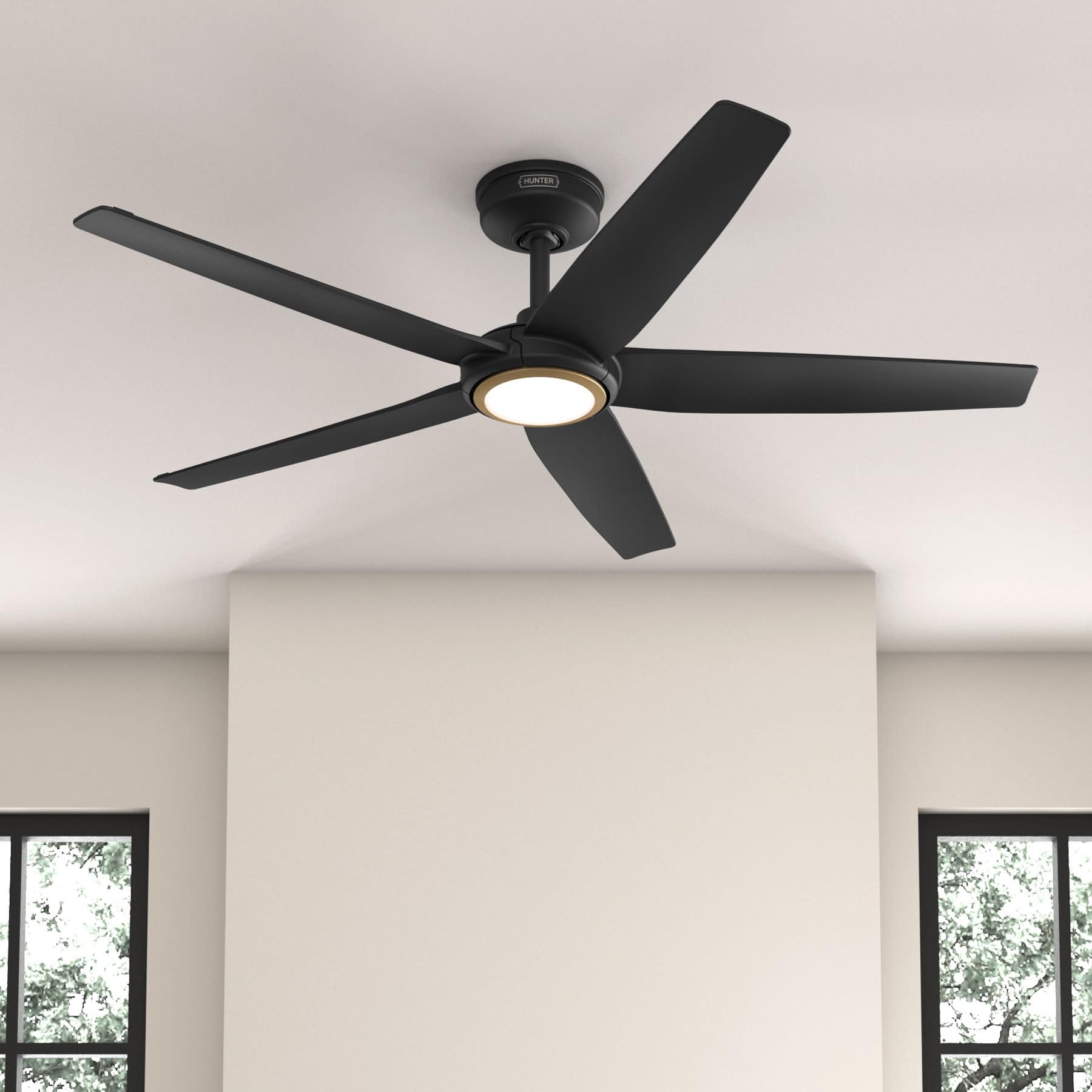
Figure 1: Hunter ZenTech 52 Inch Smart Ceiling Fan (Matte Black)
Característiques principals:
- Disseny avançat: Ultra-slim DC motor for powerful, quiet airflow and a modern aesthetic.
- Integració de la llar intel·ligent: HunterSMART technology for app and voice control via Amazon Alexa, Google Assistant, and Apple HomeKit.
- Il·luminació LED ajustable: TrueLight LED offers 10 brightness levels and 10 color temperatures, protected by a durable Duralight lens.
- SureSpeed Guarantee: Delivers strong, consistent airflow with quiet, wobble-free performance.
- Eficient energètic: ENERGY STAR certified reversible 6-speed DC motor.
- Damp Valoració: Suitable for indoor and covered outdoor areas.
2. Instruccions de seguretat importants
Llegiu atentament totes les instruccions abans de començar la instal·lació. Si no seguiu aquestes instruccions, podeu patir descàrregues elèctriques, incendis o lesions personals.
- Desconnecteu sempre l'alimentació a l'interruptor principal abans de la instal·lació o el manteniment.
- Ensure all electrical connections comply with local codes and ordinances. If you are unfamiliar with electrical wiring, consult a qualified electrician.
- L'estructura de muntatge ha de ser capaç de suportar el pes del ventilador (aproximadament 14.11 kg).
- Do not bend blade brackets during installation or cleaning.
- Keep hands clear of the fan blades when the fan is operating.
- Aquest ventilador és damp-rated for use in covered outdoor areas but should not be exposed directly to water.
3. Contingut del paquet
Verifiqueu que tots els components que s'enumeren a continuació siguin presents al paquet abans de començar la instal·lació.
- Carcassa del motor del ventilador de sostre
- 5 pales de ventilador
- Light Kit with Duralight Lens
- Varilla de 6 polzades
- Dosser i suport de muntatge
- Comandament a distància portàtil
- Paquet de maquinari (cargols, volanderes, femelles de cable)

Figure 2: ZenTech 52 Inch Fan Components
4. Guia d'instal·lació
Professional installation is recommended. Ensure the power is OFF at the circuit breaker before starting.
4.1 Muntatge del ventilador
- Secure the mounting bracket to the ceiling junction box. The junction box must be listed for fan support.
- Assemble the downrod (6-inch included, compatible with up to 24-inch downrods) to the fan motor housing.
- Hang the fan assembly from the mounting bracket.
- Complete electrical wiring connections as per the wiring diagram provided in the full manual.
- Connecteu les pales del ventilador a la carcassa del motor.
- Install the light kit and Duralight lens.

Figure 3: ZenTech Fan installed in a covered outdoor space
5. Instruccions de funcionament
The ZenTech fan can be operated using the included handheld remote control or through the HunterSMART app.
5.1 Funcionament del control remot
- Ventilador activat / desactivat: Premeu el botó del ventilador per encendre o apagar el ventilador.
- Velocitat del ventilador: Feu servir els botons de velocitat per alternar entre les 6 velocitats del ventilador.
- Llum encès/apagat: Premeu el botó de la llum per encendre o apagar la llum.
- Atenuació de la llum: Hold the light button to dim or brighten the light.
- Temperatura de color: Press the color temperature button to cycle through different color temperatures (warm to cool).
- Funció inversa: Press the reverse button to change the fan's direction for seasonal use.
5.2 LED Light Control (TrueLight Technology)
The TrueLight LED system allows for precise control over your lighting environment. You can select from 10 brightness levels and 10 color temperatures to match your preference.

Figure 4: TrueLight LED Technology for adjustable lighting
6. Integració de la llar intel·ligent
The ZenTech fan features HunterSMART technology, enabling seamless integration with popular smart home ecosystems.
6.1 Connecting to HunterSMART App
- Download the HunterSMART app from your device's app store.
- Follow the in-app instructions to create an account and add your ZenTech fan.
- Ensure your fan is powered on and your mobile device is connected to a 2.4 GHz Wi-Fi network during setup.
6.2 Voice Control Compatibility
Once connected to the HunterSMART app, you can link your fan to:
- Amazon Alexa
- Assistent de Google
- Apple HomeKit
Refer to the respective smart home platform's instructions for linking smart devices.

Figure 5: HunterSMART Control Options
7. Cura i Manteniment
Un manteniment regular garanteix un rendiment òptim i una llarga vida útil del ventilador de sostre.
- Neteja: Dust the fan blades and motor housing periodically with a soft, lint-free cloth. For damp-rated areas, wipe down with a slightly damp cloth, then dry thoroughly. Do not use abrasive cleaners or solvents.
- Comprovació d'estanquitat: Annually, check all screws and connections for tightness. Vibrations can cause them to loosen over time.
- Kit de llum: The LED light source is designed for long life and is not user-serviceable.
8. Guia de resolució de problemes
If you encounter issues with your ZenTech ceiling fan, refer to the table below for common problems and solutions.
| Problema | Causa possible | Solució |
|---|---|---|
| El ventilador no arrenca | No hi ha alimentació al ventilador; Connexions de cables soltes; Pila del comandament a distància baixa. | Comproveu l'interruptor; Verifiqueu que totes les connexions dels cables estiguin ben fixades; Substituïu la pila del comandament a distància. |
| La llum no funciona | No power to the light kit; Loose wire connection; Light kit malfunction. | Check circuit breaker; Verify light kit wiring; Contact customer support if LED is faulty. |
| El ventilador trontolla | Loose blades or blade holders; Improperly balanced blades; Loose mounting bracket. | Ensure all blade screws are tight; Use a blade balancing kit (not included); Tighten mounting bracket screws. |
| Smart features not connecting | Incorrect Wi-Fi network (not 2.4 GHz); Incorrect app setup; Router issues. | Ensure connection to 2.4 GHz Wi-Fi; Re-attempt app setup; Restart router and fan. |
9. Especificacions tècniques
| Especificació | Detall |
|---|---|
| Marca | Caçador |
| Nom del model | ZenTech |
| Número de model | 53638 |
| Mida | 52 polzades |
| Color | Negre mat |
| Dimensions del producte | 52 "P x 52" W x 11.78" H |
| Pes de l'article | 14.11 lliures |
| Nombre de fulles | 5 |
| Tipus de motor | DC |
| Nombre de velocitats | 6 |
| Capacitat de cabal d'aire | 5443.94 peus cúbics per minut |
| Wattage | 17 watts |
| Voltage | 120 Volts |
| Ús interior/exterior | Indoor, Covered Outdoor (Damp Classificat) |
| Característiques especials | LED Light, Quiet Operation, Water Resistant, Wi-Fi Enabled |
| Tipus de controlador | Control d'aplicacions, control remot |
| Certificacions | ETL, Energy Star, FCC |
| Longitud de la vareta | 6 polzades (incloses) |
10. Informació de la garantia
The Hunter ZenTech 52 Inch Smart Ceiling Fan is backed by Hunter's commitment to quality. It includes a limited lifetime motor warranty, ensuring long-term confidence in your product. For full warranty details and terms, please refer to the documentation included with your fan or visit the official Hunter Fan Company weblloc.
11. Atenció al client
If you require further assistance, have questions about installation, operation, or troubleshooting that are not covered in this manual, please contact Hunter Fan Company customer support. You can typically find contact information on the official Hunter Fan Company weblloc web o dins de l'embalatge del producte.