
1. Introducció
The elecci YL059 GPS Drone is designed for enthusiasts seeking a balance of advanced performance and user-friendly operation. This drone features GPS-assisted flight capabilities, intelligent obstacle avoidance, and a screen remote control for an immersive flying experience. This manual provides essential information for safe and effective operation, from initial setup to advanced flight functions.
2. Contingut del paquet
Verifiqueu que tots els elements siguin presents al vostre paquet:
- 1 × elecci YL059 Drone
- 1 × Screen Remote Controller
- 2 × bateria
- 1 × carregador
- 4 × Propellers (spare)
- 1 × Handbag
- 1 × SD Card
- 1 × Manual d'usuari (aquest document)
3. Producte acabatview
3.1 Components del dron
The YL059 drone is equipped with brushless motors for smooth and quiet operation, an adjustable 4K camera, and an obstacle avoidance sensor. The design prioritizes stability and responsive control.

Image: The elecci YL059 GPS Drone shown alongside its screen remote control, highlighting its compact design and integrated camera.

Imatge: Un primer pla view of the elecci YL059 drone, emphasizing its 180-degree Electronic Stability Control (ESC) camera for dynamic aerial shots.
3.2 Screen Remote Control
The remote control features a built-in screen for direct FPV (First Person View) transmission, eliminating the need for a separate smartphone. It provides crisp footage and precise control over the drone's movements and camera functions.

Image: The elecci YL059 GPS Drone in flight above its screen remote control, illustrating the 'One click airdrop' feature and key functionalities like GPS return and brushless power.
3.3 Vídeo del producteview
Vídeo: Un funcionari ha acabatview of the elecci YL059 GPS Drone, demonstrating its features and capabilities, including obstacle avoidance and airdrop functionality.
4. Configuració
4.1 Instal·lació i càrrega de la bateria
- Drone Bateria: Insert the fully charged battery into the drone's battery compartment until it clicks into place.
- Bateria de control remot: Ensure the remote control is charged. Use the provided charger to charge both drone and remote batteries. The charging indicator will show status.
4.2 Instal·lació de l'hèlix
Attach the propellers according to the markings (A and B) on the propellers and motor arms. Ensure they are securely fastened. Incorrect propeller installation will prevent proper flight.
4.3 Inserció de la targeta SD
Insert the provided SD card into the drone's camera slot for recording photos and videos. Ensure it is inserted correctly to avoid damage.
5. Instruccions de funcionament
5.1 Llista de verificació prèvia al vol
- Assegureu-vos que les bateries del dron i del comandament a distància estiguin completament carregades.
- Comproveu si les hèlixs estan danyades i assegureu-vos que estiguin ben fixades.
- Verify the SD card is inserted.
- Choose an open, clear area for flight, away from obstacles, people, and animals.
- Ensure GPS signal is strong before takeoff for stable flight and return functions.
5.2 Encès/Apagat
- Encès: Press and hold the power button on the drone, then on the remote control, until indicator lights illuminate.
- Apagar: Press and hold the power button on the remote control, then on the drone, until indicator lights turn off.
5.3 Emparellament i calibratge
Follow the on-screen instructions on the remote control to pair the drone and perform compass calibration before the first flight and whenever flying in a new location.
5.4 Enlairament i aterratge
- Enlairament amb una sola clau: Press the designated takeoff button on the remote control. The drone will automatically ascend to a safe height.
- Enlairament manual: Push both joysticks down and outwards to start the motors, then slowly push the left joystick up to ascend.
- Aterratge d'una sola clau: Press the designated landing button. The drone will descend and land automatically.
- Aterratge manual: Slowly pull the left joystick down to descend.
5.5 Controls bàsics de vol
Feu servir els joysticks del comandament a distància per maniobrar el dron:
- Joystick esquerre (accelerador/guinyada): Up/Down for altitude, Left/Right for rotation.
- Joystick dret (Pitch/Roll): Up/Down for forward/backward movement, Left/Right for left/right movement.
6. Funcions avançades
6.1 GPS Auto-Return and Positioning
The YL059 drone utilizes GPS for precise positioning and intelligent return functions. It will automatically return to its takeoff point under the following conditions:
- Bateria baixa: When the drone's battery is critically low.
- Pèrdua de senyal: If the connection between the drone and remote control is lost.
- Devolució d'una sola clau: Activated manually by pressing the dedicated button on the remote control.
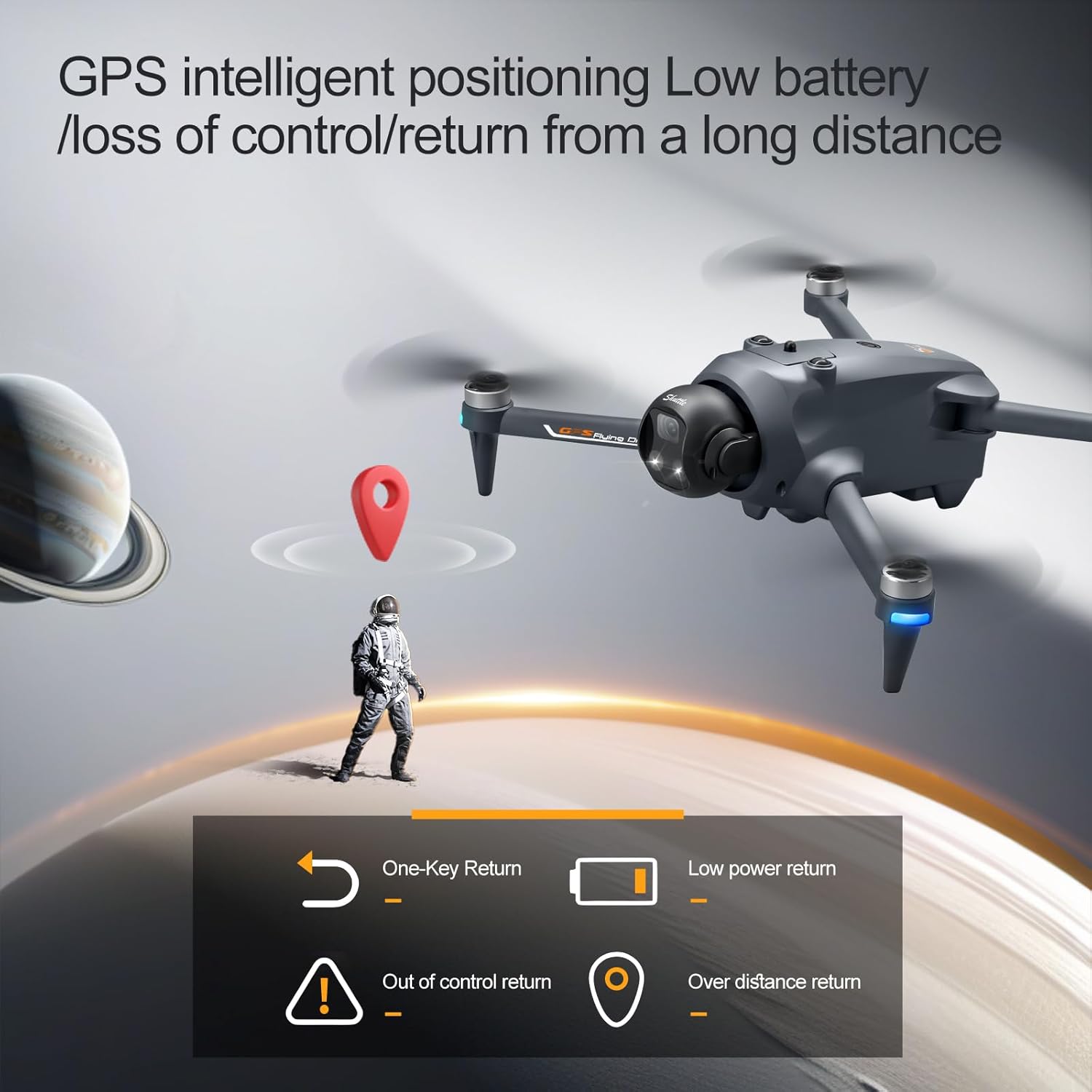
Image: Illustration of the elecci YL059 drone's GPS intelligent positioning, showing its ability to return automatically on low battery, signal loss, or user command.
6.2 Advanced Obstacle Avoidance
The drone features real-time obstacle detection, allowing it to navigate complex environments safely. The obstacle avoidance sensor helps prevent collisions by detecting objects in its path.

Imatge: Una imatge detallada view of the elecci YL059 drone's lift obstacle avoidance head, demonstrating its sensitive perception for collision prevention.
6.3 One-Key Airdrop
The one-key airdrop function allows for controlled release of small payloads. This feature can be used for recreational purposes, such as dropping small items in designated areas.
6.4 4K Camera and Adjustable Lens
Capture high-quality aerial photos and videos with the integrated 4K camera. The electronic lens can be adjusted to achieve dynamic angles during flight, enhancing your photographic and videographic capabilities.
7. Manteniment
- Neteja: Regularly clean the drone body, camera lens, and obstacle avoidance sensors with a soft, dry cloth. Avoid using liquids.
- Inspecció de l'hèlix: Check propellers for cracks, bends, or other damage before each flight. Replace damaged propellers immediately using the provided spares.
- Cura de la bateria: Store batteries in a cool, dry place. Do not overcharge or over-discharge. If not used for extended periods, charge them to approximately 50% capacity.
- Emmagatzematge: When not in use, store the drone and remote control in the provided handbag in a dry environment, away from direct sunlight and extreme temperatures.
8. Solució De Problemes
- El dron no s'encén: Assegureu-vos que la bateria estigui completament carregada i inserida correctament.
- El comandament a distància no es connecta: Ensure both drone and remote are powered on and follow the pairing instructions in Section 5.3.
- Vol inestable/Deriva: Perform compass calibration (Section 5.3). Check for damaged propellers. Fly in calm conditions.
- Sense senyal GPS: Vola en una zona oberta a l'aire lliure amb claredat view of the sky. Wait for the GPS indicator to show a strong signal before takeoff.
- Poor camera quality/No recording: Ensure the camera lens is clean and the SD card is correctly inserted and has sufficient free space.
9. Especificacions
| Característica | Especificació |
|---|---|
| Marca | elecci |
| Nom del model | YL059 |
| Resolució de captura de vídeo | 4K |
| Tecnologia de connectivitat | Bluetooth, WiFi |
| Tipus de control | Control remot |
| Característiques especials | 360 Degree Flip, Auto Follow, One Button Return, One Key Rotation, Obstacle Avoidance |
| Pes de l'article | 6.4 unces |
| Composició de les cèl·lules de la bateria | Ió de liti |
| Tecnologia de sensors òptics | Optical Flow, CMOS |
| Dimensions (L x A x A) | 9.05 cm de llargada x 4.55 cm d'amplada x 7.08 cm d'alçada |
10. Pautes de seguretat
Operar un dron requereix responsabilitat. Respecteu les següents pautes de seguretat:
- Normativa local: Always comply with local aviation laws and regulations.
- Clear Environment: Fly in open areas, away from buildings, trees, power lines, and other obstacles.
- Línia de visió visual: Mantingueu la línia de visió amb el dron en tot moment.
- Condicions meteorològiques: Do not fly in strong winds, rain, snow, or fog.
- Respectar la privadesa: Be mindful of others' privacy when operating the drone's camera.
- Seguretat de la bateria: Use only approved chargers and batteries. Do not puncture or damage batteries.
- Edat recomanada: This product is recommended for adult users.
11. Garantia i Suport
For warranty information and technical support, please refer to the contact details provided with your purchase or visit the official elecci weblloc web. Conserveu el comprovant de compra per a reclamacions de garantia.