Introducció
This manual provides essential information for setting up, operating, and maintaining your iFFALCON 55U95A 55-inch 4K QD-Mini LED Smart Google TV. Please read these instructions carefully before using the product to ensure safe and optimal performance. Keep this manual for future reference.
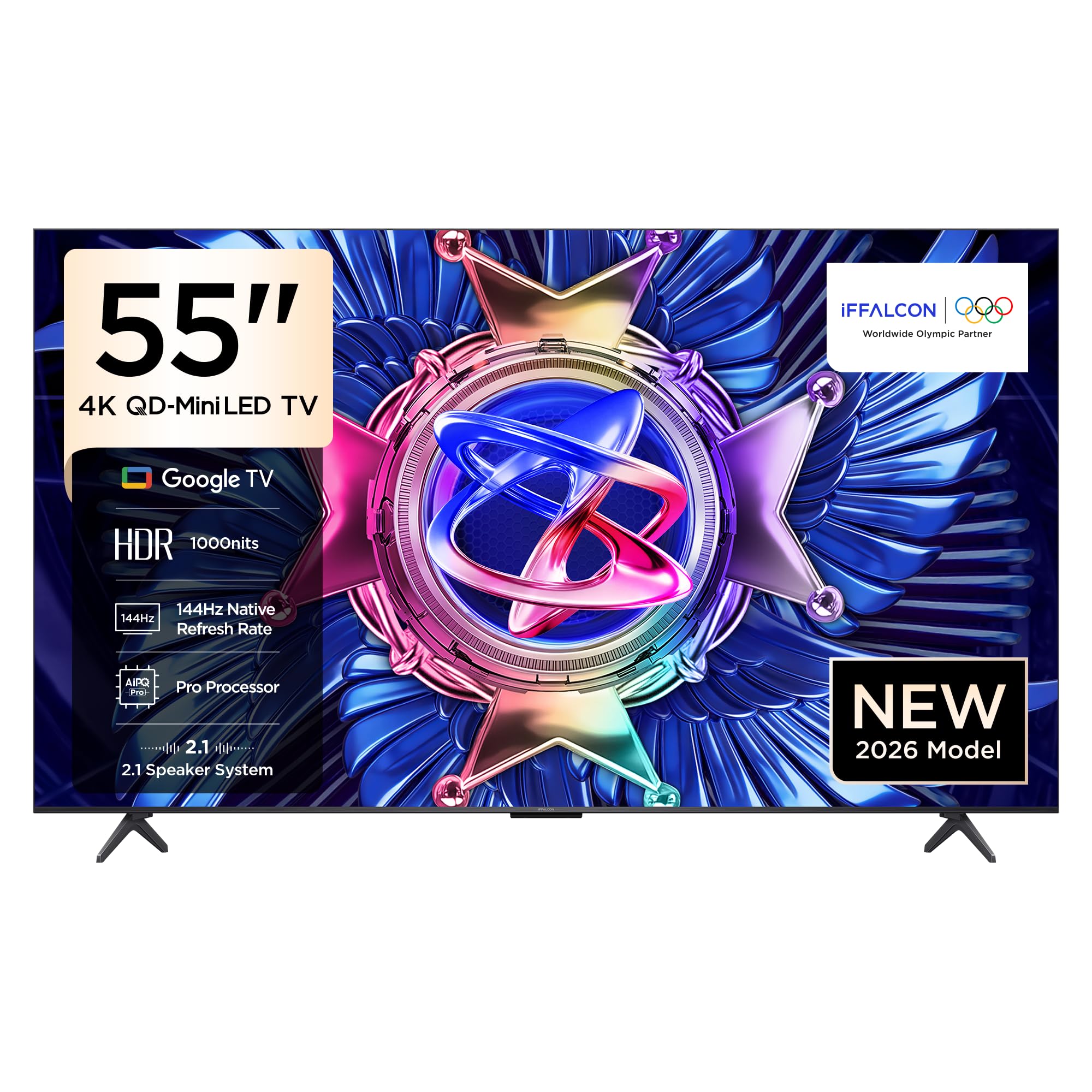
Figura 1: Frontal view of the iFFALCON 55U95A Smart Google TV.
Guia de configuració
1. Desembalatge
- Traieu amb cura el televisor i tots els accessoris de l'embalatge.
- Verify that all included components are present: Power Adapter, Power Cable, Remote Control, Stand, and User Manual.
- Retain the packaging materials for potential future transport or service.
2. Instal·lació del suport o muntatge a la paret
Instal·lació de l'estand:
- Col·loqueu la pantalla del televisor amb la pantalla cap avall sobre una superfície suau i plana per evitar que es faci malbé.
- Attach the stand bases to the designated slots on the bottom of the TV, aligning the screw holes.
- Fixeu els suports amb els cargols proporcionats. Assegureu-vos que estiguin ben ajustats.
Muntatge a la paret:
- If wall mounting, refer to the specific instructions provided with your wall mount kit.
- Ensure the wall mount is compatible with the VESA mounting pattern of your TV.
- Professional installation is recommended for wall mounting.

Figure 2: TV dimensions for placement and mounting considerations.
3. Connexió de perifèrics
Locate the input ports on the back of your TV. Connect your devices as follows:
- Dispositius HDMI: Connecteu consoles de jocs, reproductors de Blu-ray o descodificadors als ports HDMI.
- Dispositius USB: Insert USB drives for media playback or software updates into the USB port.
- Potència: Connecteu el cable d'alimentació al televisor i després a una presa de corrent.
- Xarxa: Connect an Ethernet cable for a wired internet connection, or use Wi-Fi for wireless connectivity.
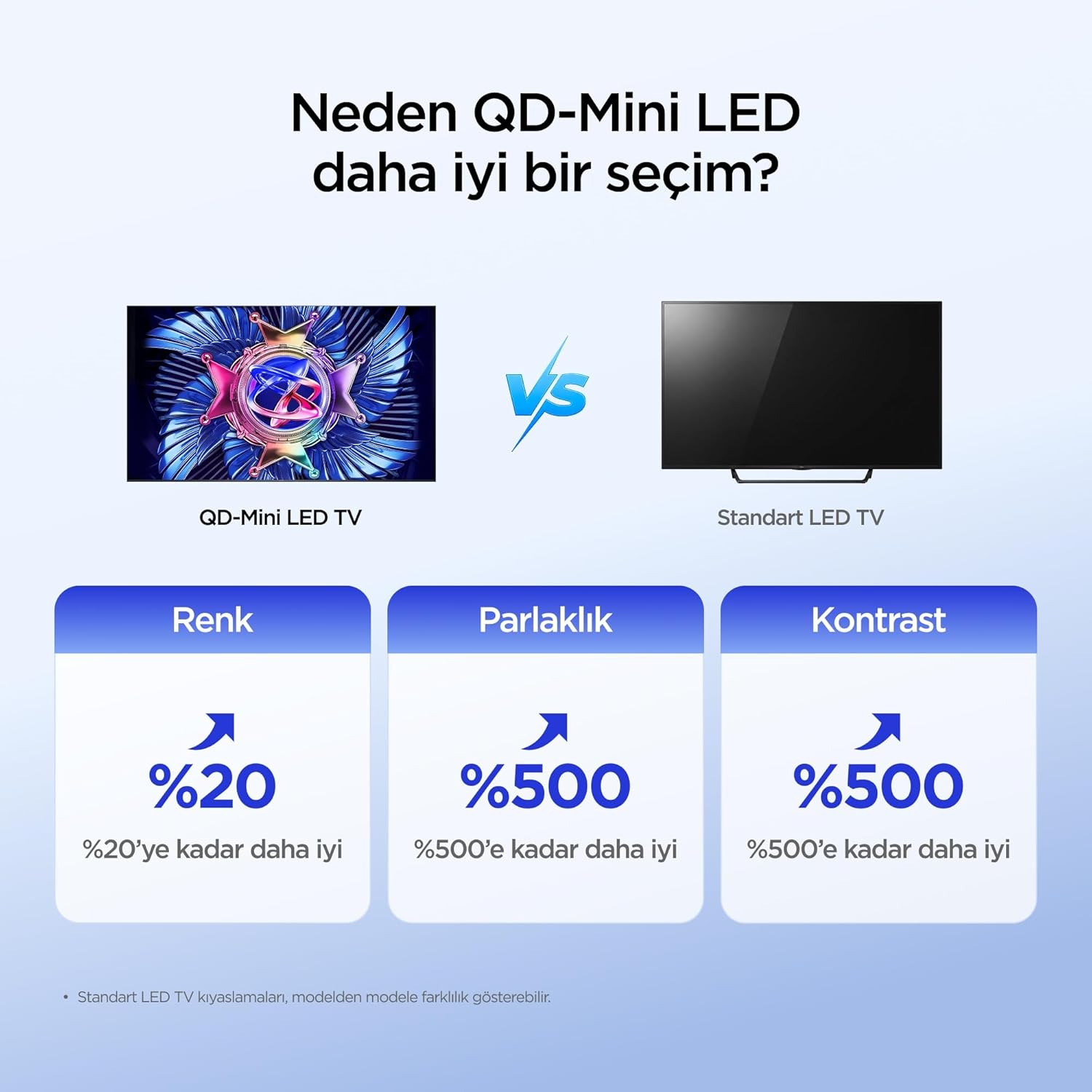
Figura 3: posterior view del televisor amb ports de connexió.
4. Engegada i configuració inicials
- Premeu el botó d'engegada del comandament a distància o del televisor.
- Follow the on-screen instructions to complete the initial setup, including language selection, network connection, and Google account login.
Instruccions de funcionament
1. Funcions de control remot
The remote control allows you to navigate the TV's interface and control various functions. Familiarize yourself with the buttons for power, volume, channel, input selection, and smart TV navigation.
2. Funcions de Smart TV (Google TV)
Your iFFALCON TV runs on Google TV, providing access to a wide range of apps, streaming services, and smart features.
- Assistent de Google: Feu servir ordres de veu a través del comandament a distància per cercar contingut, controlar dispositius domèstics intel·ligents i obtenir informació.
- Chromecast integrat: Cast content from your compatible mobile devices directly to the TV screen.
- Accés a l'aplicació: Baixeu i instal·leu aplicacions des de Google Play Store.
3. Configuració de la imatge
Optimitzeu el vostre viewing experience by adjusting picture settings. The iFFALCON 55U95A features advanced display technologies:
- QD-Mini LED: Offers superior color, brightness, and contrast compared to standard LED TVs.
- 512 Local Dimming Zones: Provides pixel-level light control for precise detail and impressive visuals by managing over 500 local dimming zones.
- HDR 1000nits: Delivers peak brightness of up to 1000 nits, enhancing contrast and detail even in bright environments.
- Tecnologia QLED: Utilizes advanced quantum crystal materials for richer colors, higher stability, and long-lasting color performance, ensuring vibrant and lifelike images.
- All-domain Halo Control Technology: Reduces the halo effect from source to screen, providing clearer details and higher contrast for a premium viewexperiència.
- Processador AiPQ Pro: Intelligently analyzes and optimizes content at a pixel level for enhanced clarity, balance, and overall viewqualitat.
- Matte HVA Panel: Reduces reflections and glare, offering a clear view fins i tot en habitacions ben il·luminades.

Figure 4: QD-Mini LED technology advantages.

Figure 5: Local Dimming Zones for superior contrast.

Figure 6: High HDR brightness for vivid images.
4. Configuració de so
Experience immersive audio with your TV's advanced sound system:
- ONKYO 2.1 Hi-Fi Audio: Built-in 2.1 channel speakers deliver impressive stereo sound with deep bass, providing a cinema-like audio experience.
- Dolby Atmos: Enjoy powerful, clear, and balanced sound with enhanced dialogue and immersive surround sound.

Figure 7: The 2.1 Speaker System provides a Hi-Fi experience.
5. Característiques de joc
The iFFALCON 55U95A is designed for an enhanced gaming experience:
- 144Hz Natural Refresh Rate: Provides smoother motion and sharper images, reducing lag and tearing for a more responsive gaming experience.
- Game Master Mode: Optimitza la configuració per a jocs, reduint el retard d'entrada i millorant el rendiment visual.

Figure 8: Enjoy smoother action with a 144Hz natural refresh rate.
Manteniment
1. Neteja del televisor
- Desendolla sempre el televisor abans de netejar-lo.
- Feu servir un drap suau, sec i sense borrissol per netejar suaument la pantalla i la carcassa.
- Per a marques difícils, esbandiu lleugeramentampNetegeu el drap amb aigua o un netejador de pantalles suau i no abrasiu. No ruixeu el netejador directament sobre la pantalla.
- Eviteu fer servir alcohol, benzè, diluents o altres substàncies volàtils, ja que poden fer malbé el televisor.
2. Actualitzacions de programari
El televisor pot rebre actualitzacions de programari per millorar el rendiment i afegir noves funcions. Assegureu-vos que el televisor estigui connectat a Internet per rebre aquestes actualitzacions automàticament o comproveu-les manualment al menú de configuració.
Resolució de problemes
Si teniu problemes amb el televisor, consulteu els problemes i solucions més comuns següents:
| Problema | Possible solució |
|---|---|
| Sense poder | Check if the power cable is securely connected to the TV and the power outlet. Ensure the outlet is functional. |
| No hi ha imatge, però hi ha so | Verifiqueu que s'ha seleccionat la font d'entrada correcta. Comproveu les connexions dels cables als dispositius externs. Intenteu reiniciar el televisor. |
| No hi ha so, però hi ha imatge | Comproveu el nivell de volum i l'estat de silenci. Assegureu-vos que els cables d'àudio estiguin connectats correctament. Comproveu la configuració de la sortida d'àudio del televisor. |
| El control remot no funciona | Canvieu les piles. Assegureu-vos que no hi hagi cap obstacle entre el comandament a distància i el sensor d'infrarojos del televisor. |
| No es pot connectar a la Wi-Fi | Assegureu-vos que el vostre encaminador Wi-Fi estigui activat i funcioni. Torneu a introduir la contrasenya del Wi-Fi. Intenteu reiniciar tant el televisor com l'encaminador. |
| Picture is Distorted or Unclear | Adjust picture settings (brightness, contrast, sharpness). Check the quality of the input signal. |
Si el problema persisteix després de provar aquestes solucions, poseu-vos en contacte amb l'atenció al client.
Especificacions tècniques
| Característica | Especificació |
|---|---|
| Marca | iFFALCON |
| Model | 55U95A |
| Mida de la pantalla | 55 polzades |
| Tecnologia de visualització | Mini LED |
| Resolució | 4K (3840 x 2160 píxels) |
| Freqüència d'actualització | 144 Hz |
| Interfície del maquinari | Bluetooth, HDMI, USB |
| Entrada d'àudio | Bluetooth, WiFi |
| Configuració dels altaveus | Canal 2.1 |
| Tecnologia de connectivitat | Bluetooth, HDMI, USB, Wi-Fi |
| Nombre de ports USB | 1 |
| Tipus de muntatge | Suport de taula, suport de paret |
| Dimensions del producte (AxPxA) | 122.9 x 5.59 x 71.3 cm |
| Pes del producte | 16.3 quilos |
| Components inclosos | Power Adapter, Power Cable, Remote Control, Stand, User Manual |
| País d'origen | Xina |
Garantia i Suport
Your iFFALCON 55U95A TV comes with a standard manufacturer's warranty. Please refer to the warranty card included in your product packaging for specific terms and conditions, including warranty duration and coverage details.
For technical support, service requests, or further assistance, please visit the official iFFALCON website or contact their customer service hotline. Contact information can typically be found in the warranty documentation or on the manufacturer's weblloc.