
1. Introducció
Thank you for choosing the iFFALCON 32S55 32-inch Smart TV. This manual provides essential information for setting up, operating, maintaining, and troubleshooting your new television. Please read this manual thoroughly before using the TV and keep it for future reference.
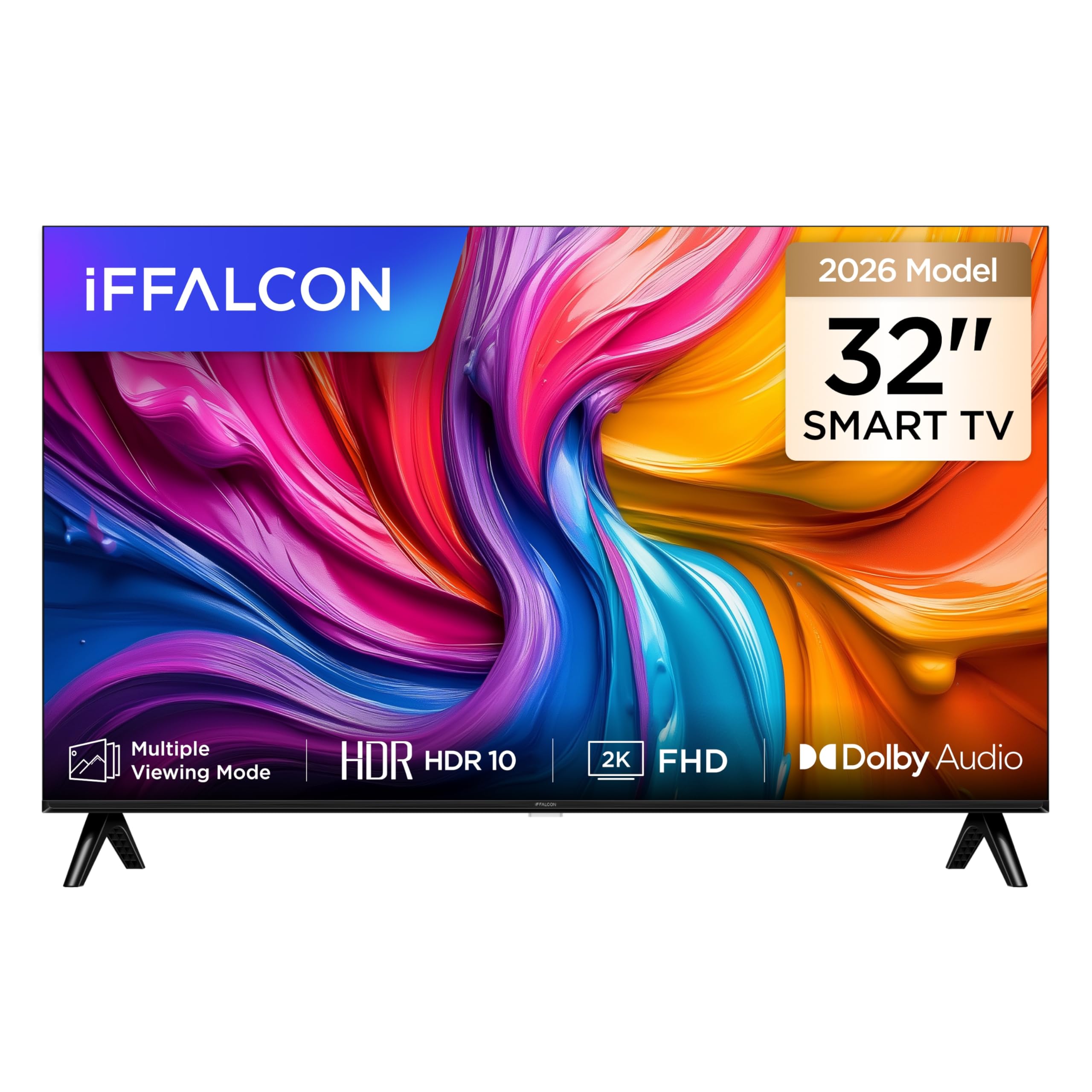
Un front view of the iFFALCON 32S55 32-inch Smart TV, showcasing its slim bezel design and vibrant display.
The iFFALCON 32S55 combines Full HD resolution with HDR10 support for clear visuals, Dolby Audio for an immersive sound experience, and the versatility of Android TV. Its metallic bezel-less design offers a modern aesthetic for any home.
2. Informació important de seguretat
Seguiu sempre aquestes precaucions de seguretat bàsiques quan feu servir el televisor:
- Font d'alimentació: Assegureu-vos que el televisor estigui connectat a una font d'alimentació dins del volum especificattage gamma.
- Ventilació: No bloquegeu les obertures de ventilació. Deixeu prou espai al voltant del televisor per a un flux d'aire adequat.
- Aigua i humitat: No exposeu el televisor a la pluja ni a la humitat. No col·loqueu objectes plens de líquids, com ara gerros, a sobre del televisor.
- Calor: Keep the TV away from heat sources like radiators, heat registers, stoves, or other heat-producing appliances.
- Neteja: Desendolleu el televisor de la presa de corrent abans de netejar-lo. Feu servir un drap suau i sec.
- Muntatge: When mounting the TV on a wall or stand, follow the instructions provided in this manual and with the mounting kit.
- Nens: Supervise children to ensure they do not play with the TV.
- Llamp: Desendolleu el televisor durant tempestes o quan no l'utilitzeu durant períodes prolongats.
3. Contingut del paquet
Si us plau, comproveu que tots els elements següents estiguin inclosos al vostre paquet:
- iFFALCON 32S55 32-inch Smart TV
- Adaptador d'alimentació
- Cable d'alimentació
- Control remot
- Moble per a TV (2 peces)
- Manual d'usuari (aquest document)
If any items are missing or damaged, please contact your retailer or iFFALCON customer support.
4. Configuració
4.1 Col·locació del suport
- Col·loqueu amb cura el televisor cap per avall sobre una superfície suau i plana per evitar que es faci malbé la pantalla.
- Alineeu les peces del suport amb les ranures corresponents a la part inferior del televisor.
- Secure the stands using the screws provided. Ensure they are firmly attached.
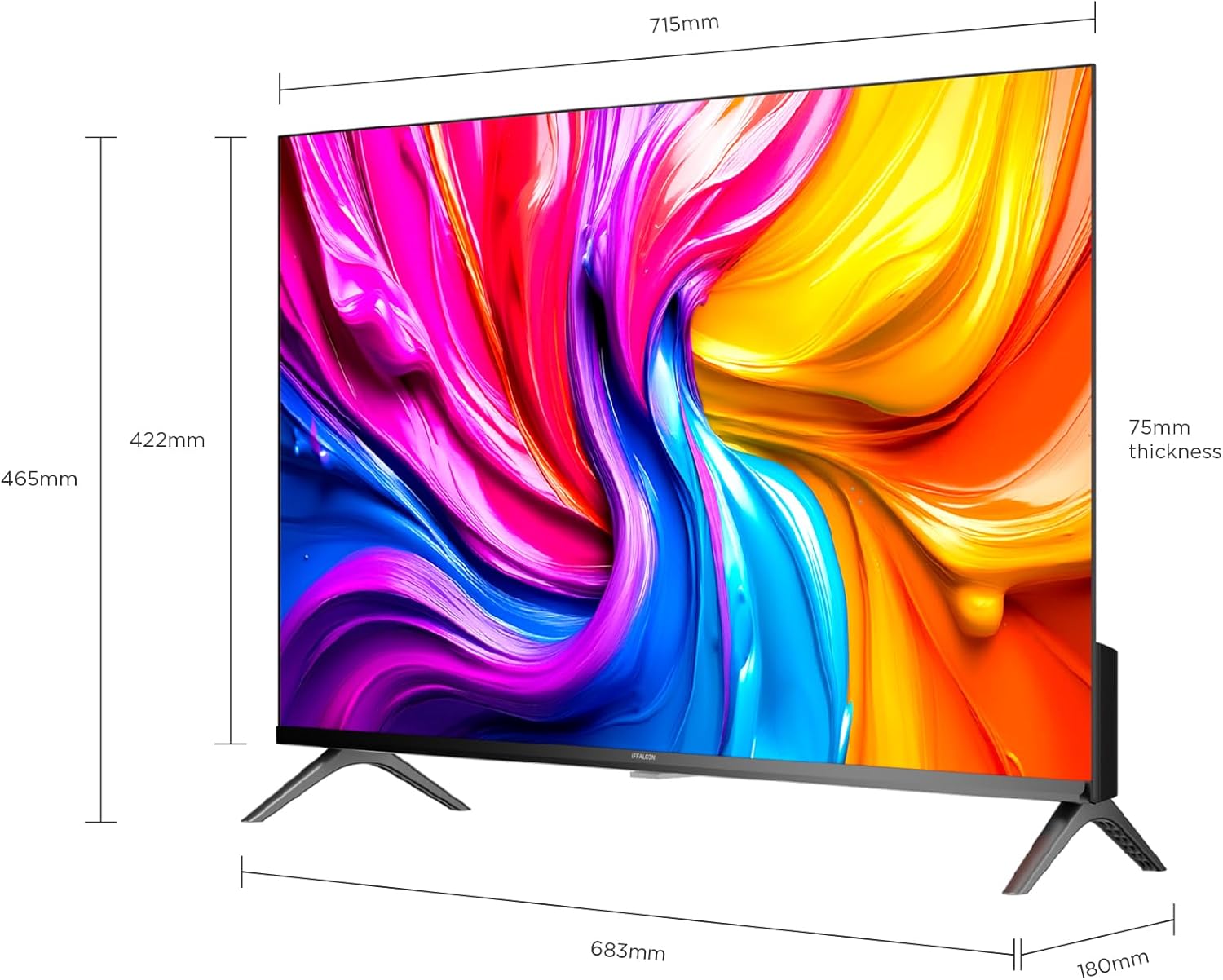
A diagram showing the physical dimensions of the iFFALCON 32S55 Smart TV, including width (715mm), height (422mm), and thickness (75mm).
4.2 Connexió de potència
- Connecteu el cable d'alimentació a l'entrada d'alimentació del televisor.
- Connecteu l'altre extrem del cable d'alimentació a una presa de corrent.
4.3 Connexió de dispositius externs
Your iFFALCON 32S55 TV offers various connectivity options:
- HDMI: Connect Blu-ray players, game consoles, or set-top boxes. (Total HDMI Ports: 2)
- USB: Connecteu unitats USB per a la reproducció de contingut multimèdia.
- Wi-Fi/Bluetooth: For wireless network and accessory connections.

The back panel of the iFFALCON 32S55 Smart TV, displaying various input and output ports for connectivity, including HDMI and USB.
4.4 Engegada inicial i configuració bàsica
- Premeu el botó d'engegada del comandament a distància o del televisor.
- Segueix les instruccions que apareixen a la pantalla per seleccionar l'idioma i el país i connectar-te a la xarxa Wi-Fi.
- Inicia la sessió amb el teu compte de Google per accedir a les funcions i aplicacions d'Android TV.
5. Funcionament del televisor
5.1 Funcions de control remot
The remote control allows you to navigate the TV's interface, adjust settings, and access smart features. Refer to the remote control diagram in your quick start guide for specific button functions.
5.2 Navegació per Android TV
Your iFFALCON 32S55 runs on Android TV, providing access to a wide range of apps, streaming services, and Google Assistant. Use the directional pad and 'OK' button on your remote to navigate the home screen and menus.
5.3 Configuració d'imatge i so
Accediu al menú de configuració per personalitzar el vostre viewexperiència d'escolta i escolta:
- Modes d'imatge: Choose from standard, vivid, movie, sport, or custom settings.
- HDR10: Experience enhanced contrast and color detail in compatible content.
- Dolby Audio: Enjoy clear, rich, and powerful sound. Adjust audio settings for different content types.
- Mode de joc: Optimize your TV for gaming by reducing input lag.

An illustration comparing a scene with HDR10 enabled versus without HDR, highlighting the enhanced contrast, color, and detail provided by HDR10 on the iFFALCON 32S55 TV.

An image representing the immersive sound experience provided by Dolby Audio on the iFFALCON 32S55 Smart TV, with sound waves emanating from the screen.

An image showing a sports scene with Sports Mode off and Sports Mode on, demonstrating how the mode optimizes picture settings for clearer, more dynamic sports viewing on the iFFALCON 32S55 TV. This mode can also be applied to gaming for reduced input lag.
6. Manteniment
6.1 Neteja de la pantalla
- Turn off the TV and unplug the power cord.
- Netegeu suaument la pantalla amb un drap suau i sense pelusa.
- Per a marques difícils, esbandiu lleugeramentampNetegeu el drap amb aigua o amb un netejador de pantalles especialitzat (no ruixeu mai directament sobre la pantalla).
- Do not use abrasive cleaners, alcohol, benzene, or thinners.
6.2 Neteja de la carcassa del televisor
- Netegeu la carcassa del televisor amb un drap suau i sec.
- Avoid using any liquid cleaners directly on the TV body.
7. Solució De Problemes
Si teniu problemes amb el televisor, consulteu els problemes i solucions més comuns següents:
| Problema | Possible solució |
|---|---|
| Sense poder | Check if the power cord is securely plugged into the TV and the wall outlet. Ensure the outlet is working. |
| No hi ha imatge, però hi ha so | Check the input source. Ensure external devices are properly connected and powered on. Adjust brightness/contrast settings. |
| No hi ha so, però hi ha imatge | Check the volume level and mute status. Ensure audio cables are correctly connected for external devices. Check TV audio output settings. |
| El comandament a distància no funciona | Canvieu les piles. Assegureu-vos que no hi hagi cap obstacle entre el comandament a distància i el sensor d'infrarojos del televisor. |
| Problemes de connexió Wi-Fi | Restart your router and the TV. Check Wi-Fi password. Ensure the TV is within range of your router. |
| Rendiment lent / Bloqueig de les aplicacions | Close unused apps. Clear cache for problematic apps. Restart the TV. Consider a factory reset if issues persist (note: this will erase all data). |
For more complex issues, please refer to the online support resources or contact iFFALCON customer service.
8. Especificacions
| Característica | Detall |
|---|---|
| Marca | iFFALCON |
| Nom del model | 32S55 |
| Mida de la pantalla | 32 polzades |
| Tecnologia de visualització | LED |
| Resolució | FHD (1920 x 1080) |
| Freqüència d'actualització | 60 Hz |
| Característiques clau | Dolby Audio, Gaming Mode, Multi-Eye Protection, Slim Design |
| Components inclosos | Power Adapter, Power Cable, Remote Control, Stand, User Manual |
| Tecnologia de connectivitat | Bluetooth, HDMI, USB, Wi-Fi |
| Dimensions del producte (P x A x A) | 7.5 de profunditat x 71.5 d'amplada x 42.2 d'alçada cm |
| Pes del producte | 4.8 quilograms |
| Ports HDMI totals | 2 |
| Color | Negre |
| Any model | 2026 |
| Fabricant | iFFALCON |
| País d'origen | Xina |
9. Garantia i Suport
9.1 Informació de la garantia
Your iFFALCON 32S55 Smart TV comes with a Garantia del fabricant de 2 anysAquesta garantia cobreix els defectes de materials i de fabricació en condicions d'ús normal. Si us plau, conserveu el comprovant de compra per a reclamacions de garantia.
The warranty does not cover damage caused by misuse, accidents, unauthorized modifications, or external factors.
9.2 Atenció al client
For technical assistance, warranty claims, or further inquiries, please visit the official iFFALCON weblloc web o contacteu amb el seu servei d'atenció al client:
- iFFALCON Store: Visit iFFALCON Store on Amazon
- Refer to the contact information provided in your warranty card or on the official iFFALCON website for direct support channels.