
1. Instruccions de seguretat importants
Please read these safety instructions carefully before installing or operating your FSP FlexGURU Pro 650W power supply. Failure to follow these instructions may result in electric shock, fire, or damage to the product and connected components.
- Risc elèctric: No obriu la font d'alimentació. Alt voltatgetagHi ha aparells a l'interior, fins i tot quan la unitat està desendollada. No hi ha peces que l'usuari pugui reparar a l'interior.
- Ventilació: Ensure adequate airflow around the power supply. Do not block ventilation openings. Overheating can lead to performance degradation or failure.
- Humitat: Keep the power supply away from water, humidity, and liquids. Do not operate in damp o condicions humides.
- Font d'alimentació: Connect the power supply only to a grounded electrical outlet with the correct voltage i la freqüència tal com s'especifica a l'etiqueta de la unitat.
- Instal·lació: Install the power supply in a well-ventilated computer chassis. Ensure all cables are properly connected and secured.
- Manipulació: Handle the power supply with care. Avoid dropping or subjecting it to strong impacts.
- Nens: Keep the power supply and its components out of reach of children.
2. Producte acabatview
The FSP FlexGURU Pro 650W is a high-efficiency Flex ATX power supply designed for compact systems requiring stable and reliable power. It complies with the latest ATX 3.1 and Flex ATX V2.1 standards, offering robust performance for current and future high-end hardware. With 80 PLUS Platinum certification, it ensures up to 92% efficiency, reducing power loss and heat generation.

Image: The FSP FlexGURU Pro 650W power supply, illustrating its compact dimensions of 5.90 inches (L) x 3.20 inches (W) x 1.59 inches (H).
3. Característiques clau
- New-Gen ATX 3.1 & Flex ATX V2.1 Compliance: Fully compliant with both the latest ATX 3.1 and Flex ATX V2.1 regulations, ensuring exceptional system stability and peak performance when paired with current and future high-end hardware in compact chassis.
- 80 PLUS Platinum Efficiency: Achieves the prestigious 80 PLUS Platinum standard, delivering up to 92% efficiency to significantly reduce power loss and energy costs. This high-efficiency design minimizes heat generation, allowing for ultra-quiet operation and extending the lifespan of your components.
- Optimized Low-Noise Performance: Equipped with a 40mm ball-bearing fan, smart fan control, and unique shielding design to significantly lower acoustic noise and deliver a consistent, near-silent computing experience.
- High Compatibility & Versatile Installation: Includes a universal fix bracket, allowing this 650W model to easily integrate and transform into reliable 1U IPC (Industrial PC), Networking, or Surveillance power supplies.
- Premium Japanese Electrolytic Capacitors: The FlexGURU PRO series utilizes main Japanese electrolytic capacitors to ensure exceptionally stable outputs, maximum longevity, and long-term reliability under continuous operation.
- Complete Protection for Diverse Applications: Designed and tested to the highest standards, featuring full protections (UVP, OVP, SCP, OPP, OTP, SIP, NLO). Ideal for specialized solutions like Edge Computing, NAS, HTPC, POS terminals, and Industrial PC builds.
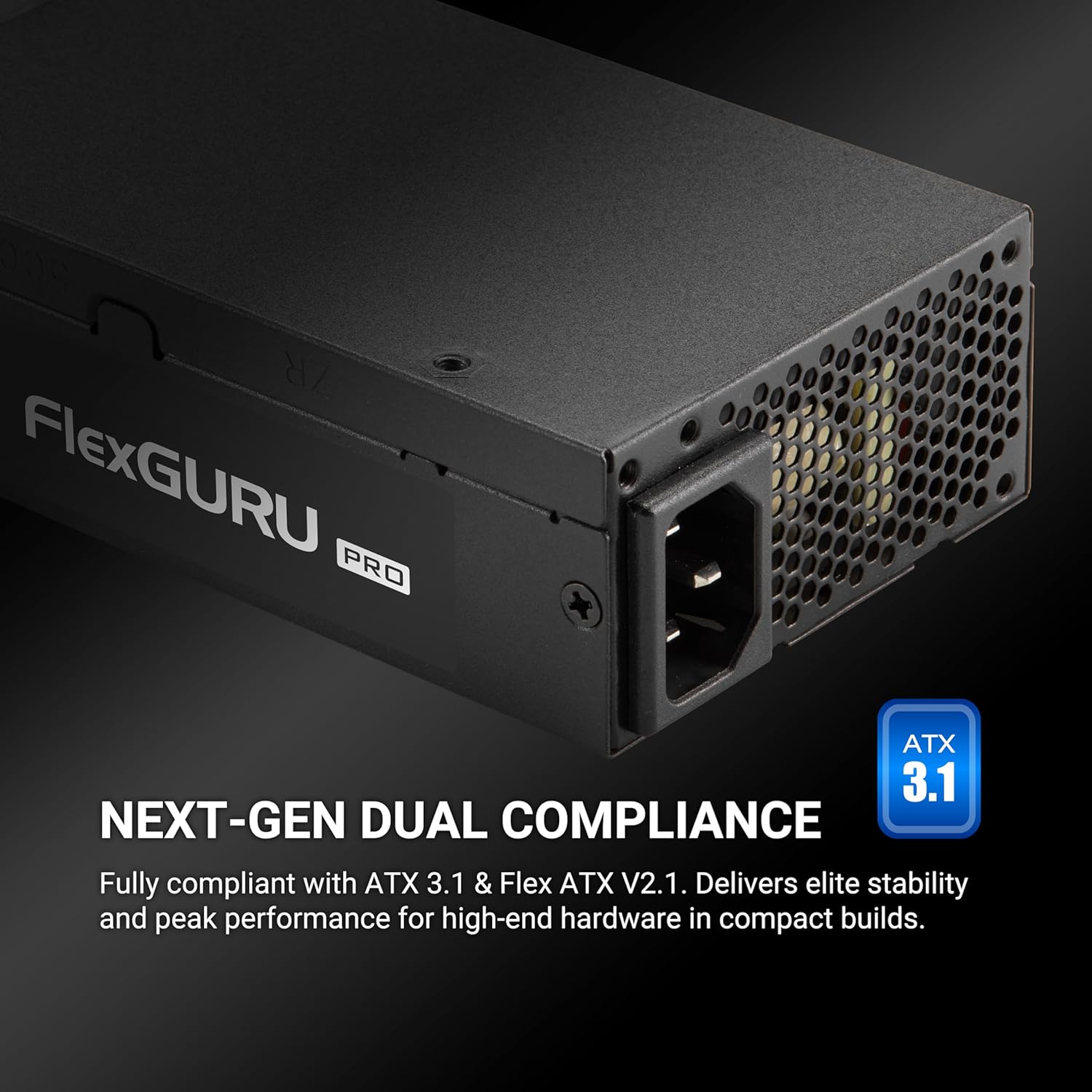
Image: The FSP FlexGURU Pro power supply highlighting its ATX 3.1 and Flex ATX V2.1 dual compliance for modern systems.

Image: A graph illustrating the 92% typical efficiency conversion of the FlexGURU Pro 650W power supply at various load levels for both 115V and 230V inputs.

Imatge: Un primer pla view of a Japanese electrolytic capacitor, emphasizing the quality components used in the FlexGURU Pro series for stable outputs and reliability.
4. Contingut del paquet
Verifiqueu que tots els elements siguin presents al vostre paquet:
- FSP FlexGURU Pro 650W Power Supply Unit
- Cable d'alimentació CA
- Modular Cable Set (if applicable, this model is non-modular but includes various fixed cables)
- 1U Universal Fix Bracket
- Cargols de muntatge
- Manual d'usuari (aquest document)

Image: A diagram showing the types and quantities of all black round cables included with the power supply: 1x MB 20+4 PIN, 2x CPU 8 PIN / 4+4 PIN, 2x PCIe 6+2 PIN, 2x 2 SATA, and 1x 2 MOLEX / FLOPPY.
5. Guia d'instal·lació
5.1 Llista de comprovació prèvia a la instal·lació
- Assegureu-vos que el sistema informàtic estigui completament apagat i desendollat de la presa de corrent.
- Discharge any residual power by pressing the power button on your PC for a few seconds.
- Gather necessary tools: screwdriver, zip ties (optional for cable management).
5.2 Muntatge de la font d'alimentació
The FSP FlexGURU Pro 650W can be installed in standard Flex ATX chassis or adapted for 1U IPC applications using the included bracket.
- Carefully remove your old power supply (if applicable).
- Position the FSP FlexGURU Pro 650W into the power supply bay of your chassis.
- Secure the power supply using the provided mounting screws. For 1U IPC applications, attach the universal fix bracket to the power supply first, then mount it into the 1U chassis.

Image: The FlexGURU Pro power supply shown with the 1U bracket attached, demonstrating its adaptability for 1U IPC power supply applications.
5.3 Cables de connexió
Connect the power supply cables to the corresponding components in your system. Refer to your motherboard and component manuals for specific connection points.
- 20+4 Pin Main Power Connector: Connect to the motherboard.
- CPU 8 Pin / 4+4 Pin Connector: Connect to the CPU power input on the motherboard.
- PCIe 6+2 Pin Connector: Connect to graphics cards or other PCIe devices requiring auxiliary power.
- Connectors d'alimentació SATA: Connect to SATA hard drives, SSDs, and optical drives.
- MOLEX / Floppy Connectors: Connecteu-lo a perifèrics o ventiladors de caixa més antics.
Ensure all connections are firm and secure. Improper connections can cause system instability or damage.
6. Funcionament
After installation, ensure all components are correctly connected and the power supply is securely mounted.
- Connect the AC power cord to the power supply and then to a grounded wall outlet.
- Gireu l'interruptor d'alimentació de la part posterior de la font d'alimentació a la posició "ON" (I).
- Premeu el botó d'engegada de la caixa de l'ordinador per iniciar el sistema.
The power supply's 40mm ball-bearing fan will operate automatically, controlled by smart fan technology to maintain optimal temperature and minimize noise.
7. Manteniment i cura
To ensure the longevity and optimal performance of your FSP FlexGURU Pro 650W power supply, follow these maintenance guidelines:
- Neteja: Periodically clean the exterior of the power supply and its fan grille to prevent dust buildup. Use compressed air to gently clear dust from the fan and vents. Ensure the power supply is unplugged before cleaning.
- Medi ambient: Operate the power supply in a clean, dry, and well-ventilated environment. Avoid extreme temperatures.
- Gestió de cables: Ensure cables are neatly routed and do not obstruct airflow within the chassis.
- Inspecció: Occasionally inspect power cables for any signs of damage or fraying. Replace damaged cables immediately.
8. Solució De Problemes
Si teniu problemes amb la font d'alimentació, consulteu els passos habituals següents per a la resolució de problemes:
- Sense energia:
- Comproveu si el cable d'alimentació de CA està connectat correctament tant a la font d'alimentació com a la presa de corrent.
- Assegureu-vos que l'interruptor d'alimentació de la part posterior de la font d'alimentació estigui en la posició 'ON' (I).
- Verifiqueu que la presa de corrent funciona connectant-hi un altre dispositiu.
- Check all internal power connections (20+4 pin, CPU, PCIe) to ensure they are firmly seated.
- Inestabilitat del sistema/aturades aleatòries:
- Assegureu-vos que la font d'alimentació vattage is sufficient for all your system components.
- Check for proper ventilation within the chassis to prevent overheating.
- Verify that all power cables are correctly connected and not loose.
- Si és possible, proveu la font d'alimentació amb un conjunt diferent de components o en un altre sistema per aïllar el problema.
- Soroll fort del ventilador:
- Ensure the power supply fan grille is free from dust and obstructions.
- Verify that the system is not under excessive load, causing the fan to spin faster.
- Ensure adequate case airflow to prevent the PSU from drawing in hot air.
If the problem persists after attempting these steps, please contact FSP customer support for further assistance.
9. Especificacions tècniques
Detailed specifications for the FSP FlexGURU Pro 650W Power Supply (FSP650-50FUB):
| Característica | Especificació |
|---|---|
| Model | FSP650-50FUB |
| Marca | FSP |
| Factor de forma | Flex ATX |
| Potència de sortidatage | 650W |
| Certificació d'eficiència | 80 PLUS Platinum (Up to 92%) |
| Compliment | ATX 3.1, Flex ATX V2.1 |
| Mètode de refrigeració | Air (40mm ball-bearing fan) |
| Dimensions de l'article (L x A x A) | 5.91 x 1.59 x 3.21 polzades |
| Pes de l'article | 2.18 lliures |
| Disseny de fonts d'alimentació | No modular |
| Entrada Voltage | 100-240 volts (CA) |
| Freqüència d'entrada | 50-60 Hz |
| Proteccions | UVP, OVP, SCP, OPP, OTP, SIP, NLO |
| Condensadors | Japanese Electrolytic Capacitors |
| Garantia | 5 Anys |

Image: A table detailing the AC Input and DC Output specifications for the FlexGURU Pro 650W, including Max Output Current and Max Combined Power for +3.3V, +5V, +12V, +5Vsb, and -12V rails, with a total power of 650W.
10. Aplicacions versàtils
The FSP FlexGURU Pro 650W power supply is designed for a wide range of applications due to its compact size, high efficiency, and robust protections:
- Industrial PC (IPC) builds
- Point of Sale (POS) terminals
- Network communication devices
- Surveillance systems
- Edge Computing solutions
- Home Theater Personal Computers (HTPC)
- Network Attached Storage (NAS) servers
- Gaming & Creator PCs (in compact chassis)

Image: Icons depicting versatile industrial applications for the FlexGURU Pro series, including Industrial PC, Point of Sale System, Network communication, Surveillance, Edge Computer, Home Theater Personal Computer, NAS Server, and Gaming & Creator PC.
11. Garantia i Suport
The FSP FlexGURU Pro 650W Power Supply (FSP650-50FUB) comes with a 5 any de garantia des de la data de compra. Aquesta garantia cobreix els defectes de materials i de mà d'obra en ús normal.
For warranty claims, technical support, or any product-related inquiries, please contact FSP customer service through their official website or the retailer where the product was purchased. Please have your proof of purchase and product model number (FSP650-50FUB) ready when contacting support.
Recursos en línia: For additional information, FAQs, and driver downloads, please visit the official FSP weblloc: www.fspgroupusa.com