
1. Introducció
Thank you for choosing the UXD A5 Android Tablet. This manual provides essential information for setting up, operating, and maintaining your new device. Please read it thoroughly to ensure optimal performance and longevity of your tablet.
The UXD A5 is a versatile 10-inch Android 15 tablet featuring an Octa-Core CPU, 12GB RAM, and 512GB internal storage, designed for productivity and entertainment. It supports WiFi 6 and 4G LTE connectivity.
2. Contingut del paquet
Si us plau, verifiqueu que tots els elements siguin presents al vostre paquet:
- UXD A5 Android Tablet
- Stylus
- Teclat desmuntable
- Ratolí de precisió
- Protector de pantalla (preaplicat o separat)
- Adaptador OTG
- Estoig plegable
- Carregador
- Cable USB
3. Producte acabatview
The UXD A5 tablet features a 10-inch HD IPS display. Key components include:
- Càmera frontal: Typically located at the top center when held vertically, used for video calls and selfies. (5MP)
- Càmera posterior: Located on the back of the tablet, used for high-resolution photography. (15MP)
- Botó d'encesa: Usually on the side, used to turn the tablet on/off or put it to sleep.
- Botons de volum: Adjacent to the power button, used to adjust audio levels.
- Port USB-C: Per a càrrega i transferència de dades.
- Ranura per a targetes SIM/MicroSD: For inserting a 4G SIM card and expanding storage with a microSD card (up to 1TB).
- Ponents: Per a la sortida d'àudio.
- Micròfon: Per a entrada de veu.
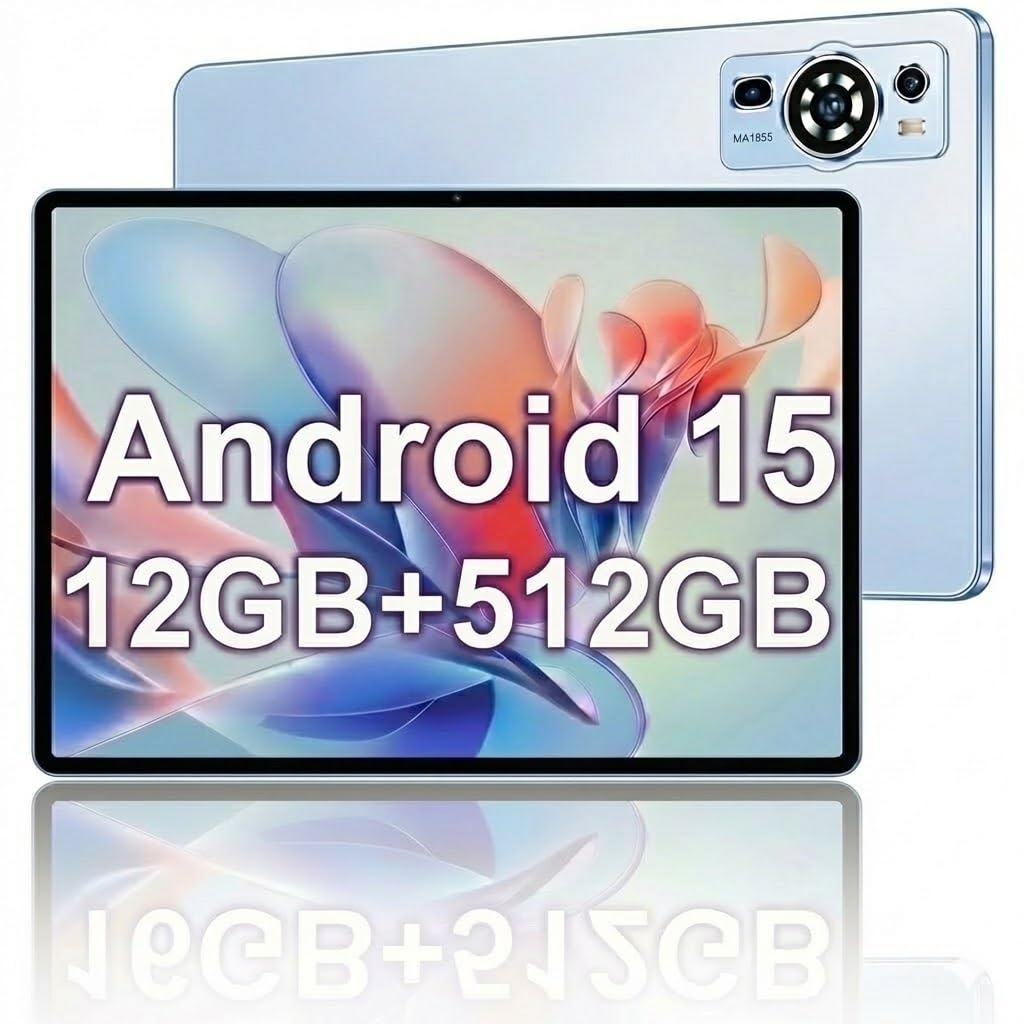
Image: The UXD A5 Android Tablet shown with its included accessories, such as the detachable keyboard, mouse, and stylus, highlighting its comprehensive package.
4. Configuració
4.1 Càrrega inicial
Before first use, fully charge the tablet using the provided charger and USB cable. Connect the USB cable to the tablet's USB-C port and the charger to a power outlet. The battery indicator on the screen will show charging status.
4.2 Engegada/apagada
- Per encendre: Press and hold the Power button until the UXD logo appears.
- Per apagar: Press and hold the Power button until the power options appear, then select 'Power off'.
- Per dormir/despertar-se: Premeu breument el botó d'engegada.
4.3 Connexió a Wi-Fi
- Vés a Configuració > Xarxa i Internet > Wi-Fi.
- Activa/desactiva el Wi-Fi On.
- Seleccioneu la xarxa Wi-Fi que vulgueu de la llista.
- Introduïu la contrasenya si us demana i, a continuació, toqueu Connecta't.
4.4 Inserting SIM Card (4G LTE)
If your model supports 4G LTE, locate the SIM card slot on the side of the tablet. Use the provided SIM ejector tool (if applicable) to open the tray. Insert a nano-SIM card into the designated slot with the gold contacts facing down, then reinsert the tray. Ensure the tablet is powered off before inserting or removing a SIM card.
4.5 Expanding Storage with MicroSD Card
The tablet supports microSD cards up to 1TB. Locate the SIM/MicroSD card slot. Insert the microSD card into the appropriate slot with the gold contacts facing down. The tablet will detect the card and prompt you for formatting options if necessary.
4.6 Connexió d'accessoris
- Teclat / ratolí: These typically connect via Bluetooth. Go to Configuració > Dispositius connectats > Bluetooth. Turn Bluetooth on, put the accessory in pairing mode, and select it from the list of available devices.
- stylus: The stylus is generally passive or connects automatically via Bluetooth. Refer to the stylus's specific instructions for pairing if required.
- Adaptador OTG: Connect the OTG adapter to the tablet's USB-C port to connect USB devices like flash drives.
5. Instruccions de funcionament
5.1 Navegació bàsica
The UXD A5 tablet uses a capacitive touchscreen. Use gestures such as tap, swipe, pinch-to-zoom, and long-press to navigate the interface, open apps, and interact with content.
5.2 Sistema operatiu Android 15
Your tablet runs on Android 15, offering enhanced privacy features, improved notifications, and a refined user interface. Explore the Configuració menu to customize your tablet's behavior, appearance, and security options.
5.3 Gestió d'emmagatzematge
The tablet comes with 512GB of internal storage. To manage your storage, go to Configuració > Emmagatzematge. Aquí pots view espai utilitzat, alliberar espai i gestionar files on your internal storage and microSD card.
5.4 Ús de la càmera
Open the Camera app to take photos and videos. The tablet features a 5MP front camera and a 15MP rear camera. Tap the screen to focus, and use the on-screen shutter button to capture images. Switch between front and rear cameras using the icon on the screen.
5.5 Optimització de la bateria
The 6000mAh battery provides extended usage. To maximize battery life:
- Ajusteu la brillantor de la pantalla.
- Desactiva la Wi-Fi, el Bluetooth i el GPS quan no estiguis en ús.
- Tanca les aplicacions que no s'utilitzen i que s'executen en segon pla.
- Activa el mode d'estalvi de bateria a Configuració > Bateria.
6. Manteniment
6.1 Neteja de la tauleta
Feu servir un drap suau i sense borrissol per netejar la pantalla i el cos de la tauleta. Per a taques difícils, fregueu lleugerament.ampNetegeu el drap amb aigua o una solució netejadora de pantalles. Eviteu utilitzar productes químics agressius o materials abrasius.
6.2 Actualitzacions de programari
Regularly check for software updates to ensure your tablet has the latest features and security patches. Go to Configuració > Sistema > Actualització del sistema per comprovar i instal·lar les actualitzacions disponibles.
6.3 Cura de la bateria
To prolong battery lifespan, avoid extreme temperatures and do not let the battery completely drain frequently. It is recommended to keep the battery charge between 20% and 80% for optimal long-term health.
7. Solució De Problemes
- La tauleta no s'encén: Ensure the tablet is charged. Connect the charger and wait a few minutes before attempting to power on again.
- Problemes de connectivitat Wi-Fi: Restart your tablet and your Wi-Fi router. Ensure you are within range of the Wi-Fi signal and have entered the correct password.
- Rendiment lent: Close unused apps, clear cache, or restart the tablet. Consider uninstalling rarely used applications to free up resources.
- La pantalla tàctil no respon: Reinicia la tauleta. Si el problema persisteix, assegura't que la pantalla estigui neta i sense brutícia.
- Accessoris que no es connecten: Ensure Bluetooth is enabled on the tablet and the accessory is in pairing mode. Check the accessory's battery level.
8. Especificacions
| Marca | UXD |
| Nom del model | A5 |
| Sistema operatiu | Android 15 |
| Mida de la pantalla | 10.1 polzades |
| Resolució de visualització | 1280 x 800 píxels (HD IPS) |
| Processador | CPU d'octa nuclis |
| Memòria RAM | 12 GB |
| Emmagatzematge intern | 512 GB |
| Emmagatzematge ampliable | Fins a 1 TB (MicroSD) |
| Tecnologia sense fils | Wi-Fi 6, Bluetooth 5.0 |
| Tecnologia cel·lular | 4G LTE |
| Càmera frontal | 5 MP |
| Càmera posterior | 15 MP |
| Capacitat de la bateria | 6000 mAh (polímer de liti) |
| Durada mitjana de la bateria | Fins a 72 hores (en espera) |
| Dimensions (L x A x A) | 6.3 cm de llargada x 9.4 cm d'amplada x 2.7 cm de gruix |
| Color | Blau |
9. Garantia i Suport
The UXD A5 Android Tablet comes with a 1-year limited warranty. For warranty claims or technical support, please refer to the contact information provided with your purchase or visit the official UXD support weblloc.
Si us plau, conserveu el comprovant de compra per motius de garantia.