
1. Configuració
1.1 Desembalatge i inspecció inicial
En obrir el paquet, assegureu-vos que tots els components hi siguin presents i en bon estat. La caixa ha de contenir:
- XIAOMI Redmi Note 15 Pro 5G AI Smartphone
- Expulsor de la safata SIM
- Cable USB
- Funda de telèfon
1.2 Instal·lació de la targeta SIM
The Redmi Note 15 Pro 5G AI supports Dual SIM functionality (nano SIM + nano SIM or nano SIM + eSIM). It does no have a Micro SD slot.
- Localitza la safata de la targeta SIM al lateral del dispositiu.
- Introduïu l'eina d'expulsió de la safata de la SIM proporcionada al forat petit que hi ha al costat de la safata i premeu suaument fins que la safata surti.
- Place your nano SIM card(s) into the designated slots on the tray. Ensure the gold contacts face downwards and the card is correctly oriented.
- Torneu a inserir amb cura la safata de la targeta SIM al telèfon fins que encaixi al seu lloc.
Nota: For USA market, this phone is compatible with T-Mobile, Mint, Tello, or any network operating under the T-Mobile infrastructure. An already activated SIM card is required. Outside the USA, it works with any GSM carrier SIM.
1.3 Càrrega inicial i engegada
Before first use, it is recommended to fully charge your device. The phone supports 45W turbo charging.
- Connect the USB cable to the phone's USB Type-C port and to a compatible power adapter.
- Plug the power adapter into a wall outlet. The charging indicator will appear on the screen.
- Once sufficiently charged, press and hold the power button on the side of the device until the XIAOMI logo appears.
- Segueix les instruccions que apareixen a la pantalla per completar la configuració inicial, inclosa la selecció d'idioma, la connexió Wi-Fi i la configuració del compte de Google.
2. Instruccions de funcionament
2.1 Característiques de visualització
The device features a 6.83-inch AMOLED display with a 1.5K resolution (2772 x 1280) and a refresh rate of up to 120Hz. It offers a peak brightness of 3200 nits and is protected by Corning Gorilla Glass Victus 2.
Tecnologia de tacte humit 2.0: This feature intelligently detects water, oil, foam, or sweat, providing a smoother and more responsive touch experience even in challenging conditions.
2.2 Ús de la càmera
The Redmi Note 15 Pro 5G AI is equipped with an advanced camera system:
- Càmera posterior: 200MP main camera with Optical Image Stabilization (OIS) and an 8MP ultra-wide camera.
- Càmera frontal: 20MP.
To access the camera, tap the camera icon on your home screen or lock screen. Select modes such as Photo, Video, Portrait, or Pro mode. The 200MP AI Engine supports features like AI Film Camera for cinematic effects and various AI image editing tools.
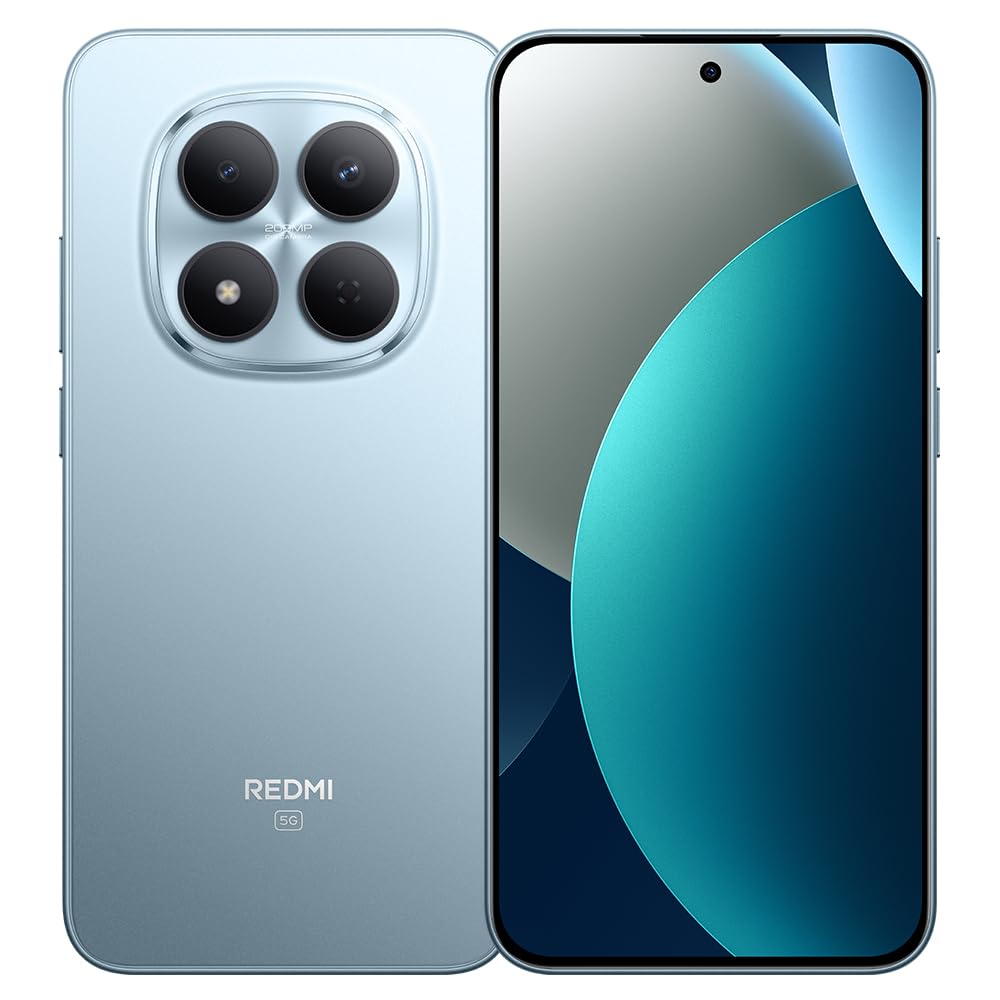
Image: XIAOMI Redmi Note 15 Pro 5G AI smartphone, black color, showing the front display and side profile.
2.3 Biometric Security
The device offers two primary biometric security methods:
- Sensor d'empremtes dactilars en pantalla: Register your fingerprint(s) in the Security settings for quick and secure unlocking.
- Desbloqueig facial amb IA: Set up face recognition in the Security settings to unlock your device by looking at the front camera.
2.4 Navigation and AI Features
The phone supports multiple global navigation satellite systems including GPS, GLONASS, BDS, Galileo, and QZSS for accurate positioning.
Integrated AI features enhance user experience:
- Encercla per cercar amb Google: Cerca informació ràpidament encerclant el contingut a la pantalla.
- Google Gemini: AI assistant for various tasks.
- Edició d'imatges amb IA: Includes AI Erase Pro, AI Remove Reflection, AI Image Expansion, AI Sky, AI Bokeh, AI Cutouts, AI Image Enhancement, and AI Beautify.
3. Manteniment
3.1 Cura de la bateria
The device is equipped with a 6580mAh silicon-carbon battery designed for longevity, boasting a 6-year battery life guarantee. To maximize battery life:
- Eviteu temperatures extremes.
- Use the provided 45W turbo charger for optimal charging speed.
- The phone also supports up to 22.5W reverse charging to power other compatible devices.
3.2 Durabilitat i protecció
The Redmi Note 15 Pro 5G AI is built for durability:
- Resistència a les caigudes: Certified for 2.5-meter drop resistance.
- Protecció de pantalla: Features Corning Gorilla Glass Victus 2 for enhanced impact and scratch resistance.
- Resistència a l'aigua i a la pols: Rated P66/IP68/IP69/IP69K for dust and water resistance, ensuring protection against various environmental challenges.
3.3 Neteja del vostre dispositiu
Per netejar el teu telèfon intel·ligent:
- Feu servir un drap suau i sense borrissol per netejar la pantalla i la carcassa.
- Per a taques persistents, lleugerament dampNetegeu el drap amb aigua o una solució netejadora de pantalles.
- Eviteu l'ús de productes químics agressius, materials abrasius o humitat excessiva.
4. Solució De Problemes
4.1 Problemes comuns i solucions
- El dispositiu no s'encén: Ensure the battery is charged. Connect the phone to its charger for at least 15 minutes, then try powering it on again. If it still doesn't turn on, perform a forced restart by holding the power button for 10-15 seconds.
- Poor network signal or no service: Check if your SIM card is properly inserted. Verify that airplane mode is off. Go to Settings > SIM cards & mobile networks and ensure your SIM is enabled. If issues persist, contact your mobile carrier.
- La pantalla tàctil no respon: Restart the device. If the issue continues, ensure the screen is clean and dry. If using a screen protector, ensure it is properly applied and not interfering with touch sensitivity.
- La bateria s'esgota ràpidament: Redueix la brillantor de la pantalla, tanca les aplicacions que no fas servir i que s'executen en segon pla, desactiva les notificacions innecessàries i limita els serveis de localització. Comprova l'ús de la bateria a Configuració per identificar les aplicacions que consumeixen molta energia.
- Les aplicacions es bloquegen o es bloquegen: Clear the cache and data for the problematic app in Settings > Apps. If the issue persists, uninstall and reinstall the app. Ensure your device's software is up to date.
4.2 Restabliment de fàbrica
Si trobeu problemes de programari persistents que no es poden resoldre amb altres passos de resolució de problemes, pot ser necessari restablir les dades de fàbrica. Avís: Un restabliment de fàbrica esborrarà totes les dades del telèfon. Fes una còpia de seguretat de les dades importants abans de continuar.
- Ves a Configuració > Quant al telèfon > Restabliment de fàbrica.
- Tap 'Erase all data' and follow the on-screen instructions.
5. Especificacions
| Marca | XIAOMI |
| Nom del model | Nota 15 Pro 5G |
| Número de model | 25080RABDG |
| Sistema operatiu | HyperOS 2 |
| Model de CPU | Mediatek Dimensity 7400-Ultra (Octa-core, up to 2.6GHz) |
| RAM | 8 GB |
| Capacitat d'emmagatzematge | 256 GB |
| Mida de la pantalla | AMOLED d'6.83 polzades |
| Resolució | 1.5K (2772 x 1280) |
| Freqüència d'actualització | Fins a 120 Hz |
| Lluminositat màxima | 3200 nits |
| Càmera posterior | 200 MP (Main, OIS) + 8 MP (Ultra-wide) |
| Càmera frontal | 20 MP |
| Capacitat de la bateria | 6580 mAh |
| Carregant | 45W Turbo Charging, 22.5W Reverse Charging |
| Ranura per a targeta SIM | Dual SIM (Nano SIM + Nano SIM or Nano SIM + eSIM) |
| Connectivitat | 5G, 4G LTE, Wi-Fi, Bluetooth, NFC, USB Type-C |
| Resistència a l'aigua | IP66/IP68/IP69/IP69K |
| Seguretat biomètrica | Empremta digital en pantalla, desbloqueig facial per IA |
| Dimensions | Not specified in data |
6. Garantia i Suport
6.1 Informació de la garantia
The XIAOMI Redmi Note 15 Pro 5G AI comes with a 30-day Xiaomi Europe WarrantySi us plau, conserveu el comprovant de compra per a reclamacions de garantia.
Additionally, spare parts for this device are available for a duration of 6 anys within the EU.
6.2 Atenció al client
For technical assistance, warranty claims, or further inquiries, please contact XIAOMI customer support through their official website or authorized service centers. Refer to the official XIAOMI weblloc web per obtenir la informació de contacte i els recursos d'assistència més actualitzats.


