
1. Producte acabatview
The Edifier W280NB Pro are neckband wireless headphones designed for immersive audio experiences with advanced features. They offer hybrid active noise cancellation, Hi-Res Audio support with LDAC, and a durable, comfortable design suitable for various activities.

Image: Edifier W280NB Pro headphones with key features highlighted.
Característiques principals:
- Deep Hybrid Active Noise Cancellation: Up to -45dB noise reduction with 4 selectable modes (High ANC, Medium ANC, Ambient Aware, Wind Reduction).
- Studio-Quality Hi-Res Audio: 10mm dynamic drivers with titanium-coated composite diaphragms, supporting LDAC codec and Hi-Res Audio Wireless certification (20Hz-40KHz frequency response).
- Long-Lasting Battery & Fast Charging: Up to 23 hours of playback (ANC off), 14 hours (ANC on). 15 minutes of charging provides 5 hours of playtime. Full charge in 1.5 hours.
- Connexió Bluetooth 5.4 estable: Ensures stable transmission, low power consumption, and multipoint connection for seamless device switching.
- All-Day Comfort & Secure Fit: Lightweight, flexible neckband with skin-friendly material and multiple sizes of ear wings for a secure fit. Magnetic earbuds for tangle-free storage.
- Durable & Clear Calls: IP55 dust and water resistance. Built-in AI noise-canceling microphones for clear communication in noisy environments.
2. Guia de configuració
2.1 Contingut del paquet
Abans d'utilitzar-lo, assegureu-vos que tots els elements estiguin presents al paquet:
- Edifier W280NB Pro Neckband Wireless Headphones
- Cable de càrrega USB-C
- Multiple sizes of ear tips and ear wings
- Manual d'usuari (aquest document)
2.2 Càrrega dels auriculars
Charge the headphones fully before first use to ensure optimal battery performance.
- Connect the provided USB-C charging cable to the charging port on the neckband.
- Connecteu l'altre extrem del cable a un adaptador de corrent USB (no inclòs) o al port USB d'un ordinador.
- The indicator light will show charging status (refer to the LED indicator section for details).
- A full charge takes approximately 1.5 hours. A 15-minute quick charge provides approximately 5 hours of playback.

Image: Visual representation of battery life (23 hours ANC off, 14 hours ANC on) and fast charging (15 mins = 5 hours).
2.3 Fitting the Headphones
Proper fit is crucial for comfort, sound quality, and effective noise cancellation.
- Select the ear tips and ear wings that best fit your ears. Experiment with different sizes for the most secure and comfortable seal.
- Col·loca la banda del coll al voltant del coll.
- Insert the earbuds into your ear canals and adjust the ear wings to sit snugly in your outer ear for stability.

Image: Diagram showing various ear tip and ear wing sizes for a secure and comfortable fit.
2.4 Vinculació Bluetooth
Pair your Edifier W280NB Pro headphones with your device via Bluetooth.
- Assegureu-vos que els auriculars estiguin carregats i apagats.
- Press and hold the multi-function button (usually the power button) until the indicator light flashes rapidly (e.g., blue and red alternately), indicating pairing mode.
- Al dispositiu (telèfon intel·ligent, tauleta, ordinador portàtil), activeu el Bluetooth i cerqueu els dispositius disponibles.
- Select "Edifier W280NB Pro" from the list of found devices.
- Once connected, the indicator light will typically show a steady blue light or flash slowly.
Connexió multipunt:
The W280NB Pro supports multipoint connection, allowing you to connect to two Bluetooth devices simultaneously.
- Emparella els auriculars amb el primer dispositiu tal com s'ha descrit anteriorment.
- Desactiveu el Bluetooth al primer dispositiu.
- Put the headphones back into pairing mode and pair with the second device.
- Re-enable Bluetooth on the first device. The headphones should now be connected to both devices, allowing seamless switching.

Image: Illustration of Bluetooth 5.4 technology for stable transmission and multipoint connection.
3. Instruccions de funcionament
3.1 Encès/Apagat
- Encès: Press and hold the multi-function button for approximately 3 seconds until the indicator light illuminates.
- Apagar: Press and hold the multi-function button for approximately 5 seconds until the indicator light turns off.
3.2 Controls de botons
The Edifier W280NB Pro features intuitive button controls on the neckband for easy management of music, calls, and noise cancellation modes.

Image: Diagram illustrating the functions of each button on the neckband for calls, music playback, and mode switching.
| Acció | Funció |
|---|---|
| Multi-function Button (Power) | Press and hold 3s: Power On Press and hold 5s: Power Off Press and hold (pairing mode): Enter Bluetooth pairing Single press (during call): Answer/End Call Double press (during call): Reject Call |
| Puja el volum (+) | Premda única: Augmenta el volum Premeu i manteniu premut: Pista següent |
| Baixar el volum (-) | Premda única: Disminueix el volum Premeu i manteniu premut: Pista anterior |
| Botó Reproduir/Pausa | Single press: Play/Pause Music |
| Botó de mode ANC | Single press: Cycle through ANC modes (High ANC, Medium ANC, Ambient Aware, Wind Reduction, ANC Off) |
3.3 Modes de cancel·lació activa de soroll (ANC)
The W280NB Pro offers four distinct noise cancellation modes to adapt to your environment.

Image: Visual guide to the four ANC modes and their typical use cases.
- High ANC: Provides maximum noise reduction, ideal for very noisy environments like airplanes or subways.
- Medium ANC: Offers a balanced level of noise cancellation, suitable for offices or cafes.
- Conscient de l'entorn: Allows you to hear your surroundings while still enjoying your audio, useful for urban environments or when needing to be aware of announcements.
- Wind Reduction: Specifically designed to minimize wind noise during outdoor activities.
3.4 Fer i rebre trucades
The headphones feature AI noise-canceling microphones for clear call quality.
- Respon a la trucada: Premeu una sola vegada el botó multifunció.
- Finalitzar la trucada: Premeu una sola vegada el botó multifunció.
- Rebutja la trucada: Premeu dues vegades el botó multifunció.

Image: A person using the headphones for a call, highlighting the AI-enhanced clear call feature.
3.5 Edifier Connect App
For advanced settings and customization, download the Edifier Connect app from your device's app store. The app allows you to:
- Canvieu el nom del vostre dispositiu.
- Personalize ANC levels.
- Fine-tune audio with preset EQs or custom EQs.
- Locate lost headphones.
4. Manteniment
4.1 Neteja
The W280NB Pro headphones are IP55 rated for dust and water resistance, but proper cleaning helps maintain their condition.
- Netegeu la banda del coll i els auriculars amb un drap suau, sec i sense borrissol.
- For ear tips, gently remove them and clean with a damp un drap i sabó suau si cal. Assegureu-vos que estiguin completament secs abans de tornar-los a enganxar.
- Avoid using harsh chemicals, abrasive materials, or submerging the headphones in water.
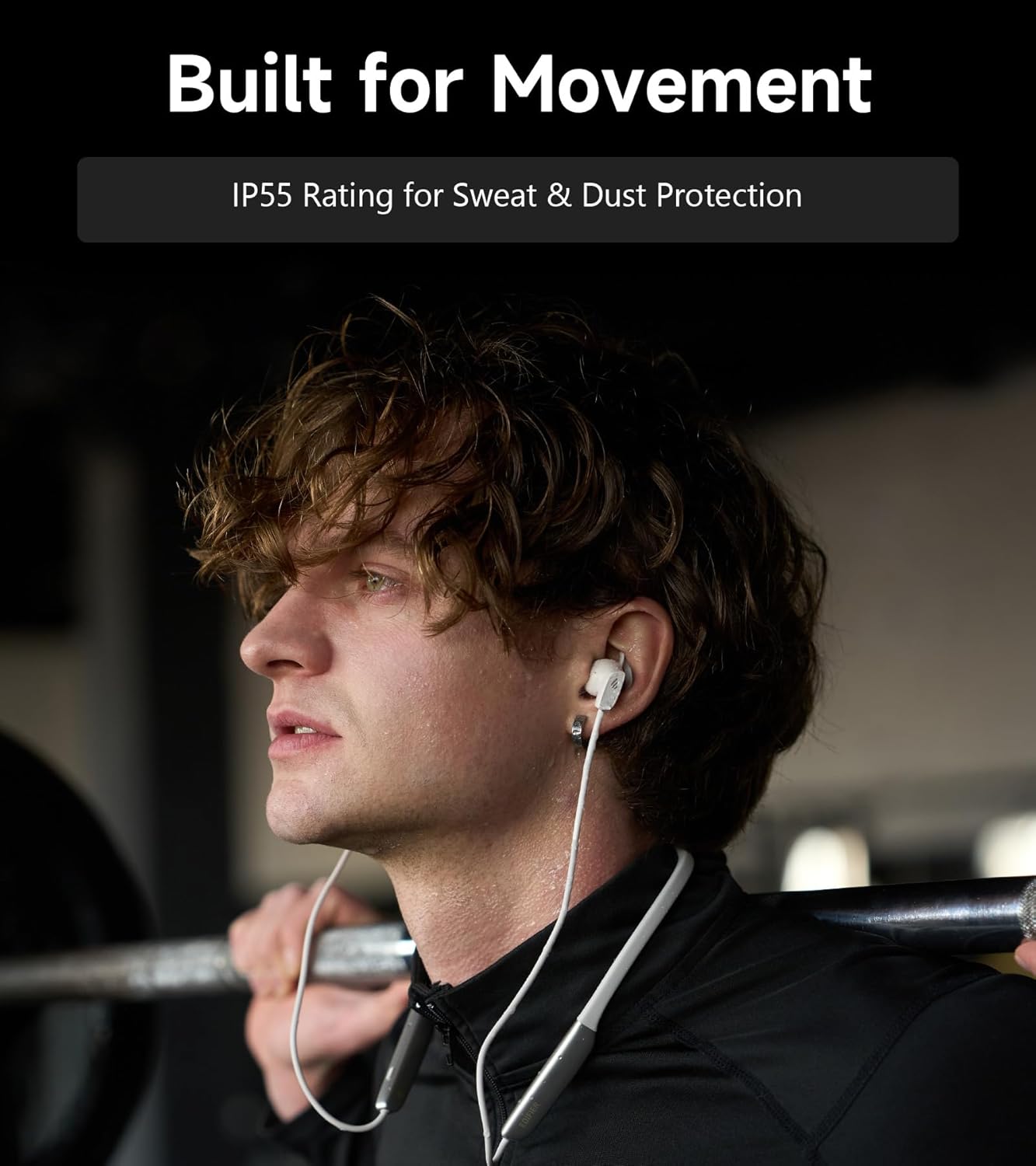
Image: A person wearing the headphones during a workout, illustrating the IP55 sweat and dust protection.
4.2 Emmagatzematge
When not in use, store your headphones properly to prevent damage.
- The earbuds are magnetic, allowing them to snap together for tangle-free storage around your neck or in a bag.
- Emmagatzemar en un lloc fresc i sec, lluny de la llum solar directa i de temperatures extremes.
4.3 Cura de la bateria
- Eviteu descarregar completament la bateria amb freqüència.
- Charge the headphones regularly, even if not used for extended periods, to maintain battery health.
5. Solució De Problemes
If you encounter issues with your Edifier W280NB Pro headphones, refer to the following common problems and solutions.
| Problema | Causa possible | Solució |
|---|---|---|
| Els auriculars no s'engeguen. | Bateria baixa. | Carregueu els auriculars completament. |
| No es pot emparellar amb el dispositiu. | Headphones not in pairing mode. Bluetooth disabled on device. Dispositiu massa lluny dels auriculars. | Ensure headphones are in pairing mode (flashing indicator). Activa el Bluetooth al teu dispositiu. Move device closer to headphones (within 10 meters). Try resetting the headphones (refer to manual for specific reset procedure if available, or power cycle). |
| Sense so o amb un volum baix. | Volume too low on headphones or device. Auriculars no connectats. Sortida d'àudio incorrecta seleccionada al dispositiu. | Increase volume on both headphones and device. Assegureu-vos que els auriculars estiguin correctament emparellats i connectats. Check your device's audio settings to ensure output is set to Edifier W280NB Pro. |
| Mala qualitat de so. | Connexió Bluetooth deficient. Ajust incorrecte de la punta de l'orella. Qualitat de la font d'àudio. | Apropeu-vos més al dispositiu connectat. Ensure ear tips provide a secure seal. Prova una font d'àudio diferent o file. |
| La cancel·lació activa de soroll no és efectiva. | Ajust incorrecte de la punta de l'orella. Incorrect ANC mode selected. Extreme noise conditions. | Ensure ear tips provide a secure seal. Cycle through ANC modes to select the most appropriate one. ANC works best for low-frequency, constant noise. |
| El micròfon no funciona durant les trucades. | Headphones not selected as input device. Micròfon silenciat al dispositiu. | Check your device's call settings to ensure Edifier W280NB Pro is selected for microphone input. Ensure microphone is not muted on your device. |
6. Especificacions
Detailed technical specifications for the Edifier W280NB Pro Neckband Wireless Headphones.
| Característica | Detall |
|---|---|
| Marca | Edificador |
| Nom del model | W280NB Pro |
| Color | Negre |
| Col·locació de l'orella | A l'orella |
| Factor de forma | Banda de coll |
| Impedància | 24 ohms |
| Control de soroll | Cancel·lació activa del soroll |
| Interval de freqüència | 20Hz-40KHz |
| Tipus de controlador d'àudio | Dynamic Driver (10mm with Titanium-Coated Diaphragm) |
| Tecnologia de connectivitat | Sense fil (Bluetooth) |
| Versió Bluetooth | 5.4 |
| Interval Bluetooth | 10 metres (33 peus) |
| Battery Average Life (Playback) | 23 hores (ANC desactivat), 14 hores (ANC activat) |
| Temps de càrrega de la bateria | 1.5 hores |
| Nivell de resistència a l'aigua | IP55 (Dust & Waterproof) |
| Dispositius compatibles | Telèfons intel·ligents, tauletes, ordinadors portàtils, altaveus intel·ligents |
| Material | Silicone (Enclosure) |
| UPC | 628430220005 |
7. Informació de la garantia
The Edifier W280NB Pro Neckband Wireless Headphones come with a 1 anys de garantia del fabricant.
This warranty covers defects in materials and workmanship under normal use. It does not cover damage caused by misuse, accidents, unauthorized modifications, or normal wear and tear. Please retain your proof of purchase for warranty claims.
8. Atenció al client
For further assistance, technical support, or warranty inquiries, please contact Edifier customer service.
- Weblloc: Visit the official Edifier weblloc web amb preguntes freqüents, recursos d'assistència i informació de contacte.
- Correu electrònic/Telèfon: Refer to the Edifier website or your product packaging for specific contact details in your region.