
1. Primers passos
1.1 Contingut del paquet
Assegureu-vos que tots els elements siguin presents al paquet:
- Ulefone Armor Watch Pro x 1
- Cable de càrrega x 1
- Corretges x 2
1.2 Càrrega inicial
Before first use, fully charge your Ulefone Armor Watch Pro. Connect the magnetic charging cable to the charging points on the back of the watch and to a USB power adapter (not included).
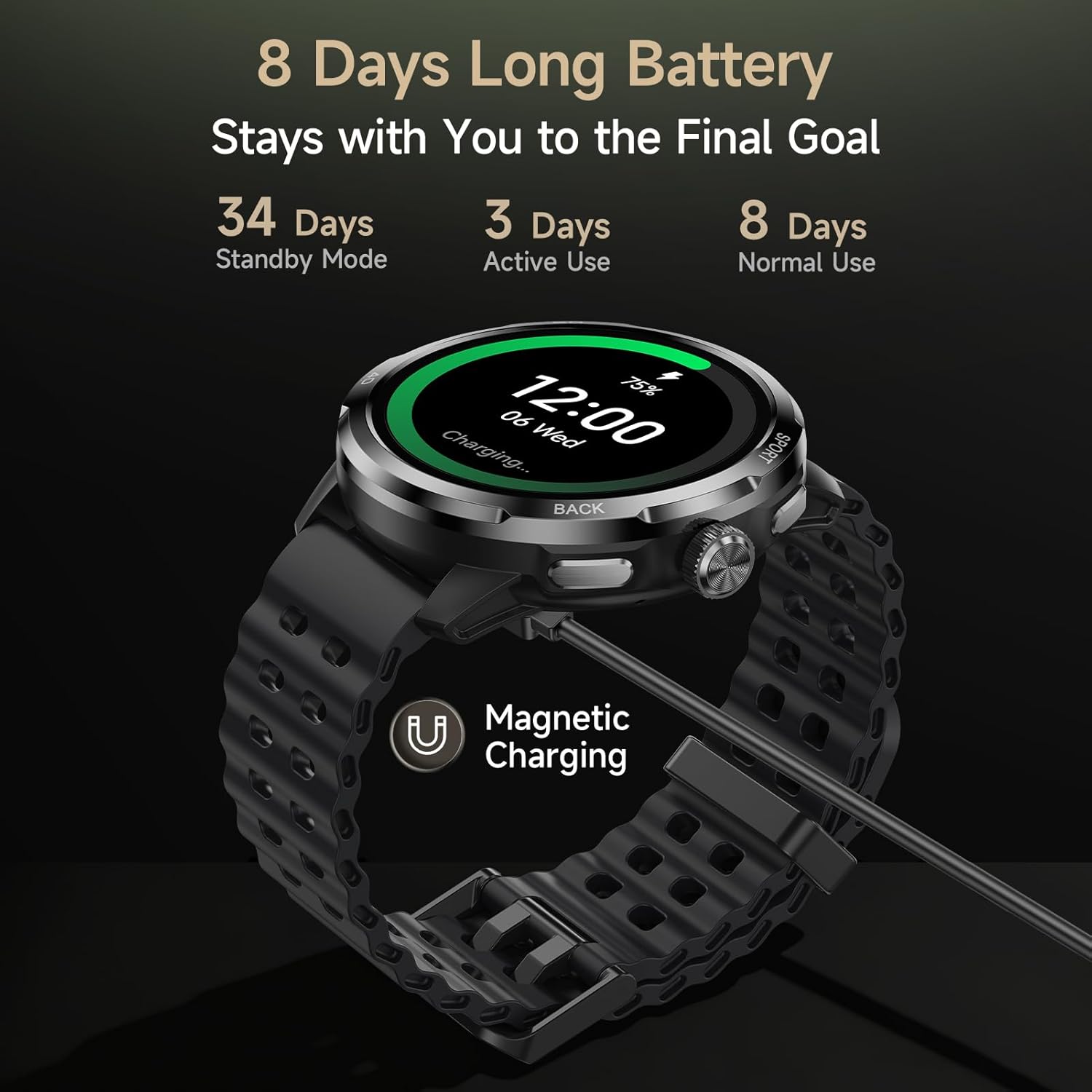
Image: Ulefone Armor Watch Pro connected to its magnetic charging cable, illustrating the charging process and battery life.
1.3 Emparellament amb el telèfon intel·ligent
- Descarrega't el Armor Watch Sync app from your smartphone's app store (available for Android and iOS devices).
- Assegureu-vos que el Bluetooth estigui habilitat al vostre telèfon intel·ligent.
- Open the Armor Watch Sync app and follow the on-screen instructions to search for and pair with your Ulefone Armor Watch Pro.
- Confirma la sol·licitud d'emparellament tant al rellotge com al telèfon intel·ligent.

Image: The Ulefone Armor Watch Pro smartwatch, ready for pairing and use.
2. Com fer funcionar el rellotge intel·ligent
2.1 Navegació bàsica
- Pantalla tàctil: Swipe left/right, up/down to navigate menus and notifications. Tap to select.
- Botons laterals: Use the physical buttons on the side for quick access to functions like sports modes or to return to the home screen.
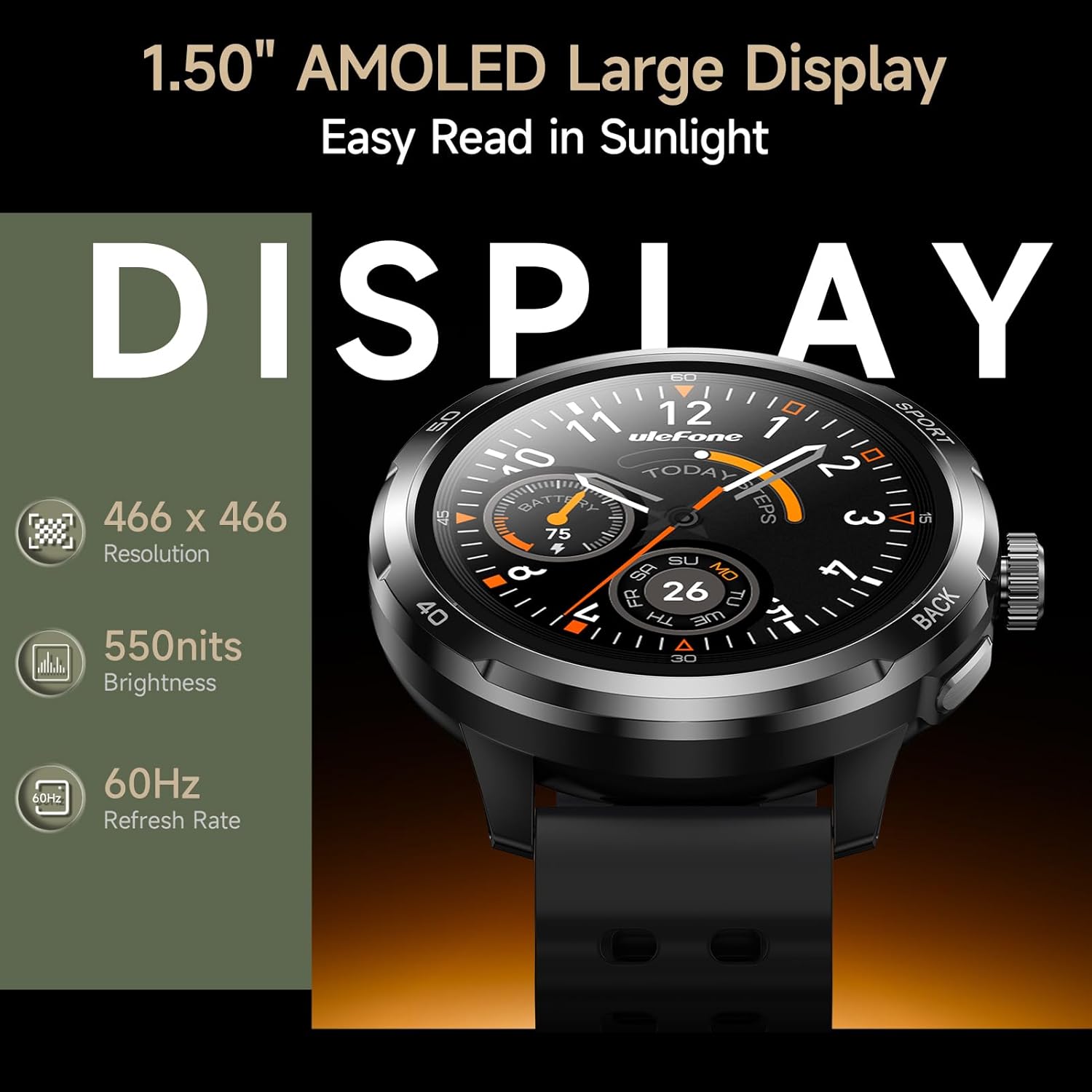
Image: The 1.50" AMOLED display of the Ulefone Armor Watch Pro, highlighting its clarity and resolution.
2.2 Vigilància de la salut
The Armor Watch Pro provides comprehensive 24/7 health tracking:
- Monitorització de la freqüència cardíaca: Registra contínuament la teva freqüència cardíaca.
- Monitorització d'oxigen en sang (SpO2): Mesura els nivells d'oxigen a la sang.
- Seguiment de l'estrès: Monitoritza els nivells d'estrès al llarg del dia.
- Anàlisi de la qualitat del son: Records sleep stages (Light, Deep, REM) and detects naps.
- Alertes de sedentarisme: Et recorda que has de moure't després de períodes d'inactivitat.
- Gestió de la salut de la dona: Provides dedicated tracking features.

Image: Health monitoring features on the Ulefone Armor Watch Pro, showing heart rate, activity, and blood oxygen data.
2.3 Modes esportius i GPS
Choose from over 100 sports modes to accurately track your workouts. The built-in GPS provides precise location tracking for outdoor activities without needing your phone.

Image: A person running outdoors, with the Ulefone Armor Watch Pro displaying GPS tracking information.

Image: The Ulefone Armor Watch Pro displaying a workout screen, surrounded by icons representing over 100 sports modes.
2.4 AI Q&A and AI Watch Faces
Utilize the integrated AI assistant (ChatGPT) by raising your wrist and speaking your question. The watch also supports AI-generated watch faces, allowing for personalized designs based on voice commands.

Image: A user interacting with the AI Q&A feature on the Ulefone Armor Watch Pro, asking questions via voice.
2.5 característiques addicionals
The Ulefone Armor Watch Pro includes a variety of other useful functions:
- Bluetooth 5.3: For stable connectivity.
- Notifications & Calls: Receive alerts and answer calls directly from your wrist.
- Motion Sensing Games: Engage in interactive games.
- Control de música: Manage music playback on your paired phone.
- Temps: Rep actualitzacions meteorològiques en temps real.
- Brúixola: Per a assistència a la navegació.
- Cerca el telèfon: Localitza el teu telèfon intel·ligent perdut.
- Calculator, Alarm, Timer, World Clock, Stopwatch: Essential utility tools.
- Bloqueig de la coberta: Prevents accidental touches.

Image: A visual representation of various additional features available on the Ulefone Armor Watch Pro.
2.6 Producte acabatview Vídeo
Video: Official Ulefone Armor Watch Pro overview, demonstrating key features like sports tracking, GPS, AI assistant, health monitoring, water resistance, and Bluetooth calls.
3. Manteniment i cura
3.1 Durabilitat i resistència a l'aigua
The Ulefone Armor Watch Pro is built to withstand harsh conditions, certified with military-grade MIL-STD-810H and rated 5ATM, IP68, and IP69K. This means it is resistant to dust, dirt, sand, and submersion in water up to 50 meters. It can be worn while washing hands, running in the rain, or swimming. Note: This device is not designed for diving.
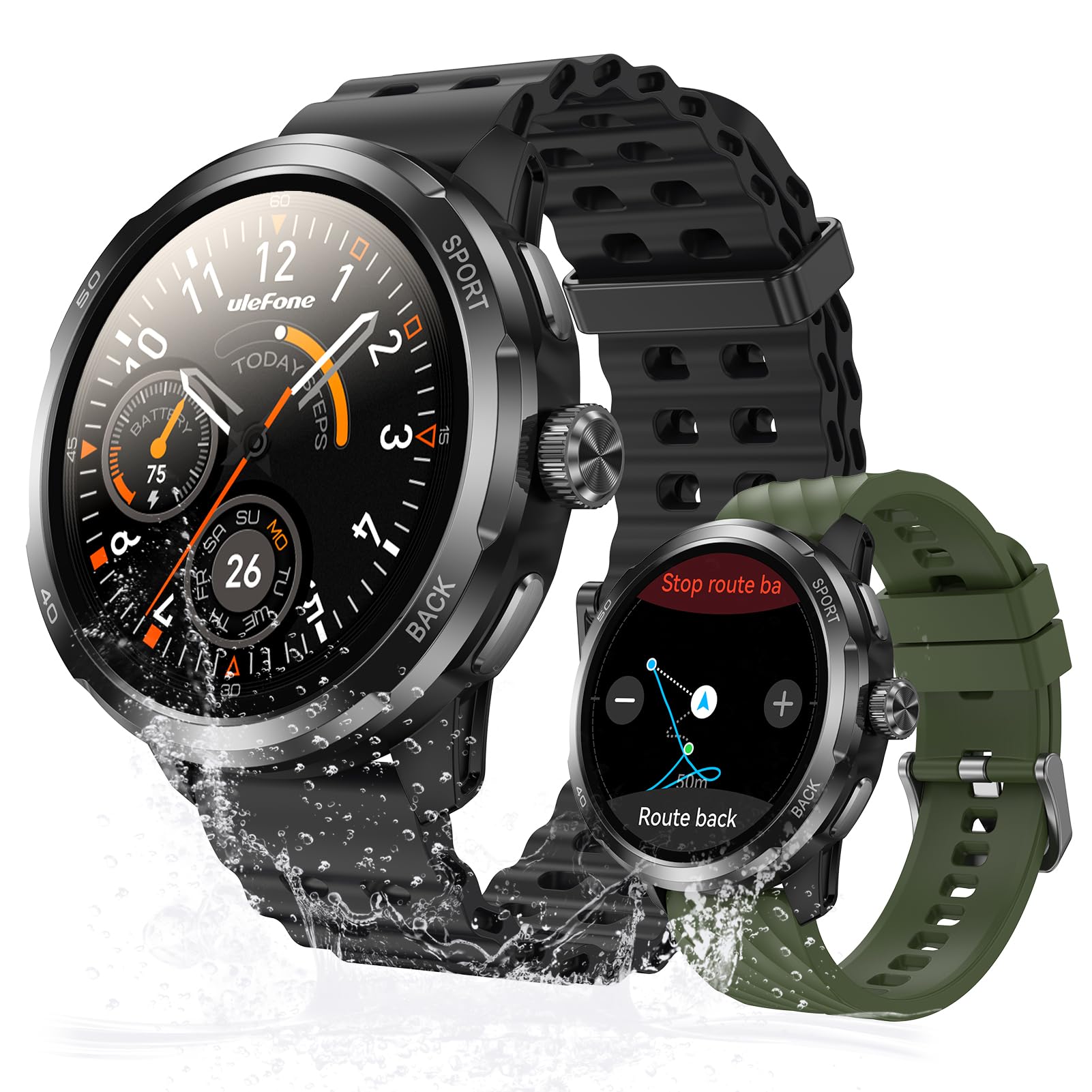
Image: The Ulefone Armor Watch Pro on a wrist, covered in sawdust, highlighting its MIL-STD-810H and IP68/IP69K durability.
3.2 Neteja del rellotge
To maintain optimal performance and appearance, regularly clean your watch. Wipe the screen and body with a soft, damp cloth. For the straps, use mild soap and water if necessary, then rinse thoroughly and dry completely before wearing.
3.3 Durada de la bateria
The Armor Watch Pro offers up to 8 days of battery life under normal use, 3 days under heavy use, and an impressive 34 days in standby mode. For best battery longevity, avoid extreme temperatures and fully charge the device when prompted.
4. Solució De Problemes
If you encounter issues with your Ulefone Armor Watch Pro, refer to the following common solutions:
- El rellotge no s'encén: Assegura't que el rellotge estigui completament carregat. Connecta'l al cable de càrrega i a una font d'alimentació durant almenys 30 minuts.
- No es pot emparellar amb el telèfon: Make sure Bluetooth is enabled on your phone and the watch is within range. Restart both the watch and your phone, then try pairing again through the Armor Watch Sync app.
- Dades de salut inexactes: Assegureu-vos que el rellotge estigui ben ajustat al canell, ni massa ajustat ni massa fluix. Netegeu els sensors de la part posterior del rellotge.
- GPS no rastreja: Assegureu-vos que esteu en una zona oberta a l'aire lliure amb una vista clara view del cel. Espereu que el rellotge rebi un senyal GPS abans de començar l'activitat.
- Notificacions que no apareixen: Check the notification settings in the Armor Watch Sync app and your phone's system settings to ensure permissions are granted for the app to display notifications.
For persistent issues, consult the official Ulefone support resources or contact customer service.
5. Especificacions
| Característica | Detall |
|---|---|
| Nom del model | Ulefone Armor Watch Pro |
| Mida de la pantalla | AMOLED d'1.5 polzades |
| Brillantor de la pantalla | Fins a 550 nits |
| Protecció de pantalla | Corning Gorilla Glass 3 |
| Classificació impermeable | 5ATM, IP68, IP69K |
| Estàndard de durabilitat | MIL-STD-810H |
| GPS | GPS integrat |
| Vigilància de la salut | Heart Rate, Blood Oxygen, Stress, Sleep |
| Modes esportius | 100+ |
| Assistent d'IA | Integració ChatGPT |
| Connectivitat | Bluetooth 5.3 |
| Durada de la bateria (ús normal) | Fins a 8 dies |
| Durada de la bateria (mode d'espera) | Fins a 34 dies |
| Pes | 42 grams |
| Dispositius compatibles | Android Devices, iOS Devices |
6. Garantia i Suport
6.1 Garantia del producte
The Ulefone Armor Watch Pro comes with a Garantia estàndard de 1 anys des de la data de compra. Aquesta garantia cobreix els defectes de fabricació i els mals funcionaments en condicions d'ús normal. No cobreix els danys causats per un mal ús, accidents, modificacions no autoritzades o desgast normal.
Conserveu el vostre comprovant de compra per a reclamacions de garantia.
6.2 Atenció al client
For further assistance, technical support, or warranty inquiries, please visit the official Ulefone website or contact their customer service department. Refer to the contact information provided with your product packaging or on the official Ulefone support page.