
1. Introducció
Thank you for choosing the Spigen Tough Armor MagFit Case for your Pixel 11 Pro. This case is engineered to provide robust protection and enhanced functionality for your device. It features advanced shock absorption technologies and MagFit compatibility for seamless integration with magnetic accessories.

Figure 1: Spigen Tough Armor MagFit Case for Pixel 11 Pro. This image illustrates the case's compatibility with the Pixel 11 Pro and provides a visual overview del seu disseny.
The Tough Armor MagFit case is designed to meet U.S. Military Standard MIL-STD 810H 516.8 for drop protection, ensuring your device is safeguarded against everyday impacts. Its unique multi-layer structure, including an exclusive XRD pad and Air Cushion Technology, works to disperse and absorb shock effectively.

Figure 2: Key features of the Spigen Tough Armor MagFit Case, including MagFit compatibility, XRD shock absorption pad, Air Cushion Technology, and an integrated kickstand.
2. Instal·lació
To install the Spigen Tough Armor MagFit Case on your Pixel 11 Pro, follow these steps:
- Ensure your Pixel 11 Pro is clean and free of dust or debris.
- Align the phone with the bottom edge of the case, ensuring the charging port and speaker cutouts match.
- Gently push the phone into the case, starting from the bottom, then working your way up to the top corners.
- Press firmly around the edges of the phone to ensure the case is securely fitted and all buttons are properly aligned.
The case features a high bezel design to protect your screen and camera when placed on flat surfaces.

Figure 3: The high bezel design of the case provides additional protection for the screen and camera module.
3. Característiques operatives
3.1 Kickstand Functionality
The integrated kickstand allows for convenient hands-free viewing. To use the kickstand:
- Localitza el suport a la part posterior de la carcassa.
- Gently pull the kickstand outwards until it clicks into place.
- Place your phone horizontally on a flat surface to enjoy media content at an optimal viewangle de ing.
- To close, push the kickstand back into its recess until it sits flush with the case.

Figure 4: The kickstand provides a stable viewing angle for hands-free media consumption.
3.2 MagFit and Wireless Charging
The Spigen Tough Armor MagFit Case features powerful built-in magnets for compatibility with MagSafe and Pixelsnap accessories. This allows for secure attachment of magnetic stands, card cases, and other compatible accessories without shifting.
- Align your MagSafe or Pixelsnap accessory with the magnetic ring on the back of the case. The magnets will automatically snap the accessory into place.
- The case supports wireless charging. Simply place your phone with the case on a compatible wireless charger. The MagFit magnets ensure optimal alignment for efficient charging.
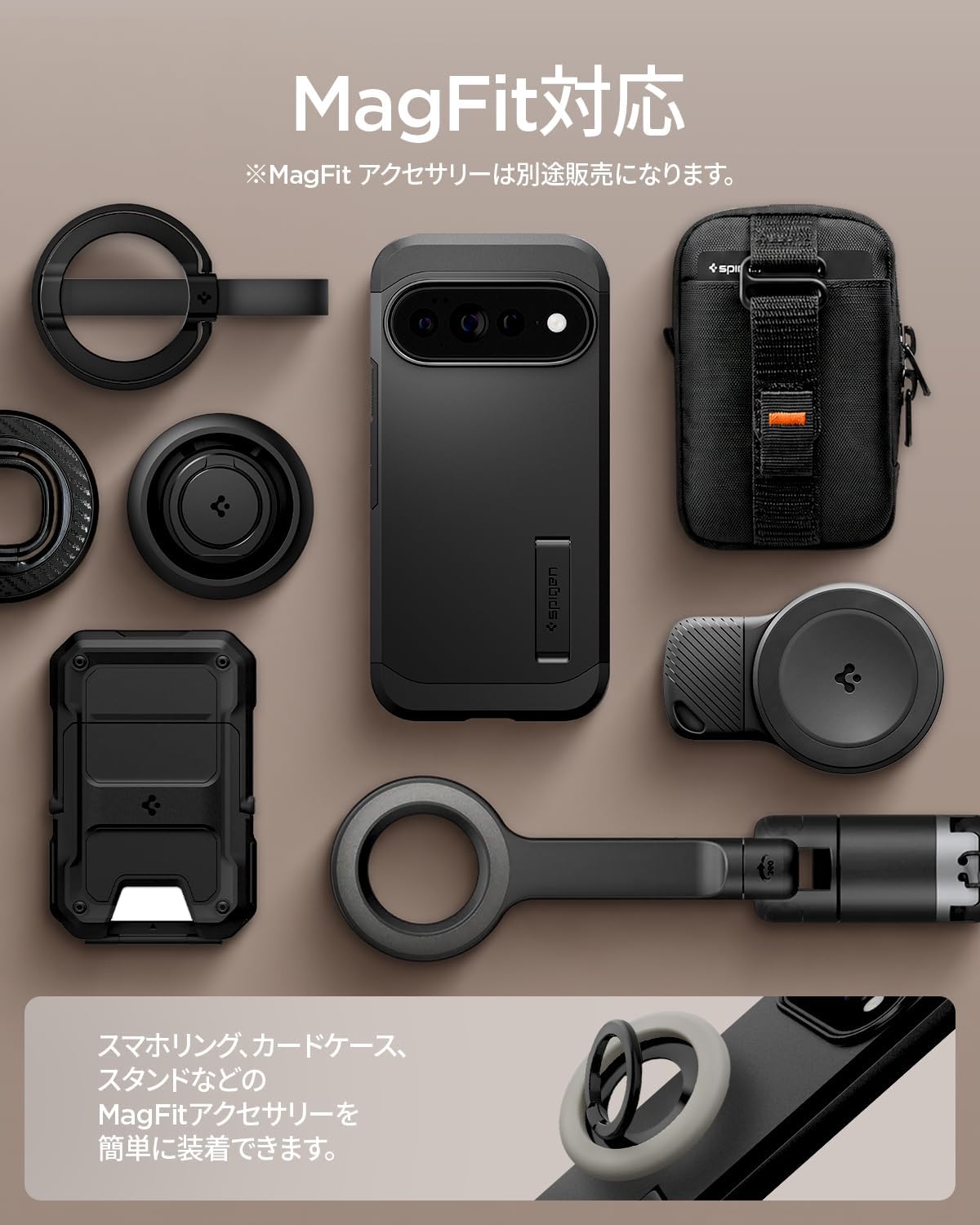
Figure 5: The case's MagFit compatibility allows for easy attachment of various magnetic accessories.
4. Manteniment
To maintain the appearance and functionality of your Spigen Tough Armor MagFit Case:
- Regularly remove the case from your phone and wipe both the phone and the inside of the case with a soft, dry cloth to remove dust and debris.
- For cleaning the case, use a mild soap solution and a soft cloth. Avoid harsh chemicals or abrasive materials, as these can damage the case's finish.
- Ensure the case is completely dry before re-installing it on your phone.
5. Solució De Problemes
If you encounter any issues with your Spigen Tough Armor MagFit Case, consider the following:
- Ajust inadequat: If the case does not seem to fit correctly, remove it and re-install, ensuring proper alignment with all ports and buttons. Verify that you have the correct case model for your Pixel 11 Pro.
- MagFit Accessories Not Holding: Ensure that the MagFit accessory is genuinely compatible and that there is no obstruction between the accessory and the case's magnetic ring.
- Problemes amb la càrrega sense fil: Confirm that your wireless charger is functional and properly aligned with the phone's charging coil through the case. Remove any metal objects or thick accessories that might interfere with wireless charging.
Per obtenir més ajuda, consulteu la secció Garantia i assistència.
6. Especificacions
| Marca | Spigen |
| Model de telèfon compatible | Pixel 11 Pro |
| Color | Negre |
| Dispositius compatibles | Pixel 11 Pro |
| Material | Policarbonat, poliuretà termoplàstic |
| Número de model | ACS11433 |
| Pes de l'article | 53.04 grams |
| Característiques addicionals | Kickstand, Padded, Magnet, Scratch Resistant, Shock Absorption |
| Screen Size Unit | 6.3 polzades |
| Dimensions del producte | 15.9 x 7.8 x 1.4 cm |
7. Garantia i assistència
7.1 Manufacturer's Quality Guarantee
Spigen provides a 365-day manufacturer's quality guarantee for this product. While we strive for perfect product quality, should any manufacturing defects or initial malfunctions occur, we will responsibly handle returns within 365 days of purchase.
7.2 Atenció al client
If you have any questions or concerns regarding your Spigen Tough Armor MagFit Case, please do not hesitate to contact our customer support. You can typically find contact information on the product's purchase page or the official Spigen weblloc.
Our expert customer service staff are available to provide prompt and thorough support for any product-related inquiries.
