
1. Introducció
Thank you for choosing Auxmir Smart A19 RGB+CCT LED Light Bulbs. These smart bulbs offer a wide range of colors and tunable white light, controllable via Wi-Fi, Bluetooth, remote, or voice commands through Amazon Alexa and Google Assistant. This manual provides essential information for safe installation, operation, and maintenance of your smart light bulbs.
2. Informació de seguretat
- Només per a ús interior: These bulbs are designed for indoor use. Do not install in wet or humid locations.
- Apagar abans de la instal·lació: Sempre desconnecteu l'alimentació de l'aparell abans d'instal·lar o treure la bombeta.
- Vol adequattage: Assegureu-vos que el volum de l'aparelltage is compatible with the bulb (AC100-130V).
- Compatibilitat del regulador: Do not use with standard dimmer switches. Dimming is controlled via the app or voice commands.
- Eviteu accessoris tancats: Do not install in fully enclosed fixtures, as this can trap heat and shorten the bulb's lifespan.
- Mantenir allunyat de l'aigua: Eviteu l'exposició a l'aigua o altres líquids.
3. Contingut del paquet
- Auxmir Smart A19 RGB+CCT LED Light Bulb (2-Pack)
- Control remot (1)
- Manual d'usuari (Aquest document)
4. Característiques del producte
- RGB+CCT Color Changing: 16 million RGB colors and tunable white light (2700K warm white to 6500K cool daylight).
- Connectivitat dual: Supports both Wi-Fi (2.4GHz only) and Bluetooth for flexible control.
- Múltiples mètodes de control: Control via Briturn App, included remote, or voice commands with Alexa and Google Home.
- No es requereix concentrador: Connects directly to your 2.4GHz Wi-Fi network.
- Sincronització de música: Lights change color and brightness in rhythm with music.
- Modes d'escena: Pre-set scenes and customizable DIY effects (fading, flashing, breathing).
- Programació i temporitzador: Set schedules for automatic on/off and brightness adjustments.
- Eficient energètic: 9W power consumption, equivalent to a 60W incandescent bulb, delivering 800 lumens.
- Llarga vida útil: Fins a 20,000 hores de funcionament.
5. Configuració
5.1 Instal·lació física
- Assegureu-vos que l'alimentació de la lluminària estigui apagada a l'interruptor abans de la instal·lació.
- Carefully screw the Auxmir Smart Light Bulb into a standard E26 base socket.
- Turn on the power to the light fixture. The bulb should flash, indicating it is in pairing mode.
5.2 App Download and Pairing (Briturn App)
The Briturn App is required for full smart functionality. Ensure your mobile device is connected to a 2.4GHz Wi-Fi network.
- Descarrega l'aplicació: Cerca "Briturn" in the Apple App Store or Google Play Store, or scan the QR code provided in the product packaging.
- Registra't/Iniciar sessió: Open the Briturn App and create a new account or log in if you already have one.
- Afegeix un dispositiu: Toqueu la icona "+" o el botó "Afegeix dispositiu" a l'aplicació.
- Seleccioneu el tipus de dispositiu: Choose "Lighting" or "Light Source (Wi-Fi)" from the device list.
- Confirm Pairing Mode: Ensure your bulb is flashing rapidly. If not, turn the bulb off and on 3 times (on-off-on-off-on) until it flashes.
- Connecta't a Wi-Fi: Introduïu el nom i la contrasenya de la vostra xarxa Wi-Fi de 2.4 GHz a l'aplicació.
- Maridatge: The app will begin searching for the bulb. Once found, the bulb will stop flashing and remain steadily lit.
- Canvia el nom del dispositiu: You can rename the bulb for easier control (e.g., "Living Room Light").
Control Bluetooth: If your Wi-Fi is unavailable, you can still control the bulb directly via Bluetooth within a 40-meter (130 feet) range using the Briturn App. Ensure Bluetooth is enabled on your phone.
5.3 Voice Assistant Integration (Alexa & Google Home)
To enable voice control, link your Briturn account to Amazon Alexa or Google Assistant.
- Obriu l'aplicació Assistent de veu: Obre l'aplicació Amazon Alexa o Google Home al teu dispositiu mòbil.
- Afegeix dispositiu/habilitat: Navegueu fins a la secció "Habilitats i jocs" (Alexa) o "Funciona amb Google" (Google Home).
- Cerca Briturn: Cerca the "Briturn" skill/service.
- Enable Skill/Link Account: Enable the Briturn skill and link it to your Briturn account using your Briturn login credentials.
- Descobriu els dispositius: Un cop enllaçat, demana al teu assistent de veu que "Descobreixi dispositius" o inicia manualment la detecció de dispositius a l'aplicació.
- Comandaments de veu: Ara podeu utilitzar ordres de veu com ara:
- "Alexa, turn on Living Room Light."
- "Hey Google, dim Bedroom Light to 50%."
- "Alexa, change Kitchen Light to blue."
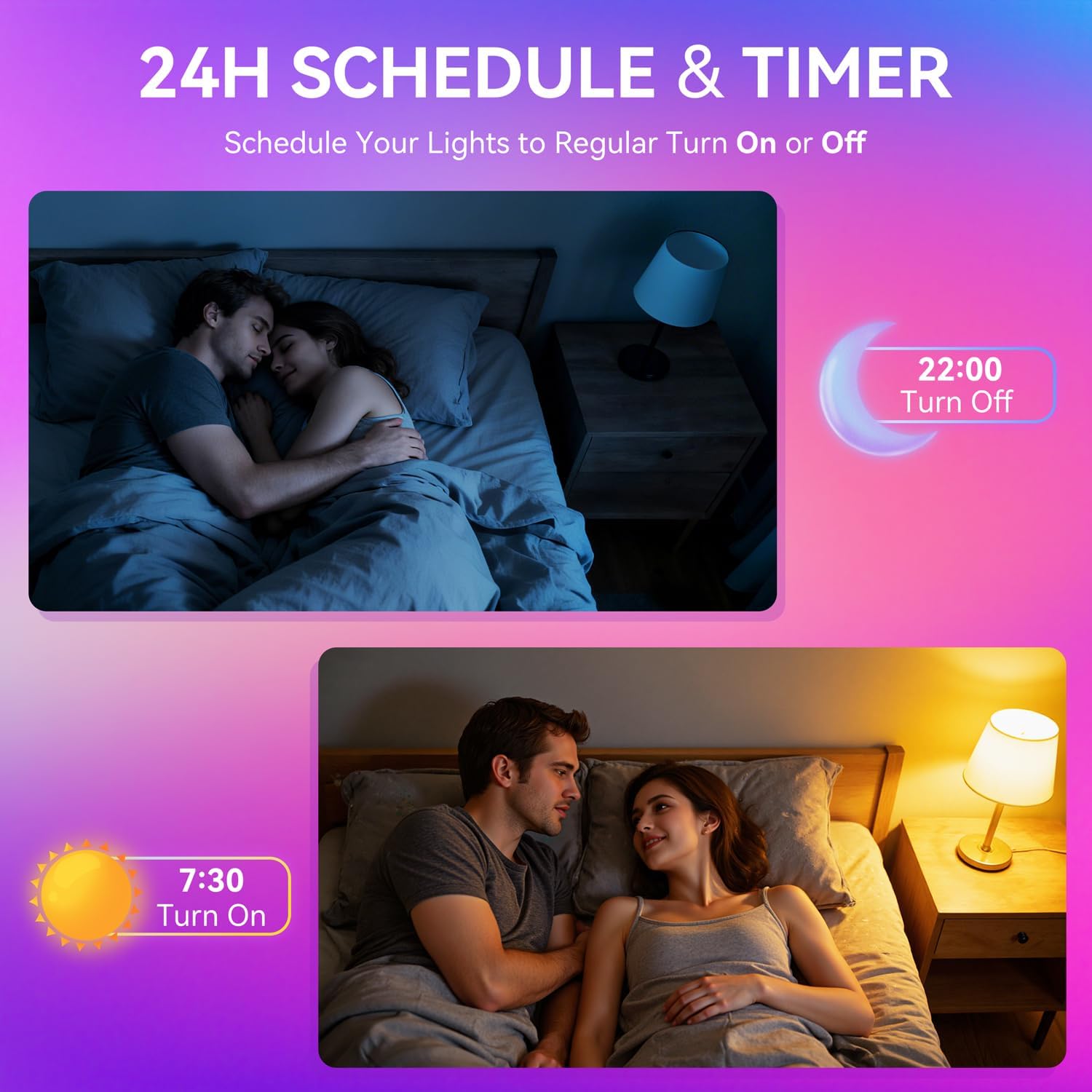
Image: A woman interacting with a smart speaker to control her Auxmir smart light bulb, demonstrating voice control functionality.
6. Instruccions de funcionament
6.1 Control del color i la brillantor
- Selecció de color: In the Briturn App, select your bulb and choose from 16 million RGB colors using the color wheel.
- Blanc ajustable: Adjust the white light temperature from 2700K (warm white) to 6500K (cool daylight) to suit your preference.
- Dimecres: Use the brightness slider in the app or voice commands to adjust brightness from 1% to 100%.

Image: Three Auxmir smart bulbs showcasing their ability to display a wide range of RGB colors and tunable white light, from warm to cool.
6.2 modes d'escena
The Briturn App offers various pre-set scenes and allows you to create custom lighting effects.
- Pre-set Scenes: Select from modes like Movie, Sleep, Festival, and more to instantly change the ambiance of your room.
- DIY Scenes: Create your own custom lighting effects by adjusting colors, brightness, and transition styles (fading, flashing, breathing). Save these as personal scenes for quick access.

Imatge: Un example of a living space transformed by Auxmir smart lighting, demonstrating various scene modes and their impact on room ambiance.
6.3 Sincronització de música
Synchronize your lights with music playing on your phone or through the phone's microphone.
- In the Briturn App, select the Music Sync feature.
- Choose from modes like Party, Dynamic, Calm, or Auto Rhythm.
- The bulbs will change colors and brightness according to the rhythm and beat of the music detected by your phone's microphone.

Image: A visual representation of the music sync feature, where Auxmir smart bulbs change colors and patterns in response to music, creating a dynamic atmosphere.
6.4 Programació i temporitzador
Automatitza la il·luminació amb programacions i temporitzadors.
- In the Briturn App, navigate to the "Schedule" or "Timer" section for your bulb.
- Set specific times for the bulb to turn on or off.
- Customize brightness and color for scheduled events (e.g., a warm light to wake up, a dim light for bedtime).
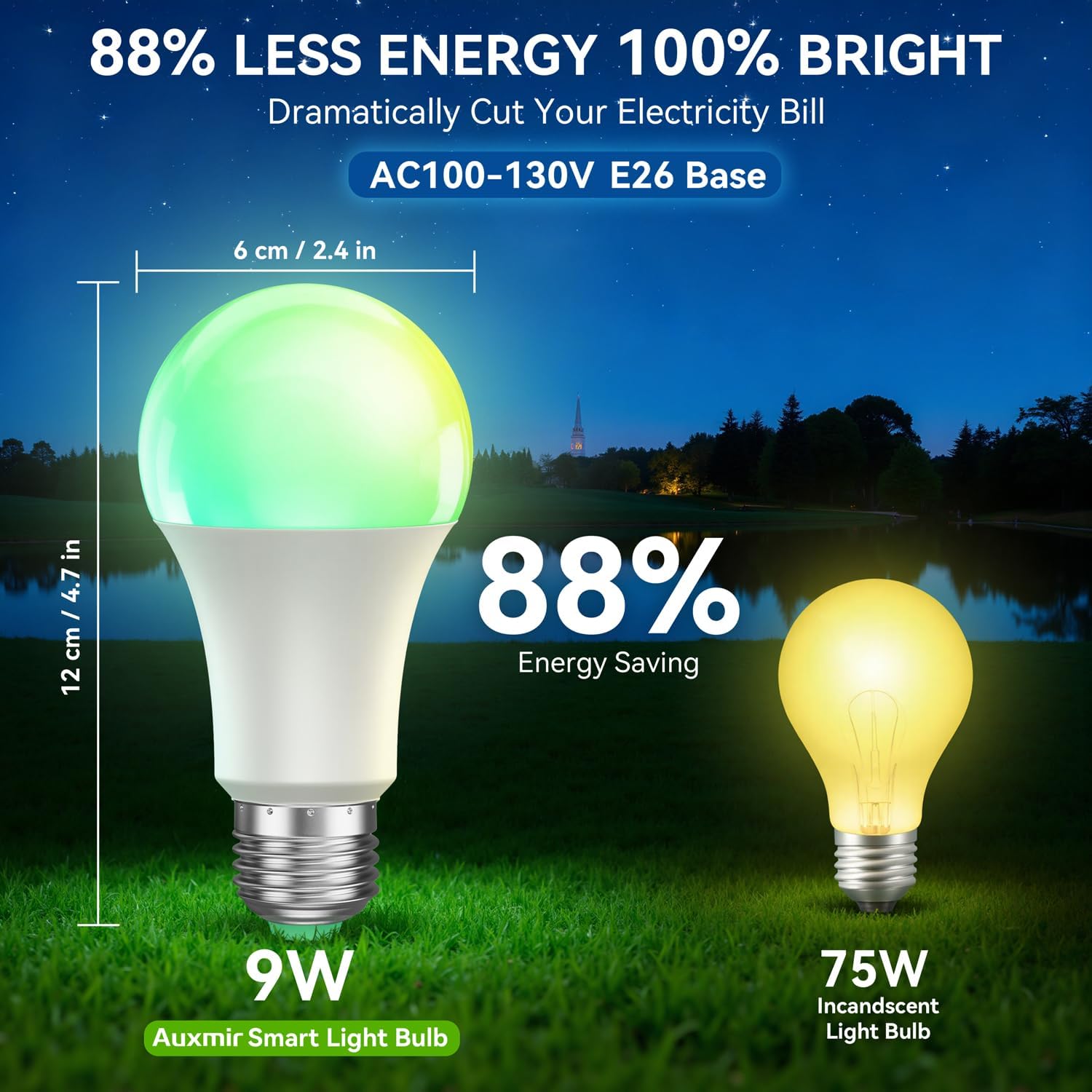
Image: Illustrations depicting the scheduling feature, where Auxmir smart bulbs can be programmed to turn on and off at specific times, such as for waking up or going to bed.
6.5 Control de grup
Control multiple Auxmir smart bulbs simultaneously.
- In the Briturn App, go to the device list.
- Select the option to create a "Group."
- Add the desired bulbs to the group (e.g., "Living Room Lights").
- You can now control all bulbs in the group with a single command or tap, adjusting their color, brightness, and scenes together.

Image: A diagram illustrating how Auxmir smart bulbs can be grouped and controlled across different rooms in a home, enabling synchronized lighting for various activities.
7. Manteniment
- Neteja: Assegureu-vos que la bombeta estigui apagada i freda abans de netejar-la. Netegeu-la amb un drap suau i sec. No utilitzeu netejadors líquids.
- Substitució: When the bulb reaches the end of its lifespan, replace it with another Auxmir Smart A19 LED Light Bulb or a compatible E26 LED bulb.
- Emmagatzematge: Si guardeu la bombeta, guardeu-la en un lloc fresc i sec, allunyat de la llum solar directa i de temperatures extremes.
8. Solució De Problemes
| Problema | Causa possible | Solució |
|---|---|---|
| La bombeta no s'encén | No hi ha alimentació al llum; La bombeta no està ben cargolada; La bombeta està defectuosa. | Check power switch and circuit breaker. Ensure bulb is securely screwed in. Test bulb in another fixture. |
| La bombeta no es connecta a la Wi-Fi | Incorrect Wi-Fi password; Not a 2.4GHz network; Bulb not in pairing mode; Router too far. | Verify Wi-Fi password. Ensure you are on a 2.4GHz network. Reset bulb to pairing mode (on-off-on-off-on). Move bulb closer to router. |
| El control de veu no funciona | Briturn skill not enabled/linked; Incorrect device name; Voice assistant not connected to internet. | Ensure Briturn skill is enabled and linked in Alexa/Google Home app. Use the exact device name. Check internet connection of your voice assistant device. |
| El comandament a distància no funciona | Battery depleted; Obstruction between remote and bulb; Remote not paired. | Replace remote battery. Ensure clear line of sight. Refer to remote pairing instructions (if applicable, usually automatic). |
| Bulb flickering or unstable light | Loose connection; Electrical interference; Faulty bulb. | Check bulb connection. Ensure no other devices are causing interference. If problem persists, contact support. |
9. Especificacions
| Característica | Especificació |
|---|---|
| Número de model | ZJ-BWBL1L-RGBWW-2PP-BT |
| Mida de la forma del bulb | A19 |
| Base del bulb | E26 |
| Wattage | 9 watts |
| Equivalent incandescent | 60 watts |
| Brillantor | 800 lúmens |
| Color clar | Multicolor (RGB) + Tunable White (2700K-6500K) |
| Regulable | 1% - 100% via App/Voice |
| Connectivitat | Wi-Fi 2.4 GHz, Bluetooth |
| Mètode de control | Aplicació, comandament a distància, veu (Alexa, Assistent de Google) |
| Entrada Voltage | AC100-130V |
| Vida útil | 20,000 hores |
| Ús interior/exterior | Només interior |
| Dimensions (W x H) | 6 cm x 12 cm |
| Material | Vidre |
10. Garantia i Suport
10.1 Informació de la garantia
Auxmir Smart Light Bulbs come with a 3 any de garantia des de la data de compra. Aquesta garantia cobreix els defectes de fabricació i els mals funcionaments en condicions d'ús normal. No cobreix els danys causats per un mal ús, accidents, modificacions no autoritzades o instal·lació incorrecta.
10.2 Atenció al client
If you encounter any issues or have questions regarding your Auxmir Smart Light Bulbs, please contact our customer support team:
- Correu electrònic: [Inseriu aquí el correu electrònic d'atenció al client]
- Telèfon: [Inseriu aquí el número de telèfon d'atenció al client]
- Weblloc: Visit the official Auxmir weblloc web per a preguntes freqüents i recursos addicionals.
Please have your model number (ZJ-BWBL1L-RGBWW-2PP-BT) and purchase details ready when contacting support.