
Introducció
Thank you for choosing the OneOdio Focus A1Pro Wireless On-Ear Headphones. This manual provides detailed instructions for setting up, operating, maintaining, and troubleshooting your new headphones. Please read this manual thoroughly before use to ensure optimal performance and longevity of your device.
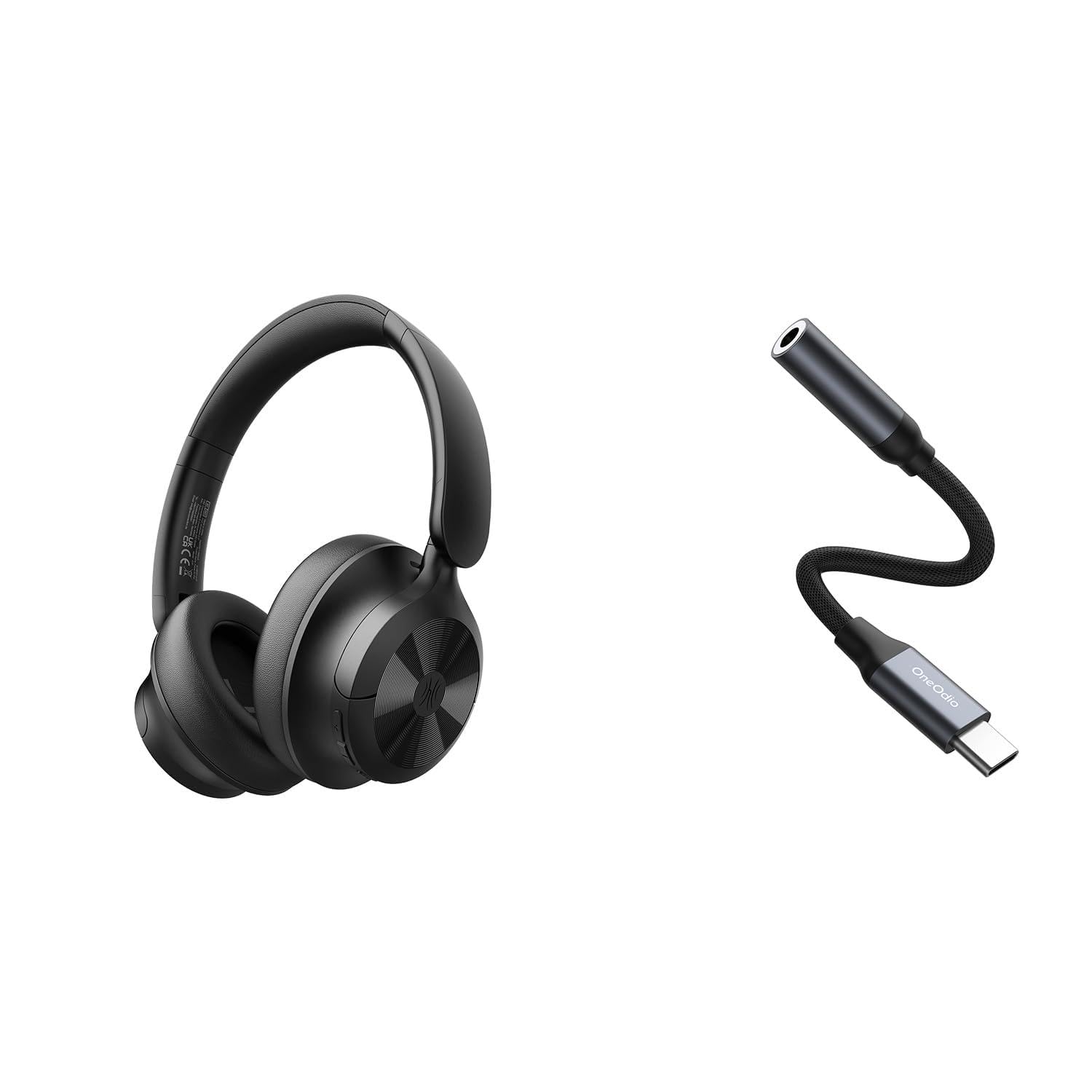
Image: OneOdio Focus A1Pro Wireless On-Ear Headphones. This image displays the headphones in their typical on-ear design, showcasinels auriculars i la diadema.
Contingut del paquet
Si us plau, comproveu el paquet per veure si hi ha els elements següents:
- OneOdio Focus A1Pro Wireless On-Ear Headphones
- Adaptador d'àudio USB-C a 3.5 mm
- Cable de càrrega USB-C
- Bossa de transport
- Manual d'usuari (aquest document)
Configuració
1. Càrrega dels auriculars
Before first use, fully charge the headphones. Connect the USB-C charging cable to the charging port on the headphones and the other end to a USB power source (e.g., computer USB port, wall adapter). The LED indicator will show charging status and turn off or change color when fully charged.

Image: Close-up of the USB-C charging port on the OneOdio Focus A1Pro headphones, with a charging cable connected.
2. Encès / apagat
- Per encendre: Press and hold the Multi-function button for approximately 3 seconds until the LED indicator flashes blue.
- Per apagar: Press and hold the Multi-function button for approximately 3 seconds until the LED indicator flashes red and then turns off.
3. Emparellament Bluetooth
- Assegureu-vos que els auriculars estiguin apagats.
- Press and hold the Multi-function button for 5-7 seconds until the LED indicator flashes red and blue alternately. This indicates pairing mode.
- Al dispositiu (telèfon intel·ligent, tauleta, ordinador), activeu el Bluetooth i cerqueu els dispositius disponibles.
- Select "OneOdio A1Pro" from the list of found devices.
- Un cop connectat, l'indicador LED parpellejarà blau lentament.
- Si cal una contrasenya, introduïu "0000".
Els auriculars intentaran tornar a connectar-se automàticament amb l'últim dispositiu emparellat quan s'engeguin.
4. Wired Connection (using USB-C to 3.5mm Audio Adapter)
For a wired connection, use the provided USB-C to 3.5mm audio adapter. This allows you to connect the headphones to devices with a standard 3.5mm audio jack.
- Plug the USB-C end of the adapter into the USB-C port on the headphones.
- Plug the 3.5mm end of the adapter into the 3.5mm audio jack of your audio source device.
- Ensure the headphones are powered off for wired mode to function correctly and conserve battery.

Image: The OneOdio Focus A1Pro headphones connected to an audio source via the USB-C to 3.5mm audio adapter.
Instruccions de funcionament
Controls acabatsview
The headphones feature intuitive controls located on the earcup. Familiarize yourself with these buttons for seamless operation.

Image: Diagram showing the location and function of control buttons on the OneOdio Focus A1Pro headphones, including volume, multi-function, and ANC buttons.
Reproducció de música
- Reproduir/pausa: Premeu el botó multifunció una vegada.
- Pista següent: Premeu i manteniu premut el botó de pujar el volum durant 2 segons.
- Pista anterior: Premeu i manteniu premut el botó per baixar el volum durant 2 segons.
- Pujar el volum: Premeu breument el botó de pujar el volum.
- Baixar el volum: Premeu breument el botó per baixar el volum.
Gestió de trucades
- Respondre/Finalitzar la trucada: Premeu el botó multifunció una vegada.
- Rebutja la trucada: Manteniu premut el botó multifunció durant 2 segons.
- Torna a marcar l'últim número: Premeu dues vegades el botó multifunció.
Cancel·lació activa de soroll (ANC)
The Focus A1Pro headphones feature Active Noise Cancellation to reduce ambient noise.
- Activa l'ANC: Press the ANC button once. The ANC indicator light will turn green.
- Desactiva l'ANC: Premeu el botó ANC una altra vegada. L'indicador lluminós ANC s'apagarà.
Portant els auriculars
Adjust the headband to fit comfortably over your head. The earcups should fully cover your ears for optimal sound quality and noise cancellation. The earcups are typically marked 'L' for left and 'R' for right.
Manteniment
Neteja
- Netegeu els auriculars amb un drap suau, sec i sense borrissol.
- No utilitzeu netejadors abrasius, alcohol ni dissolvents químics.
- Eviteu que entri humitat a cap obertura.
- Les coixinetes de les orelles es poden netejar suaument amb un toc lleuger.amp cloth and mild soap solution, then dried thoroughly.
Emmagatzematge
When not in use, store the headphones in the provided carrying pouch to protect them from dust and scratches. Store in a cool, dry place away from extreme temperatures.
Cura de la bateria
- Eviteu descarregar completament la bateria amb freqüència.
- Charge the headphones regularly, even if not used for extended periods, to maintain battery health.
- Do not expose the headphones to high temperatures, as this can degrade battery performance.
Resolució de problemes
Sense poder
- Assegureu-vos que els auriculars estiguin completament carregats.
- Press and hold the Multi-function button for 3 seconds to power on.
Sense so
- Bluetooth:
- Ensure the headphones are paired and connected to your device.
- Check the volume level on both the headphones and your device.
- Prova de desvincular i tornar a vincular els auriculars.
- Amb cable:
- Ensure the USB-C to 3.5mm adapter is securely connected to both the headphones and the audio source.
- Verify the audio source is playing and its volume is up.
- Test with a different audio cable or device if possible.
Problemes de connexió Bluetooth
- Ensure the headphones are in pairing mode (red and blue flashing LED).
- Acosta els auriculars al dispositiu.
- Clear the Bluetooth list on your device and try pairing again.
- Eviteu interferències d'altres dispositius sense fil.
Reinicialització dels auriculars
If you experience persistent issues, you can try resetting the headphones to their factory settings. (Note: Specific reset procedures vary by model. A common method is to press and hold the Multi-function and Volume Down buttons simultaneously for 5-10 seconds while powered on, or connect to power while holding a button. Refer to the manufacturer's official support for exact steps if this general method does not work.)
Especificacions
| Nom del model | Focus A1Pro |
| Versió Bluetooth | 5.0 (Estimated, common for modern headphones) |
| Diàmetre del conductor | 40 mm (Estimat) |
| Resposta de freqüència | 20Hz - 20kHz (Típic) |
| Capacitat de la bateria | 500 mAh (Estimat) |
| Temps de càrrega | Aprox. 2-3 hores |
| Temps de reproducció | Fins a 30 hores (Varies with volume and ANC usage) |
| Pes | Approx. 250g (Estimat) |
Note: Specifications are subject to change without notice. Actual performance may vary.
Garantia i Suport
Informació de la garantia
OneOdio products are covered by a limited warranty from the date of purchase. This warranty covers manufacturing defects in materials and workmanship. It does not cover damage caused by misuse, accidents, unauthorized modifications, or normal wear and tear. Please retain your proof of purchase for warranty claims.
Atenció al client
For technical support, warranty inquiries, or other assistance, please contact OneOdio customer service through their official weblloc web o el venedor on vau comprar el producte.
Oficial Weblloc: www.oneodio.com
Suport per correu electrònic: support@oneodio.com


