
Introducció
This manual provides detailed instructions for the setup, operation, and maintenance of your Mesqool 11.5-inch Digital Wall Clock & Projection Alarm Clock. Please read this manual thoroughly before using the product to ensure proper function and longevity.
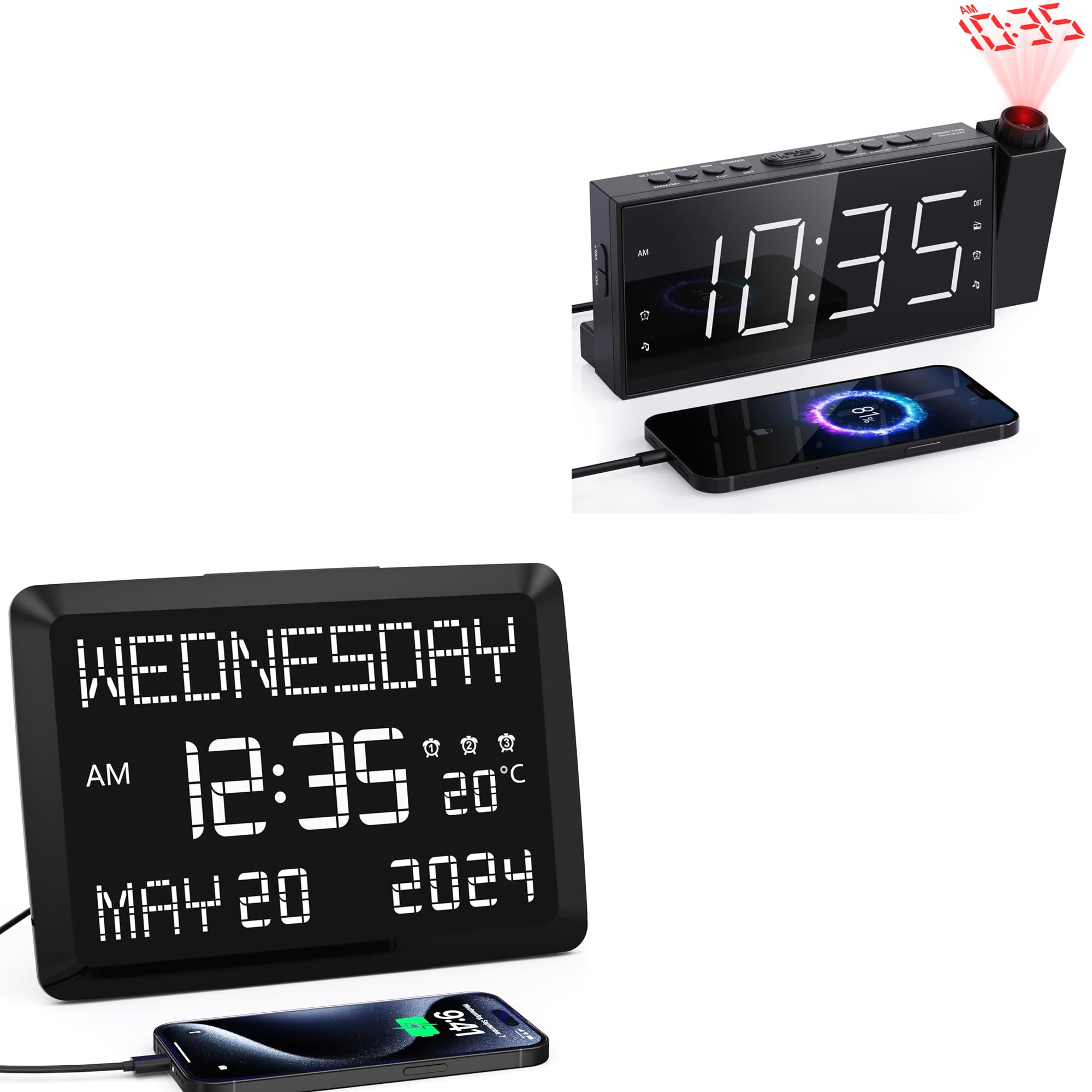
Image: The Mesqool 11.5-inch Digital Wall Clock, showcasing its large display with time, date, and temperature.
Instruccions de configuració
1. Desembalatge i connexió elèctrica
- Traieu amb cura el rellotge i tots els accessoris de l'embalatge.
- Connect the provided power adapter to the DC input port on the back of the clock.
- Connecteu l'adaptador de corrent a una presa de corrent estàndard. La pantalla del rellotge s'il·luminarà.
2. Opcions de col·locació
The clock can be placed on a desk or mounted on a wall.
- Suport d'escriptori: Insert the removable stand into the designated slot on the back of the clock for stable tabletop placement.
- Muntatge en paret: Use the keyhole slot on the back of the clock to hang it securely on a wall hook or screw (not included).
3. Configuració inicial de la data i l'hora
Upon initial power-up, you may need to set the correct time and date. Refer to the "Setting Time and Date" section under Operating Instructions for detailed steps.
Instruccions de funcionament
1. Display Features and Brightness
The clock features an 11.5-inch large digital display showing time, date, day of the week, and indoor temperature. The display brightness is adjustable.

Image: The clock's large display, clearly showing the day, time, temperature, and full date.
- Ajust de brillantor: The display has 5 intensity levels. Use the dedicated brightness button (often labeled "DIMMER" or similar) to cycle through the levels.
- Visualització de la temperatura: The indoor temperature can be displayed in Fahrenheit (°F) or Celsius (°C). Refer to the control buttons on the clock for switching between units.

Image: Illustration of the 5 adjustable brightness levels of the clock display, demonstrating suitability for various environments including a bedroom.
2. Configuració de l'hora i la data
Specific buttons (e.g., "SET", "MODE", "UP", "DOWN") are used to adjust time and date. Consult the button labels on your device.
- Press the "SET" or "MODE" button to enter time setting mode.
- Use the "UP" and "DOWN" buttons to adjust the hour, then press "SET" or "MODE" to confirm.
- Repetiu-ho per a minuts, any, mes i dia.
- Press "SET" or "MODE" again to exit setting mode.
3. Funció de despertador
The clock supports up to 3 separate alarms, configurable for weekdays, weekends, or daily.

Image: The clock display showing a specific time and date, highlighting its capability for multiple alarms.
- Press the "ALARM" button (or similar) to select Alarm 1, 2, or 3.
- Press and hold the "ALARM" button to enter alarm setting mode.
- Use "UP" and "DOWN" buttons to set the desired alarm time (hour and minute).
- Press "ALARM" to confirm and proceed to set the alarm mode (e.g., daily, weekday, weekend).
- Press "ALARM" again to save and exit.
- Wake-up Modes: Choose between a buzzer sound or FM radio as your alarm sound. This option is typically set during the alarm configuration process.

Image: Visual representation of the two available wake-up modes: buzzer and FM radio alarm.
4. Funcionament de la ràdio FM
The clock includes an FM radio with 20 preset stations and adjustable volume (87.5–108 MHz).

Image: The Mesqool clock highlighting its FM radio capabilities, including frequency range, preset stations, volume levels, and sleep timer.
- Activació/desactivació: Press the "RADIO" button to turn the FM radio on or off.
- Scanning Stations: Press and hold the "SCAN" or "TUNE" button to automatically scan and save available FM stations.
- Seleccionant preajustos: Use the "PRESET" or "MEM" buttons to cycle through saved stations.
- Ajust de volum: Use the dedicated volume buttons (often on the side) to increase or decrease the sound level.
- Temporitzador de son: Activate the sleep timer function to have the radio turn off automatically after a set duration (e.g., 10-90 minutes).
5. Time Projection Feature
The clock can project the time onto a wall or ceiling with adjustable angle, flip, and focus.
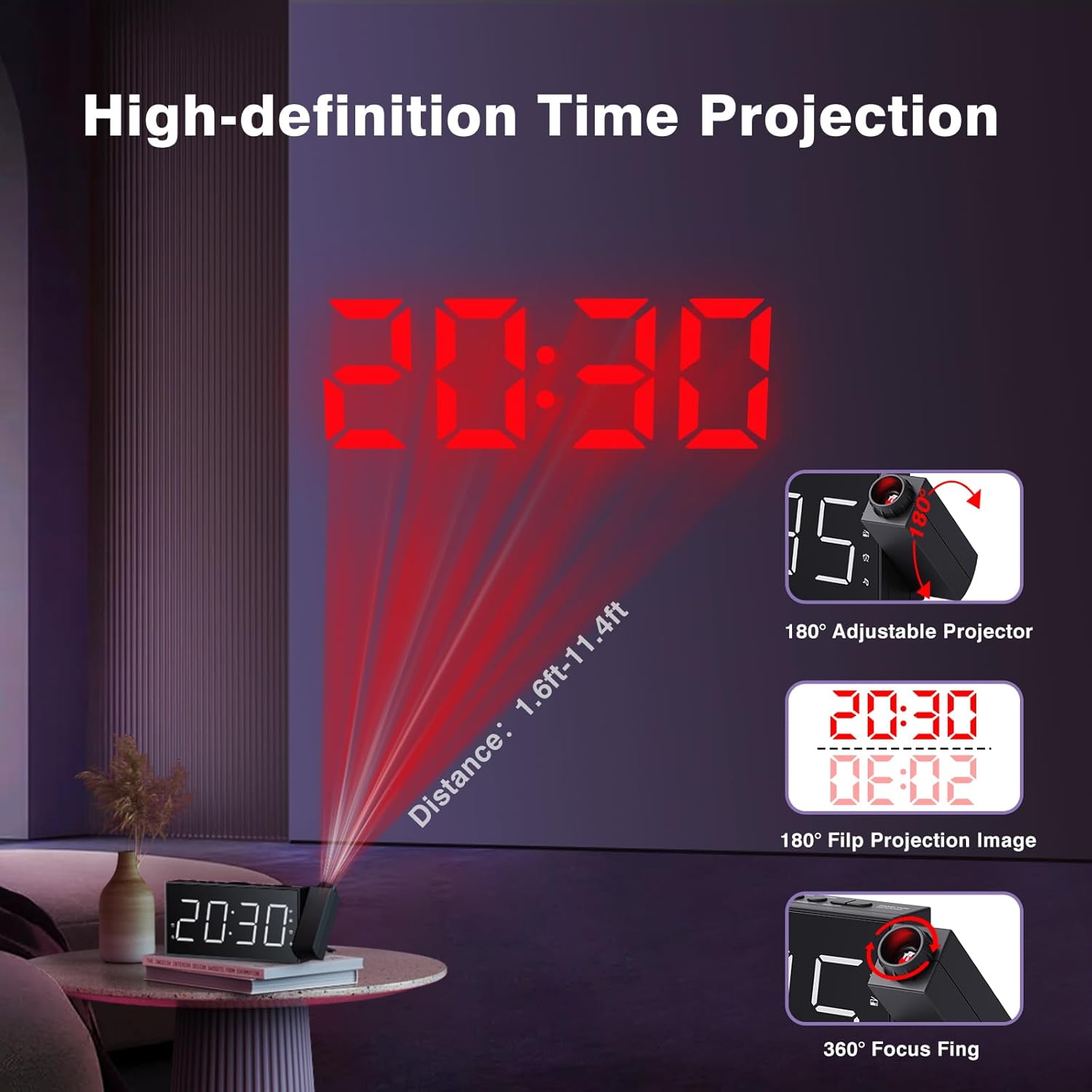
Image: The clock's time projection feature, demonstrating its adjustable angle, image flip, and focus capabilities for clear display on a wall or ceiling.
- Activating Projection: Locate the projection button (often labeled with a projector icon) to turn the projection on or off.
- Ajust de l'angle de projecció: The projector lens can be rotated up to 180° to direct the time display where desired.
- Flipping Projection Image: If the projected image is upside down, use the image flip function (often a dedicated button or part of the projection settings) to rotate it 180°.
- Ajust d'enfocament: Rotate the focus ring around the projector lens to achieve a clear and sharp projected image.
6. Dual USB Charging Ports
The clock is equipped with two USB ports for charging external devices.
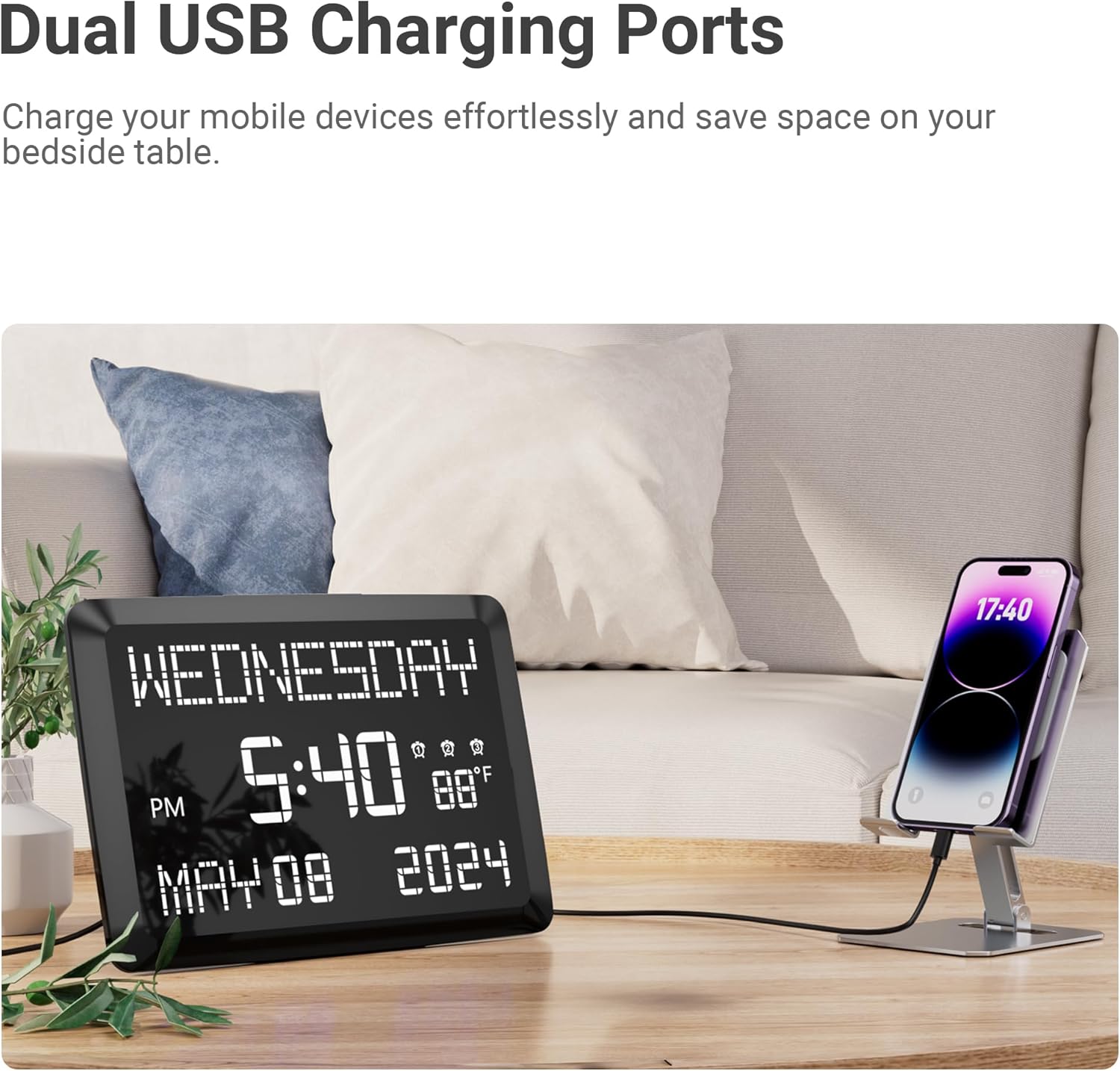
Image: The clock demonstrating its dual USB charging capability, with a smartphone connected for charging.
- Connect your device's USB charging cable to one of the USB ports on the clock.
- Assegureu-vos que el rellotge estigui encès perquè la funció de càrrega funcioni.
Manteniment
- Neteja: Netegeu la superfície del rellotge amb un drap suau i sec. No utilitzeu productes de neteja abrasius ni dissolvents.
- Potència: Always disconnect the power adapter before cleaning or if the clock will not be used for an extended period.
- Medi ambient: Avoid placing the clock in direct sunlight, extreme temperatures, or high humidity.
Resolució de problemes
| Problema | Possible solució |
|---|---|
| La pantalla del rellotge està en blanc. |
|
| L'alarma no sona. |
|
| El temps projectat és borrós. |
|
| La recepció de ràdio FM és deficient. |
|
Especificacions

Image: Detailed dimensions of the Mesqool digital clock, including display size and overall unit measurements.
- Mida de la pantalla: 11.5 polzades (diagonal)
- Tipus de visualització: Pantalla digital LED gran
- Nivells de brillantor: 5 (for main display)
- Projecció: 180° adjustable, 180° image flip, 360° focus
- Distància de projecció: Approximately 1.6 ft - 11.4 ft
- Funcions d'alarma: 3 separate alarms, Buzzer/FM radio wake-up modes
- Freqüència de ràdio FM: 87.5 – 108 MHz
- Preconfiguracions de ràdio FM: 20 estacions
- Temporitzador de son: 10-90 minutes (for FM radio)
- Visualització de la temperatura: Indoor, Fahrenheit (°F) / Celsius (°C)
- Ports de càrrega: Dual USB (for external devices)
- Entrada d'alimentació: DC (via included adapter)
- Dimensions (aproximades):
- Amplada: 7.87 polzades
- Alçada: 3.15 polzades
- Depth: 1.18 inches (main unit)
- Base Length: 7.4 inches
Garantia i Suport
Mesqool products are designed for reliability and performance. For any questions, technical support, or warranty inquiries, please contact Mesqool customer service. Refer to the product packaging or the official Mesqool weblloc web per obtenir la informació de contacte més actualitzada.
Si us plau, conserveu el rebut de compra com a comprovant de compra a efectes de garantia.