
Introducció
The SONICAKE Amphonix 2 QAP-50 is a compact and portable guitar headphone amplifier designed for practice, recording, and performance. It features multiple effect modules, 50 factory presets, Bluetooth connectivity, and USB audio recording capabilities. This manual provides detailed instructions for its setup, operation, and maintenance.
Informació de seguretat
- No exposeu el dispositiu a l'aigua ni a una humitat excessiva.
- Eviteu les temperatures extremes i la llum solar directa.
- No intenteu desmuntar o modificar el dispositiu.
- Use only the specified charging cable (USB-C 5V).
- Mantenir fora de l'abast dels nens.
Contingut del paquet
- SONICAKE Amphonix 2 QAP-50 Guitar Headphone Ampmés viu
- Cable de càrrega USB-C
- Manual d'usuari
Producte acabatview
El Amphonix 2 QAP-50 is a highly portable device, designed for convenience.

Imatge: El/La Amphonix 2 QAP-50 device with dimensions indicated: 84.3 mm (3.32 inches) length, 43.7 mm (1.72 inches) width, and 140.5 mm (5.53 inches) total length including the jack.
Controls i connexions

Image: Diagram illustrating the various parts of the Amphonix 2 QAP-50. Key components include the 1/4" input jack (1), rotating joint (2), preset buttons A, B, C (3), power/function button (4), USB-C port (5), and 3.5mm headphone output (6).
- 1/4" Input Jack (1): Connects to your guitar.
- Rotating Joint (2): Allows adjustment of the input jack angle.
- Preset Buttons (A, B, C) (3): Selects and cycles through presets.
- Power/Function Button (4): Powers the device on/off and controls various functions.
- USB-C Port (5): For charging, firmware updates, and USB audio recording.
- 3.5mm Headphone Output (6): Connects to headphones or external speakers.
Configuració
Càrrega del dispositiu
Abans del primer ús, carregueu completament el Amphonix 2 QAP-50.
- Connect the supplied USB-C cable to the USB-C port (5) on the device.
- Connect the other end of the USB-C cable to a 5V USB power adapter (not included) or a computer's USB port.
- The indicator light will show charging status. A full charge takes approximately 1.5 hours and provides over 4 hours of runtime.

Imatge: El/La Amphonix 2 QAP-50 connected via USB-C cable for charging, with text indicating "1.5-Hour Fast Charge" and "4+ Hours Runtime".
Connexió inicial
- Plug the 1/4" input jack (1) of the Amphonix 2 QAP-50 directly into your guitar's output jack.
- Connect your headphones or external speakers to the 3.5mm headphone output (6).
- Press and hold the Power/Function button (4) to turn on the device.
Instruccions de funcionament
Encès/Apagat
Press and hold the Power/Function button (4) for 2 seconds to turn the device on or off.
Selecció de presets
El Amphonix 2 QAP-50 comes with 50 factory presets and 9 customizable user preset slots.

Imatge: Primer pla de la Amphonix 2 QAP-50 showing the A, B, and C preset buttons. Text indicates that these buttons provide access to nine preset slots (A: 1-3, B: 4-6, C: 7-9).
- Press buttons A, B, or C (3) to select one of the three active presets.
- To cycle through the three presets assigned to each button (e.g., A1, A2, A3), press the corresponding button repeatedly.
- Factory presets cover various musical styles. User presets can be customized via the companion app.
Mòduls d'efectes
The device features 9 professional effect modules with over 90 high-quality algorithms.
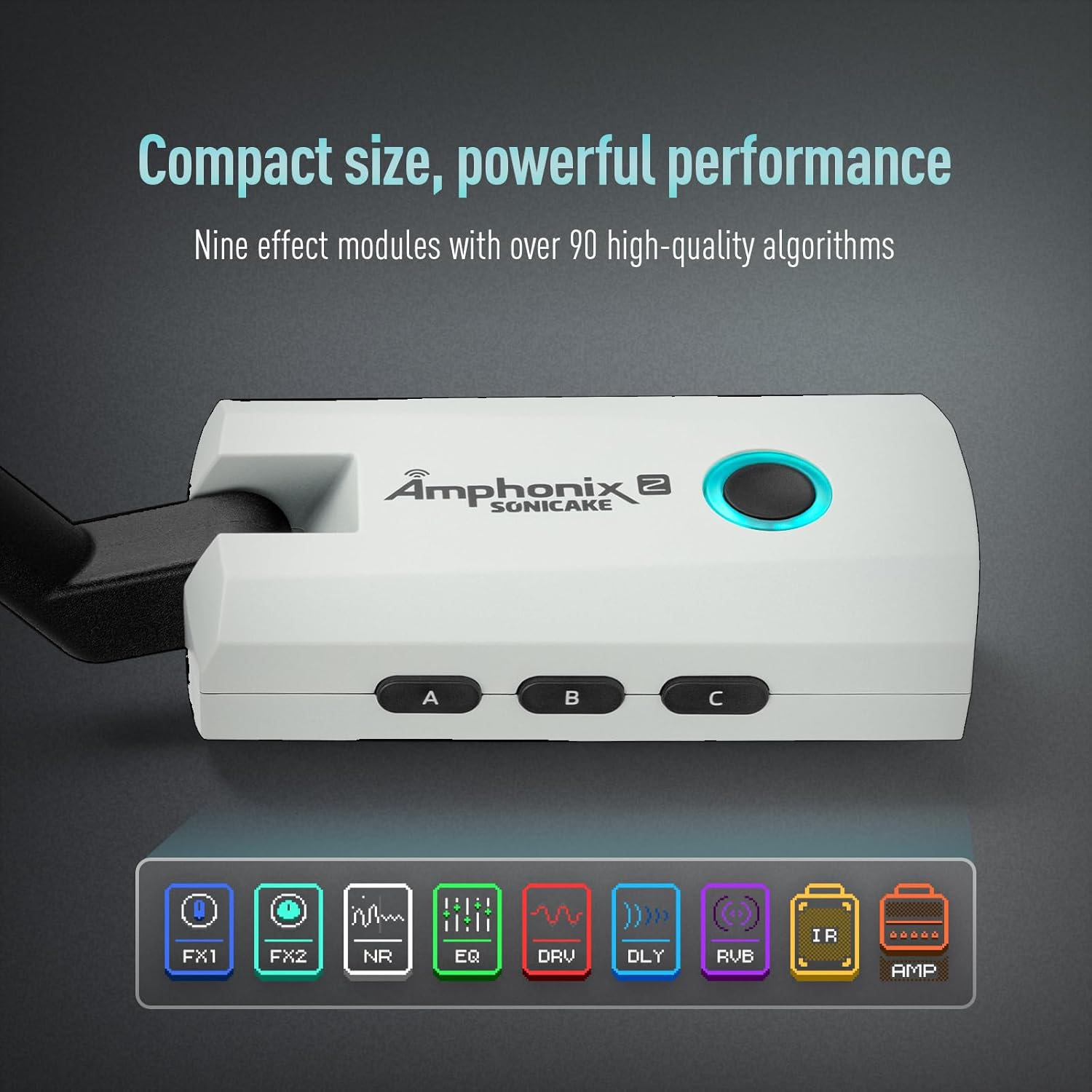
Imatge: El/La Amphonix 2 QAP-50 with an overlay showing icons for nine effect modules: FX1, FX2, NR (Noise Reduction), EQ, DRV (Drive), DLY (Delay), RVB (Reverb), IR (Impulse Response), and AMP.
These modules include: FX1, FX2, Noise Reduction (NR), Equalizer (EQ), Drive (DRV), Delay (DLY), Reverb (RVB), Impulse Response (IR), and Amplificador (AMP.
Connectivitat Bluetooth
El Amphonix 2 QAP-50 supports Bluetooth for audio playback and app control.
- Assegureu-vos que el Bluetooth estigui habilitat al vostre dispositiu mòbil.
- Cerca "Amphonix 2" in your device's Bluetooth settings and pair.
- Once connected, you can stream backing tracks from your mobile device to the Amphonix 2 QAP-50.
- Bluetooth also enables connection to the dedicated app for parameter editing.
Companion Smart App
For precise effect editing, tone customization, and additional features like a drum machine and tuner, download the dedicated SONICAKE app.

Imatge: El/La Amphonix 2 QAP-50 plugged into a guitar, with a smartphone displaying the companion app interface for effect parameter editing.
- Download the "SonicLink" app from your device's app store.
- Connecteu el Amphonix 2 QAP-50 to your mobile device via Bluetooth.
- Use the app to adjust parameters for each effect module, save custom tones, and access other tools.
USB Audio Recording
The USB-C port (5) supports USB 2.0 and OTG (On-The-Go) for direct audio recording to a phone or computer.

Imatge: El/La Amphonix 2 QAP-50 showing its USB-C port and headphone jack, with icons indicating compatibility with PC, Mac, and mobile devices via OTG for recording.
- Connecteu el Amphonix 2 QAP-50 to your computer or OTG-compatible mobile device using a USB-C cable.
- The device will be recognized as an audio interface.
- Open your preferred Digital Audio Workstation (DAW) or recording app and select the Amphonix 2 as your input device.
- You can now record your guitar signal directly.
Manteniment
- Netegeu el dispositiu amb un drap suau i sec. No utilitzeu productes de neteja abrasius ni dissolvents.
- Emmagatzemar en un lloc fresc i sec, lluny de la llum solar directa.
- Regularly check the input and output jacks for debris.
Resolució de problemes
Sense sortida de so
- Assegureu-vos que el dispositiu estigui encès.
- Check headphone/speaker connection.
- Verify guitar connection.
- Adjust volume settings on the device and connected headphones/speakers.
- Ensure the correct preset is selected.
Problemes de connexió Bluetooth
- Assegureu-vos que el Amphonix 2 is powered on and within range.
- Desactiva i activa el Bluetooth al teu dispositiu mòbil.
- Forget "Amphonix 2" from your device's Bluetooth list and try pairing again.
Recording Issues via USB
- Assegureu-vos que el cable USB-C estigui ben connectat.
- Comproveu que el Amphonix 2 is selected as the input device in your recording software.
- Check for driver updates if using a computer (though typically plug-and-play).
Especificacions
| Característica | Detall |
|---|---|
| Dimensions | 84.3 x 43.7 x 32.2 mm (3.32 x 1.72 x 1.27 polzades) |
| Pes | 64 g (0.14 lliures) |
| Bateria | 1000 mAh Lithium (rechargeable via USB-C 5V) |
| Temps de càrrega | Aprox. 1.5 hores |
| Temps d'execució | Més de 4 hores |
| Mòduls d'efectes | 9 (FX1, FX2, NR, EQ, DRV, DLY, RVB, IR, AMP) |
| Presets | 50 Factory, 9 User |
| Impedància d'entrada | 1MΩ (1/4" unbalanced) |
| Impedància de sortida dels auriculars | 100Ω (3.5mm stereo) |
| Àudio USB | USB 2.0, OTG compatible |
Garantia i Suport
Per obtenir informació sobre la garantia i assistència tècnica, consulteu la pàgina oficial de SONICAKE. weblloc web o poseu-vos en contacte amb el vostre distribuïdor local. Conserveu el rebut de compra per a reclamacions de garantia.