
Introducció
Thank you for choosing the Aiwa AW-TR102 Bluetooth Trolley Party Speaker. This manual provides essential information for the safe and efficient operation of your speaker. Please read it thoroughly before use and retain it for future reference.
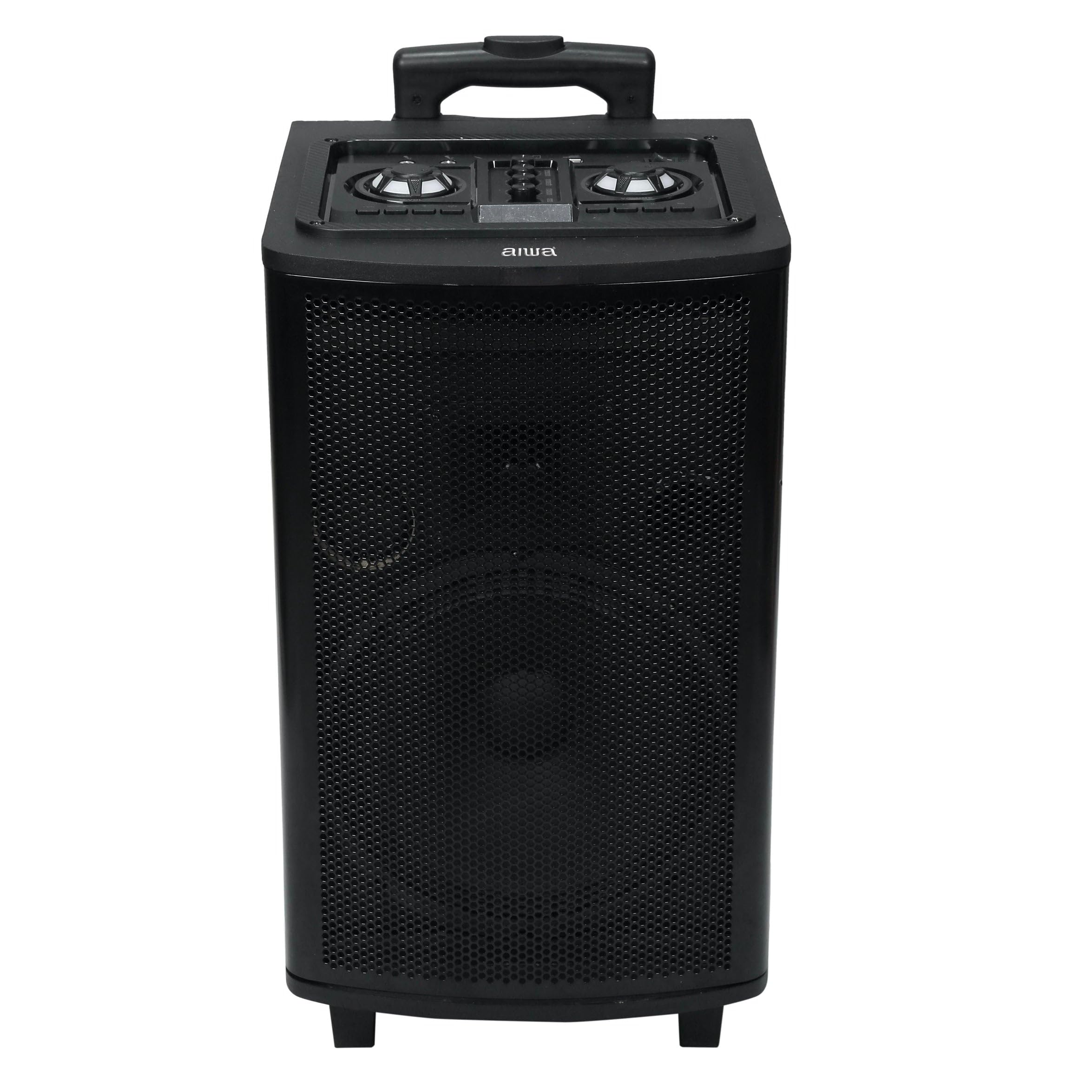
Image: Aiwa AW-TR102 Bluetooth Trolley Party Speaker, showcasing its portable design with an extended handle and wheels.
The Aiwa AW-TR102 is a powerful 150W speaker featuring a 12-inch subwoofer, dual wireless microphones, RGB LED lights, and multiple connectivity options including Bluetooth, USB, AUX, and FM radio. Its trolley design ensures easy portability for various events.
Contingut del paquet
- Aiwa AW-TR102 Trolley Party Speaker
- 2 micròfons sense fils
- Control remot
- Adaptador d'alimentació
- Manual d'usuari (aquest document)
Configuració
1. Carregant l’altaveu
- Connect the provided power adapter to the speaker's charging port.
- Plug the adapter into a 220V AC power outlet.
- L'indicador lluminós de càrrega s'il·luminarà. Espereu aproximadament de 4 a 6 hores per a una càrrega completa.
- A fully charged battery provides up to 6 hours of playback time, depending on usage volume and LED light activity.
2. Engegada inicial
- Locate the Power button on the control panel.
- Press and hold the Power button for a few seconds until the speaker powers on.
3. Configuració del micròfon
- Insert two AA batteries (not included) into each wireless microphone, observing polarity.
- Turn on the microphones using their respective power switches.
- The microphones will automatically pair with the speaker.

Image: Top control panel of the Aiwa AW-TR102 speaker, showing various input ports and control knobs for volume, echo, and mode selection.
Instruccions de funcionament
1. Selecció de mode
Premeu el botó Mode button on the control panel or remote control to switch between Bluetooth, USB, AUX, and FM radio modes.
2. Connectivitat Bluetooth
- Power on the speaker and select Bluetooth mode. The speaker will indicate it is ready for pairing.
- Activa el Bluetooth al teu dispositiu mòbil o ordinador.
- Cerca "AW-TR102" in the list of available devices and select it to pair.
- Un cop emparellat, l'altaveu confirmarà la connexió i podràs començar a reproduir àudio des del teu dispositiu.
- L'abast del Bluetooth és d'aproximadament 10 metres.
3. Reproducció USB
- Inseriu una unitat flash USB que contingui àudio MP3 files al port USB.
- L'altaveu canviarà automàticament al mode USB i començarà la reproducció.
- Use the Play/Pause, Next, and Previous buttons to control playback.
4. Entrada AUX
- Connect an external audio device (e.g., smartphone, MP3 player) to the AUX input port using a 3.5mm audio cable (not included).
- Select AUX mode on the speaker.
- Audio will play from the connected device. Control playback from the external device.
5. Ràdio FM
- Seleccioneu el mode FM.
- Premeu el botó Reproduir/Pausa button to initiate an automatic scan for available FM stations.
- Utilitza el A continuació i Anterior botons per navegar entre les emissores desades.
6. Funció de karaoke i gravació
- Ensure wireless microphones are connected and powered on.
- Adjust microphone volume and echo levels using the dedicated knobs on the control panel.
- To record, insert a USB drive. Press the Registre button (if available on the control panel or remote) to start recording. Press again to stop.
7. RGB LED Lights
- The speaker features dynamic RGB LED lights that sync with the music.
- Utilitza el Mode de llum button (if available) on the control panel or remote to cycle through different light patterns or turn them off.
8. Dynamic Bass Boost (DBB)
- The Dynamic Bass Boost feature enhances low-frequency audio.
- Activate or deactivate DBB using the dedicated button on the control panel or remote control for a deeper bass experience.
9. Funció estèreo sense fil veritable (TWS)
The TWS function allows you to pair two AW-TR102 speakers for a stereo sound experience.
- Ensure both speakers are powered on and in Bluetooth mode, without being connected to any device.
- En un altaveu (aquest serà l'altaveu principal), premeu i manteniu premut el botó TWS botó durant uns segons.
- The speakers will attempt to pair with each other. Once successfully paired, you will hear an audible confirmation.
- Connect your mobile device to the primary speaker via Bluetooth. Audio will now play in stereo through both speakers.
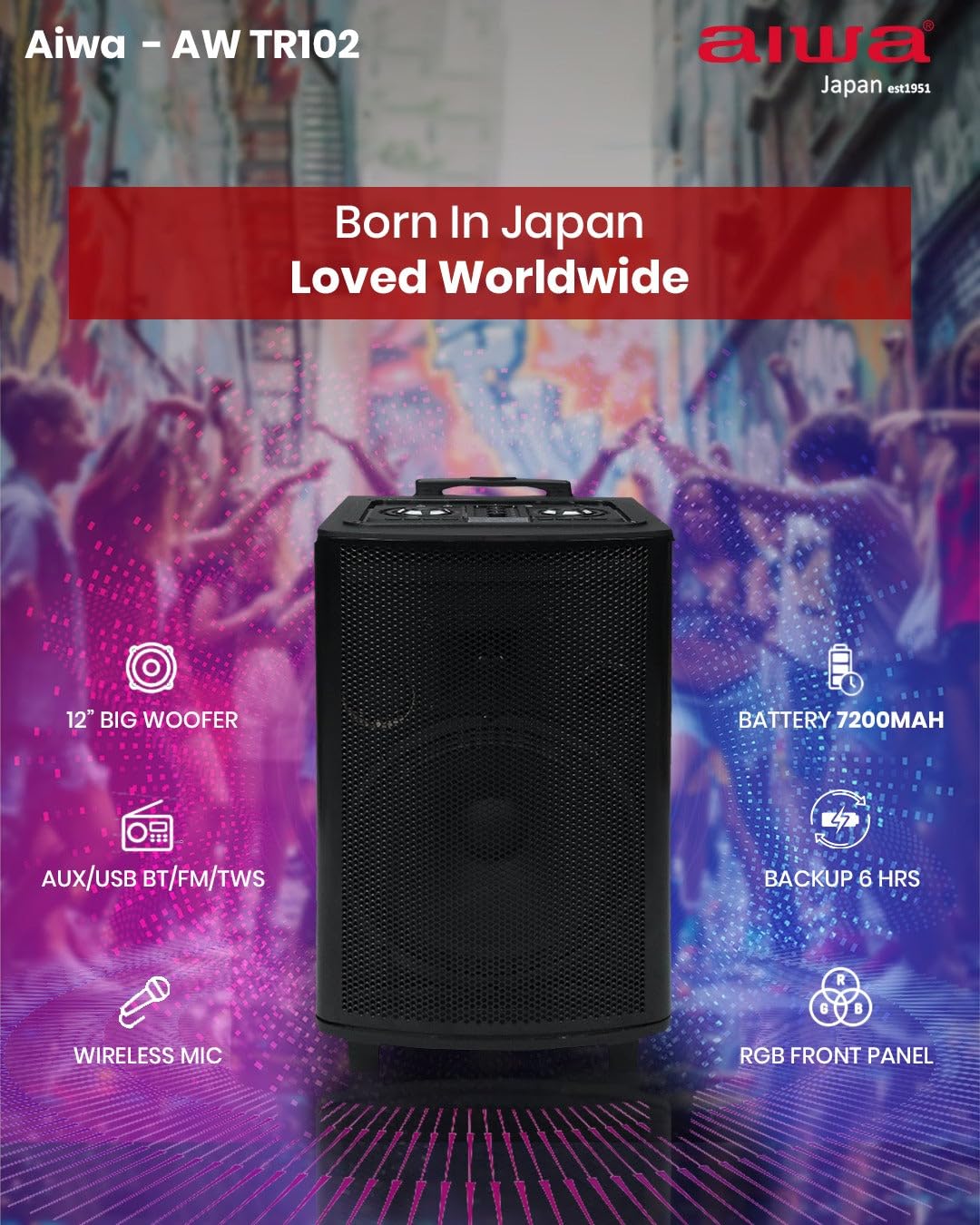
Imatge: Article al finalview of the Aiwa AW-TR102, illustrating key components and capabilities such as the 12" woofer, 7200mAh battery, wireless microphone, RGB front panel, and multi-connectivity options.
Manteniment
- Neteja: Feu servir un drap suau i sec per netejar l'exterior de l'altaveu. No utilitzeu netejadors abrasius, ceres ni dissolvents.
- Emmagatzematge: Quan no l'utilitzeu durant períodes prolongats, guardeu l'altaveu en un lloc fresc i sec, allunyat de la llum solar directa i de temperatures extremes.
- Cura de la bateria: Per allargar la durada de la bateria, eviteu descarregar-la completament amb freqüència. Carregueu l'altaveu regularment, fins i tot si no l'esteu fent servir.
- Resistència a l'aigua: Aquest altaveu és no resistent a l'aiguaEviteu l'exposició a l'aigua o a una humitat elevada.
Resolució de problemes
| Problema | Possible solució |
|---|---|
| L'altaveu no s'encén. | Ensure the speaker is charged. Connect the power adapter and try again. |
| No hi ha so de l’altaveu. | Check the volume level on both the speaker and the connected device. Ensure the correct input mode (Bluetooth, USB, AUX, FM) is selected. |
| L'aparellament de Bluetooth falla. | Ensure the speaker is in Bluetooth pairing mode. Disable and re-enable Bluetooth on your device. Move your device closer to the speaker (within 10 meters). |
| Microphones are not working. | Check if the microphones are powered on and have fresh batteries. Adjust the microphone volume knob on the speaker. |
| Mala recepció de ràdio FM. | Extend the antenna fully. Try repositioning the speaker to improve signal. |
| TWS pairing issues. | Ensure both speakers are in Bluetooth mode and not connected to any other device before initiating TWS pairing. Try resetting both speakers. |
Especificacions
| Característica | Detall |
|---|---|
| Número de model | AW-TR102 |
| Potència de sortida | 150 watts |
| Mida del woofer | 12 polzades |
| Mida del tuit | 3 polzades |
| Connectivitat | Bluetooth 5.0, USB, AUX, FM, Mic, TWS |
| Interval Bluetooth | Fins a 10 metres |
| Capacitat de la bateria | 7200 mAh |
| Temps de reproducció | Fins a 6 hores (a un volum moderat) |
| Entrada Voltage | 220 Volts |
| Dimensions (P x A x A) | 35P x 30A x 65H centímetres |
| Pes | 12 kg (12000 grams) |
| Característiques | Karaoke Function, Recording, Dynamic Bass Boost, RGB LED Lights |
| Mètode de control | Control remot |
| Material de tancament | Fusta |
Informació de la garantia
The Aiwa AW-TR102 speaker comes with a Garantia limitada de 1 anys from the date of purchase. This warranty covers manufacturing defects under normal use. Please retain your purchase receipt as proof of purchase for warranty claims. The warranty does not cover damage caused by misuse, accidents, unauthorized modifications, or normal wear and tear.
Suport
For technical assistance, warranty claims, or product inquiries, please contact Aiwa customer support:
- Telèfon: 1800-120-5619
- Correu electrònic: getintouch@aiwaindia.com
- Fabricant: AIWA INDIA SALES & SERVICES PRIVATE LIMITED