
Introducció
This manual provides detailed instructions for the setup, operation, maintenance, and troubleshooting of your Gydom Smart Watch GTX20. Please read this manual thoroughly before using the device to ensure proper function and longevity.
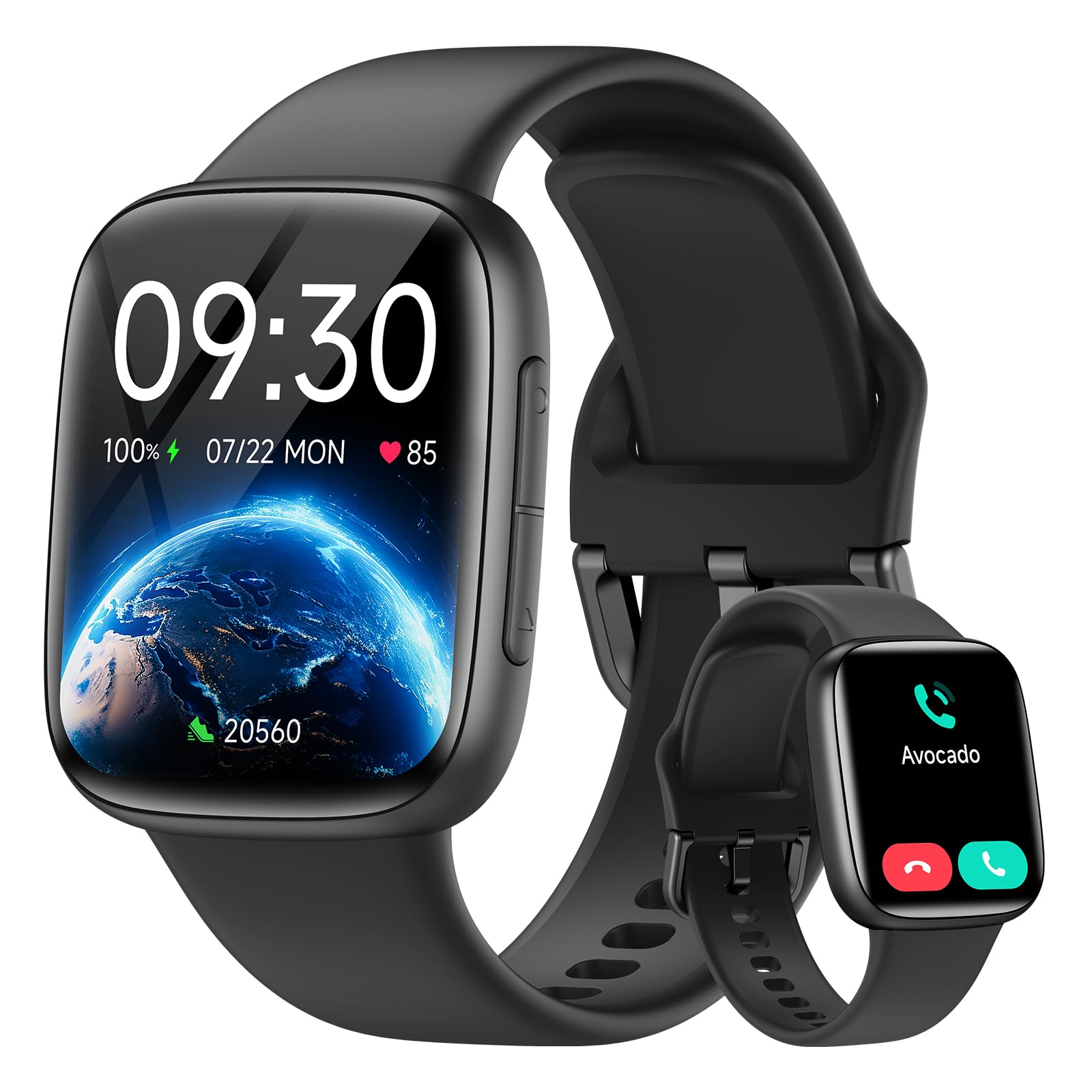
Image: Gydom Smart Watch GTX20, front view, black color.
Què s'inclou
Upon unboxing your Gydom Smart Watch GTX20, please verify that all components are present:
- Gydom Smart Watch GTX20 (Main Unit)
- Corretja de silicona
- Cable de càrrega
- Manual d'usuari (aquest document)

Image: Diagram showing the smart watch, silicone strap, user manual, and charging cable included in the package.
Guia de configuració
1. Càrrega del dispositiu
Before initial use, fully charge your Gydom Smart Watch GTX20. Connect the provided charging cable to the watch's charging port and a USB power source. A full charge typically takes approximately 2 hours.

Image: The smart watch connected to its charging cable, displaying a 56% charge and indicating a 14-day battery life.
2. Instal·lació i emparellament de l'aplicació
The Gydom Smart Watch GTX20 operates with the Molt en forma application. Follow these steps to pair your watch with your smartphone:
- Descarrega l'aplicació: Cerca "VeryFit" in your smartphone's App Store (iOS) or Google Play Store (Android) and install it.
- Enable Bluetooth and GPS: On your smartphone, ensure Bluetooth is turned on and GPS/Location services are enabled.
- Emparellar el rellotge: Open the VeryFit app, navigate to the device section, and search for "GTX20". Select your watch to initiate the pairing process. Follow any on-screen prompts to complete the connection.

Image: Visual guide showing the three steps for pairing the smart watch: download VeryFit app, enable Bluetooth and GPS, and search for GTX20 in the app.
Compatibilitat: The Gydom Smart Watch GTX20 is compatible with Android 6.0+ and iOS 9.0+ devices.
Instruccions de funcionament
Visualització i navegació
The watch features a 1.85" AMOLED touch screen with 1500 nits brightness and 60 FPS for smooth interaction. Swipe across the screen to navigate through menus and tap to select options.
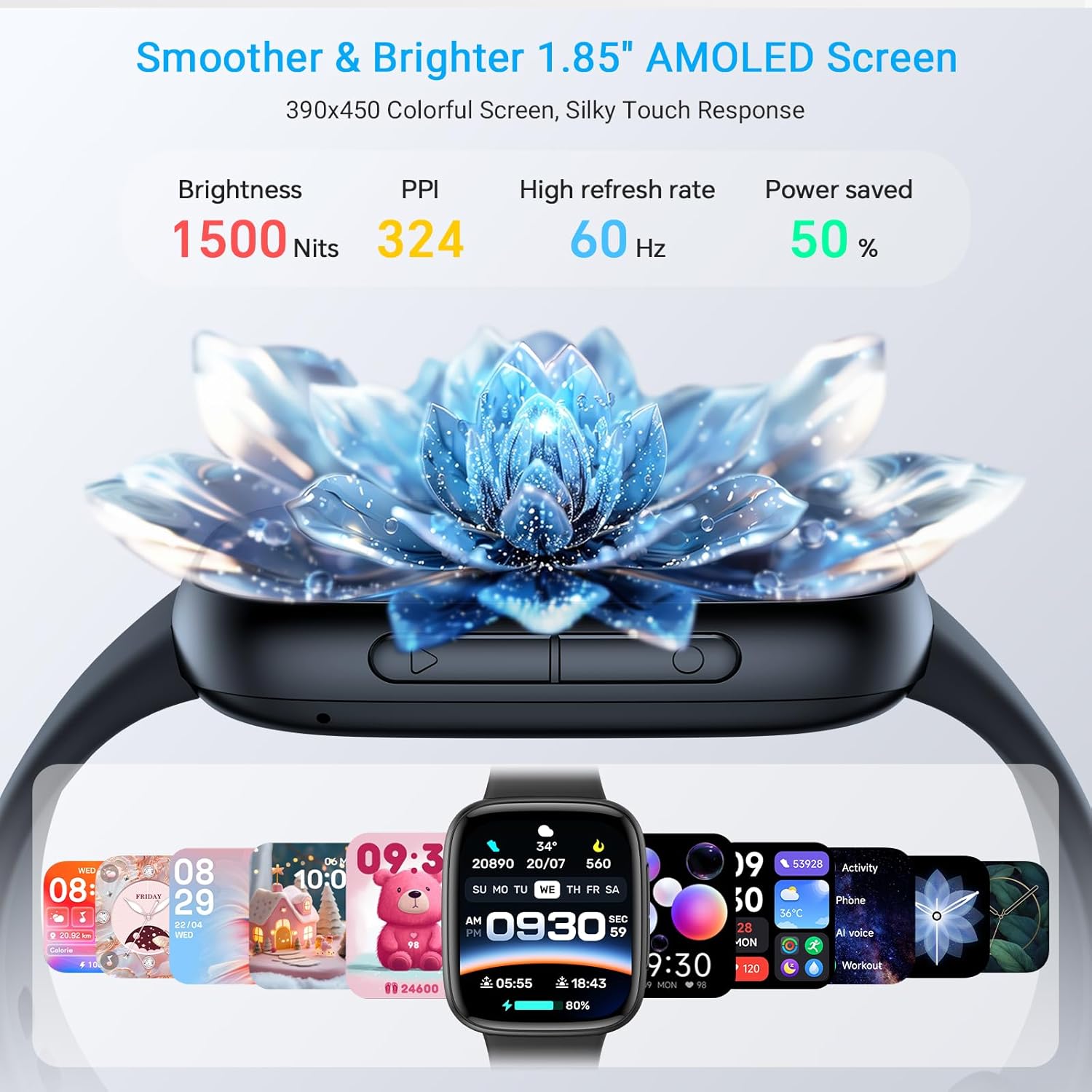
Image: Close-up of the smart watch screen highlighting its 1.85" AMOLED display, 1500 nits brightness, 324 PPI, and 60Hz refresh rate.
You can customize your watch face through the VeryFit app, choosing from over 100 available designs.

Image: Several Gydom smart watches displaying various customizable watch faces, emphasizing the AMOLED screen quality.
Característiques de comunicació
- Trucades per Bluetooth: Make and answer calls directly from your watch. The watch supports a built-in dial pad, call history, and frequent contacts.
- Notificacions de missatges: Receive notifications from various social media platforms and messages directly on your watch. Note: Replying to messages is not supported directly from the watch.
- Assistent de veu AI: Utilize the built-in AI assistant for tasks such as setting alarms or playing music.

Image: A person driving while using the smart watch to make a Bluetooth call, showing the dial pad, call history, and contacts on the watch screen.

Image: A person interacting with the smart watch's AI voice assistant, with speech bubbles showing commands like "Siri, help me call Jerry" and "Siri, set a 5 minute timer."

Image: The smart watch displaying various message notifications from social media apps, with a note that message replies are not supported.
Vigilància de la salut
The GTX20 is equipped with a high-precision PPG sensor for continuous health tracking:
- Monitorització de la freqüència cardíaca: Registra contínuament la teva freqüència cardíaca durant tot el dia.
- Monitorització d'oxigen en sang (SpO2): Mesura els nivells d'oxigen a la sang.
- Monitorització del son: Analyzes your sleep patterns, including awake, light sleep, and deep sleep stages.
- Monitorització de l'estrès: Proporciona informació sobre els teus nivells d'estrès.

Image: A person running on a treadmill, with the smart watch displaying heart rate data and a corresponding graph on a smartphone app.

Image: A person sleeping, with the smart watch displaying sleep stages (awake, light sleep, deep sleep) and a detailed sleep graph from the app.

Image: A person performing a plank exercise, with the smart watch displaying blood oxygen levels and a corresponding graph on a smartphone app.

Image: Two individuals, one male and one female, wearing smart watches, with the male's watch displaying stress levels and a graph from the app.
Activity Tracking and Sports Modes
The watch offers over 120 sports modes to track various activities. It provides precise data on calories burned, steps taken, distance covered, and heart rate during workouts.

Image: A cyclist wearing the smart watch, with an overlay showing the watch tracking daily steps, calories, and exercise distance, along with icons for various sports modes.
Video: An official product video from Gydom US showcasing the features of the GTX20 Smart Watch, including its AMOLED screen, call functionality, smart notifications, AI voice assistant, health monitoring (heart rate, blood oxygen, stress, sleep), 100+ sports modes, 3ATM waterproofing, long battery life, and customizable watch faces.
Funcions addicionals
The Gydom Smart Watch GTX20 includes several practical features for daily convenience:
- Control de música
- Calendari
- Control de càmera
- Troba el meu telèfon
- Previsió meteorològica
- Jocs
- Calculadora
- Rellotge despertador
- Cronòmetre/Temporitzador
- Brillantor ajustable
- Aixecar per despertar
- Screen-On Time settings
- Mode No Molestis
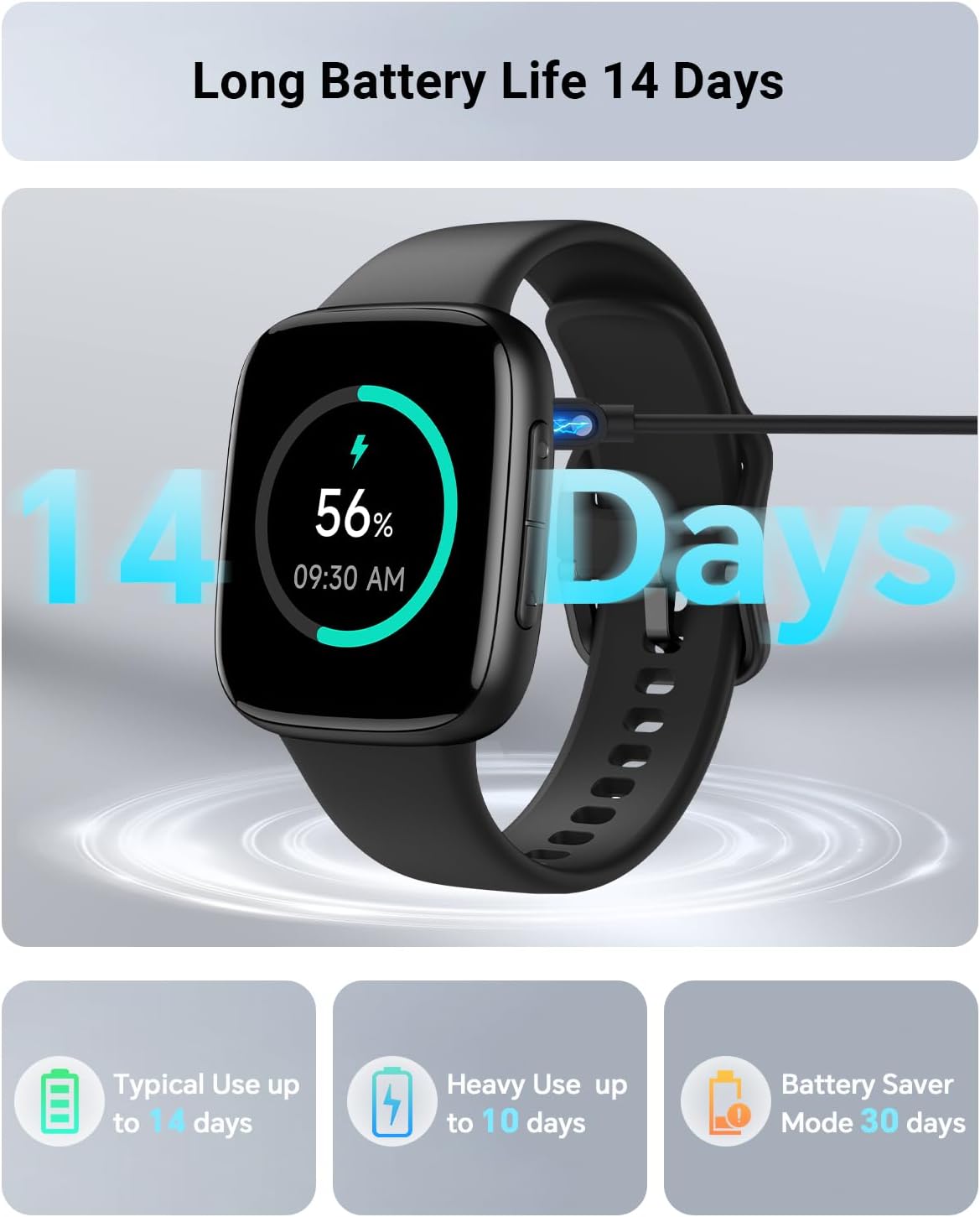
Image: A collage of watch screens showing features like music control, calendar, camera control, find my phone, weather, games, calculator, and wake gesture.
Manteniment
Resistència a l'aigua
The Gydom Smart Watch GTX20 is 3ATM waterproof certified, meaning it is resistant to water splashes, rain, and can withstand immersion up to 3 meters for 1.5 hours. It is suitable for activities like swimming and showering. However, it is not recommended for diving or high-pressure water activities.

Image: A person swimming with the Gydom Smart Watch GTX20 on their wrist, demonstrating its 3ATM waterproof capability.

Image: A woman surfing, wearing the smart watch, with text indicating 3ATM waterproof design protects against splashes and short swims, and is waterproof up to 30 meters.
Neteja i cura
- Netegeu regularment la pantalla i la corretja del rellotge amb un drap suau i sec.amp tela.
- Avoid using harsh chemicals or abrasive materials, as these can damage the device.
- Assegureu-vos que els contactes de càrrega estiguin nets i secs abans de carregar-los per evitar la corrosió.
Resolució de problemes
If you encounter issues with your Gydom Smart Watch GTX20, please try the following common solutions:
- El rellotge no s'encén: Assegura't que el rellotge estigui completament carregat. Connecta'l al cable de càrrega i a una font d'alimentació durant almenys 30 minuts.
- No s'ha pogut emparellar amb el telèfon:
- Confirm Bluetooth and GPS are enabled on your smartphone.
- Ensure the VeryFit app is installed and updated to the latest version.
- Reinicieu tant el telèfon intel·ligent com el rellotge intel·ligent.
- Try unpairing and re-pairing the device through the VeryFit app.
- Dades de salut inexactes:
- Assegureu-vos de portar el rellotge ben ajustat al canell, ni massa ajustat ni massa fluix.
- Netegeu el sensor de la part posterior del rellotge.
- Avoid excessive movement during measurements for more accurate readings.
- Notificacions que no apareixen:
- Check notification settings within the VeryFit app to ensure desired apps are enabled.
- Verify that your phone's notification settings allow the VeryFit app to display alerts.
- Assegureu-vos que el rellotge estigui connectat al telèfon mitjançant Bluetooth.
For further assistance, please refer to the support section or contact Gydom customer service.
Especificacions
| Característica | Detall |
|---|---|
| Nom del model | GTX20 |
| Compatibilitat de sistemes operatius | Android 6.0+ i iOS 9.0+ |
| Capacitat d'emmagatzematge de memòria | 128 MB |
| Capacitat de la bateria | 350 milionsamp Hores |
| Durada mitjana de la bateria | Up to 14 days (typical use) |
| Tecnologia de connectivitat | Bluetooth |
| GPS | A través de Smartphone |
| Mida de la pantalla | 1.85 polzades |
| Tipus de visualització | AMOLED |
| Profunditat de resistència a l'aigua | 30 metres (3 ATM) |
| Color (variant actual) | Negre |
| Dimensions de l'article | 10.9 x 3.7 x 0.7 polzades |
| Fabricant | Gydom |

Image: Detailed diagram showing the dimensions of the Gydom Smart Watch GTX20 (22mm strap width, 59mm height, 37mm width, 12mm thickness) and strap length (160mm min, 240mm max).
Informació de la garantia
The Gydom Smart Watch GTX20 comes with a 2-year extended service warranty. This warranty covers both logistic issues and accidental damages. Gydom is committed to providing first-class quality and service.

Image: Graphic detailing "Free Replacement for damages or Logistics issues," "VIP 24/7 Support," and "365-Day Extended Service."
Atenció al client
For any questions, concerns, or technical assistance regarding your Gydom Smart Watch GTX20, please contact our customer support team. We offer 24/7 dedicated one-on-one support per garantir la vostra satisfacció.
Please refer to the contact information provided with your product packaging or visit the official Gydom website for support channels.