
1. Introducció
Thank you for choosing the BESTTEN GaN 65W USB C Wall Outlet. This device integrates two USB Type-C ports, one USB Type-A port, and a 15A tamper-resistant electrical outlet into a single unit, providing versatile power delivery for various electronic devices. This manual provides essential information for safe installation, operation, and maintenance of your new wall outlet.
2. Informació important de seguretat
Please read and understand all instructions before installing or using this product. Failure to follow these instructions may result in electric shock, fire, or property damage.
- ADVERTIMENT: Per evitar incendis, descàrregues elèctrices o la mort, desconnecteu l'alimentació a l'interruptor o a la caixa de fusibles i comproveu que estigui apagada abans de connectar el cablejat.
- Installation must be performed by a qualified electrician or a person with electrical knowledge.
- Use only with copper or copper-clad wire. Do not use with aluminum wire.
- Assegureu-vos que totes les connexions dels cables estiguin segures i correctament aïllades.
- Do not exceed the maximum electrical ratings of the device.
- Aquest dispositiu només està dissenyat per a ús interior.
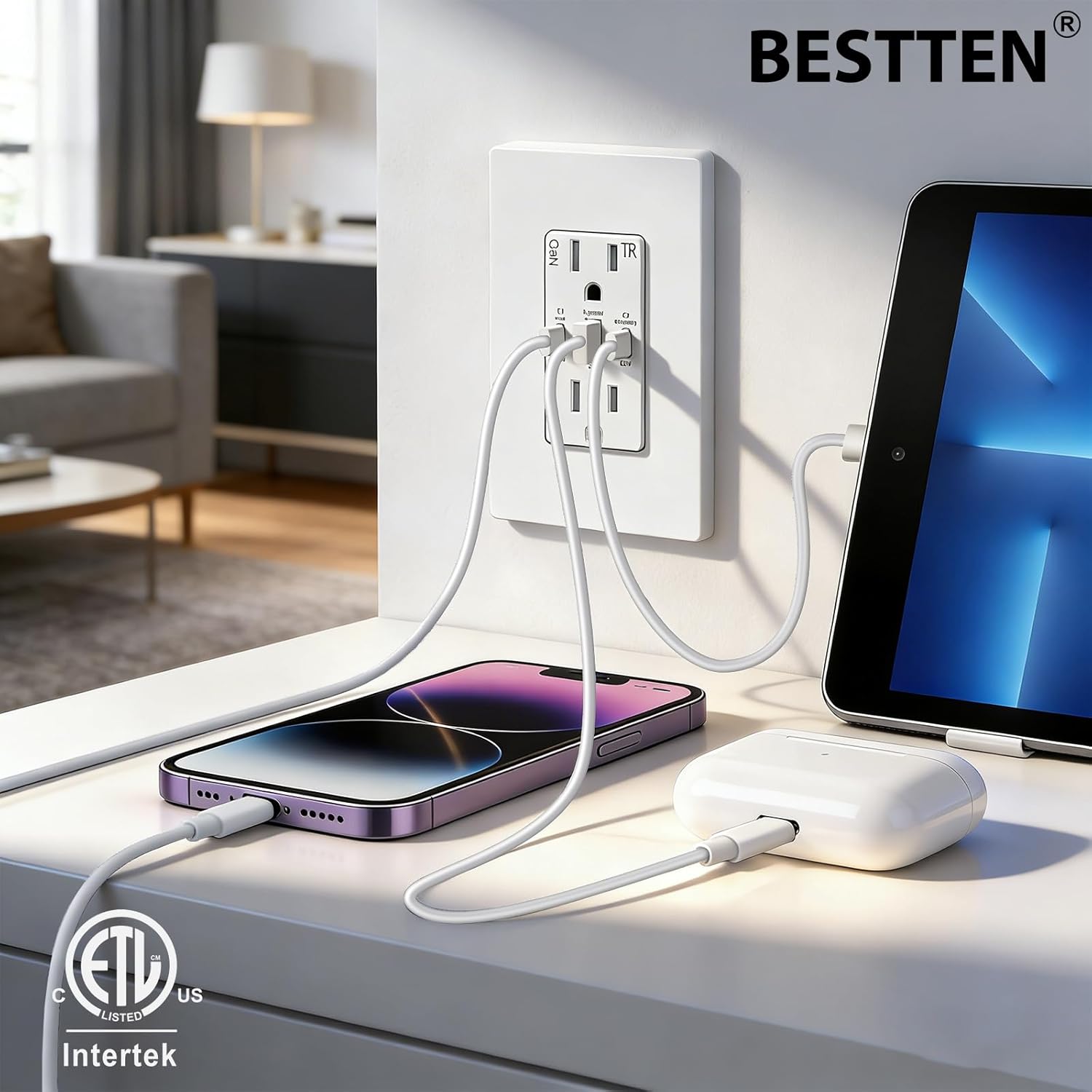
Figura 1: The BESTTEN GaN 65W USB C Wall Outlet features multiple built-in safety protections to ensure stable current output and device safety.
3. Contingut del paquet
Verifiqueu que tots els components siguin presents abans de començar la instal·lació:
- BESTTEN GaN 65W USB C Wall Outlet
- Screwless Wallplate
- Cargols de muntatge
4. Característiques del producte
- Càrrega d'alta velocitat: Features 2 PD 3.0 & PPS USB-C ports (65W max per port) and 1 Quick Charger 3.0 USB-A port (30W max). The main USB-C port delivers a stable 45W output even during simultaneous charging.
- Tecnologia GaN: Gallium Nitride (GaN) technology enables efficient power delivery, preventing overheating, overcurrent, and overvoltage while boosting charging efficiency to over 90%.
- Compatibilitat universal: Supports charging for laptops, smartphones, tablets, headphones, and other USB-C and USB-A devices.
- TampPunts de venda resistents a l'er: Built-in shutters prevent foreign objects from being inserted into the AC outlets, enhancing safety.
- Fàcil instal·lació: Designed for both back and side wiring for flexible installation.
- ETL/cETL Listed: Certificat per estàndards de seguretat i qualitat.

Figura 2: El Tamper-Resistant (TR) shutters provide an additional layer of safety, preventing accidental insertion of objects into the AC outlets.
5. Especificacions

Figura 3: Dimensions del producte i especificacions detallades.
| Especificació | Valor |
|---|---|
| Valoració del receptacle | 15 Amp, 125 VCA, 60 Hz |
| Ports USB | 2 USB Type-C (C1 main, C2 secondary), 1 USB Type-A |
| Sortida USB màxima | 65W |
| USB Agreement | PD3.0/PPS/QC3.0/QC2.0/QC4+/FCP SCF AFC/Apple2.4/BC1.2/PE+ |
| Temperatura de funcionament | -4 °F a 104 °F (-20 °C a 40 °C) |
| Terminals de filferro | #14 - #12 AWG |
| Certificació | Llistat per ETL/cETL |
| Dimensions (L x A) | 11.9 cm de llargada x 7.39 cm d'amplada |
| Material | Policarbonat (PC) |
| Components inclosos | USB outlet, wallplate, screws |
6. Instruccions d'instal·lació
6.1 Comprovació prèvia a la instal·lació
- Ensure the electrical box has sufficient depth. For this outlet, the electrical box depth should be at least 2 inches (5.08 cm).
- Desconnecteu l'alimentació a l'interruptor automàtic o a la caixa de fusibles abans d'engegar.
6.2 Passos de cablejat
This outlet supports both side wiring and back wiring for 12 AWG and 14 AWG wires.
- Strip approximately 0.5 inches (1.27 cm) of insulation from the ends of the electrical wires.
- Connecteu el Calent wire (typically black) to the terminal with the brass screw.
- Connecteu el Neutre wire (typically white) to the terminal with the silver screw.
- Connecteu el Terra wire (typically green or bare copper) to the terminal verda.
- Assegureu-vos que totes les connexions estiguin estretes i segures.
- Carefully push the wired outlet into the electrical box.
- Secure the outlet to the electrical box using the provided mounting screws.
- Attach the screwless wallplate.
- Resta l'alimentació al disjuntor.
6.3 Precaucions
- Do not unscrew the terminal screws too far or with excessive force.
- Do not use power tools to loosen the terminal screws.
- The USB receptacle can only be wired to one circuit.

Figura 4: Wiring instructions for the BESTTEN GaN 65W USB C Wall Outlet.
7. Instruccions de funcionament
7.1 Using the AC Outlets
The two standard AC outlets provide 15A, 125VAC power for your electrical appliances. Insert plugs firmly into the outlets. The tamper-resistant shutters may require a slight increase in force to insert a plug, which is normal operation for safety.
7.2 Ús dels ports de càrrega USB
The outlet features two USB Type-C ports (C1 main, C2 secondary) and one USB Type-A port for charging compatible devices. The built-in smart detection system automatically identifies your device's power needs and optimizes the charging current.
7.2.1 Distribució d'energia
The total power output is dynamically distributed based on the number of connected devices:
- Càrrega d'un sol port:
- USB-C1: Up to 65W
- USB-A: Up to 30W
- USB-C2: Up to 65W - Càrrega de dos ports:
- USB-C1 + USB-C2: USB-C1 (45W Max), USB-C2 (20W Max)
- USB-C1 + USB-A: USB-C1 (45W Max), USB-A (18W Max)
- USB-C2 + USB-A: 15W Max (shared) - Càrrega de tres ports:
- USB-C1 + USB-A + USB-C2: USB-C1 (45W Max), USB-A + USB-C2 (15W Max shared)

Figura 5: Multi-Port Charging power distribution diagram.
7.2.2 Compatibilitat de dispositius
The USB ports are compatible with a wide range of devices, including but not limited to:
- Portàtils: MacBook Pro, MacBook Air, Thinkpad, Microsoft Surface Book, etc.
- Telèfons: iPhone series, Samsung Galaxy, Motorola, Google Pixel, etc.
- Tauletes: iPad Pro, Samsung Galaxy Tab, Huawei Mate Pad, etc.
- Altres dispositius USB: Air Pods, smartwatches, digital cameras, gaming consoles (e.g., Nintendo Switch), headphones.

Figura 6: Wide compatibility with various devices and charging protocols.
8. Manteniment
The BESTTEN GaN 65W USB C Wall Outlet requires minimal maintenance.
- Neteja: Disconnect power at the circuit breaker before cleaning. Wipe the surface with a soft, dry cloth. Do not use abrasive cleaners or solvents.
- Inspecció: Periodically inspect the outlet and wallplate for any signs of damage, such as cracks or discoloration. If damage is observed, discontinue use and consult a qualified electrician for replacement.
9. Solució De Problemes
If you experience issues with your BESTTEN GaN 65W USB C Wall Outlet, refer to the following common problems and solutions:
| Problema | Causa possible | Solució |
|---|---|---|
| No hi ha alimentació a les preses de corrent altern ni als ports USB. | Circuit breaker tripped, loose wiring, or faulty unit. | Check your circuit breaker and reset if tripped. Verify wiring connections are secure (turn off power first). If problem persists, consult a qualified electrician. |
| USB device not charging or charging slowly. | Incompatible cable, device not supported, multiple devices drawing power, or device requires higher wattage. | Ensure you are using a compatible charging cable. Check device compatibility. Refer to the power distribution section (7.2.1) for expected output with multiple devices. Some devices may require higher wattage than available when multiple ports are in use. |
| Outlet feels warm during use. | Normal operation under heavy load, or potential overload. | A slight warmth is normal during heavy use due to power conversion. If the outlet becomes excessively hot, disconnect devices immediately and check for overloading. Ensure proper ventilation. |
| Plug difficult to insert into AC outlet. | Tamppersianes resistents. | This is normal for tamper-resistant outlets. Apply firm, even pressure to insert the plug. |
10. Garantia i Suport
BESTTEN products are designed and manufactured to high-quality standards. For information regarding warranty coverage, please refer to the warranty card included with your purchase or visit the official BESTTEN weblloc.
If you require technical assistance or have questions not covered in this manual, please contact BESTTEN customer support through their official website or the retailer where the product was purchased. Please have your model number (USP-2C1A-15-65) available when contacting support.