
Introducció
This manual provides essential information for the proper setup, operation, and maintenance of your Samsung HW-Q800H Q-Series Soundbar with Wireless Subwoofer. Please read these instructions carefully before using the product to ensure optimal performance and safety. The Samsung HW-Q800H delivers immersive audio with side-firing speakers and wireless Dolby Atmos, creating a spatial sound experience. It features automatic sound calibration tailored to your environment and a compact wireless subwoofer for enhanced bass.
Què hi ha a la caixa
Verifiqueu que tots els components siguin presents a l'embalatge:
- Samsung HW-Q800H Soundbar
- Subwoofer sense fil
- Remote Controller with Batteries (2 AAA batteries required)
- Cable HDMI
- Kit de muntatge a la paret
- Peu de goma

Image: The Samsung HW-Q800H Soundbar and its wireless subwoofer, along with the remote control and a diagram illustrating product dimensions and package contents.
Configuració
1. Col·locació
Place the soundbar centrally below your television. Position the wireless subwoofer in a location that provides optimal bass distribution, typically near the soundbar or in a corner of the room. Ensure both units have adequate ventilation.
2. Connexions
Connecteu la barra de so al televisor mitjançant un dels mètodes següents:
- HDMI eARC/ARC: For the best audio quality and control, connect an HDMI cable from the soundbar's HDMI OUT (TV eARC/ARC) port to your TV's HDMI IN (ARC/eARC) port. This allows your TV remote to control the soundbar's basic functions.
- Àudio digital òptic: Connect an optical cable from the soundbar's DIGITAL AUDIO IN (OPTICAL) port to your TV's optical digital audio output.
- Wireless TV Connection: For compatible Samsung TVs, you can connect wirelessly via Wi-Fi or Bluetooth. Refer to your TV's settings for pairing instructions.
Connect the power cables to the soundbar and subwoofer, then plug them into a wall outlet. The subwoofer will automatically pair with the soundbar.

Image: The rear panel of the soundbar, highlighting the Digital Audio In (Optical), Service (USB), HDMI to TV (eARC/ARC), HDMI, and Power Source ports.
3. App Installation (SmartThings)
For advanced control and settings, download the Samsung SmartThings app on your smartphone or tablet. The app will guide you through connecting your soundbar to your home Wi-Fi network and accessing additional features. Ensure your device is connected to a 2.4 GHz Wi-Fi network during initial setup if you encounter connection issues.
Funcionament de la barra de so
Controls bàsics
Use the included remote control to power on/off, adjust volume, and select input sources. The soundbar also has integrated buttons for basic control.
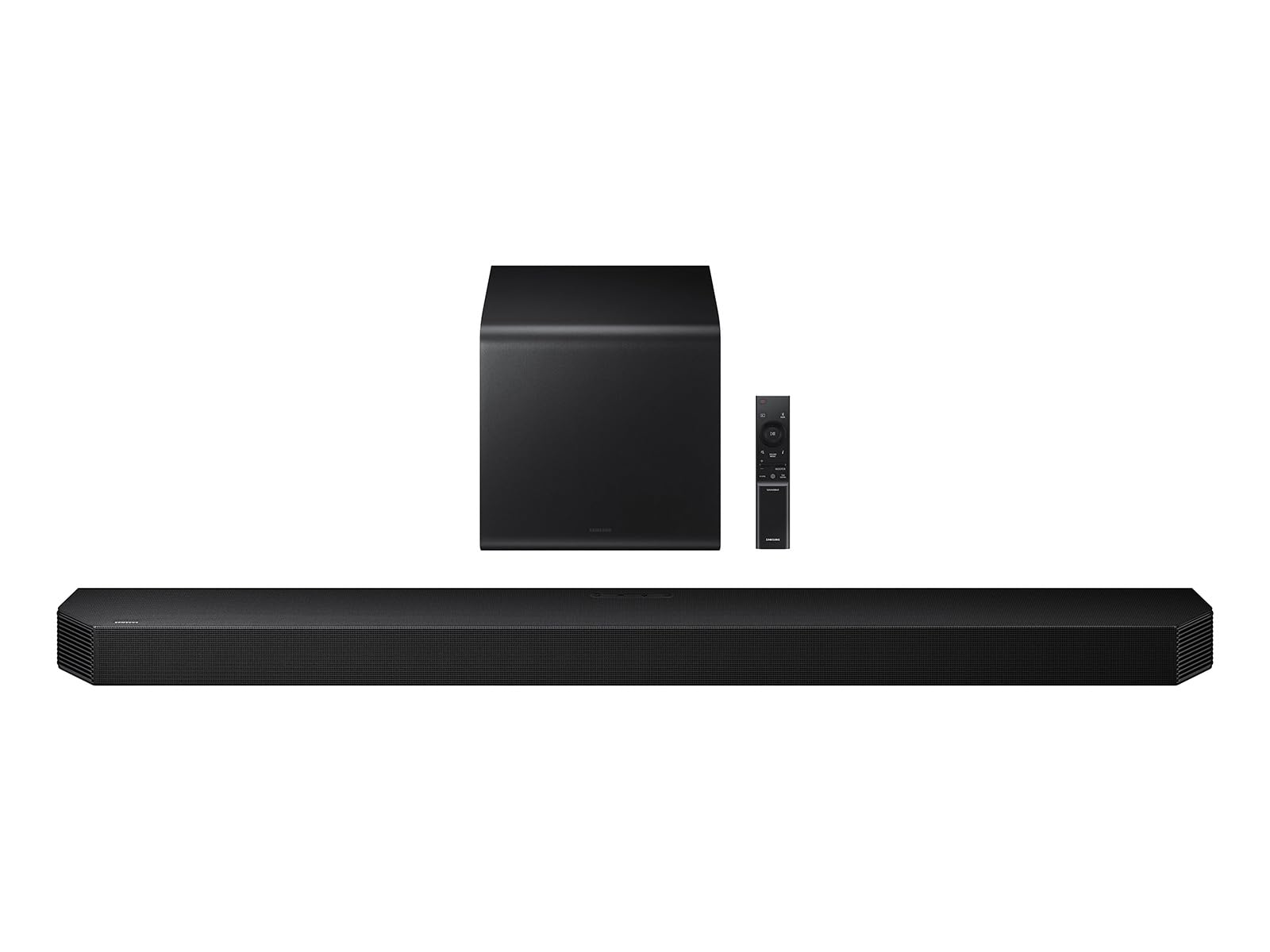
Image: The sleek black remote control for the Samsung HW-Q800H Soundbar, featuring power, volume, input, and sound mode buttons.
Modes de so
La barra de so ofereix diversos modes de so per optimitzar la vostra experiència auditiva:
- Estàndard: Delivers original sound without effects.
- Voltants: Expandeix els sonstage per a una experiència més envoltant.
- Joc: Optimizes audio for gaming, enhancing effects and dialogue.
- AI Adaptive Sound: Analyzes the content and automatically adjusts sound settings for clarity.
Funcions d'àudio avançades
- True 5.1.2 Channel Sound: Experience multi-dimensional audio with side and up-firing speakers.
- Dolby Atmos sense fil: Enjoy immersive 3D sound without an HDMI cable, compatible with select 2022-2026 Samsung TVs. Requires Dolby Atmos source content.
- Q-Simfonia: Synchronizes the soundbar with compatible Samsung TVs (2020 or later) and up to five other Samsung audio devices for a richer, more detailed sound. AI-enhanced audio is available with compatible 2023-2026 Samsung AI TVs.
- SpaceFit Sound Pro: Utilizes built-in sensors to analyze your room's acoustics and automatically calibrate the soundbar's audio, including bass, for optimal performance.

Image: A visual representation of True 5.1.2 Channel Sound, showing sound waves emanating from the soundbar and subwoofer to create a 3D audio field.

Image: A diagram depicting Wireless Dolby Atmos, with sound waves projecting upwards and outwards from the soundbar to create an overhead audio effect.
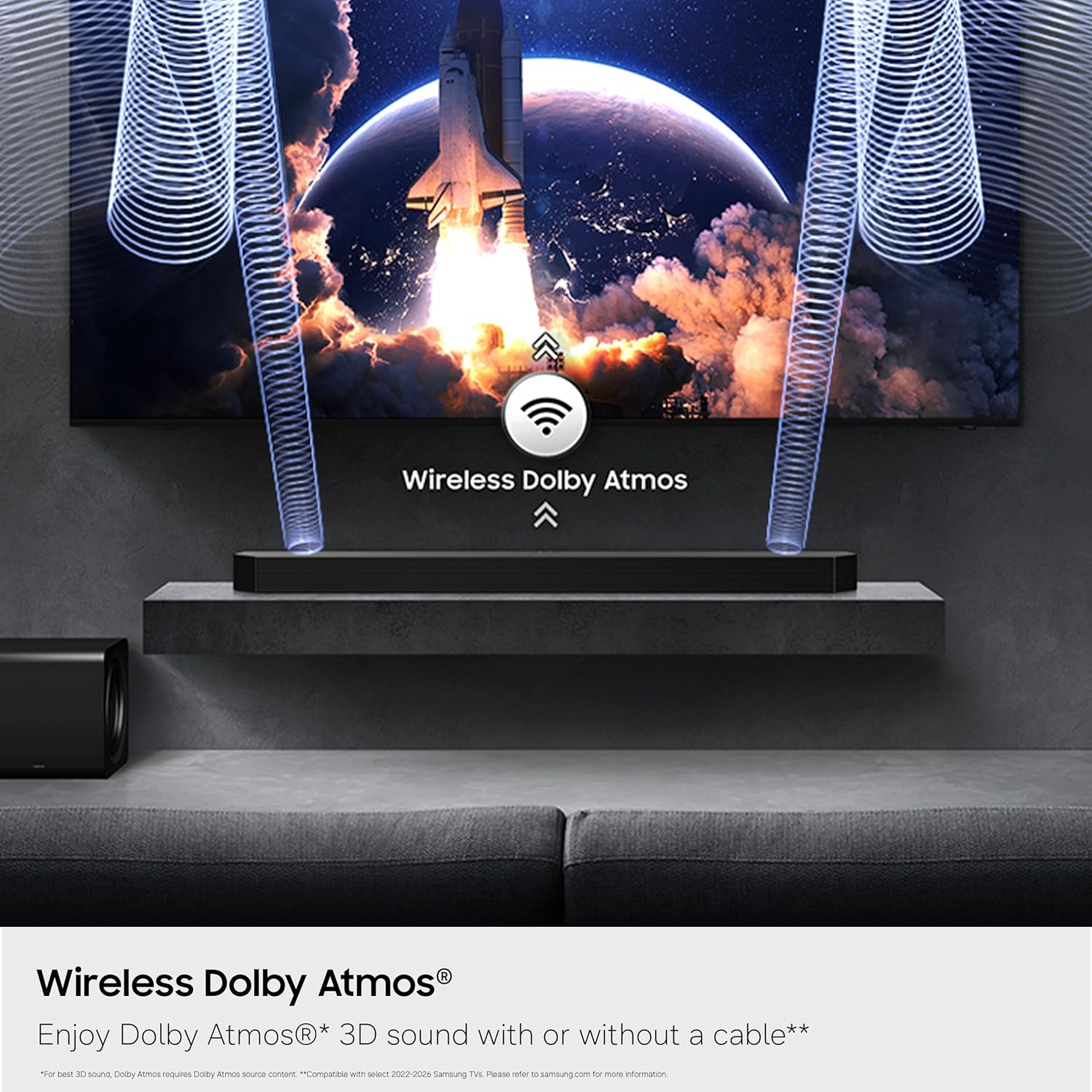
Image: A visual explanation of Q-Symphony, showing how sound from the TV and soundbar speakers combine to create a unified audio experience.

Image: A diagram demonstrating SpaceFit Sound Pro, where the soundbar analyzes the room's layout and adjusts audio output for optimal sound delivery.
Integració intel·ligent
The soundbar supports various smart services and voice assistants:
- Alexa integrada: Control your soundbar and other smart home devices using voice commands.
- Google Cast: Stream audio from compatible apps on your mobile device.
- AirPlay 2: Stream audio from compatible Apple devices (iOS 11.4 or later).
Manteniment
Per garantir la longevitat i el rendiment òptim del vostre sistema de barra de so, seguiu aquestes pautes de manteniment:
- Neteja: Netegeu suaument les superfícies de la barra de so i el subwoofer amb un drap suau i sec. Eviteu utilitzar netejadors abrasius, ceres o dissolvents.
- Ventilació: Assegureu-vos que les obertures de ventilació de la barra de so i del subwoofer no estiguin bloquejades. Un flux d'aire adequat evita el sobreescalfament.
- Cable d'alimentació: Regularly check the power cords for any damage. If damaged, discontinue use and contact customer support.
- Emmagatzematge: Si guardeu la unitat durant un període prolongat, desconnecteu-la de la presa de corrent i guardeu-la en un lloc fresc i sec, allunyat de la llum solar directa i de temperatures extremes.
Resolució de problemes
If you encounter issues with your Samsung HW-Q800H Soundbar, refer to the following common solutions:
| Problema | Solució |
|---|---|
| No hi ha so de la barra de so. | Check power connections. Ensure the correct input source is selected on the soundbar. Verify the TV's audio output settings are configured to external speakers (HDMI ARC/Optical). |
| Subwoofer not producing sound or not connecting. | Ensure the subwoofer is powered on and within range of the soundbar. Check for any obstructions. If issues persist, manually re-pair the subwoofer by following the instructions in the full user manual. |
| El comandament a distància no funciona. | Replace the batteries (2 AAA). Ensure there are no obstructions between the remote and the soundbar. |
| Cannot connect to SmartThings app. | Ensure your smartphone is connected to a 2.4 GHz Wi-Fi network during the initial setup process. Some multi-frequency routers may require temporary adjustment. Restart both the soundbar and your smartphone. |
| El so està distorsionat o poc clar. | Check the audio source quality. Adjust sound modes or EQ settings via the SmartThings app. Ensure speaker placement is not obstructed. |
Especificacions
| Característica | Detall |
|---|---|
| Marca | Samsung |
| Número de model | HW-Q800H/ZA |
| Potència de sortida màxima dels altaveus | 400 watts |
| Resposta de freqüència | 20 hertz |
| Tecnologia de connectivitat | Bluetooth, HDMI, Wi-Fi |
| Mode de sortida d'àudio | Envoltant |
| Tipus de muntatge | Muntatge de paret |
| Tipus d'altaveu | Barra de so |
| Característiques addicionals | Dolby activat |
| Diàmetre del subwoofer | 6.5 polzades |
| Color | Negre |
| Mètode de control | Remot |
| Speaker Size (Soundbar) | 43.71 polzades |
| Interval Bluetooth | 10 metres |
| Usos específics per al producte | Home Theater |
| Nombre de canals d'àudio | 5.1.2 |
| Connectivitat del subwoofer | Sense fil |
| Tipus de controlador d'àudio | Upward Firing Driver |
| Dimensions de l'article (D x W x H) | 4.72 "P x 43.71" W x 2.38" H |
| Pes de l'article | 27.1 lliures |
| Dispositius compatibles | Televisió |
| Font d'alimentació | Elèctric amb cable |
Garantia i Suport
Informació de la garantia
This Samsung HW-Q800H Soundbar is covered by a 1 any de garantia limitada del fabricantSi us plau, conserveu el comprovant de compra per a reclamacions de garantia. La garantia cobreix defectes de materials i fabricació en condicions d'ús normal.
Atenció al client
For technical assistance, troubleshooting beyond this manual, or warranty service, please contact Samsung Customer Support. You can find contact information on the official Samsung weblloc web o a la documentació inclosa amb el producte.
Online resources, including FAQs and updated software, may also be available on the Samsung support weblloc.