
Introducció
This manual provides essential instructions for the safe operation and maintenance of your CHUBORY G9 Pluto GPS Drone. Please read this guide thoroughly before your first flight to ensure proper setup and to maximize your flying experience. This drone features an EIS 4K camera, a 4.5-inch HD screen on the controller, GPS auto-return, and intelligent flight modes.
Producte acabatview
The CHUBORY G9 Pluto is a foldable GPS drone designed for ease of use and high-quality aerial photography. It comes equipped with a 4K EIS camera for stable video recording and a dedicated controller with an integrated HD screen for real-time FPV (First Person View).
Components
- CHUBORY G9 Pluto Drone
- Remote Controller with 4.5 inch HD Screen
- 3 bateries de ions de liti
- Hèlixs (joc de recanvi inclòs)
- Cables de càrrega USB
- MicroSD Card (32GB) & Card Reader
- Screwdriver & Spare Screws
- Drone Carry Bag
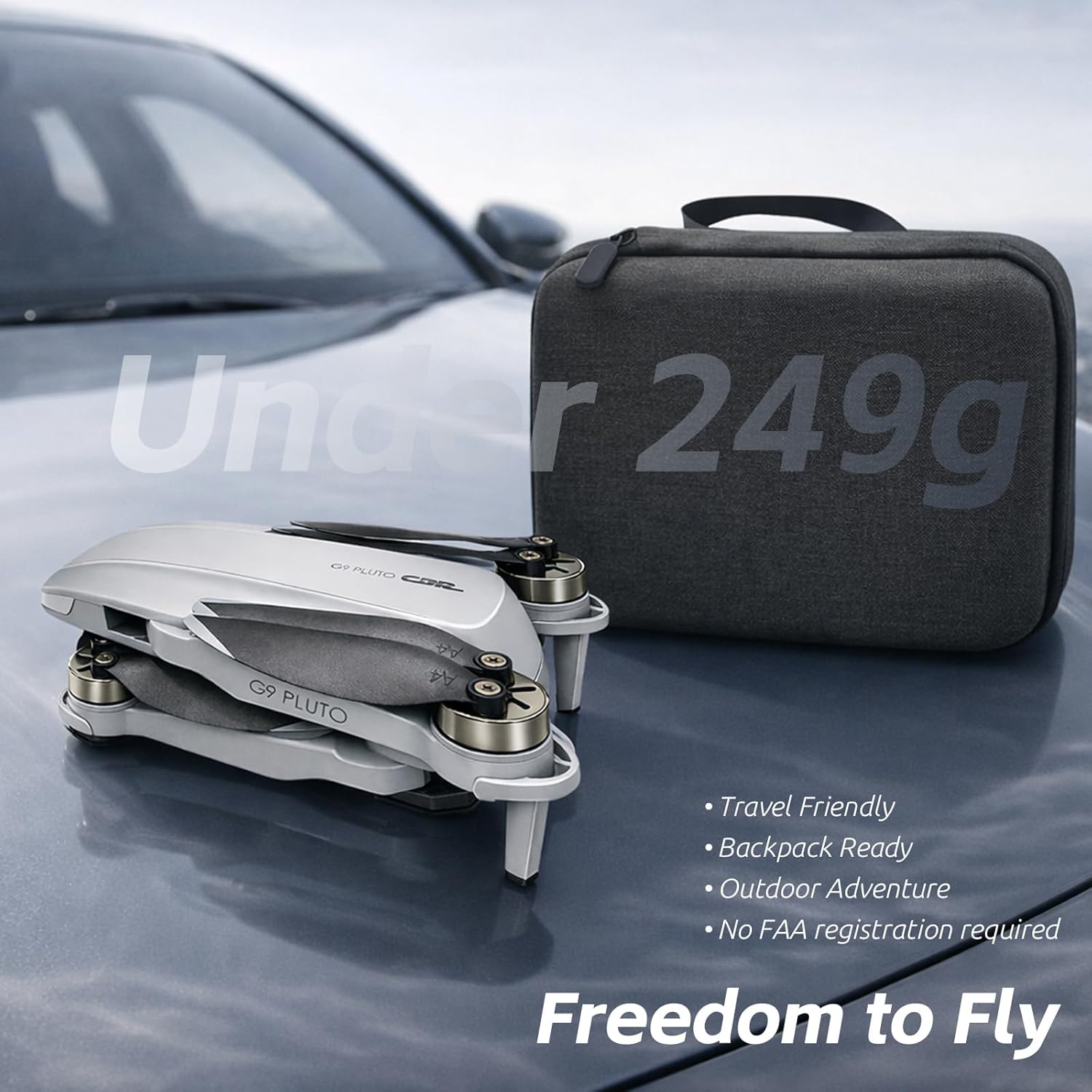
Image: The CHUBORY G9 Pluto drone, its remote controller with an integrated screen, and three flight batteries.

Image: The G9 Pluto drone highlighting its 4K camera and included 32GB SD card for recording.

Image: The CHUBORY G9 Pluto drone in its folded state next to its compact carry case, emphasizing its portability.
Configuració
1. Instal·lació i càrrega de la bateria
- Drone Bateria: Insert a fully charged battery into the drone until it clicks securely into place.
- Bateria del controlador: Ensure the remote controller is charged. Connect the USB charging cable to the controller and a power source.
- Càrrega: Use the provided USB cables to charge the drone batteries and controller. The indicator lights will show charging status.

Image: The G9 Pluto drone alongside its three included batteries, highlighting the extended flight time capability.
2. Preparació del dron
- Desplega els braços: Carefully unfold the drone's arms until they lock into position.
- Comprovació de l'hèlix: Assegureu-vos que totes les hèlixs estiguin ben fixades i no presentin danys.
- Encès: Premeu i manteniu premut el botó d'engegada del dron fins que els llums indicadors s'il·luminin.
3. Controller Setup and Pairing
- Encès: Premeu el botó d'engegada del comandament a distància.
- Maridatge: The drone and controller should automatically pair. If not, refer to the specific pairing sequence in the detailed manual (usually involves moving joysticks up and down).
- Calibratge GPS: For optimal performance, perform GPS calibration before each flight. Follow the on-screen instructions on the controller's HD screen or the app. This typically involves rotating the drone horizontally and vertically.

Image: The CHUBORY G9 Pluto remote controller, showing its integrated 4.5-inch HD screen and a smartphone mounted above it.
4. Instal·lació de l'aplicació (opcional)
For additional features and a larger FPV display, download the official CHUBORY drone app from your smartphone's app store. Connect your smartphone to the controller via the provided cable or Wi-Fi, as instructed by the app.
Instruccions de funcionament
1. Llista de verificació prèvia al vol
- Ensure batteries are fully charged for both drone and controller.
- Check propellers for damage and secure attachment.
- Fly in an open area, away from obstacles, people, and restricted airspace.
- Perform GPS calibration.
2. Enlairament i aterratge
- Enlairament automàtic: Press the one-key takeoff button on the controller. The drone will ascend to a safe hovering altitude.
- Enlairament manual: Push both joysticks down and outwards to start the motors, then slowly push the left joystick up to ascend.
- Aterratge automàtic: Premeu el botó d'aterratge d'un sol botó. El dron descendirà i aterrarà automàticament.
- Aterratge manual: Slowly pull the left joystick down to descend.
3. Controls de vol
El comandament a distància utilitza una configuració estàndard de mode 2:
- Joystick esquerre: Up/Down controls altitude (throttle); Left/Right controls rotation (yaw).
- Joystick dret: Up/Down controls forward/backward movement (pitch); Left/Right controls sideways movement (roll).
Video: A user guide demonstrating various flight controls and features of a CHUBORY drone, including basic maneuvers and intelligent modes.
4. Modes de vol intel·ligents
- GPS Auto Return (RTH): The drone will automatically return to its takeoff point if the battery is low, signal is lost, or the RTH button is pressed. Ensure GPS signal is strong before flight.
- Mode Segueix-me: The drone will automatically follow the controller or a designated subject (via the app).
- Mosca circular: The drone will fly in a circular path around a designated point.

Image: Illustration of the Smart AI Return features, including Low Battery RTH, Signal Lost RTH, and GPS RTH, ensuring safe return of the drone.

Image: The remote controller displaying the AI Follow mode in action, with the drone tracking a person.
5. Funcionament de la càmera
The drone is equipped with a 4K EIS camera for high-quality photos and videos. The 4.5-inch HD screen on the controller provides a live feed.
- Foto: Press the dedicated photo button on the controller to capture still images.
- Vídeo: Press the dedicated video button to start/stop recording.
- Control de cardán: Use the gimbal dial on the controller to adjust the camera's vertical angle.
- Emmagatzematge: Photos and videos are saved to the included 32GB MicroSD card.
Video: A demonstration of the CHUBORY F89 Drone's features, including camera operation and flight capabilities.
Video: A first-use guide for a 4K drone, demonstrating initial setup and basic flight procedures, applicable to similar drone models.
Manteniment
1. Cura de la bateria
- Guardeu les piles en un lloc fresc i sec.
- No sobrecarregueu ni descarregueu excessivament les bateries.
- If storing for extended periods, charge batteries to approximately 50-60%.
2. Substitució de l'hèlix
- Inspect propellers for cracks or damage before each flight.
- Use the provided screwdriver to replace damaged propellers with new ones, ensuring correct orientation (A and B propellers).
3. Neteja
- Wipe the drone and controller with a soft, dry cloth.
- Eviteu utilitzar productes químics o dissolvents aggressivs.
- Keep the camera lens clean for clear footage.
Resolució de problemes
| Problema | Causa possible | Solució |
|---|---|---|
| El dron no s'encén | Bateria baixa; Bateria no inserida correctament | Carregueu la bateria; Torneu a inserir la bateria de manera segura |
| Controller does not pair | Drone or controller not powered on; Pairing sequence not followed | Ensure both are on; Repeat pairing steps (joysticks up/down) |
| Vol inestable/Deriva | No GPS signal; Improper calibration; Wind interference | Fly in open area with clear sky; Recalibrate GPS; Avoid flying in strong winds |
| No FPV feed on controller/app | Connection issue; App not running | Check cable/Wi-Fi connection; Restart app and drone/controller |
| Mala qualitat de la càmera | Dirty lens; Insufficient lighting; SD card issue | Clean lens; Fly in well-lit conditions; Check/format SD card |
Especificacions
- Nom del model: G9 Pluto
- Marca: CHUBORY
- Dimensions del producte: 13.5 x 7.5 x 4.5 cm
- Pes de l'article: 150 Grams (Under 249g, No FAA Registration Required)
- Bateries: 2 Lithium Ion batteries required (3 included for extended flight)
- Temps de vol: Fins a 30 minuts per bateria (90 minuts en total amb 3 bateries)
- Càmera: 4K EIS (Electronic Image Stabilization)
- Controller Screen: Pantalla HD de 4.5 polzades
- Interval màxim: 3280 peus (1 km)
- Tecnologia de connectivitat: Wi-Fi, RF
- Característiques especials: GPS Auto Return, Circle Fly, Follow Me Mode, Foldable Design
- UPC: 718027500068
Garantia i Suport
For warranty information and technical support, please refer to the contact details provided with your purchase documentation or visit the official CHUBORY weblloc web. Conserveu el comprovant de compra per a qualsevol reclamació de garantia.
Informació de contacte del fabricant: Foshanshi chuborui jiajuyouxianzerengongsi


