
1. Introducció
This manual provides detailed instructions for the setup, operation, and maintenance of your Eyoyo EY-009L 1D Mini Bluetooth Barcode Scanner. This compact and portable scanner offers versatile 3-in-1 connectivity options: USB wired, 2.4G wireless, and Bluetooth. It is designed for efficient 1D barcode scanning across various platforms including iOS, Windows, Android, tablets, and computers.
2. Contingut del paquet
Abans de continuar, comproveu que tots els elements estiguin presents al vostre paquet:
- Eyoyo EY-009L Barcode Scanner
- Càrrega USB/Cable de dades
- Adaptador sense fil 2.4G
- Funda protectora de silicona
- Corretja de canell
- Manual d'usuari (aquest document)
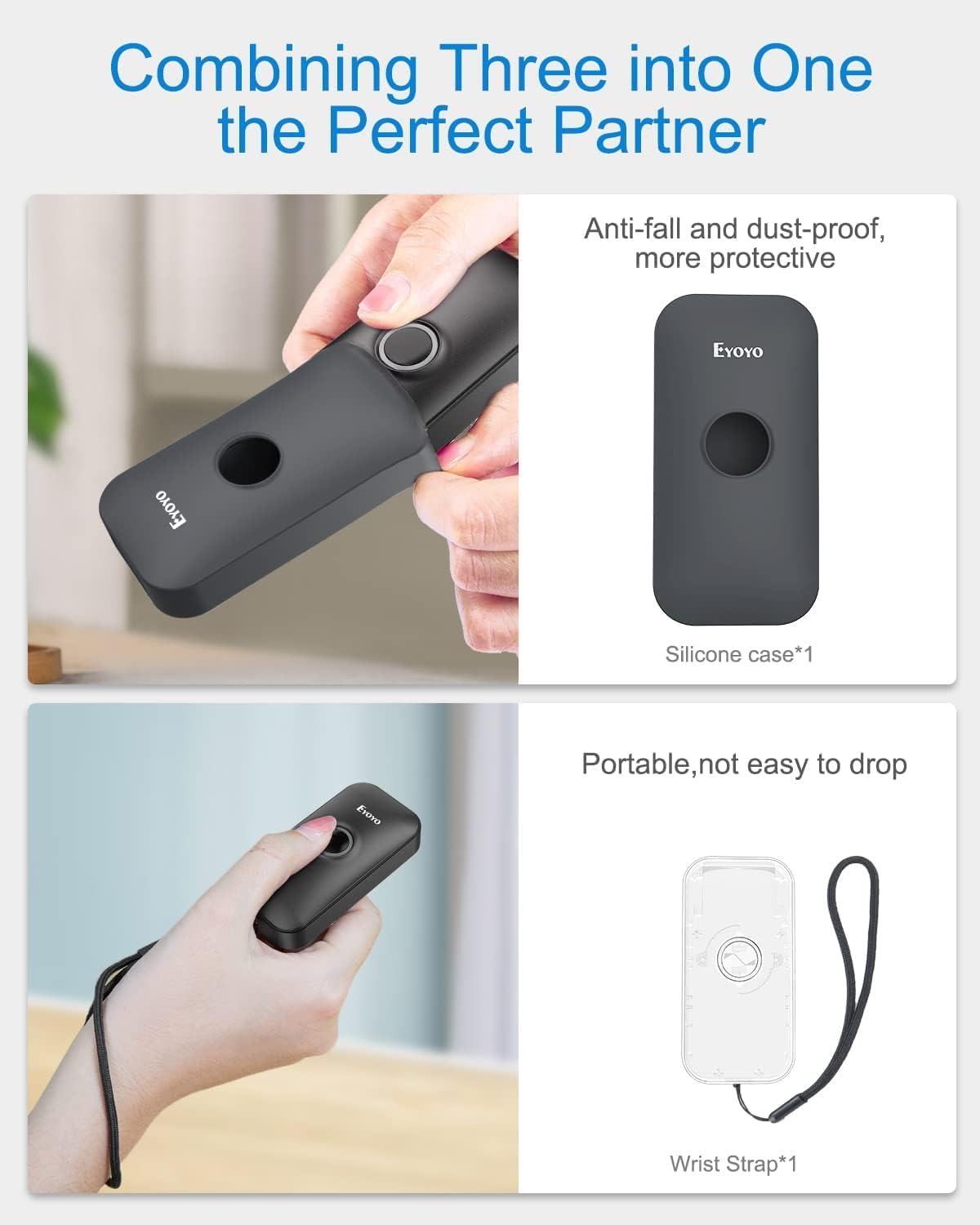
Image: Contents of the Eyoyo EY-009L package, including the scanner, USB cable, 2.4G dongle, silicone case, wrist strap, and user manual.
3. Producte acabatview
The Eyoyo EY-009L is a compact and lightweight 1D barcode scanner designed for portability and ease of use. It features a durable silicone case for protection and multiple connectivity options.
3.1 Característiques clau
- Disseny compacte: Weighs approximately 35g (1.23oz) with dimensions of 3.07" x 1.50" x 0.47".
- Connectivitat 3 en 1: Supports 2.4G Wireless, Bluetooth, and USB Wired modes.
- Compatibilitat amb codis de barres 1D: Reads UPC/EAN, Code 39, Interleaved 2 of 5, Code 93, Code 128, Codabar, Industrial 2 of 5, and Matrix 2 of 5.
- Llarga vida útil de la bateria: 650mAh rechargeable battery provides up to 5 hours of continuous scanning.
- Alta compatibilitat: Works with Windows, Mac OS, Linux, iOS, and Android devices.

Image: The compact Eyoyo EY-009L barcode scanner held in a hand, illustrating its small size and portability.
4. Configuració i connexió
The scanner offers three connection modes. Choose the mode that best suits your device and environment.

Image: Visual representation of the three connection modes: USB Wired, 2.4G Wireless, and Bluetooth, connecting the scanner to various devices.
4.1 Mode per cable USB
- Connecteu l'escàner a l'ordinador mitjançant el cable USB proporcionat.
- The scanner will automatically enter wired mode and begin charging.
- No additional drivers are typically required. The scanner will function as a keyboard input device.
4.2 Mode sense fil 2.4G
- Insert the 2.4G wireless dongle into a USB port on your computer or device.
- Engegueu l'escàner. S'hauria de connectar automàticament al dongle.
- A successful connection is indicated by a specific LED light pattern or sound (refer to the scanner's indicator guide for details).
- The 2.4G wireless mode offers a transmission range of up to 30m (98ft) in a barrier-free environment.
4.3 Mode Bluetooth
- Ensure the scanner is powered on and in Bluetooth pairing mode (usually indicated by a blinking blue LED). If not, scan the "Bluetooth Pairing" barcode from the full user manual.
- Al dispositiu amfitrió (telèfon intel·ligent, tauleta, ordinador), activeu el Bluetooth i cerqueu els dispositius disponibles.
- Select "Eyoyo Barcode Scanner" or a similar name from the list of devices to pair.
- Once paired, the scanner's LED will change to a solid blue, and a confirmation sound may be heard.
- Bluetooth mode provides a transmission range of up to 50m (164ft) in a barrier-free environment.

Image: Diagram showing the effective transmission distances for 2.4G wireless mode (up to 30m/98ft) and Bluetooth mode (up to 50m/164ft) in different environments.

Image: Illustration of the scanner's compatibility with Windows, Android, iOS/macOS, and Linux operating systems, connecting to PCs, laptops, tablets, and smartphones.
5. Instruccions de funcionament
5.1 Escaneig bàsic
- Ensure the scanner is connected to your device in the desired mode.
- Open an application or text field where you want the scanned data to appear (e.g., Notepad, Word document, POS software).
- Point the scanner's light beam at the 1D barcode you wish to scan.
- Press the scan button. A successful scan will be indicated by a beep and/or a green LED flash, and the barcode data will appear in your application.
5.2 Modes de funcionament
The scanner supports two primary operating modes:
- Mode de càrrega instantània: Les dades escanejades es transmeten immediatament al dispositiu connectat. Aquest és el mode per defecte.
- Mode d'emmagatzematge: Scanned data is stored in the scanner's internal memory. Data can be uploaded later by scanning a specific "Upload Data" barcode (refer to the full user manual for this barcode). This mode is useful when out of range of the host device.
To switch between modes, scan the corresponding configuration barcodes found in the comprehensive user manual.
5.3 Opcions de personalització
The scanner offers various customizable settings by scanning specific configuration barcodes:
- So i vibració: Enable or disable audible beeps and vibration feedback.
- Prefix/Suffix: Afegiu caràcters personalitzats abans o després de les dades escanejades.
- Character Deletion: Remove specific characters from scanned data.
- Tecles del teclat: Insert special keys like TAB or CR&LF (Carriage Return & Line Feed) after each scan for automatic cursor movement.
Refer to the complete user manual for a full list of configuration barcodes and detailed instructions.
6. Bateria i càrrega
The scanner is equipped with a 650mAh rechargeable battery.
- Càrrega: Connect the scanner to a USB power source (computer USB port or USB wall adapter) using the provided USB cable. The charging indicator light will show charging status. A full charge takes approximately 2 hours.
- Durada de la bateria: A fully charged battery provides up to 5 hours of continuous scanning or 720 hours of standby time.

Image: Infographic detailing the 650mAh rechargeable battery, 5 hours scanning time, 720 hours standby time, and 4 hours charging time for the Eyoyo barcode scanner.
7. Manteniment
- Neteja: Feu servir un drap suau i sec per netejar l'exterior de l'escàner. No utilitzeu productes de neteja abrasius ni dissolvents.
- Emmagatzematge: Guardeu l'escàner en un lloc fresc i sec, allunyat de la llum solar directa i de temperatures extremes.
- Protecció: Always use the provided silicone protective case to guard against drops and scratches.

Image: The Eyoyo barcode scanner being inserted into its anti-fall and dust-proof silicone case, and an image showing the scanner with an attached wrist strap for portability.
8. Solució De Problemes
| Problema | Causa possible | Solució |
|---|---|---|
| Scanner not turning on. | Bateria baixa. | Charge the scanner for at least 2 hours. |
| No data transmitted after scanning. | Not connected to host device; incorrect operating mode; application not in focus. | Ensure proper connection (USB, 2.4G, or Bluetooth). Check if the scanner is in "Instant Upload Mode". Make sure the cursor is in the desired text field of your application. |
| No es pot emparellar per Bluetooth. | Scanner not in pairing mode; device Bluetooth off; interference. | Scan the "Bluetooth Pairing" barcode. Ensure Bluetooth is enabled on your device. Move closer to the device and away from potential interference sources. |
| Scanner reads barcodes incorrectly or not at all. | Damaged barcode; scanner lens dirty; incorrect barcode type enabled. | Try scanning a different, known-good barcode. Clean the scanner lens. Refer to the full manual to enable/disable specific barcode symbologies. |
9. Especificacions
| Característica | Detall |
|---|---|
| Número de model | EY-009L |
| Tecnologia de connectivitat | 2.4G sense fil, Bluetooth, cable USB |
| Dispositius compatibles | Desktop, Laptop, Smartphone, Tablet (iOS, Windows, Android, Mac OS, Linux) |
| Tipus de codis de barres compatibles | 1D codes: UPC/EAN, Code 39, Interleaved 2 of 5, Code 93, Code 128, Codabar, Industrial 2 of 5, Matrix 2 of 5 |
| Capacitat de la bateria | 650 mAh |
| Temps d'escaneig continu | Fins a 5 hores |
| Temps de càrrega | Aproximadament 2 hores |
| Dimensions (P x A x A) | 0.48" x 1.56" x 3" |
| Pes | 35 g (1.23 oz) |
| Vol. Operatiutage | 5 Volts |
| Temperatura màxima d'emmagatzematge | 50 graus centígrads |
| Certificacions | CE, FCC, RoHS |
10. Garantia i Suport
The Eyoyo EY-009L Barcode Scanner comes with a 1 any de garantia del fabricant.
For technical support, warranty claims, or further assistance, please contact Eyoyo customer service through their official weblloc web o la informació de contacte proporcionada amb la documentació de compra.
Si us plau, conserveu el comprovant de compra per motius de garantia.