
1. Introducció
Gràcies per la compraasing the Dpofirs Action Sports Smart Camera Glasses. This device allows you to capture high-definition 1080P video and photos discreetly, making it ideal for various activities such as sports, travel, and daily documentation. Please read this manual carefully to ensure proper use and maintenance of your camera glasses.
2. Contingut del paquet
Verifiqueu que tots els elements que s'enumeren a continuació s'inclouen al vostre paquet:
- 1 x Dpofirs Camera Glasses
- 1 x drap de neteja
- 1 x Manual d'usuari
- 1 x Charging Cable (Mini USB 5 Pin)
- 1 x Caixa d'emmagatzematge
- 1 x Card Pin (for memory card removal/insertion)

Image: All items included in the Dpofirs Camera Glasses package. This includes the camera glasses, a cleaning cloth, a USB charging cable, a protective storage box, and a small pin for accessing the memory card slot.
3. Producte acabatview
Familiarize yourself with the main components of your Dpofirs Camera Glasses:
- Lent de la càmera: Located discreetly on the front frame.
- Llum indicadora: Provides status feedback (e.g., charging, recording).
- Power/Record Button: Single button for all operations.
- Micròfon: Per a l'enregistrament d'àudio.
- Port mini USB: Per a càrrega i transferència de dades.
- Ranura per a targetes Micro SD: For storage (supports up to 128GB, not included).

Imatge: Primer pla frontal view of the Dpofirs Camera Glasses, clearly showing the integrated camera lens at the center of the frame, along with icons indicating 1080p Full HD video, camera function, micro SD card support, and the glasses themselves.
4. Configuració
4.1. Càrrega del dispositiu
- Connect the provided Mini USB charging cable to the glasses' USB port.
- Connecteu l'altre extrem del cable a un adaptador de corrent USB (no inclòs) o al port USB d'un ordinador.
- The indicator light will show charging status (refer to the light behavior section in Operating for details).
- Una càrrega completa sol trigar aproximadament 1.5 hores.
4.2. Inserció d'una targeta Micro SD
A Micro SD card (up to 128GB, Class 10 or higher recommended) is required for recording and is not included.
- Locate the Micro SD card slot on the glasses frame.
- Using the provided card pin or a similar small tool, gently push the Micro SD card into the slot until it clicks into place. Ensure the gold contacts face the correct direction (usually towards the front of the glasses).
- To remove, gently push the card again until it springs out.
5. Instruccions de funcionament
5.1. Encès / apagat
- Encès: Press and hold the Power/Record button for approximately 3 seconds until the indicator light turns on.
- Apagar: Press and hold the Power/Record button for approximately 5 seconds until the indicator light turns off.

Image: A visual representation of the simple one-touch button operation on the Dpofirs Camera Glasses, demonstrating how to power on, turn off, and capture photos or videos with a single button press. A person on a bicycle in the background suggests active use.
5.2. Gravació de vídeo
The glasses record 1080P HD video with audio.
- Assegureu-vos que el dispositiu estigui encès.
- Press the Power/Record button once briefly to start video recording. The indicator light will change to confirm recording has begun.
- Press the Power/Record button once briefly again to stop recording. The video file will be saved, and the indicator light will revert to standby mode.

Image: This image highlights the Ultra HD 1080p video recording feature of the Dpofirs Camera Glasses. It shows a couple cycling on a beach, suggesting the glasses are suitable for outdoor activities and capturing high-quality footage.
5.3. Fer fotos
Specific instructions for taking photos are not detailed in the product description, but typically involve a quick double-press or a different button press sequence. Please refer to the included printed manual for precise photo capture instructions if available. If not, the device may primarily be designed for video with photo capture as a secondary function via video frame extraction.
5.4. Connecting to a Computer (Data Transfer)
- Ensure the camera glasses are powered off.
- Connect the glasses to your computer using the provided Mini USB cable.
- The computer should recognize the glasses as a removable storage device.
- You can then access the recorded video and photo files directly from the Micro SD card.
- Expulseu el dispositiu de l'ordinador de manera segura abans de desconnectar el cable.
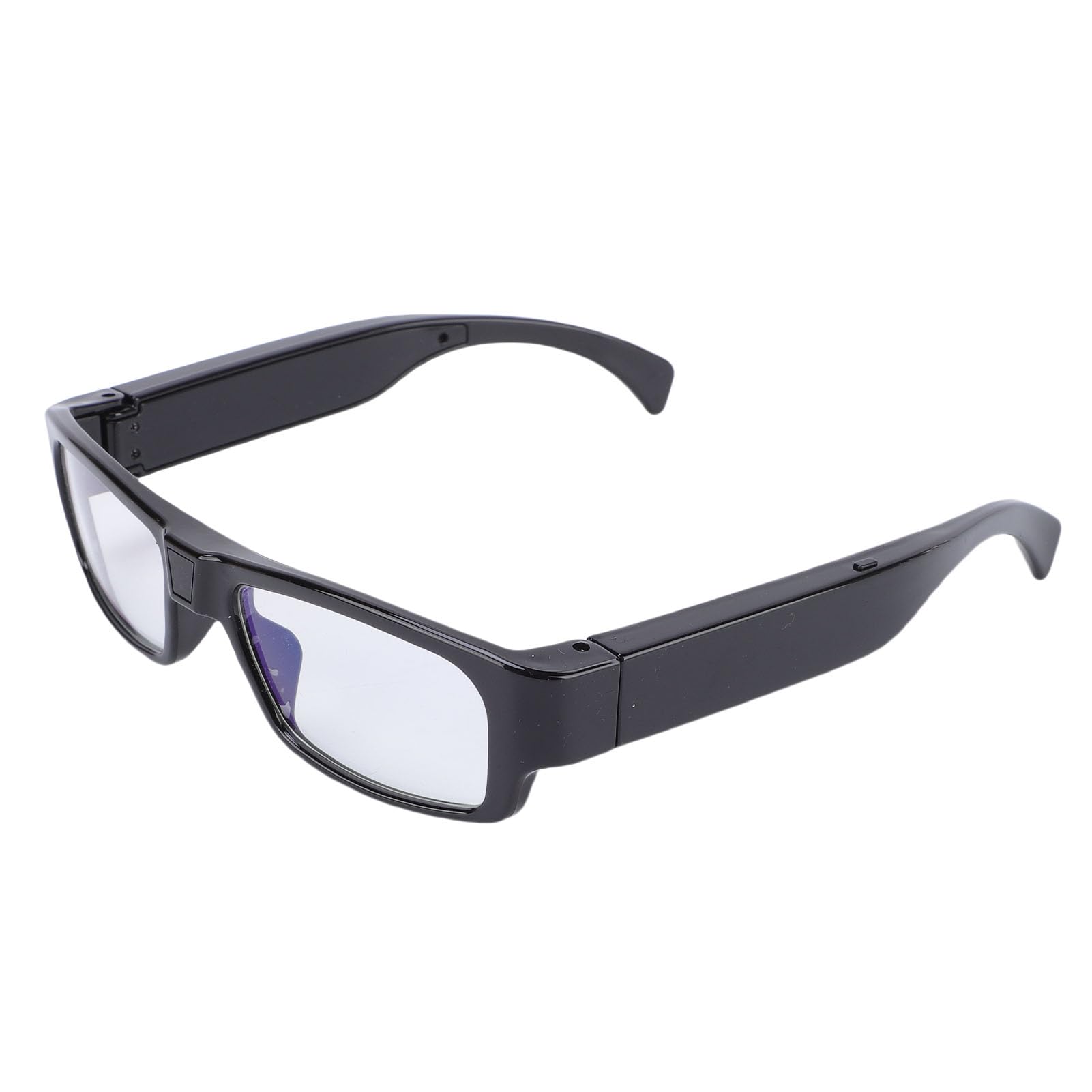
Image: The Dpofirs Camera Glasses are shown connected to a laptop via a USB cable, illustrating the ease of accessing and reading recorded files directly from the device as external storage.
6. Manteniment
- Neteja: Use the provided cleaning cloth to gently wipe the lenses and frame. Avoid using harsh chemicals or abrasive materials.
- Emmagatzematge: When not in use, store the glasses in the provided storage box to protect them from dust, scratches, and impacts.
- Temperatura: Avoid exposing the device to extreme temperatures (hot or cold) or high humidity.
- Resistència a l'aigua: The glasses are not waterproof. Avoid contact with water or other liquids.
7. Solució De Problemes
| Problema | Causa possible | Solució |
|---|---|---|
| El dispositiu no s'encén. | Bateria baixa. | Carregueu el dispositiu completament. |
| No es pot gravar vídeo. | No hi ha cap targeta Micro SD inserida o la targeta està plena/corrompuda. | Insert a Micro SD card, ensure it has sufficient space, or try formatting the card (this will erase all data). |
| L'ordinador no reconeix el dispositiu. | Faulty USB cable or port; device not powered off before connecting. | Try a different USB cable or port. Ensure the glasses are powered off before connecting to the computer. |
| Poca qualitat de vídeo. | Dirty lens; insufficient lighting; rapid movement. | Clean the lens. Ensure adequate lighting. The device features electronic stabilization, but extreme rapid movement can still affect quality. |
8. Especificacions
| Característica | Detall |
|---|---|
| Resolució de vídeo | 1080P (màx.) |
| Lent | Lent gran angular |
| Velocitat de fotogrames | 30 fps ± 1 fps |
| Stabilization Type | Electronic stabilization |
| Relació d'aspecte | 16:9 |
| Format d'imatge | JPG |
| Format de vídeo | MP4 |
| Tipus de bateria | Built-in high capacity lithium-ion battery |
| Capacitat de la bateria | 300 mAh |
| Suport d'emmagatzematge | Targeta Micro SD de fins a 128 GB (no inclosa) |
| Tipus d'interfície | Mini USB 5 Pin |
| Pes de l'article | 4.3 unces |
| Dimensions del paquet | 6.69 x 2.76 x 2.76 polzades |
9. Garantia i Suport
For warranty information and technical support, please refer to the documentation included with your purchase or contact Dpofirs customer service through the retailer where the product was purchased. Keep your proof of purchase for warranty claims.
For further assistance, you may visit the Dpofirs store on Amazon: Dpofirs Store