
1. Introducció
The GENDOME SL300 Power Station is a 288Wh (90000mAh) LiFePO4 battery pack designed to provide portable power for your Starlink Mini and other electronic devices. This all-in-one kit ensures stable off-grid internet connectivity for various outdoor activities, travel, and emergency backup situations. It features advanced battery management system (BMS) protection and versatile charging options, all housed within a custom-fit protective carrying case.
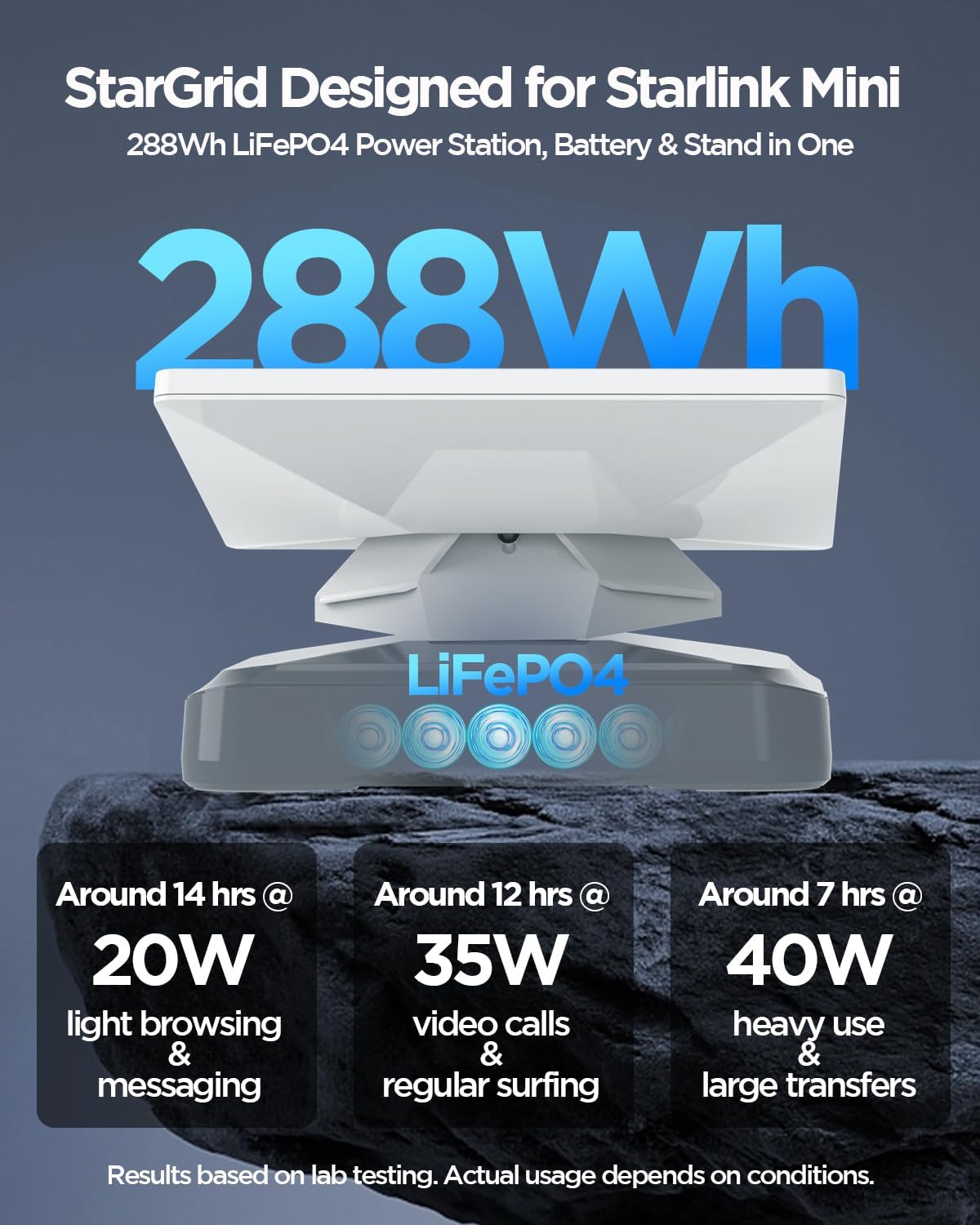
Image 1.1: GENDOME SL300 Power Station with Starlink Mini attached.
2. Què hi ha a la caixa
Si us plau, verifiqueu que hi hagi tots els components en desembalar-los:
- 1x GENDOME SL300 288Wh Power Station
- 1x Custom-fit Carrying Case
- 1x DC Cable
- 1x DC to USB-C Cable
- 1 x manual d'usuari
Nota: The Starlink Mini device, Starlink Mini bottom stand, Starlink Mini charging adapter, and solar panel are no inclòs amb aquest kit.

Image 2.1: All components included in the GENDOME SL300 Power Station kit.
3. Instruccions de configuració
Follow these steps to set up your GENDOME SL300 Power Station with your Starlink Mini:
- Place the Power Station: Position the GENDOME SL300 Power Station on a stable, flat surface.
- Attach Starlink Mini: Align your Starlink Mini device with the designated slot on top of the GENDOME SL300 Power Station. The power station features a tool-free snap-on design for secure attachment. Gently press the Starlink Mini onto the power station until it locks into place.
- Connectar els cables: Use the provided DC to USB-C cable to connect the Starlink Mini to the appropriate port on the GENDOME SL300 Power Station. Ensure all connections are firm.
- Encès: Press and hold the power button on the GENDOME SL300 Power Station to turn it on. The battery status indicator lights will illuminate.

Image 3.1: Detail of the tool-free snap-on design for Starlink Mini attachment.

Image 3.2: Starlink Mini securely connected to the GENDOME SL300 Power Station.
4. Instruccions de funcionament
The GENDOME SL300 Power Station is designed for ease of use, providing power to your Starlink Mini and other devices.
4.1 Engegada/apagada
- Per encendre: Press and hold the Power Button (1) for approximately 3 seconds until the Battery Status Indicators (2) light up.
- Per apagar: Press and hold the Power Button (1) for approximately 3 seconds until the Battery Status Indicators (2) turn off.
4.2 Connexió de dispositius
The power station offers multiple output ports:
- DC Port (3): Primarily used for connecting the Starlink Mini via the provided DC cable.
- USB-C (Type-C) Port (4): Supports up to 100W output for charging laptops, tablets, and other compatible devices.
- USB-A Port (5): For charging smartphones, cameras, and other USB-powered accessories.
You can power your Starlink Mini and charge other devices simultaneously using the available ports.

Imatge 4.1: acabatview of GENDOME SL300 Power Station ports and controls.

Image 4.2: GENDOME SL300 Power Station powering multiple devices.
5. Càrrega de la central elèctrica
The GENDOME SL300 Power Station supports fast charging with multiple input options.
5.1 Charging Methods and Times
The power station can be recharged via DC port, USB-C (Type-C) port, or a combination of both for maximum speed.
| Mètode de càrrega | Potència màxima | Approx. Charging Time to 80% |
|---|---|---|
| Port DC | 60W | ~5 hores |
| Port TIPUS-C | 60W | ~5 hores |
| DC Port + TYPE-C | 120W | ~2.5 hores |
Càrrega directa: The GENDOME SL300 supports pass-through charging, allowing you to power your Starlink Mini and other devices while the power station itself is being recharged.

Image 5.1: Charging methods and approximate times for the GENDOME SL300.
6. Manteniment
Proper maintenance ensures the longevity and optimal performance of your GENDOME SL300 Power Station.
- Emmagatzematge: Store the power station in a cool, dry place away from direct sunlight and extreme temperatures. For long-term storage, ensure the battery is charged to approximately 50-80%.
- Neteja: Use a soft, dry cloth to clean the exterior of the power station. Do not use harsh chemicals or abrasive materials.
- Cicles de càrrega: To maintain battery health, fully discharge and recharge the unit at least once every 3-6 months if not in regular use.
- Evitar la sobrecàrrega: Do not allow the battery to completely drain for extended periods, as this can reduce its lifespan.
- Atenció al cas: The protective carrying case is splash-resistant. Wipe off any moisture promptly.

Image 6.1: The splash-resistant carrying case protecting the power station.
7. Solució De Problemes
If you encounter issues with your GENDOME SL300 Power Station, refer to the following common solutions:
- La central elèctrica no s'encén:
- Ensure the battery is charged. Connect it to a power source and allow it to charge for at least 30 minutes.
- Press and hold the power button firmly for 3-5 seconds. - Dispositius que no es carreguen:
- Verify that the power station is turned on.
- Check if the cables are securely connected to both the power station and the device.
- Ensure the device's power requirements do not exceed the output capacity of the port being used.
- Try a different port or cable. - Càrrega lenta:
- Ensure you are using a compatible charger and cable.
- For faster charging, use both the DC and USB-C input ports simultaneously (120W combined input).
- Environmental factors (extreme cold/heat) can affect charging speed. - Starlink Mini Not Receiving Power:
- Confirm the DC to USB-C cable is correctly connected between the power station's DC port and the Starlink Mini.
- Ensure the power station has sufficient charge.
8. Especificacions
Detailed technical specifications for the GENDOME SL300 Power Station:
| Característica | Detall |
|---|---|
| Marca | GENDOME |
| Nom del model | SL300 |
| Capacitat de la bateria | 288 Wh / 90000 mAh |
| Tipus de pila de bateria | Fosfat de ferro de liti (LiFePO4) |
| Voltage | 19.2 Volts |
| Entrada (USB-C PD) | Fins a 100 W |
| Entrada (DC) | Fins a 60 W |
| Sortida (USB-C PD) | Fins a 100 W |
| Sortida (USB-A) | Standard USB output |
| Sortida (DC) | Compatible with Starlink Mini |
| Característiques especials | Advanced BMS Protection (Over-charge, Over-discharge, Over-voltage, Over-temperature), Pass-Through Charging, Custom-fit Carrying Case |
| Usos recomanats | Starlink Mini, Laptop, Phone, Power Tool |
| Pes de la bateria | 8 lliures |
9. Informació de seguretat
Si us plau, llegiu i seguiu aquestes pautes de seguretat per evitar lesions o danys al producte:
- Do not expose the power station to extreme temperatures, direct sunlight, or fire.
- Do not immerse the power station in water or other liquids.
- Avoid dropping, puncturing, or disassembling the unit.
- Mantenir fora de l'abast dels nens.
- Use only approved chargers and cables. The DC to USB-C cable included is specifically for Starlink Mini and should not be used for charging the SL300 itself or other products.
- Assegureu-vos una ventilació adequada durant l'ús i la càrrega.
- If the power station becomes excessively hot, emits smoke, or shows any signs of damage, discontinue use immediately and contact support.
10. Garantia i Suport
GENDOME products are designed for reliability and performance. For warranty information, technical support, or any questions regarding your SL300 Power Station, please refer to the contact information provided with your purchase or visit the official GENDOME weblloc.