
Introducció
This manual provides essential information for the safe and effective use of your Hyper Tough 20V Max 2.0Ah Lithium-Ion Battery Pack. This battery pack is designed to power Hyper Tough 20V tools and features integrated USB-A and USB-C ports for charging compatible electronic devices. Please read these instructions carefully before use and retain them for future reference.
Informació de seguretat
ADVERTÈNCIA: llegiu totes les instruccions i advertències de seguretat. El no seguir les advertències i instruccions pot provocar descàrregues elèctriques, incendis i/o lesions greus.
Seguretat de la bateria
- RISK OF FIRE AND BURNS. No obrir, aixafar, escalfar per sobre de 100 °C (212 °F) ni incinerar.
- Follow manufacturer's instructions for charging and use.
- Store indoors in a cool, dry place, away from direct sunlight and moisture.
- RISC DE DESCARGA ELÈCTRICA. No exposeu la bateria a l'aigua ni a la pluja.
- No user-serviceable parts inside. Do not attempt to disassemble or repair the battery pack.
- Ambient temperature for charging should be between 41°F to 104°F (5°C to 40°C).
- Charge only with Hyper Tough chargers (e.g., JS-22055-117UN) or other chargers specifically approved by Hyper Tough for this model.
- No curtcircuiteu els terminals de la bateria.
- Mantingueu les bateries fora de l'abast dels nens.
- Dispose of used battery packs responsibly according to local regulations.
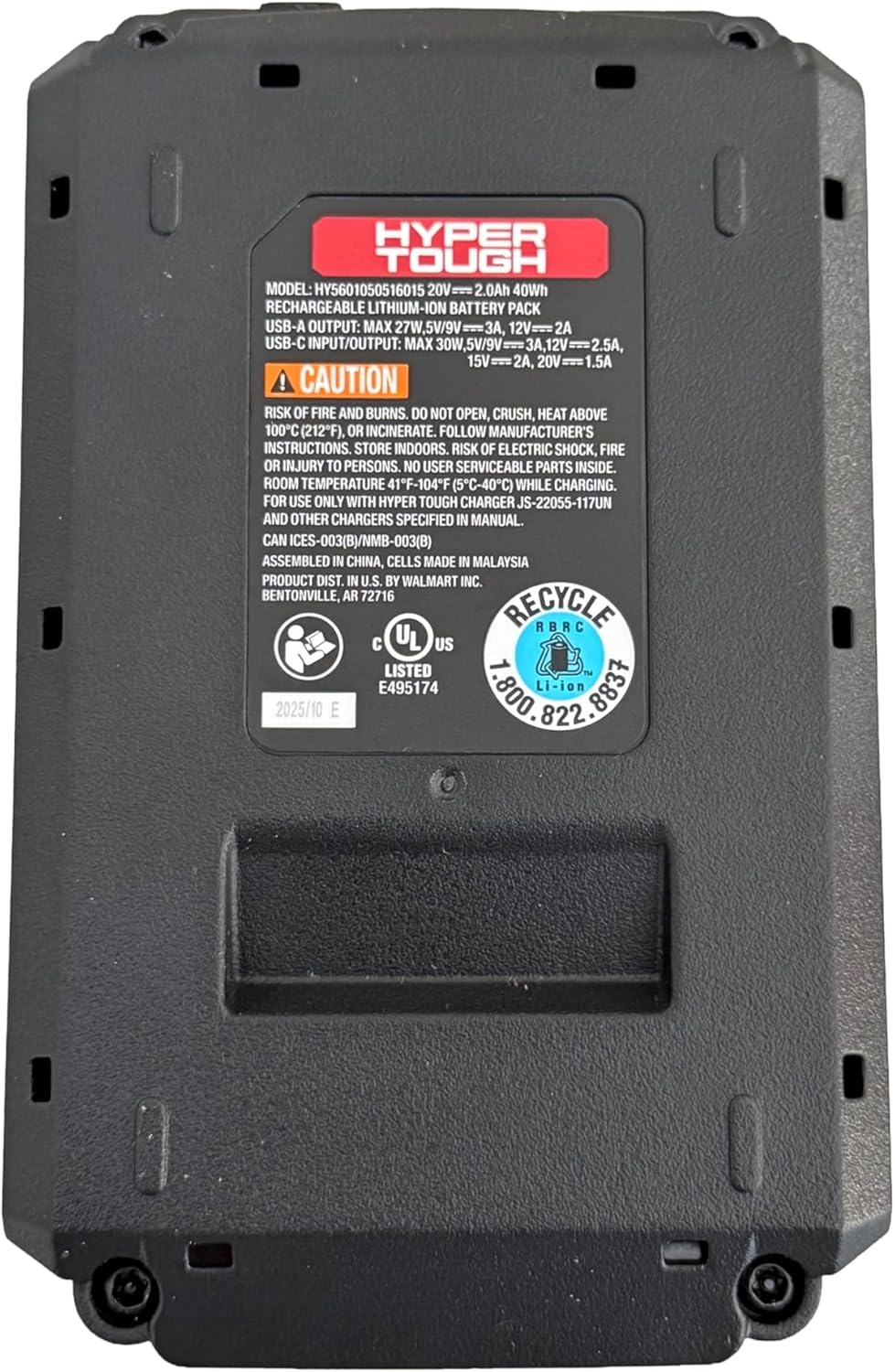
Imatge: Part inferior view of the battery pack, displaying model information, USB port specifications, and critical safety warnings regarding fire, burns, and electric shock. It also shows recycling information and UL listing.
Producte acabatview
The Hyper Tough 20V Max 2.0Ah Lithium-Ion Battery Pack provides portable power for your Hyper Tough 20V tools and acts as a power bank for your electronic devices.
Components clau:
- Bateria de la bateria: 20V Max 2.0Ah Lithium-Ion power source.
- Interfície d'eina: Connects to compatible Hyper Tough 20V power tools and garden tools.
- Port USB-A: For charging various electronic devices.
- 2-Way USB-C Port: For fast charging of electronic devices (30W Power Delivery) and potentially for charging the battery pack itself (if supported by a compatible charger).
- Indicador de capacitat de la bateria: Displays the current charge level of the battery.

Imatge: Frontal view of the Hyper Tough battery pack, highlighting the 'HYPER TOUGH' branding and the clearly labeled USB-A and USB-C (IN/OUT PD) ports.
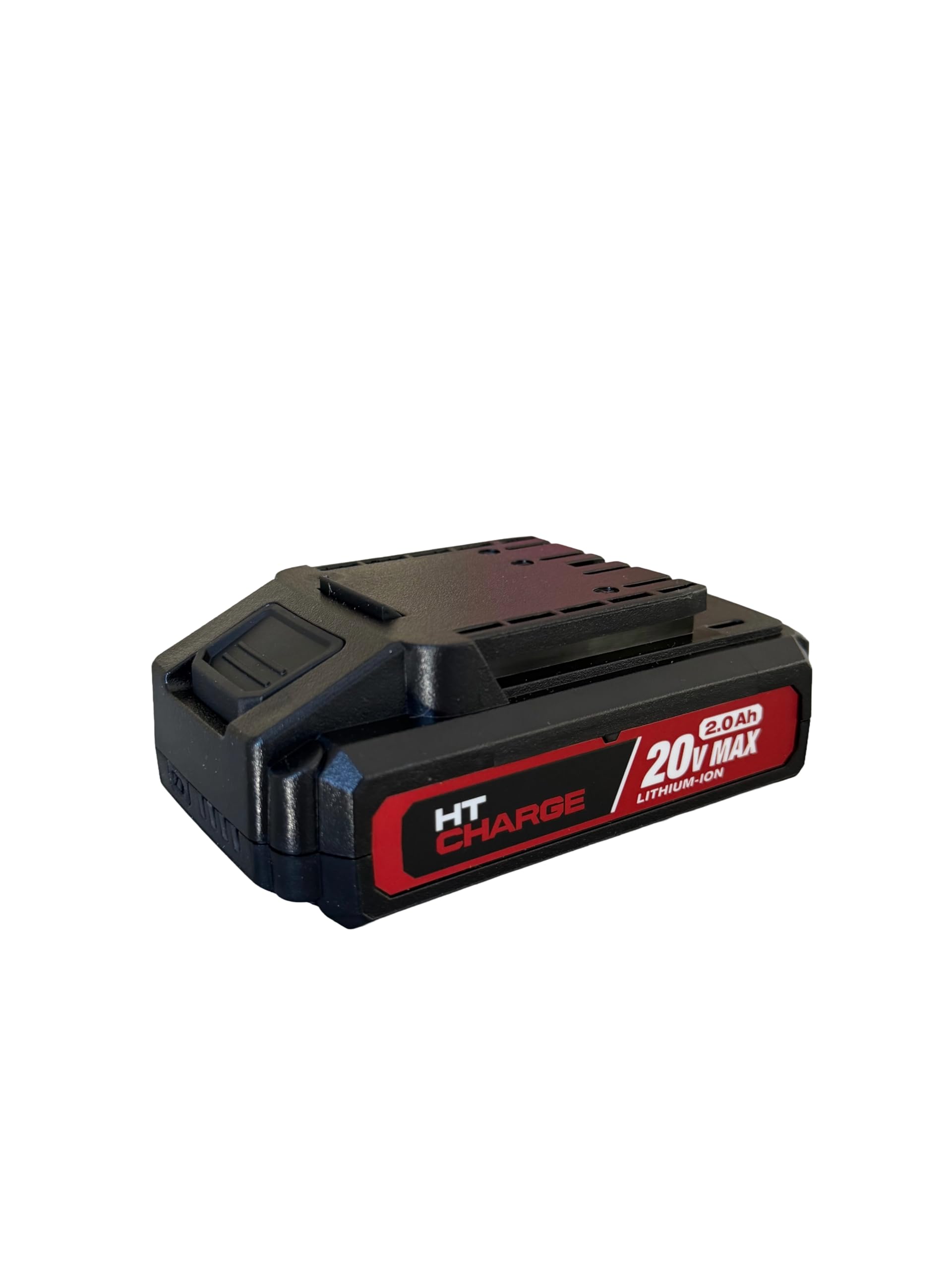
Imatge: Superior view of the Hyper Tough battery pack, displaying the connection terminals and slide mechanism for attaching to compatible power tools.
Configuració
Càrrega inicial
- Assegureu-vos que la bateria estigui completament carregada abans del primer ús.
- Connect the Hyper Tough 20V Max 2.0Ah Lithium-Ion Battery Pack to a compatible Hyper Tough 20V battery charger.
- Connecteu el carregador a una presa de corrent elèctrica estàndard.
- El llum indicador del carregador mostrarà l'estat de càrrega. Consulteu el manual del carregador per conèixer el significat específic dels indicadors.
- Un cop carregat completament, desconnecteu el carregador de la presa de corrent i retireu la bateria.
Attaching to a Tool
- Align the battery pack with the battery port on your Hyper Tough 20V power tool or garden tool.
- Slide the battery pack firmly into the tool until it clicks securely into place. Ensure it is fully seated to prevent accidental detachment during operation.
- To remove, press the battery release button (if present on the tool or battery) and slide the battery pack out.
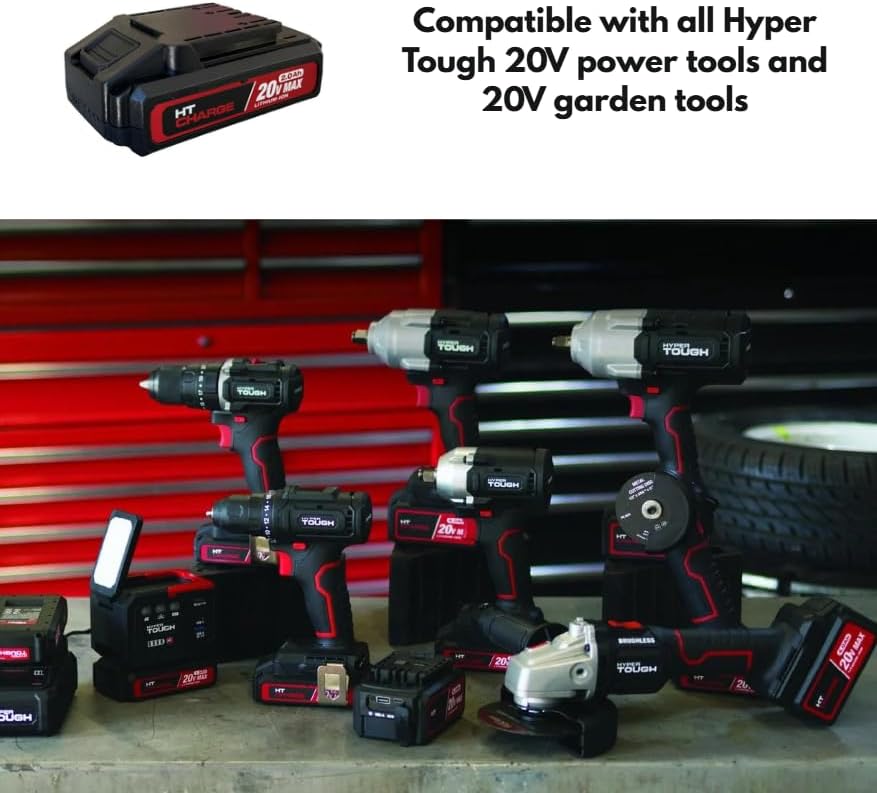
Image: The Hyper Tough 20V Max 2.0Ah Lithium-Ion Battery Pack displayed alongside a range of compatible Hyper Tough 20V power tools, including drills, impact wrenches, and grinders, illustrating its versatility.
En funcionament
Eines elèctriques
Once the battery pack is securely attached to a compatible Hyper Tough 20V tool, the tool is ready for operation. Refer to your specific tool's instruction manual for operating procedures.
Using USB Ports for Device Charging
The integrated USB-A and USB-C ports allow you to charge compatible electronic devices such as smartphones, tablets, or other USB-powered gadgets.
- Port USB-A: Connect your device's USB-A charging cable to the USB-A port on the battery pack.
- 2-Way USB-C Port: Connect your device's USB-C charging cable to the USB-C port on the battery pack. This port supports Power Delivery (PD) for faster charging of compatible devices.
- Ensure your device is compatible with the output specifications of the battery pack's USB ports.
Indicador de capacitat de la bateria
Press the battery capacity indicator button on the battery pack to view the current charge level. A series of LED lights will illuminate, indicating the remaining power. Refer to the specific LED pattern on your battery for detailed charge level interpretation.
Manteniment
Neteja
- Always remove the battery pack from any tool or charger before cleaning.
- Wipe the exterior of the battery pack with a clean, dry cloth.
- Do not use water, solvents, or harsh chemicals to clean the battery pack.
- Keep the battery terminals clean and free of debris.
Emmagatzematge
- Store the battery pack in a cool, dry place, away from direct sunlight, heat sources, and moisture.
- Avoid storing the battery pack in temperatures below 41°F (5°C) or above 104°F (40°C).
- For long-term storage, it is recommended to charge the battery pack to approximately 50% capacity.
- No emmagatzemeu la bateria amb objectes metàl·lics que puguin provocar un curtcircuit als terminals.
Resolució de problemes
Battery Pack Not Charging
- Ensure the charger is properly plugged into a working electrical outlet.
- Verify that the battery pack is securely connected to the charger.
- Check the ambient temperature; charging should occur between 41°F (5°C) and 104°F (40°C).
- Confirm you are using a compatible Hyper Tough charger.
Battery Pack Not Powering Tool
- Ensure the battery pack is fully charged. Check the battery capacity indicator.
- Verify the battery pack is securely attached to the tool.
- Confirm the tool is compatible with Hyper Tough 20V battery packs.
Els ports USB no carreguen dispositius
- Ensure the battery pack has sufficient charge.
- Verify that the USB cable is functioning correctly and is securely connected to both the battery pack and the device.
- Confirm your device is compatible with the USB output specifications (voltage/actual).
- Some devices may require specific charging protocols not supported by the battery pack.
Especificacions
| Nom del model | Bateria de 20 V 2.0 Ah |
| Número de model | HT-CHARGE-20V-2AH |
| Tipus de bateria | Ió de liti |
| Voltage | 20 V màx |
| Capacitat | 2.0 Ah (40 Wh) |
| Sortida USB-A | 27W Max, 5V/9V=3A, 12V=2A |
| Entrada/sortida USB-C | 30W Max, 5V/9V=3A, 12V=2.5A, 15V=2A, 20V=1.5A |
| Temperatura de càrrega recomanada | De 41 °F a 104 °F (de 5 °C a 40 °C) |
| Compatibilitat | All Hyper Tough 20V power tools and garden tools |
Garantia i Suport
For warranty information, please refer to the documentation provided with your original purchase or contact the retailer where the product was acquired. For technical support or further assistance, please contact Hyper Tough customer service through their official weblloc web o la informació de contacte proporcionada amb el vostre producte.