PowerA Avantage Wireless Controller for Nintendo Switch 2 - Mario & Yoshi
Model: NSGP0569-01V
Introducció
Aquest manual proporciona instruccions completes per al PowerA Advantage Wireless Controller, designed for use with the Nintendo Switch family of devices. It covers setup, operation, maintenance, and troubleshooting to ensure optimal performance and longevity of your controller.
Característiques clau
Hall Effect Modules: Equipped with contact-free magnetic sensors in the thumbsticks to prevent stick drift, offering smoother control, enhanced precision, and increased longevity.
Botons de joc avançats: Two mappable buttons can be programmed on the fly during gameplay without needing to access system settings.
Intuitive Motion Controls: Experience fluid and responsive motion controls for aiming, steering, flying, and other in-game actions.
Botó C: Provides quick access to GameChat features.
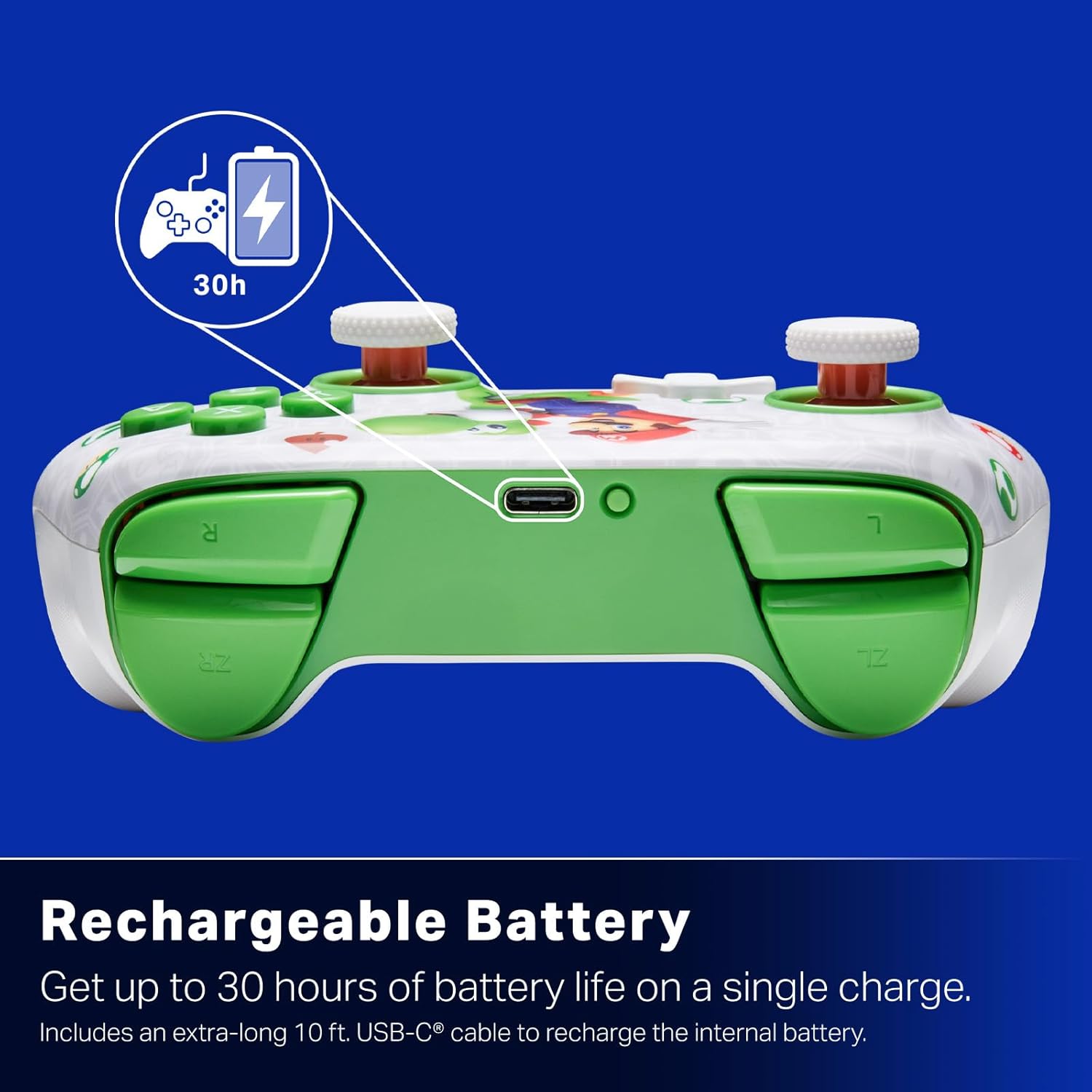
Bateria recarregable: Offers up to 30 hours of gameplay on a single charge. Includes a 10 ft. (3m) USB-C cable for recharging.
Disseny ergonòmic: Crafted for comfort during extended gaming sessions, utilizing cutting-edge ergonomics and high-quality materials.
Nintendo Family Compatibility: Compatible with Nintendo Switch 2, Nintendo Switch, Nintendo Switch – OLED Model, and Nintendo Switch Lite.
Llicència oficial: PowerA products undergo rigorous testing by Nintendo to ensure compatibility and quality.
Instruccions de configuració
1. Càrrega inicial
Before first use, fully charge your PowerA Advantage Wireless Controller. Connect the included 10 ft. (3m) USB-C cable to the controller's USB-C port and the other end to a powered USB port on your Nintendo Switch dock or a USB wall adapter.
Figure 1: Controller connected via USB-C for charging, highlighting the rechargeable battery feature.
2. Emparellament amb Nintendo Switch
Assegura't que la consola Nintendo Switch estigui engegada i actualitzada amb el programari del sistema més recent.
Al menú INICI, seleccioneu Controladors, doncs Canvia d'adherència/ordre.
On the PowerA Advantage Wireless Controller, press and hold the Botó SYNC located on the top edge of the controller for at least three seconds. The player indicator LEDs on the bottom of the controller will begin to flash.
Once the controller successfully pairs, the player indicator LED(s) corresponding to the controller number will remain lit.
Premeu el botó Un botó to confirm and exit the pairing screen.
For subsequent uses, simply press the HOME button on the controller to wake it up and automatically reconnect to your Switch console.
Instruccions de funcionament
Controls bàsics
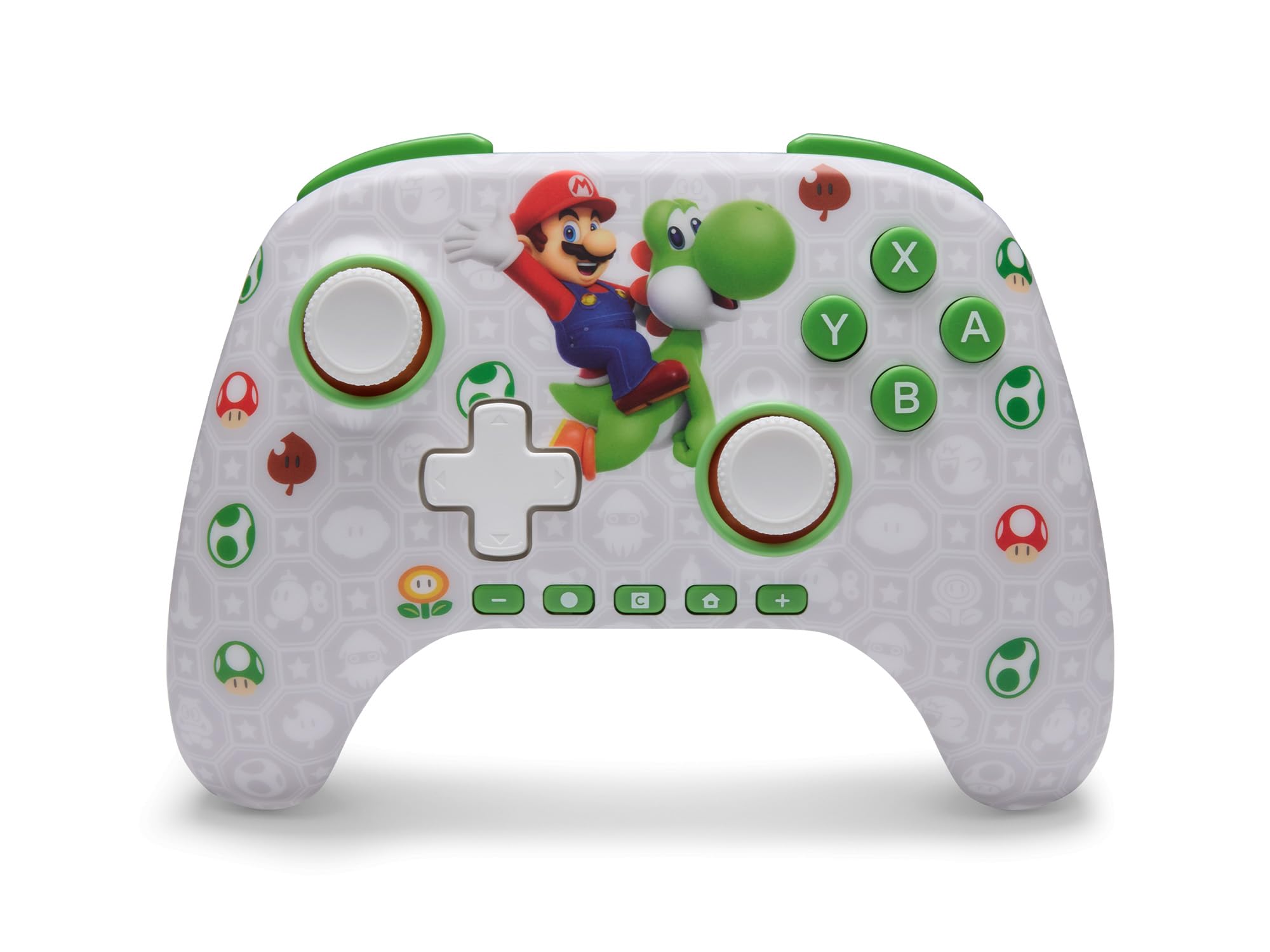
El PowerA Advantage Wireless Controller features standard Nintendo Switch button layouts, including A, B, X, Y buttons, L/R and ZL/ZR shoulder buttons, a D-pad, and dual analog sticks. Familiarize yourself with these controls for general gameplay.
Figura 2: Frontal view of the PowerA Advantage Wireless Controller, highlighting the Mario and Yoshi design and button layout.
Advanced Gaming Buttons (AGB)
The controller includes two mappable Advanced Gaming Buttons (AGR and AGL) on the back. These buttons can be assigned to replicate any other button on the controller for quick access during gameplay.
Premeu el botó Program Button (PRGM) on the back of the controller. The Program LED will flash.
Premeu el botó Botó de jocs avançats (AGR or AGL) you wish to map. The Program LED will flash rapidly.
Premeu el botó botó you want to assign to the Advanced Gaming Button (e.g., A, B, X, Y, L, R, ZL, ZR, D-pad directions). The Program LED will stop flashing, indicating successful mapping.
To clear a mapped button, repeat steps 1-2, then press the Botó del programa de nou.
Figure 3: Advanced Gaming Buttons (AGB) on the back of the controller, with an illustration of mappable functions.
Controls de moviment
The controller supports motion controls, allowing for intuitive interaction in compatible games. These controls are automatically enabled when supported by the game.
Figure 4: Controller demonstrating motion control capabilities through tilting.
C Button (GameChat)
The dedicated C Button provides quick access to GameChat features in supported titles, enhancing your multiplayer experience.
Figure 5: The 'C' button, used for GameChat features.
Manteniment
Neteja: Feu servir un drap suau i sec per netejar el controlador. Eviteu utilitzar productes químics agressius o materials abrasius.
Emmagatzematge: Guardeu el controlador en un lloc fresc i sec, allunyat de la llum solar directa i de temperatures extremes.
Cura de la bateria: Per allargar la durada de la bateria, eviteu descarregar completament el controlador amb freqüència. Carregueu-lo regularment, fins i tot si no l'utilitzeu constantment.
Cura del cable: Handle the USB-C charging cable with care. Avoid bending or twisting it excessively.
Resolució de problemes
El controlador no es connecta/s'emparella
Assegureu-vos que el controlador estigui completament carregat.
Verifica que la consola Nintendo Switch estigui actualitzada amb el programari del sistema més recent.
Repeat the pairing process (see "Pairing with Nintendo Switch" in Setup Instructions).
If issues persist, try restarting both the controller and the Nintendo Switch console.
Deriva de pal
El PowerA Advantage Controller features Hall Effect modules designed to prevent stick drift. If you experience any unintended input, ensure the controller's firmware is up to date (check PowerA's official weblloc web per a actualitzacions).
Recalibrate the joysticks through the Nintendo Switch system settings if necessary (System Settings > Controllers and Sensors > Calibrate Control Sticks).
Durada de la bateria curta
Ensure the controller is fully charged before each use.
Battery life can vary based on game usage and features enabled.
Feu servir el cable USB-C inclòs per a una càrrega òptima.
Especificacions
Característica
Detall
Número de model
NSGP0569-01V
Connectivitat
Wireless (Bluetooth), USB-C (for charging)
Dispositius compatibles
Nintendo Switch 2, Nintendo Switch, Nintendo Switch – OLED Model, Nintendo Switch Lite
Durada de la bateria
Fins a 30 hores (varia segons l'ús)
Longitud del cable
10 ft. (3m) USB-C
Dimensions
5.88 x 4.21 x 2.36 polzades
Pes
0.66 lliures
Característiques especials
Hall Effect Thumbsticks, Mappable Advanced Gaming Buttons, Motion Controls, C Button
Garantia i Suport
El PowerA Advantage Wireless Controller comes with a Garantia limitada de dos anys. For detailed warranty information, product support, or to register your product, please visit the official PowerA weblloc a PowerA.com/Support.
Figure 6: Official Nintendo Licensed Product badge, ensuring quality and compatibility.
Ask a question about this manual
Ask about setup, troubleshooting, compatibility, parts, safety, or missing instructions. Manuals+ will review the question and use this page’s manual context to help answer it.